-
Linux上部署MySQL5.6 rpm包数据库
1、查看虚拟机上是否存在MySQL
rpm -qa | grep mysql- 1

空的话就没有,存在的话把原有的卸载,安装你想要安装的版本,避免安装冲突
//卸载MySQL rpm -e --nodeps 后面加上MySQL信息- 1
- 2
2、安装wget命令
yum install wget -y- 1
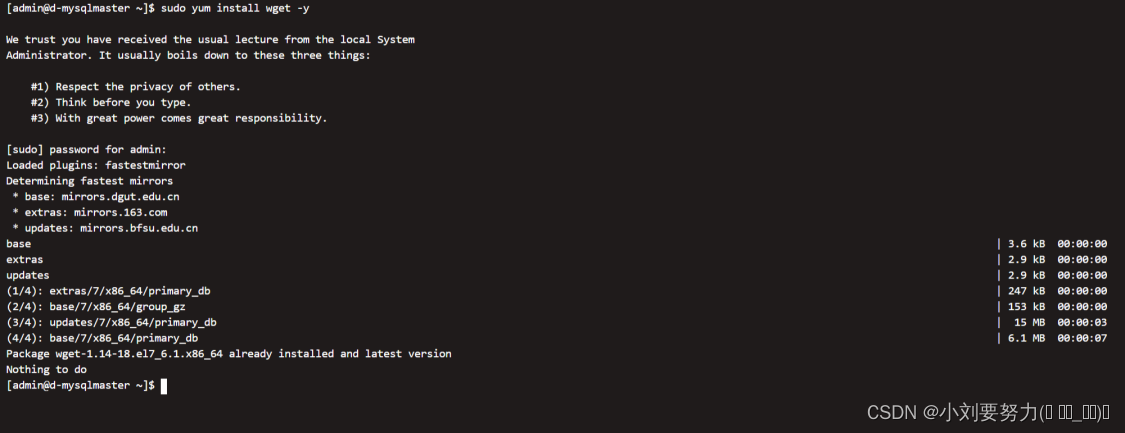
3、通过命令给CentOS添加mysq的rpm源
wget dev.mysql.com/get/mysql-community-release-el7-5.noarch.rpm- 1
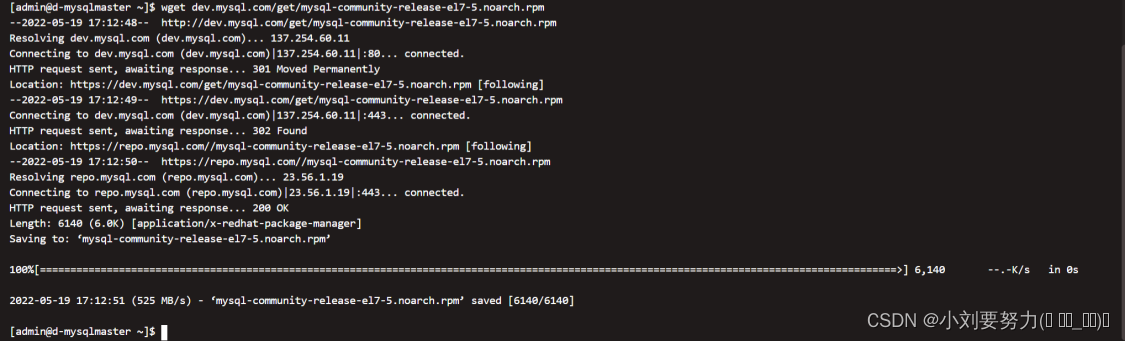
4、安装下载好的mysq的rpm源
yum install mysql-community-release-el7-5.noarch.rpm -y- 1

5、使用yum安装mysql
yum install mysql-community-server -y- 1

到此MySQL就安装好了。
6、用服务启动命令测试一下启动MySQL服务
systemctl start mysqld.service- 1
查看一下启动状态
systemctl status mysqld.service- 1
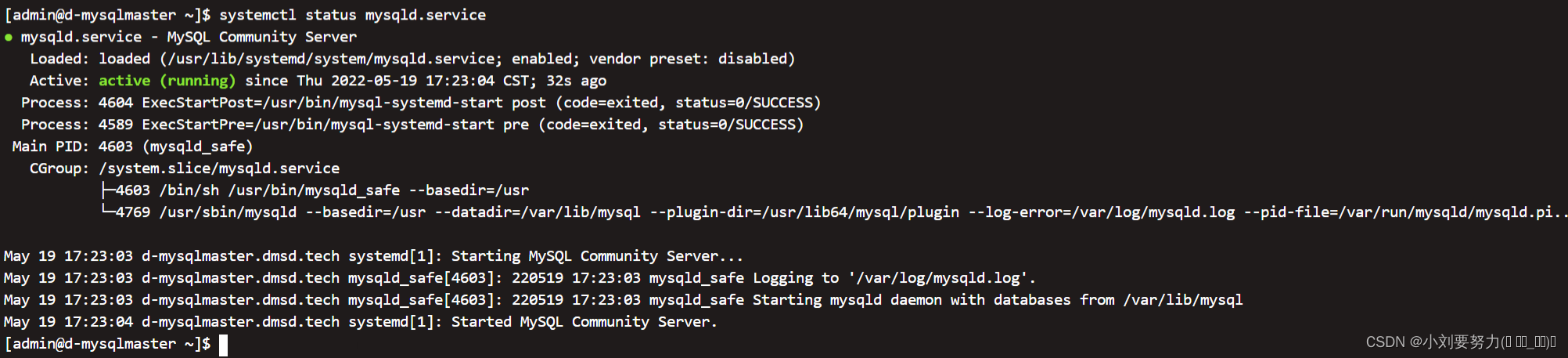
7、配置MySQL开机自启
chkconfig mysqld on- 1
8、获取临时密码,如果获取不到的话就直接跳过这一步
grep "password" /var/log/mysqld.log- 1
9、使用临时密码登录,没有密码的话直接回车
mysql -uroot -p- 1
10、进行密码修改
use mysql; update mysql.user set password=password('123456') where user='root';- 1
- 2
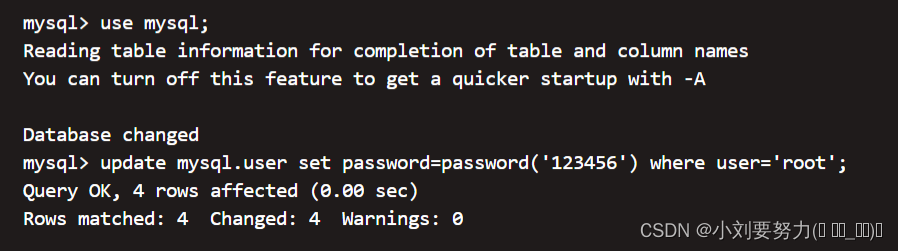
11、修改远程访问权限
grant all privileges on *.* to 'root'@'%' identified by '123456' with grant option; flush privileges;- 1
- 2
- 3

12、设置配置文件字符集为utf-8
进入到配置文件
vi /etc/my.cnf- 1
# 配置默认编码为utf8 character_set_server=utf8 init_connect='SET NAMES utf8'- 1
- 2
- 3
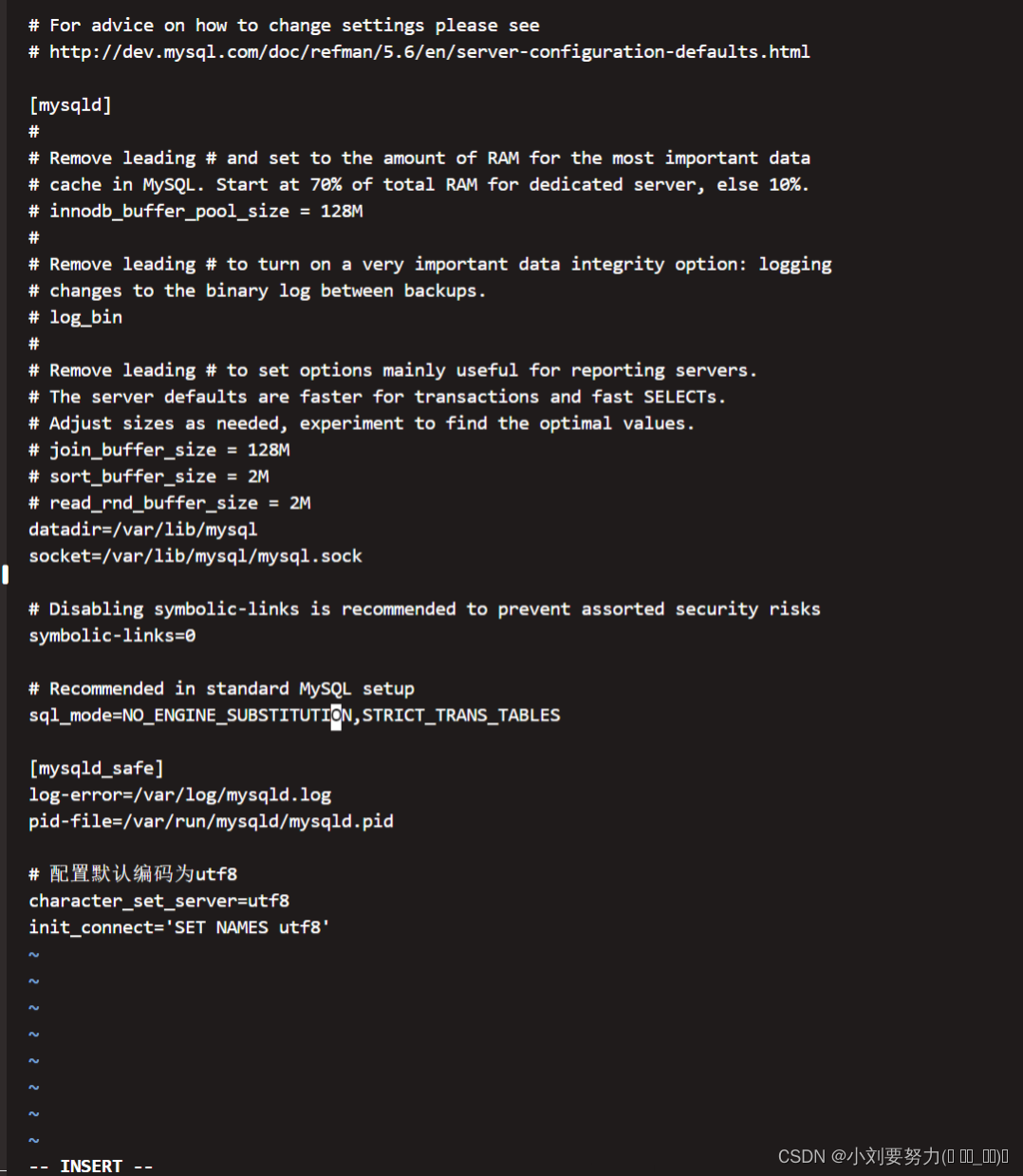
13、重启MySQL
systemctl restart mysqld.service- 1
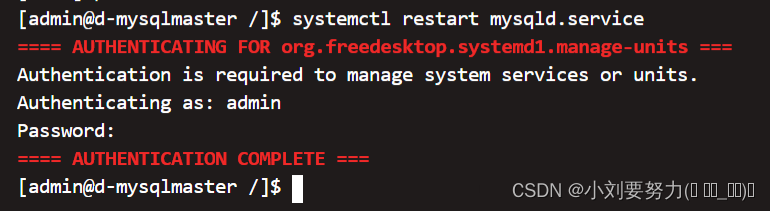
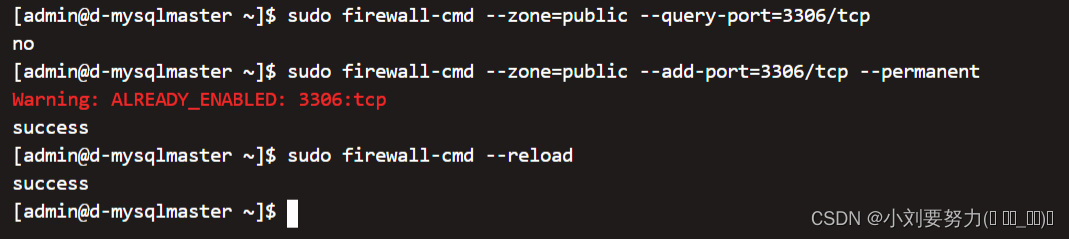
14、使用Navicat进行连接,如果连接失败,查看防火墙3306端口是否开启
# 查询3306端口是否开放 sudo firewall-cmd --zone=public --query-port=3306/tcp # 开放3306端口 sudo firewall-cmd --zone=public --add-port=3306/tcp --permanent # 重启防火墙,生效配置 sudo firewall-cmd --reload- 1
- 2
- 3
- 4
- 5
- 6
-
相关阅读:
vr航空博物馆综合展馆趣味VR科普体验
排序算法总结及JAVA代码实现
Java学习之--类和对象
Lsky Pro+云服务器搭建私人图床
练习nfs-rsyslog-httpd-mysql
代码随想录图论部分-695. 岛屿的最大面积|1020. 飞地的数量
Deep Java Library(五)DJLServing java client demo
JS正则表达式
潘多拉 IOT 开发板学习(HAL 库)—— 实验1 跑马灯(RGB)实验(学习笔记)
华为OD机试 - 特异性双端队列(Java 2023 B卷 100分)
- 原文地址:https://blog.csdn.net/weixin_44684272/article/details/125917672