-
Flutter 自定义动画 — 数字递增动画和文字逐行逐字出现或消失动画
系列文章
- Flutter 旋转动画 — RotationTransition
- Flutter 平移动画 — 4种实现方式
- Flutter 淡入淡出与逐渐出现动画
- Flutter 尺寸缩放、形状、颜色、阴影变换动画
- Flutter 列表Item动画 — AnimatedList实现Item左进左出、淡入淡出
- Flutter Hero 实现共享元素转场动画
- Flutter Hero 实现径向变换动画 — 圆形变成矩形的转场动画
- Flutter 自定义动画 — 数字递增动画和文字逐行逐字出现或消失动画
1 文字变换动画效果图

2 动画基础知识
- Animation 是 Flutter 动画库中的核心类,它插入用于引导动画的值。
- AnimationController 管理动画。例如控制动画开始、停止、前进、后退等。
- CurvedAnimation 将进程定义为非线性曲线。
- Tween 在被动画对象使用的数据范围之间进行插值。 例如,Tween 可以定义从红色到蓝色或从 0 到 255 的插值。
- Listeners 和 StatusListeners 可监控动画状态的变化。
- AnimatedWidget 是展示动画的Widget,Flutter提供一些动画Widget让我们快速实现动画效果。例如:DecoratedBoxTransition、FadeTransition、PositionedTransition、RelativePositionedTransition、RotationTransition、ScaleTransition、SizeTransition、SlideTransition
- AnimatedBuilder 可自定义AnimatedWidget,实现自定义动画效果
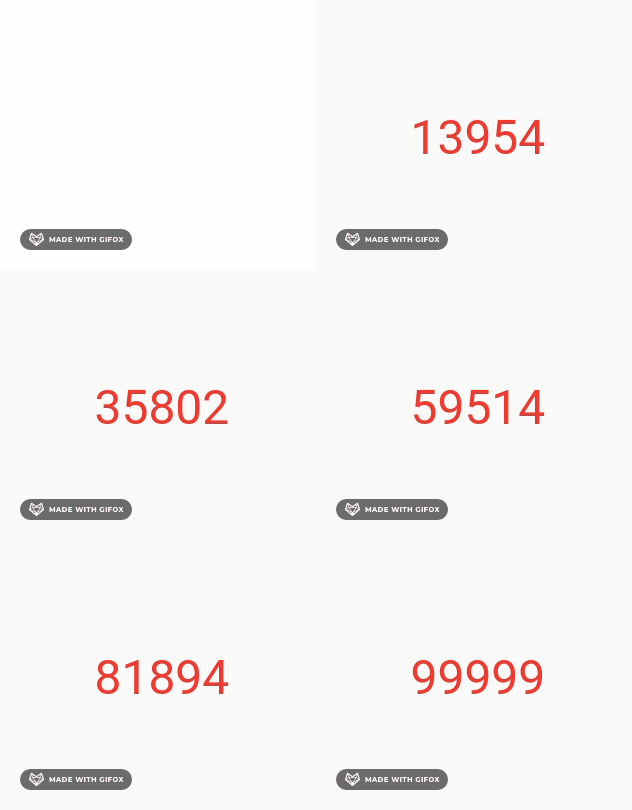
3 使用AnimatedBuilder 实现数字递增动画
实现动画的步骤和前文中提到的使用 FadeTransition、SizeTransition、SlideTransition等AnimatedWidget类似。
- 定义AnimationController与Animation,在此处使用Tween补间动画。
- 构建AnimatedBuilder,将 Animation 的值显示出来即可。
完整的代码
class NumAnimationPage extends StatefulWidget { const NumAnimationPage({Key? key}) : super(key: key); @override State<StatefulWidget> createState() => _NumAnimationPageState(); } class _NumAnimationPageState extends State<NumAnimationPage> with SingleTickerProviderStateMixin { /// 持续时间为5秒的动画控制器 late final AnimationController _controller = AnimationController( vsync: this, duration: const Duration(seconds: 5), )..forward(); /// 数字从100 到 99999的补间动画 late final Animation<num> _animation = Tween<num>(begin: 100, end: 99999).animate(_controller); @override Widget build(BuildContext context) { return Scaffold( body: Center( // 是一个AnimatedWidget,可自定义动画效果 child: AnimatedBuilder( animation: _animation, builder: (context, child) { return Text( // 忽略小数点 _animation.value.toStringAsFixed(0), style: const TextStyle(color: Colors.red, fontSize: 48), ); }, ), ), ); } }- 1
- 2
- 3
- 4
- 5
- 6
- 7
- 8
- 9
- 10
- 11
- 12
- 13
- 14
- 15
- 16
- 17
- 18
- 19
- 20
- 21
- 22
- 23
- 24
- 25
- 26
- 27
- 28
- 29
- 30
- 31
- 32
- 33
- 34
- 35
- 36
- 37
- 38
动画效果
4 自定义Tween实现文字逐行逐字出现或消失动画
4.1 自定义Tween
自定义补间动画,接收的参数是字符串,返回的值是某个时刻对应的字符串内容。
class TextTween extends Tween<String> { TextTween({String end = ''}) : super(begin: '', end: end); @override String lerp(double t) { // 在动画过程中 t 的值是从 0 到 1 var cutoff = (end!.length * t).round(); // 返回动画时钟t时刻 对应的文字。 return end!.substring(0, cutoff); } }- 1
- 2
- 3
- 4
- 5
- 6
- 7
- 8
- 9
- 10
- 11
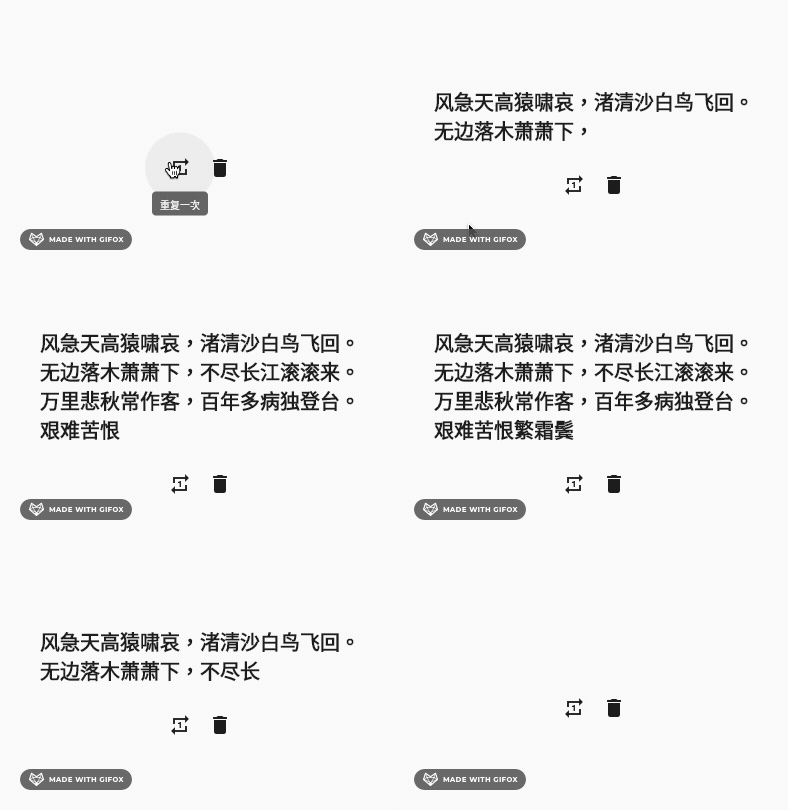
4.2 结合AnimatedBuilder实现文字逐字出现或消失
这里用到了2个AnimationController的函数
- AnimationController.forward(from: 0); 动画从头再次播放
- AnimationController.reverse(); 动画反向播放
class CustomTextAnimationPage extends StatefulWidget { const CustomTextAnimationPage({Key? key}) : super(key: key); @override State<StatefulWidget> createState() => _CustomTextAnimationPageState(); } class _CustomTextAnimationPageState extends State<CustomTextAnimationPage> with SingleTickerProviderStateMixin { final String _text = '风急天高猿啸哀,渚清沙白鸟飞回。' '\n无边落木萧萧下,不尽长江滚滚来。' '\n万里悲秋常作客,百年多病独登台。' '\n艰难苦恨繁霜鬓,潦倒新停浊酒杯。'; /// 持续时间为10秒的动画控制器 late final AnimationController _controller = AnimationController( vsync: this, duration: const Duration(seconds: 10), )..forward(); late final Animation<String> _animation = TextTween(end: _text).animate(_controller); @override Widget build(BuildContext context) { return Scaffold( body: Center( child: Column( mainAxisSize: MainAxisSize.min, children: [ AnimatedBuilder( animation: _animation, builder: (context, child) { return Text( _animation.value, style: const TextStyle( fontSize: 20, fontWeight: FontWeight.bold), ); }, ), const SizedBox(height: 20), Row( mainAxisAlignment: MainAxisAlignment.center, children: [ IconButton( tooltip: '重复一次', onPressed: () { _controller.forward(from: 0); }, icon: const Icon(Icons.repeat_one), ), IconButton( tooltip: '删除古诗', onPressed: () { _controller.reverse(); }, icon: const Icon(Icons.delete), ) ], ), ], ), ), ); } }- 1
- 2
- 3
- 4
- 5
- 6
- 7
- 8
- 9
- 10
- 11
- 12
- 13
- 14
- 15
- 16
- 17
- 18
- 19
- 20
- 21
- 22
- 23
- 24
- 25
- 26
- 27
- 28
- 29
- 30
- 31
- 32
- 33
- 34
- 35
- 36
- 37
- 38
- 39
- 40
- 41
- 42
- 43
- 44
- 45
- 46
- 47
- 48
- 49
- 50
- 51
- 52
- 53
- 54
- 55
- 56
- 57
- 58
- 59
- 60
- 61
- 62
- 63
- 64
- 65
- 66
4.3 动画效果
-
相关阅读:
yarn下载某个包时卡住手动下载解决方案
centos7 安装 RabbitMq
Static 静态成员
java 3年经验面试题
浏览器的本地存储
JetCache设计原理浅析
数据库设计的酸(ACID)碱(BASE)原则
【机器学习】实验3布置:贝叶斯垃圾邮件识别
SpringBoot DeferredResult 长轮询实现实现方式?
分布式篇---第五篇
- 原文地址:https://blog.csdn.net/ww897532167/article/details/125501385
