-
Docker 部署 MySQL 8
1. 拉取镜像
直接去 dockerhub 就行,找自己想要的镜像版本:
https://hub.docker.com/_/mysql
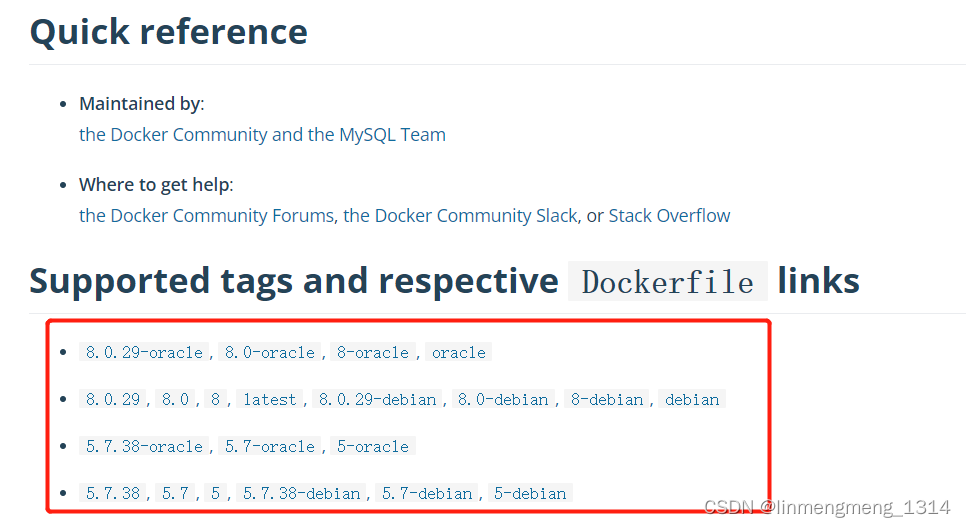
拉取镜像:docker pull mysql:8我这里打算直接用
8,则使用上面的命令,如果选择别的tag,直接替换即可。2. 启动容器并挂载目录
docker run --restart always \ --name mysql8 \ -p 3307:3306 \ -p 33070:33060 \ -v /usr/soft/mysql-3307/mysql-files:/var/lib/mysql-files \ -v /usr/soft/mysql-3307/data:/var/lib/mysql \ -v /usr/soft/mysql-3307/conf.d:/etc/mysql/conf.d \ -v /usr/soft/mysql-3307/etc.mysql:/etc/mysql \ -e MYSQL_ROOT_PASSWORD= abc23456\ -d mysql:8 \ --character-set-server=utf8mb4 \ --collation-server=utf8mb4_general_ci \ --default_authentication_plugin=mysql_native_password- 1
- 2
- 3
- 4
- 5
- 6
- 7
- 8
- 9
- 10
- 11
- 12
- 13
这里
-e MYSQL_ROOT_PASSWORD直接指定root密码:abc23456异常
1. 未挂载目录 /var/lib/mysql-files
报错信息:
Failed to access directory for --secure-file-priv. Please make sure that directory exists and is accessible by MySQL Server. Supplied value : /var/lib/mysql-files- 1
在启动容器时,添加挂载目录:
-v /usr/soft/mysql-3307/mysql-files:/var/lib/mysql-files2. Navicat 连接报错:2059-Authentication plugin
caching_sha2_passwordcannot be load…给容器配置参数:
--default_authentication_plugin=mysql_native_password在启动容器的命令最后,添加该参数。
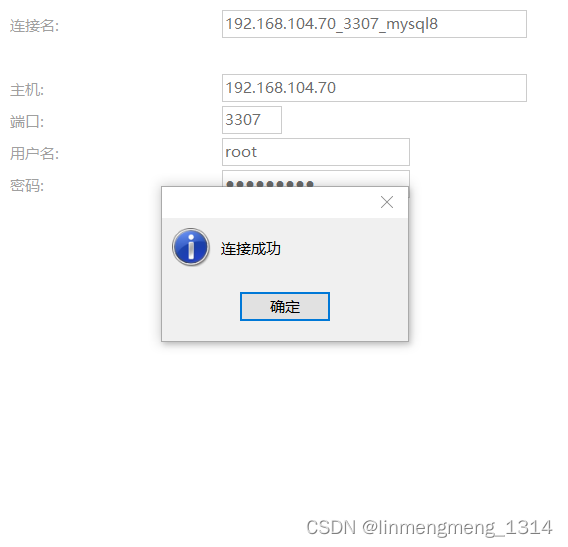
改成这样之后,虽然可以正常启动了,但是看下日志,有个提醒:2022-06-28T10:01:24.463764Z 0 [Warning] [MY-010101] [Server] Insecure configuration for --secure-file-priv: Location is accessible to all OS users. Consider choosing a different directory. 2022-06-28T10:01:24.463859Z 0 [Warning] [MY-010918] [Server] 'default_authentication_plugin' is deprecated and will be removed in a future release. Please use authentication_policy instead. 2022-06-28T10:01:24.463892Z 0 [System] [MY-010116] [Server] /usr/sbin/mysqld (mysqld 8.0.29) starting as process 1 2022-06-28T10:01:24.465571Z 0 [Warning] [MY-013242] [Server] --character-set-server: 'utf8' is currently an alias for the character set UTF8MB3, but will be an alias for UTF8MB4 in a future release. Please consider using UTF8MB4 in order to be unambiguous. 2022-06-28T10:01:24.465595Z 0 [Warning] [MY-013244] [Server] --collation-server: 'utf8_general_ci' is a collation of the deprecated character set UTF8MB3. Please consider using UTF8MB4 with an appropriate collation instead. 2022-06-28T10:01:24.473710Z 1 [System] [MY-013576] [InnoDB] InnoDB initialization has started.- 1
- 2
- 3
- 4
- 5
- 6
可以看到 提示不建议使用,这里可以改为:
--character-set-server=utf8mb4 \ --collation-server=utf8mb4_general_ci \- 1
- 2
-
相关阅读:
Leetcode232.用栈实现队列
29-移动端开发
123. 买卖股票的最佳时机 III
事务+事务并发+事务隔离级别【Interview Question】
持续集成交付CICD:Jenkins Pipeline与远程构建触发器
MyBatisPlus-乐观锁概念及实现步骤
Java 中的 String Pool 简介
【CentOS安装配置Jupyter 】
开源微信小程序商城源码PHP带后台管理——构建高效电商平台的基石
Spring for Apache Kafka概述和简单入门
- 原文地址:https://blog.csdn.net/linmengmeng_1314/article/details/125507133
- 最新文章
-
沪漂五周年了:我越来越迷茫了
Agentic Skill Routing 实战:别再把所有 Skill 塞进 AI Agent 上下文
MySQL-Seconds_behind_master的精度误差
[MAF预定义ChatClient中间件-03]CachingChatClient——利用缓存省钱省时间
AI的至暗历史:从万众期待到被政府撤资,AI的两次死亡徘徊
Agent OS :五种驯服不确定性的范式
PortSwigger SQL注入LAB11
数据库即时编译JIT
[Begin]AI Learn Data Day 0
深度学习进阶(二十七)现代 LLM 的核心架构设计其二:SwiGLU