本人之前对C#开发非常喜欢,也从事开发C#开发桌面开发、Web后端、Vue前端应用开发多年,最近一直在研究使用Python,希望能够把C#的一些好的设计模式、开发便利经验引入到Python开发中,很多时候类似的开发方式,可以极大提高我们开发的效率,本篇随笔对wxpython控件实现类似C#扩展函数处理的探究总结。
1、C#扩展函数特点及便利性回顾
C# 的扩展方法具有以下几个特点和便利性:
-
语法简洁:扩展方法允许在不修改原始类型的情况下,向现有类型添加新功能。调用时看起来像是实例方法。
-
易于使用:可以在调用扩展方法时使用点语法,这使得代码更易读且更自然。例如,对于字符串类型,可以直接调用扩展方法而不是传递实例。
-
静态类和静态方法:扩展方法必须定义在静态类中,并且本身也是静态方法。第一个参数指定了要扩展的类型,并使用
this关键字修饰。 -
提升代码组织性:将相关功能组织到扩展方法中,可以减少主类中的代码量,提高可维护性。
-
与 LINQ 的结合:扩展方法在 LINQ 中的应用非常广泛,使得集合操作更加直观和简洁。
-
支持多种数据类型:可以为基本类型、集合类型甚至自定义类型添加扩展方法,从而提供更广泛的功能。
总的来说,扩展方法在提高代码可读性和可维护性方面具有明显的优势,是C#语言设计中的一项重要特性。
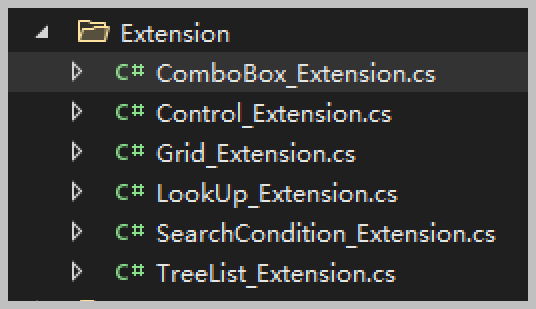
我在开发C#Winform应用前端的时候,在自己的公用类库上实现了很多扩展方法,特别是对于一些控件,增加了很多如绑定数据列表、绑定字典大类名称后直接加载数据列表等,以及一些对数据类型的通用处理,如字符串的格式判断或者裁剪等等。
如在随笔《使用扩展函数方式,在Winform界面中快捷的绑定树形列表TreeList控件和TreeListLookUpEdit控件》中介绍过,对于一些常规控件的数据绑定处理。
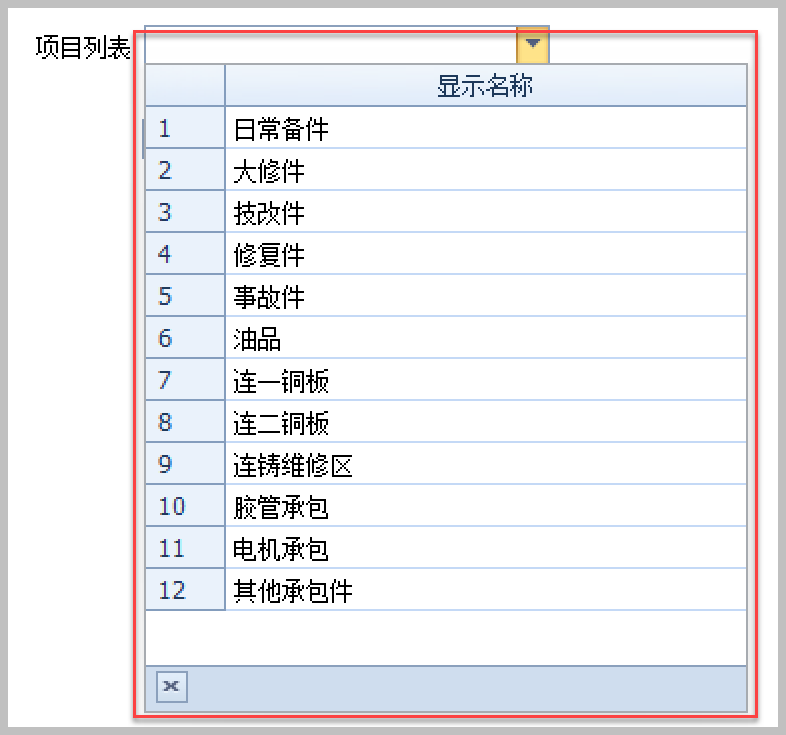
对于常规的列表绑定,我们可以用简单的一个扩展函数实现,如下所示。
    //常规类别绑定
    this.txtProjectList4.BindDictItems(list, "Text", "Value", true, columns.ToArray());
定义了扩展方法,就很容易实现数据的绑定,减少涉及控件处理的细节。
那么对于Python如何使用类似的方式实现呢,我们需要对Python 的语言特性进行了解和实际测试下。
2、基于Python实现数据的快速绑定
我们让ChatGPT来进行解答,它给出的代码答案是如下所示。
1)属性绑定方式

import wx

# 定义扩展方法
def BindDictItems(self, items_dict):
    self.Clear()  # 清空现有项
    for key, value in items_dict.items():
        self.Append(value, key)  # 添加项,key 为用户数据,value 为显示内容

# 将扩展方法绑定到 wx.ComboBox 类
setattr(wx.ComboBox, "BindDictItems", BindDictItems)

# 测试应用
class MyApp(wx.App):
    def OnInit(self):
        frame = wx.Frame(None, title="ComboBox BindDictItems Example", size=(300, 200))
        panel = wx.Panel(frame)

        combo_box = wx.ComboBox(panel, style=wx.CB_DROPDOWN, pos=(10, 10))

        # 使用扩展方法绑定字典项
        items = {
            "item1": "Item One",
            "item2": "Item Two",
            "item3": "Item Three"
        }
        combo_box.BindDictItems(items)

        frame.Show()
        return True

if __name__ == "__main__":
    app = MyApp()
    app.MainLoop()
解释
- 定义
BindDictItems方法:这个方法接受一个字典,将字典中的项绑定到ComboBox中。- 使用
self.Clear()清空现有项。 - 遍历字典,并使用
Append方法将项添加到ComboBox。
- 使用
- 使用
setattr绑定方法:通过setattr将定义的方法添加到wx.ComboBox类中。 - 测试应用:在
MyApp中创建一个wx.ComboBox并调用BindDictItems方法。
这样,你就可以为 wx.ComboBox 提供一个 BindDictItems 方法。
测试发现,对于功能实现没有问题,但是对于开发的时候,combo_box 没有函数提示,也就是没有强类型的函数提示,这样只是进行了动态绑定,无法在开发的时候,获得IDE的智能提示,很容易写错。
另外也可以使用下面代码实现类似setattr的处理,相当于直接附加方法,同样在使用的时候也是没有函数的智能提示,但是能够正常工作,俗称 猴子补丁 。
# 使用猴子补丁将方法添加到 wx.ComboBox
wx.ComboBox.BindDictItems = bind_dict_items

2)自定义子类方式
对该结果不满意,继续追问实现该功能的其他途径,给出的另一个解决方案是继承父类,在子类实现更多的自定义函数。
为了实现更好的智能提示和类型检查,可以通过使用类型注解和创建一个自定义子类来扩展 wx.ComboBox。这样可以确保 IDE 提供正确的代码补全和提示。
给出的代码如下所示。
import wx
from typing import Dict

class MyComboBox(wx.ComboBox):
    def BindDictItems(self, items_dict: Dict[str, str]) -> None:
        """Bind a dictionary of items to the ComboBox."""
        self.Clear()  # 清空现有项
        for key, value in items_dict.items():
            self.Append(value, key)  # 添加项,key 为用户数据,value 为显示内容

class MyApp(wx.App):
    def OnInit(self):
        frame = wx.Frame(None, title="ComboBox BindDictItems Example", size=(300, 200))
        panel = wx.Panel(frame)

        combo_box = MyComboBox(panel, style=wx.CB_DROPDOWN, pos=(10, 10))

        # 使用扩展方法绑定字典项
        items = {
            "item1": "Item One",
            "item2": "Item Two",
            "item3": "Item Three"
        }
        combo_box.BindDictItems(items)

        frame.Show()
        return True

if __name__ == "__main__":
    app = MyApp()
    app.MainLoop()
通过这种方式,可以确保在使用 BindDictItems 时能够获得智能提示,从而减少错误。
这样的方式,确实有强类型的函数提示了。虽然可以获得智能提示,但是也就是破坏了界面类的代码,也就是需要修改相关的使用代码,而非C#扩展方法那样,隐式的扩展了。
3)通过中介辅助类的方式实现
有些情况下,不适合继承关系,不可能为每个类都提供一个子类来封装,有时候提供一些辅助类可能更具有性价比。
要在不继承父类的情况下实现类似 C# 的扩展方法,并确保获得智能提示,推荐使用类型注解和一个中介类来包装扩展方法。通过这种方式,IDE 可以识别这些扩展方法并提供智能提示。
创建一个名为 ComboBoxExtensions.py 的文件,其中定义扩展方法。
# combo_box_extensions.py
from typing import Dict
import wx

class ComboBoxExtensions:
    @staticmethod
    def bind_dict_items(combo_box: wx.ComboBox, items_dict: Dict[str, str]) -> None:
        """Bind a dictionary of items to the ComboBox."""
        combo_box.Clear()  # 清空现有项
        for key, value in items_dict.items():
            combo_box.Append(value, key)  # 添加项,key 为用户数据,value 为显示内容
在主应用程序中,导入扩展类并使用其方法。
import wx
from combo_box_extensions import ComboBoxExtensions  # 导入扩展类

class MyApp(wx.App):
    def OnInit(self):
        frame = wx.Frame(None, title="ComboBox Extensions Example", size=(300, 200))
        panel = wx.Panel(frame)

        combo_box = wx.ComboBox(panel, style=wx.CB_DROPDOWN, pos=(10, 10))

        # 使用扩展方法绑定字典项
        items = {
            "item1": "Item One",
            "item2": "Item Two",
            "item3": "Item Three"
        }
        ComboBoxExtensions.bind_dict_items(combo_box, items)  # 这里应该有智能提示

        frame.Show()
        return True

if __name__ == "__main__":
    app = MyApp()
    app.MainLoop()
ComboBoxExtensions 类包含一个静态方法 bind_dict_items,该方法接受 wx.ComboBox 实例和字典作为参数。
在主应用程序中,调用 ComboBoxExtensions.bind_dict_items(combo_box, items),这将获得智能提示。
4)使用协议类型的方式处理,并在使用的时候转换为协议类
为了确保在不继承的情况下实现扩展方法并获得智能提示,最佳方案是结合类型注解和一个特定的函数注册过程。以下是一个经过验证的方式,确保能够在实例上调用扩展方法,同时获得 IDE 的智能提示。
在 combo_box_extensions.py 中定义扩展函数,并使用 cast 来确保类型正确。
# combo_box_extensions.py
from typing import Dict, Protocol
import wx
from typing import cast

class ComboBoxWithBindDictItems(Protocol):
    def BindDictItems(self, items_dict: Dict[str, str]) -> None:
        ...

def bind_dict_items(self: wx.ComboBox, items_dict: Dict[str, str]) -> None:
    """Bind a dictionary of items to the ComboBox."""
    self.Clear()  # 清空现有项
    for key, value in items_dict.items():
        self.Append(value, key)  # 添加项,key 为用户数据,value 为显示内容

# 将扩展方法绑定到 wx.ComboBox
wx.ComboBox.BindDictItems = bind_dict_items
在主应用程序中调用扩展方法,并确保正确使用类型注解。
import wx
from combo_box_extensions import ComboBoxWithBindDictItems  # 导入协议类型

class MyApp(wx.App):
    def OnInit(self):
        frame = wx.Frame(None, title="ComboBox Extensions Example", size=(300, 200))
        panel = wx.Panel(frame)

        combo_box = wx.ComboBox(panel, style=wx.CB_DROPDOWN, pos=(10, 10))

        # 确保类型为 ComboBoxWithBindDictItems,以获得智能提示
        cast(ComboBoxWithBindDictItems, combo_box).BindDictItems({
            "item1": "Item One",
            "item2": "Item Two",
            "item3": "Item Three"
        })  # 这里应该有智能提示

        frame.Show()
        return True

if __name__ == "__main__":
    app = MyApp()
    app.MainLoop()

可以看到,通过cast的方式转换后,具有函数代码的智能提示了。
协议类型:定义 ComboBoxWithBindDictItems,它确保 BindDictItems 方法存在。
使用 cast:在调用 BindDictItems 方法时,使用 cast 来明确指定 combo_box 的类型为 ComboBoxWithBindDictItems,这样 IDE 能够识别并提供智能提示。
智能提示:通过类型注解和 cast,IDE 能够识别扩展方法并提供智能提示。
无继承:避免了复杂的继承结构,同时实现了功能扩展。
以上几种在Python开发中,对于实现C#扩展函数方法的实现,不过总体来说,虽然能够实现类似的方式,却没有C#那种简洁明了,不知道以后Python发展后解决或者是我没有研究透彻的原因,很多时候如果要实现自定义函数的处理方式,估计我只能结合子类继承和辅助类的方式一起解决这个问题。