-
第七章 数据存储【Android基础学习】
前言
2024-6-10 20:55:08
以下内容源自《【Android】》
仅供学习交流使用版权
禁止其他平台发布时删除以下此话
本文首次发布于CSDN平台
作者是CSDN@日星月云
博客主页是https://jsss-1.blog.csdn.net
禁止其他平台发布时删除以上此话推荐
【天哥】Android开发视频教程最新版 Android Studio开发
图片资源来自:
https://github.com/jinjungle/skypan-yes-code开源
日星月云 / 安卓基础学习:https://gitee.com/jsss-1/android-basic-learning
jsss-1 / android-basic-learning:https://github.com/jsss-1/android-basic-learning第七章 数据存储
2024-6-10 20:55:08
7-1 SharedPreferences 轻量数据存储
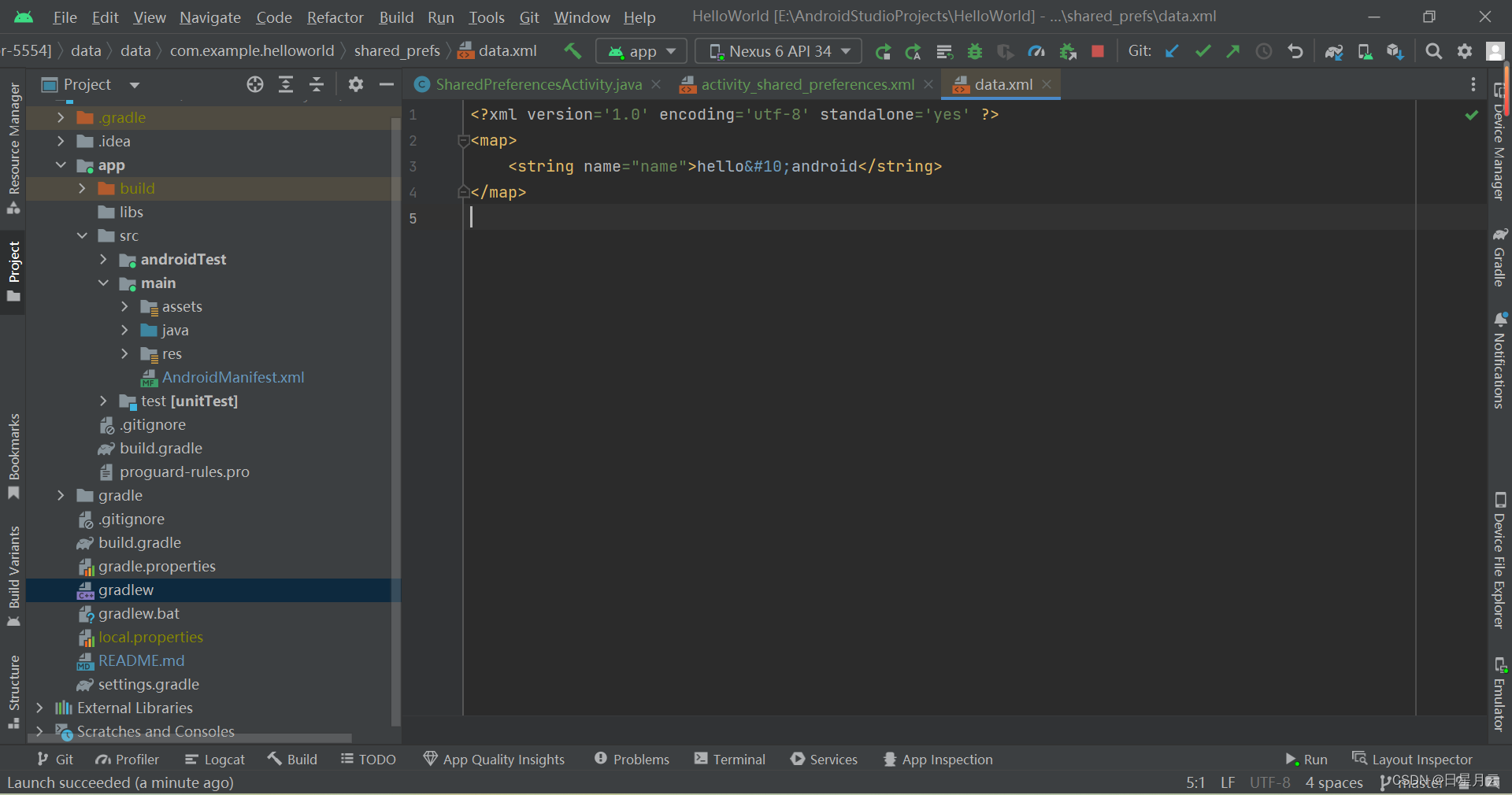
- Xml文件,K-V形式
- SharedPreferences
- SharedPreferences.Editor
//MODE_PRIVATE:只在本应用内读写
//MODE_WORLD_READABLE:其他应用可以读,存在安全性问题,废弃了
//MODE_WORLD_WRITEABLE:其他应用可以写,存在安全性问题,废弃了
//MODE_APPEND:追加文件而不是覆盖文件
mSharedPreferences = getSharedPreferences("data", MODE_PRIVATE);
mEditor = mSharedPreferences.edit();
读操作
mEditor.putString("name", mEtName.getText().toString());
//同步存储
mEditor.commit();
//异步存储:先从到内存中,异步刷盘到手机
mEditor.apply();
写操作
mTvContent.setText(mSharedPreferences.getString("name",""));文件目录
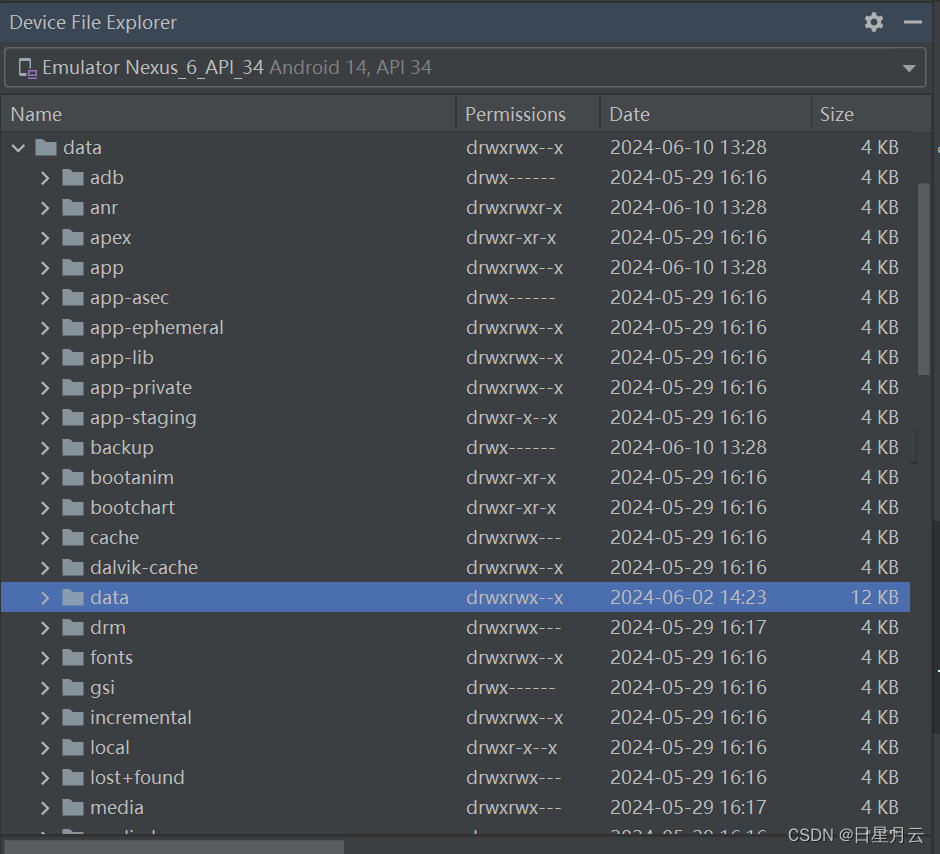
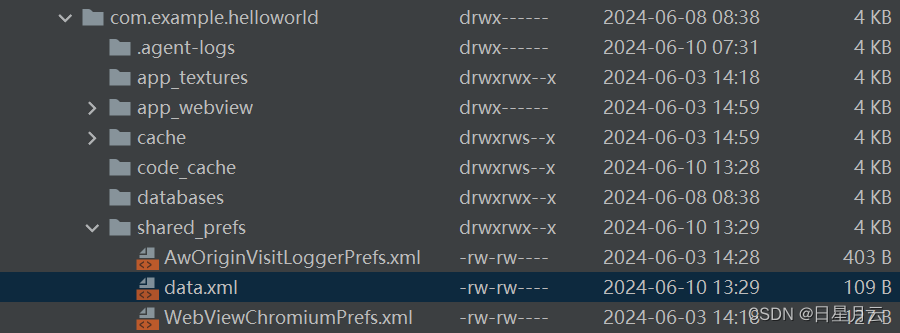
/data/data//shared_prefs
applicationId:默认是包名
DataStorageActivity
SharedPreferencesActivity
activity_data_storage.xml
activity_shared_preferences.xml7-2 File
- 利用Java的I/O流
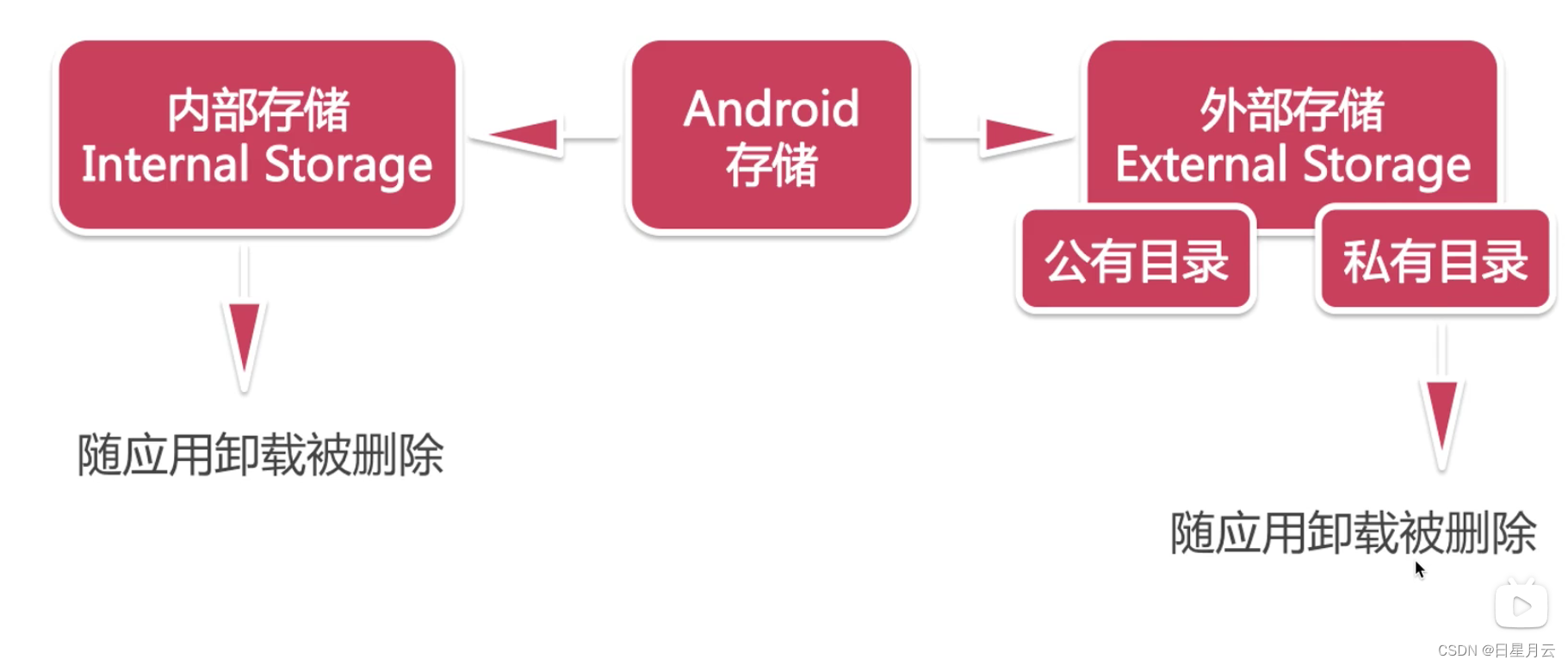
7-2-1 Android存储概念
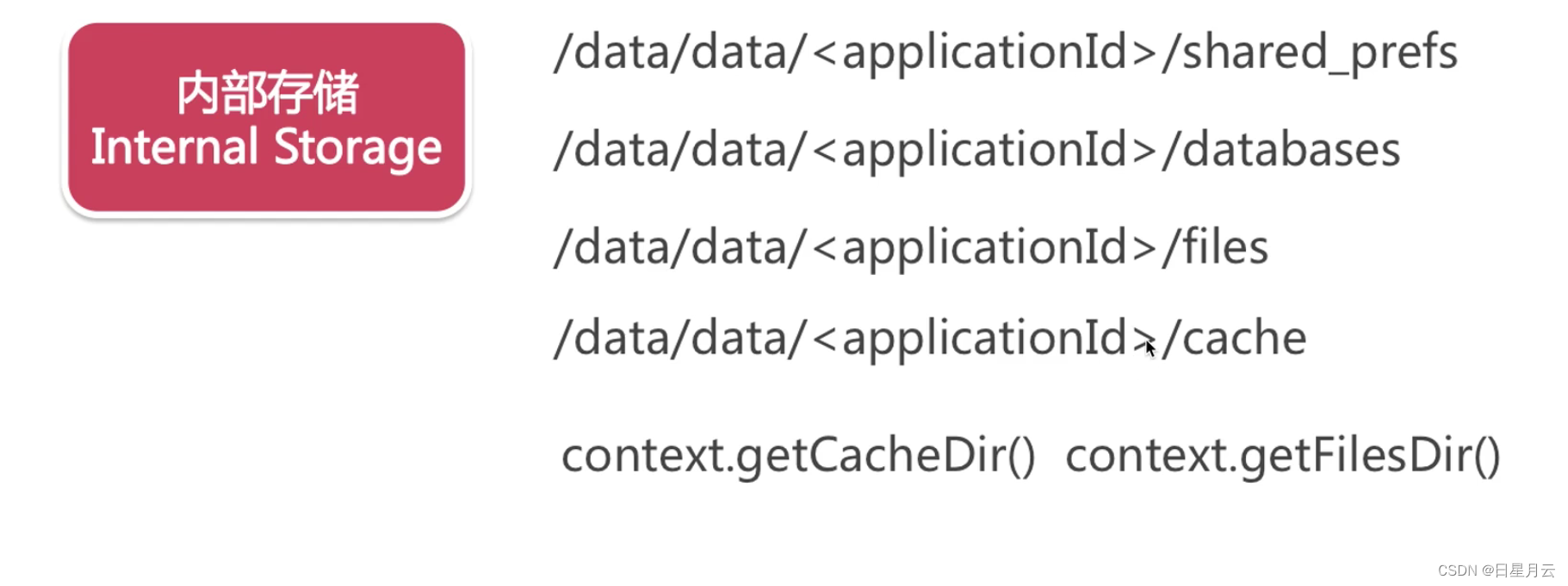
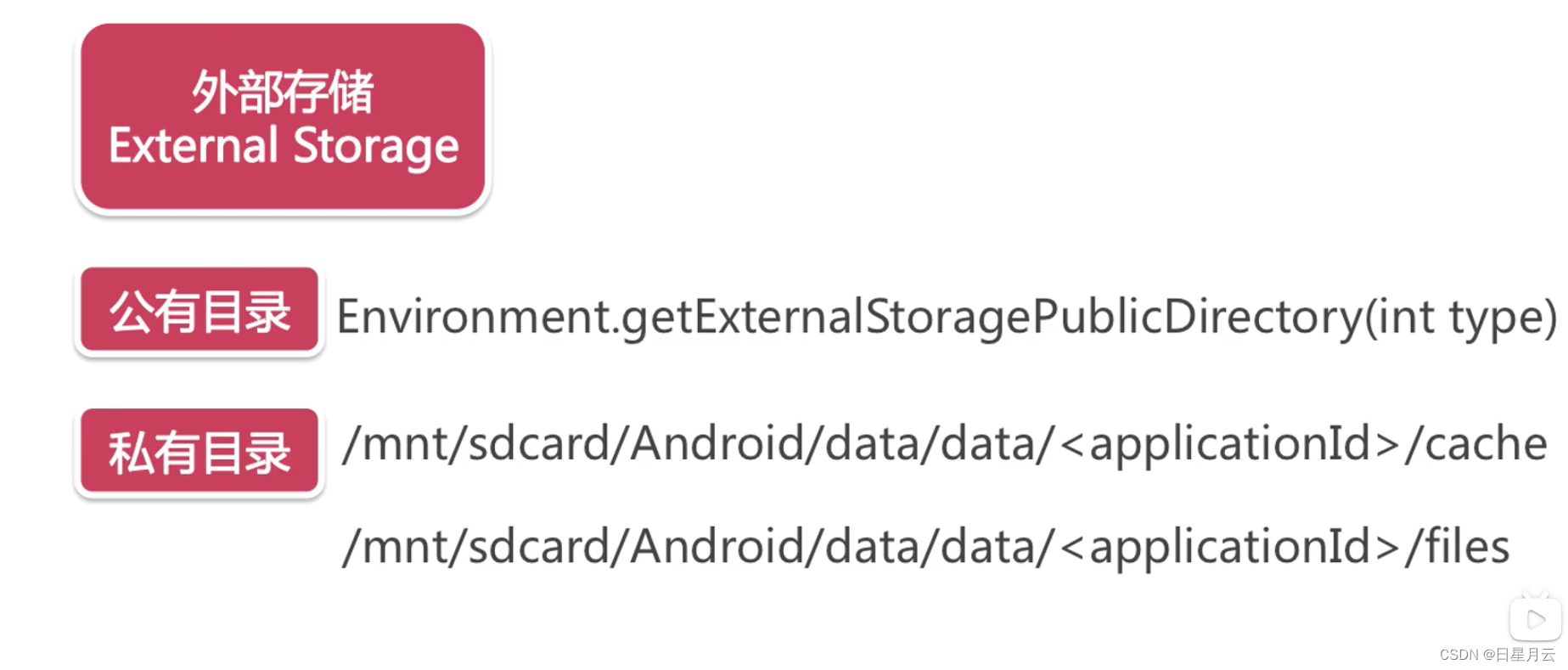
2024-6-10 21:55:54
7-2-2 File 内部存储
2024-6-11 16:57:13
- FileOutputStream FileInputStream
	//存储数据
    private void save(String content) {
        FileOutputStream fileOutputStream = null;
        try {
            fileOutputStream = openFileOutput(mFileName, MODE_PRIVATE);
            fileOutputStream.write(content.getBytes());
        } catch (IOException e) {
            e.printStackTrace();
        } finally {
            if (fileOutputStream != null) {
                try {
                    fileOutputStream.close();
                } catch (IOException e) {
                    e.printStackTrace();
                }
            }
        }
    }

    //读取数据
    private String read() {
        FileInputStream fileInputStream = null;
        try {
            fileInputStream = openFileInput(mFileName);
            byte[] buff = new byte[1024];
            StringBuilder sb = new StringBuilder("");
            int len = 0;
            while ((len = fileInputStream.read(buff)) > 0) {
                sb.append(new String(buff, 0, len));
            }
            return sb.toString();
        } catch (IOException e) {
            e.printStackTrace();
        } finally {
            if (fileInputStream != null) {
                try {
                    fileInputStream.close();
                } catch (IOException e) {
                    e.printStackTrace();
                }
            }
        }
        return null;
    }
7-2-3 File 外部存储
save
//            fileOutputStream = openFileOutput(mFileName, MODE_PRIVATE);
            //创建文件夹
//            File dir = new File(Environment.getExternalStorageDirectory(), "example");
            String path = getApplicationContext().getExternalFilesDir(null).getAbsolutePath();
            File dir = new File(path, "example");
            if (!dir.exists()) {
                dir.mkdirs();
            }
            //创建文件
            File file = new File(dir, mFileName);
            if (!file.exists()) {
                file.createNewFile();
            }
read
//            fileInputStream = openFileInput(mFileName);
//            File file = new File(Environment.getExternalStorageDirectory().getAbsolutePath() + File.separator + "example", mFileName);
            String path = getApplicationContext().getExternalFilesDir(null).getAbsolutePath();
            File file = new File(path + File.separator + "example", mFileName);
最后
迎着日光月光星光,直面风霜雨霜雪霜。
-
相关阅读:
计算机基础 操作系统1
01.AJAX 概念和 axios 使用
《解密C语言大小写字母转化:让你的编程之路更加灵活》
二叉排序树的创建与添加操作(思路分析)
VOIT Automotive EDI项目案例
实验5:编写、调试具有多个段的程序
编码体系与规范
Win11怎么修改关机界面颜色?Win11修改关机界面颜色的方法
React常见的一些坑
python 内置函数或函数(争取日更)
- 原文地址:https://blog.csdn.net/qq_51625007/article/details/140442573
- 最新文章
-
【FHE】我们如何实现同态加密推理(八):SiLU 的密文化——两条路径,和一个 8 字节的开关
SQLcl 中 c/old/new 替换变量为何失效?先定位再替换
不让模型写作文,直接从它脑子里读答案:Jev 决策在 .NET 的两条路线
Halo插件:支持GitHub的图床附件策略
电视投屏界的“一股清流”!SimpleTVCast 6.0.0-beta 抢先体验:无需TV端App,界面大换血!✨
华三VXLAN集中式网关实战指南:Spine多活网关 + 双活接入(M-LAG)
软件更好写之后口碑会更重要
大 O、大 Omega、大 Theta 的区别,O(n) 复杂度是什么意思
Java标签跳转:一个鲜为人知但却很实用的小技巧
多智能体系统论文速读