-
网页转长图插件html2canvas【前端】
网页转长图插件html2canvas【前端】
前言
2024-5-10 18:00:10
以下内容源自《【前端】》
仅供学习交流使用版权
禁止其他平台发布时删除以下此话
本文首次发布于CSDN平台
作者是CSDN@日星月云
博客主页是https://jsss-1.blog.csdn.net
禁止其他平台发布时删除以上此话开源
推荐
网页转长图插件html2canvas【前端】
wkImageStorage
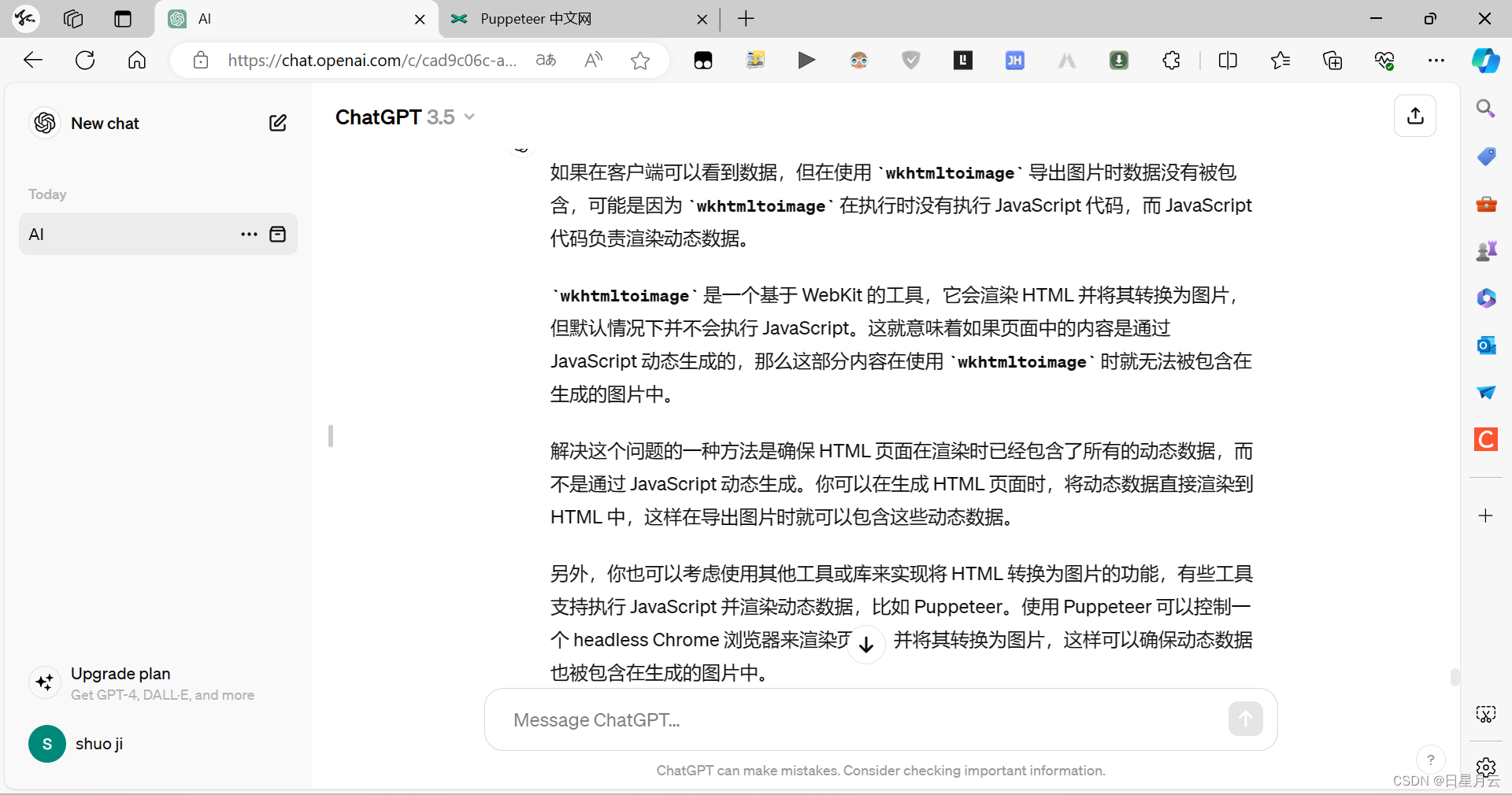
wkhtmltoimage 不能导出动态数据
流程
要实现网页转长图的功能,可以使用以下步骤和技术:
- 前端部分:
- 创建一个按钮或链接,触发网页转长图的操作。
- 使用 HTML2Canvas 库将当前网页内容转换为 canvas 元素。
- 将 canvas 元素转换为图片,并拼接成长图。
- 后端部分:
- 前端通过 AJAX 将转换后的图片数据发送到后端。
- 后端接收到图片数据后保存为图片文件。
- 完整步骤:
- 用户点击网页上的按钮触发网页转长图的操作。
- 前端使用 HTML2Canvas 将当前网页内容转换为 canvas 元素。
- 前端将 canvas 元素转换为图片数据。
- 前端通过 AJAX 将图片数据发送到后端。
- 后端接收到图片数据后保存为图片文件。
- 后端返回图片文件的 URL 给前端。
- 前端显示长图或提供下载链接给用户。
- 注意事项:
- 转换过程可能会涉及到跨域问题,需要确保前后端的跨域设置正确。
- HTML2Canvas 库的使用需要注意性能,避免转换过程过慢或耗时过长。
- 图片文件的存储位置和命名需要考虑安全性和可维护性。
以上是设计网页转长图功能的一般步骤,具体实现过程可能会根据项目需求和技术栈有所不同。希望这些信息对你有帮助,如果有任何问题或需要进一步的指导,请随时告诉我。
使用
后端
application.properties
wk.image.storage=d:/eldhealth-work/data/wk-images wk.image.max_storage_size=524288000- 1
- 2
WkConfig
package com.jsss.configuration; import org.slf4j.Logger; import org.slf4j.LoggerFactory; import org.springframework.beans.factory.annotation.Value; import org.springframework.context.annotation.Configuration; import javax.annotation.PostConstruct; import java.io.File; @Configuration public class WkConfig { private static final Logger logger = LoggerFactory.getLogger(WkConfig.class); @Value("${wk.image.storage}") private String wkImageStorage; @PostConstruct public void init() { // 创建WK图片目录 File file = new File(wkImageStorage); if (!file.exists()) { file.mkdir(); logger.info("创建WK图片目录: " + wkImageStorage); } } }- 1
- 2
- 3
- 4
- 5
- 6
- 7
- 8
- 9
- 10
- 11
- 12
- 13
- 14
- 15
- 16
- 17
- 18
- 19
- 20
- 21
- 22
- 23
- 24
- 25
- 26
- 27
- 28
- 29
- 30
- 31
ShareController
package com.jsss.share.controller; import com.jsss.common.BusinessException; import com.jsss.common.ErrorCode; import com.jsss.common.ResponseModel; import com.jsss.common.Toolbox; import com.jsss.utils.Constant; import org.apache.commons.lang3.StringUtils; import org.slf4j.Logger; import org.slf4j.LoggerFactory; import org.springframework.beans.factory.annotation.Value; import org.springframework.stereotype.Controller; import org.springframework.util.Base64Utils; import org.springframework.web.bind.annotation.*; import javax.servlet.http.HttpServletResponse; import java.io.*; @Controller @CrossOrigin(origins = "${jsss.web.path}", allowedHeaders = "*", allowCredentials = "true") public class ShareController implements Constant, ErrorCode { private static final Logger logger = LoggerFactory.getLogger(ShareController.class); @Value("${jsss.web.path}") private String domain; @Value("${server.servlet.context-path}") private String contextPath; @Value("${wk.image.storage}") private String wkImageStorage; @PostMapping("/uploadImage") @ResponseBody public ResponseModel uploadImage(String token,String imageData) { // 截取 base64 编码的部分 String base64Data = imageData.substring(imageData.indexOf(",") + 1); // 解码Base64字符串为字节数组 byte[] imageBytes = Base64Utils.decodeFromString(base64Data); // 文件名 String fileName = Toolbox.getRandomString(); // 保存字节数组为图片文件 String imagePath = wkImageStorage + "/" + fileName+ ".png"; try (FileOutputStream fos = new FileOutputStream(imagePath)) { fos.write(imageBytes); } catch (IOException e) { e.printStackTrace(); return new ResponseModel("Error saving image"); } return new ResponseModel(fileName); } // 获取长图 @RequestMapping(path = "/share/image/{fileName}", method = RequestMethod.GET) @ResponseBody public void getShareImage(@PathVariable("fileName") String fileName, HttpServletResponse response) { if (StringUtils.isBlank(fileName)) { throw new BusinessException(PARAMETER_ERROR,"文件名不能为空!"); } File file = new File(wkImageStorage + "/" + fileName + ".png"); if (!file.exists()) { throw new BusinessException(PARAMETER_ERROR,"文件不存在!"); } response.setContentType("image/png"); try { OutputStream os = response.getOutputStream(); FileInputStream fis = new FileInputStream(file); byte[] buffer = new byte[1024]; int b = 0; while ((b = fis.read(buffer)) != -1) { os.write(buffer, 0, b); } } catch (IOException e) { logger.error("获取长图失败: " + e.getMessage()); } } }- 1
- 2
- 3
- 4
- 5
- 6
- 7
- 8
- 9
- 10
- 11
- 12
- 13
- 14
- 15
- 16
- 17
- 18
- 19
- 20
- 21
- 22
- 23
- 24
- 25
- 26
- 27
- 28
- 29
- 30
- 31
- 32
- 33
- 34
- 35
- 36
- 37
- 38
- 39
- 40
- 41
- 42
- 43
- 44
- 45
- 46
- 47
- 48
- 49
- 50
- 51
- 52
- 53
- 54
- 55
- 56
- 57
- 58
- 59
- 60
- 61
- 62
- 63
- 64
- 65
- 66
- 67
- 68
- 69
- 70
- 71
- 72
- 73
- 74
- 75
- 76
- 77
- 78
- 79
- 80
- 81
- 82
- 83
- 84
- 85
- 86
- 87
- 88
- 89
- 90
- 91
- 92
- 93
- 94
ImageCleanupTask
package com.jsss.share.component; import com.jsss.share.controller.ShareController; import org.slf4j.Logger; import org.slf4j.LoggerFactory; import org.springframework.beans.factory.annotation.Value; import org.springframework.scheduling.annotation.Scheduled; import org.springframework.stereotype.Component; import java.io.File; import java.util.Arrays; import java.util.Date; @Component public class ImageCleanupTask { private static final Logger logger = LoggerFactory.getLogger(ShareController.class); @Value("${wk.image.storage}") String DIRECTORY_PATH; @Value("${wk.image.max_storage_size}") long MAX_STORAGE_SIZE; @Scheduled(cron = "0 0 0 * * *") // 每天凌晨执行 public void cleanupImages() { File directory = new File(DIRECTORY_PATH); if (!directory.exists()) { return; // 目录不存在,直接返回 } long totalSize = 0; File[] files = directory.listFiles(); if (files == null) { return; // 目录为空,直接返回 } // 按文件最后修改时间从大到小排序 Arrays.sort(files, (f1, f2) -> Long.compare(f2.lastModified(), f1.lastModified())); for (File file : files) { long fileSize = file.length(); totalSize += fileSize; Date currentDate = new Date(); Date fileDate = new Date(file.lastModified()); boolean isBeforeToday = fileDate.before(currentDate); if (isBeforeToday || totalSize > MAX_STORAGE_SIZE) { file.delete(); logger.info("删除图片: " + file.getName()); } } } }- 1
- 2
- 3
- 4
- 5
- 6
- 7
- 8
- 9
- 10
- 11
- 12
- 13
- 14
- 15
- 16
- 17
- 18
- 19
- 20
- 21
- 22
- 23
- 24
- 25
- 26
- 27
- 28
- 29
- 30
- 31
- 32
- 33
- 34
- 35
- 36
- 37
- 38
- 39
- 40
- 41
- 42
- 43
- 44
- 45
- 46
- 47
- 48
- 49
- 50
- 51
- 52
- 53
- 54
- 55
- 56
- 57
前端
html2canvas.js
下载插件
npm install --save html2canvas- 1
找到这个js,引入到项目中
share.html
测试页面
可以利用js把导出按钮添加到所有页面
$(document).ready(function() { // 创建要添加的元素 var content = <div class="nav navbar-nav navbar-right" id="share" style="padding; margin-right: 20px;"> <button id="convertButton">导出</button> </div> `; $(".container-fluid").append(content); });- 1
- 2
- 3
- 4
- 5
- 6
- 7
- 8
- 9
- 10
- 11
- 12
- 13
- 14
DOCTYPE html> <html lang="zh-CN"> <head> <meta charset="utf-8"> <meta http-equiv="X-UA-Compatible" content="IE=edge"> <meta name="viewport" content="width=device-width, initial-scale=1"> <title>老年人健康管理title> <link rel="icon" href="#"> <link rel="stylesheet" href="./bootstrap/css/bootstrap.min.css"> <link rel="stylesheet" href="./css/common.css"> head> <body> <nav class="navbar navbar-default"> <div class="container-fluid"> <div class="navbar-header"> <a class="navbar-brand" href="#" target="_blank">老年人健康管理a> div> <div class="collapse navbar-collapse" id="bs-example-navbar-collapse-1"> <ul class="nav navbar-nav"> <li><a href="home.html">首页a>li> <li><a href="register.html">个人注册a>li> <li class="active"><a href="javascript:void(0);">账户登录 <span class="sr-only">(current)span>a>li> ul> div> div> nav> <div class="container"> <button id="convertButton">导出button> div> body> <script src="./bootstrap/js/jquery-3.5.1.min.js">script> <script src="./bootstrap/js/bootstrap.min.js">script> <script src="./js/common.js">script> <script src="./js/user.js">script> <script src="./share/js/html2canvas.js">script> <script src="./share/js/share.js">script> html>- 1
- 2
- 3
- 4
- 5
- 6
- 7
- 8
- 9
- 10
- 11
- 12
- 13
- 14
- 15
- 16
- 17
- 18
- 19
- 20
- 21
- 22
- 23
- 24
- 25
- 26
- 27
- 28
- 29
- 30
- 31
- 32
- 33
- 34
- 35
- 36
- 37
- 38
- 39
- 40
- 41
- 42
- 43
- 44
- 45
- 46
share.js
// 绑定按钮点击事件 $(document).ready(function () { // 分享单击事件 $("#convertButton").click(function (e) { share(e); }); }); function share() { // 使用 HTML2Canvas 将当前网页内容转换为 canvas 元素 html2canvas(document.documentElement).then(function(canvas) { // 将 canvas 转换为图片 var imgData = canvas.toDataURL('image/png'); $.ajax({ type: 'POST', url: SERVER_PATH + "/uploadImage", data: { imageData: imgData }, success: function(result) { var fileName = result.data; // 在新建标签页中打开 getShare 页面并传递文件名作为参数 window.open('http://127.0.0.1:5500/getShare.html?fileName=' + fileName, '_blank'); } }); }); }- 1
- 2
- 3
- 4
- 5
- 6
- 7
- 8
- 9
- 10
- 11
- 12
- 13
- 14
- 15
- 16
- 17
- 18
- 19
- 20
- 21
- 22
- 23
- 24
- 25
- 26
- 27
- 28
- 29
- 30
- 31
getShare.js
$(document).ready(function () { var fileName=$.getUrlParam("fileName"); if(!fileName){ false; } getShare(fileName); }); function getShare(fileName){ var imageUrl = SERVER_PATH + "/share/image/"+fileName; console.log(imageUrl); // 显示长图 var imgElement = document.createElement('img'); imgElement.style.width = '100%'; imgElement.style.height = '100%'; imgElement.src = imageUrl; document.body.appendChild(imgElement); // 提供下载链接给用户 // var downloadLink = document.createElement('a'); // downloadLink.href = imageUrl; // downloadLink.download = 'image_file.jpg'; // downloadLink.innerHTML = '下载图片'; // document.body.appendChild(downloadLink); }- 1
- 2
- 3
- 4
- 5
- 6
- 7
- 8
- 9
- 10
- 11
- 12
- 13
- 14
- 15
- 16
- 17
- 18
- 19
- 20
- 21
- 22
- 23
- 24
- 25
- 26
- 27
- 28
- 29
- 30
- 31
- 32
- 33
getShare.html
DOCTYPE html> <html lang="zh-CN"> <head> <meta charset="utf-8"> <meta http-equiv="X-UA-Compatible" content="IE=edge"> <meta name="viewport" content="width=device-width, initial-scale=1"> <title>老年人健康管理title> <link rel="icon" href="#"> <link rel="stylesheet" href="./bootstrap/css/bootstrap.min.css"> <link rel="stylesheet" href="./css/common.css"> head> <body> body> <script src="./bootstrap/js/jquery-3.5.1.min.js">script> <script src="./bootstrap/js/bootstrap.min.js">script> <script src="./js/common.js">script> <script src="./js/user.js">script> <script src="./share/js/getShare.js">script> html>- 1
- 2
- 3
- 4
- 5
- 6
- 7
- 8
- 9
- 10
- 11
- 12
- 13
- 14
- 15
- 16
- 17
- 18
- 19
- 20
- 21
- 22
- 23
- 24
- 25
- 26
- 27
- 28
- 29
最后
2024-5-10 18:00:23
迎着日光月光星光,直面风霜雨霜雪霜。
- 相关阅读:
JavaBean专项练习(学生信息管理系统)(增删改查)(每步详细解释和思路)
SaaSBase:艺赛旗iS-RPA是什么?
SpringMVC【超详情!!!】
领域驱动设计(DDD):从基础代码探讨高内聚低耦合的演进
【JavaScript—数据类型】
7.(vue3.x+vite)组件间通信方式之vuex
区间预测 | MATLAB实现GRU门控循环单元分位数回归多输入单输出
hadoop集群搭建
信创操作系统--麒麟Kylin桌面操作系统 (项目十三 使用 Windows 软件)
Spring Retry方法重试
- 原文地址:https://blog.csdn.net/qq_51625007/article/details/138669885
- 最新文章
-
沪漂五周年了:我越来越迷茫了
Agentic Skill Routing 实战:别再把所有 Skill 塞进 AI Agent 上下文
MySQL-Seconds_behind_master的精度误差
[MAF预定义ChatClient中间件-03]CachingChatClient——利用缓存省钱省时间
AI的至暗历史:从万众期待到被政府撤资,AI的两次死亡徘徊
Agent OS :五种驯服不确定性的范式
PortSwigger SQL注入LAB11
数据库即时编译JIT
[Begin]AI Learn Data Day 0
深度学习进阶(二十七)现代 LLM 的核心架构设计其二:SwiGLU
