-
Nginx(六) Nginx location 匹配顺序及优先级深究(亲测有效)
Nginx配置文件详解请参考另一篇文章 Nginx(三) 配置文件详解
本篇文章主要是探讨Nginx location的匹配顺序,依照惯例,我们还是先贴结论再看测试结果。
匹配顺序
匹配location的过程,其实可以理解成一个在众多选项中寻找最佳答案的过程。当然,“=”代表的就是正确答案,而其它情况只是相对于正确答案的最佳选项。下面我们来看具体的匹配顺序:
1.Nginx按照location配置顺序依次进行匹配;
2.如果请求URI部分前缀或全部与location uri匹配,先记录下来(如有匹配长度更长的则覆盖记录),继续向下匹配,再看看是否还有最佳答案(备胎,最后再考虑你)
3.如果与"="选项精确匹配,则立刻停止匹配(高富帅,你就是我心目中的白马王子);参考测试1
4.如果跟"^~"选项匹配成功,还要继续完成所有匹配(最长匹配策略),直到找到与"^~"匹配长度最长的那个选项后再停止匹配(如果实在找不到其它的,就只能拿这个凑合了)(虽然都不帅,但我要找最有钱的那位);参考测试2
5.如果跟"~"或"~*"任意选项匹配成功,则立刻停止(好不容易遇到一个爆发户,不拖泥带水,立刻下手);参考测试3、4
6.完成所有匹配。前面5步中,每一步但凡匹配成功都会覆盖结果记录。如果匹配过程能进入第6步,说明请求URI前缀与location uri匹配是最好的结果了(最长匹配策略),最终的结果记录也就是最佳答案(在备胎中选择最佳备胎,残忍,现实)。参考测试5
优先级
结合上面的匹配顺序和所有测试过程,我们对各种匹配规则的作用优先级做个排序。
优先级排序 匹配规则 修饰符 1 精确匹配 = 2 指定字符串开头 ^~ 3 正则匹配 ~、~* 、!~、!~*、~* \.(gif|jpg|jpeg)$、~* /js/.*/\.js 4 通用匹配 / 下面,我们开始测试。基本配置如下
- http {
- log_subrequest on; # 开启将子请求日志记录到access.log中
- log_format format2 escape=json '{'
- '"SN":"$sn",' #自定义变量sn
- '"http_host":"$http_host",'
- '"remote_addr":"$remote_addr",'
- '"time_iso8601":"$time_iso8601",'
- '"request":"$request",'
- '"http_referer":"$http_referer",'
- '"request_time":"$request_time",'
- '"request_length":"$request_length",'
- '"status":"$status",'
- '"bytes_sent":"$bytes_sent",'
- #'"body_bytes_sent":"$body_bytes_sent",'
- '"user_agent":"$http_user_agent",'
- '}';
- absolute_redirect on;
- server_name_in_redirect off;
- port_in_redirect on;
- server {
- listen 8688;
- server_name www.read********.cn;
- access_log logs/access.log format2;
- error_log logs/error.log notice; # 将error_log日志级别修改为notice,否则rewrite log无法记录。
- rewrite_log on; # 开启记录请求重写日志,默认是关闭
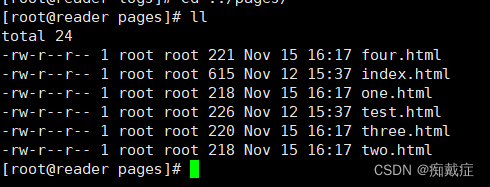
- root pages; # 根目录设置为psges,该目录下有index.html、test.html、one.html、two.html、three.html
- # 下面配置本次测试的指令
- ···
- ···
- }
- }
测试1:精确匹配 "="
- server {
- ···
- set $sn 8;
- location /test {
- set $sn 11;
- rewrite /test /t11;
- }
- location ~* /tes {
- set $sn 22;
- rewrite /test /t22;
- }
- location ~ /tes {
- set $sn 33;
- rewrite /test /t33;
- }
- location ~ /test {
- set $sn 44;
- rewrite /test /t44;
- }
- location ~* /test {
- set $sn 55;
- rewrite /test /t55;
- }
- location ^~ /tes {
- set $sn 66;
- rewrite /test /t66;
- }
- location ^~ /test.h {
- set $sn 77;
- rewrite /test /t77;
- }
- location = /test {
- set $sn 88;
- rewrite /test /t88;
- }
- location / {
- index index.html index.htm;
- }
- }
请求地址 host:8688/test 请求结果 404 error.log
日志输出
*697 open() "/usr/local/nginx/pages/t88" failed (2: No such file or directory) access.log
日志输出
{"SN":"88",···,"request":"GET /test HTTP/1.1" 最终地址 host:8688/t88 结论 “精确匹配”优先级最高 - 2023/11/18 23:46:38 [notice] 16455#16455: *697 "/test" matches "/test", client: 14.145.163.156, server: www.read********.cn, request: "GET /test HTTP/1.1", host: "www.read********.cn:8688"
- 2023/11/18 23:46:38 [notice] 16455#16455: *697 rewritten data: "/t88", args: "", client: 14.145.163.156, server: www.read********.cn, request: "GET /test HTTP/1.1", host: "www.read********.cn:8688"
- 2023/11/18 23:46:38 [error] 16455#16455: *697 open() "/usr/local/nginx/pages/t88" failed (2: No such file or directory), client: 14.145.163.156, server: www.read********.cn, request: "GET /test HTTP/1.1", host: "www.read********.cn:8688"
测试2:指定字符串开头 "^~"
- server {
- ···
- set $sn 8;
- location /test {
- set $sn 11;
- rewrite /test /t11;
- }
- location ~* /tes {
- set $sn 22;
- rewrite /test /t22;
- }
- location ~ /tes {
- set $sn 33;
- rewrite /test /t33;
- }
- location ~ /test {
- set $sn 44;
- rewrite /test /t44;
- }
- location ~* /test {
- set $sn 55;
- rewrite /test /t55;
- }
- location ^~ /tes {
- set $sn 66;
- rewrite /test /t66;
- }
- location ^~ /test.h {
- set $sn 77;
- rewrite /test /t77;
- }
- location = /test {
- set $sn 88;
- rewrite /test /t88;
- }
- location / {
- index index.html index.htm;
- }
- }
请求地址 host:8688/test.ht 请求结果 404 error.log
日志输出
*699 open() "/usr/local/nginx/pages/t77" failed (2: No such file or directory) access.log
日志输出
{"SN":"77",···,"request":"GET /test.ht HTTP/1.1" 最终地址 host:8688/t77 结论 虽然先匹配到了"^~ /tes",但最终还是选择了匹配长度最长的"^~ /test.h"。所以"^~"修饰符有最长匹配策略。
“指定字符串开头”匹配规则优先级排第二。
测试3:正则表达式 "~*"
- server {
- ···
- set $sn 8;
- location /test {
- set $sn 11;
- rewrite /test /t11;
- }
- location ~* /tes {
- set $sn 22;
- rewrite /test /t22;
- }
- location ~ /tes {
- set $sn 33;
- rewrite /test /t33;
- }
- location ~ /test.ht{
- set $sn 44;
- rewrite /test /t44;
- }
- location ~* /test.ht{
- set $sn 55;
- rewrite /test /t55;
- }
- location / {
- index index.html index.htm;
- }
- }
请求地址 host:8688/test.ht 请求结果 404 error.log
日志输出
*702 open() "/usr/local/nginx/pages/t22" failed (2: No such file or directory) access.log
日志输出
{"SN":"22",···,"request":"GET /test.ht HTTP/1.1" 最终地址 host:8688/t22 结论 虽然"~ /test.ht"和"~* /test.ht"两个的匹配程度最高,但还是选择了首次匹配到的"~* /tes"。
“正则表达式”匹配规则但凡匹配到任意选项都会立刻终止匹配。
- 2023/11/19 00:10:23 [notice] 16724#16724: *702 "/test" matches "/test.ht", client: 14.145.163.156, server: www.read********.cn, request: "GET /test.ht HTTP/1.1", host: "www.read********.cn:8688"
- 2023/11/19 00:10:23 [notice] 16724#16724: *702 rewritten data: "/t22", args: "", client: 14.145.163.156, server: www.read********.cn, request: "GET /test.ht HTTP/1.1", host: "www.read********.cn:8688"
- 2023/11/19 00:10:23 [error] 16724#16724: *702 open() "/usr/local/nginx/pages/t22" failed (2: No such file or directory), client: 14.145.163.156, server: www.read********.cn, request: "GET /test.ht HTTP/1.1", host: "www.read********.cn:8688"
测试4:正则表达式 "~"
- server {
- ···
- set $sn 8;
- location /test {
- set $sn 11;
- rewrite /test /t11;
- }
- location ~ /tes {
- set $sn 33;
- rewrite /test /t33;
- }
- location ~* /tes {
- set $sn 22;
- rewrite /test /t22;
- }
- location ~ /test.ht{
- set $sn 44;
- rewrite /test /t44;
- }
- location ~* /test.ht{
- set $sn 55;
- rewrite /test /t55;
- }
- location / {
- index index.html index.htm;
- }
- }
请求地址 host:8688/test.ht 请求结果 404 error.log
日志输出
*703 open() "/usr/local/nginx/pages/t33" failed (2: No such file or directory) access.log
日志输出
{"SN":"33",···,"request":"GET /test.ht HTTP/1.1" 最终地址 host:8688/t33 结论 虽然"~ /test.ht"和"~* /test.ht"两个的匹配程度最高,但还是选择了首次匹配到的"~ /tes"。
“正则表达式”匹配规则但凡匹配到任意选项都会立刻终止匹配。
"~"和"~*"没有优先级区分。
- 2023/11/19 00:17:14 [notice] 16797#16797: *703 "/test" matches "/test.ht", client: 14.145.163.156, server: www.read********.cn, request: "GET /test.ht HTTP/1.1", host: "www.read********.cn:8688"
- 2023/11/19 00:17:14 [notice] 16797#16797: *703 rewritten data: "/t33", args: "", client: 14.145.163.156, server: www.read********.cn, request: "GET /test.ht HTTP/1.1", host: "www.read********.cn:8688"
- 2023/11/19 00:17:14 [error] 16797#16797: *703 open() "/usr/local/nginx/pages/t33" failed (2: No such file or directory), client: 14.145.163.156, server: www.read********.cn, request: "GET /test.ht HTTP/1.1", host: "www.read********.cn:8688"
测试5:URI前缀匹配
- server {
- ···
- set $sn 8;
- location /test {
- set $sn 11;
- rewrite /test /t11;
- }
- location /test.h {
- set $sn 22;
- rewrite /test /t22;
- }
- location /tes {
- set $sn 33;
- rewrite /test /t33;
- }
- location / {
- index index.html index.htm;
- }
- }
请求地址 host:8688/test.ht 请求结果 404 error.log
日志输出
*705 open() "/usr/local/nginx/pages/t22" failed (2: No such file or directory) access.log
日志输出
{"SN":"22",···,"request":"GET /test.ht HTTP/1.1" 最终地址 host:8688/t22 结论 URI前缀匹配时取匹配长度最长的那个选项为最佳选择。 - 2023/11/19 00:22:11 [notice] 16870#16870: *705 "/test" matches "/test.ht", client: 14.145.163.156, server: www.readerschool.cn, request: "GET /test.ht HTTP/1.1", host: "www.readerschool.cn:8688"
- 2023/11/19 00:22:11 [notice] 16870#16870: *705 rewritten data: "/t22", args: "", client: 14.145.163.156, server: www.readerschool.cn, request: "GET /test.ht HTTP/1.1", host: "www.readerschool.cn:8688"
- 2023/11/19 00:22:11 [error] 16870#16870: *705 open() "/usr/local/nginx/pages/t22" failed (2: No such file or directory), client: 14.145.163.156, server: www.readerschool.cn, request: "GET /test.ht HTTP/1.1", host: "www.readerschool.cn:8688"
-
相关阅读:
『Java』XStream基础使用与部分源码浅析
Python基础与应用代码
阿里云使用记录
深度学习batch、batch_size、epoch、iteration以及小样本中episode、support set、query set关系
springboot+vue+elementUI304springboot305springboot摄影跟拍预约管理系统#毕业设计
【HarmonyOS NEXT】鸿蒙 代码混淆
[深度学习论文笔记]UCTransNet:从transformer的通道角度重新思考U-Net中的跳跃连接
90%的软件测试从业者,努力的方向都错了...你呢?
【剑指offer】1-5题
python学习002——python三大基础函数
- 原文地址:https://blog.csdn.net/ShenDaiSun/article/details/134485345