Vuex插件的安装与使用原理
Vuex安装和环境搭建
安装Vuex
- 第一步:打开CMD窗口,通过命令转到Vue的安装路径
- 第二步:输入安装Vuex的命令
- vue2 安装 Vuex3 版本:
npm i vuex@3 - vue3 安装 Vuex4 版本:
npm i vuex@4
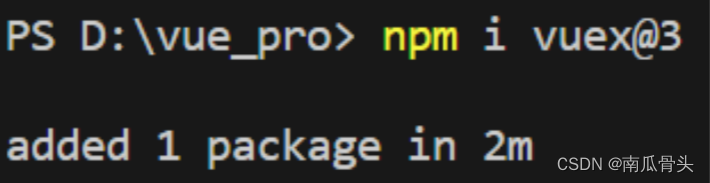
- 当在CMD窗口末尾中出现
added 1 package in 2m,表示安装完成
Vuex环境搭建
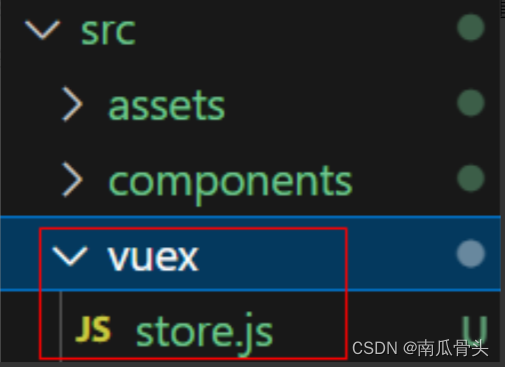
- 第一步:在Vue文件路径下新建文件夹vuex,并在vuex(新建的文件夹)下创建store.js文件
- 创建的store.js很重要,创建的文件名决定了之后的调用写法
import Vue from 'vue'
import Vuex from 'vuex'
Vue.use(Vuex)
const actions = {}
const mutations = {}
const state = {}
const getters = {}
export default new Vuex.Store({
actions,
mutations,
state,
getters
})
- 1
- 2
- 3
- 4
- 5
- 6
- 7
- 8
- 9
- 10
- 11
- 12
- 13
- 14
- 15
- 16
- 17
- 18
- 19
- 20
- 21
- 22
- 23
- 第三步:在main.vue文件中引入store.js文件
import store from './vuex/store'
new Vue({
el : '#app',
store,
render: h => h(App),
})
Vuex使用原理
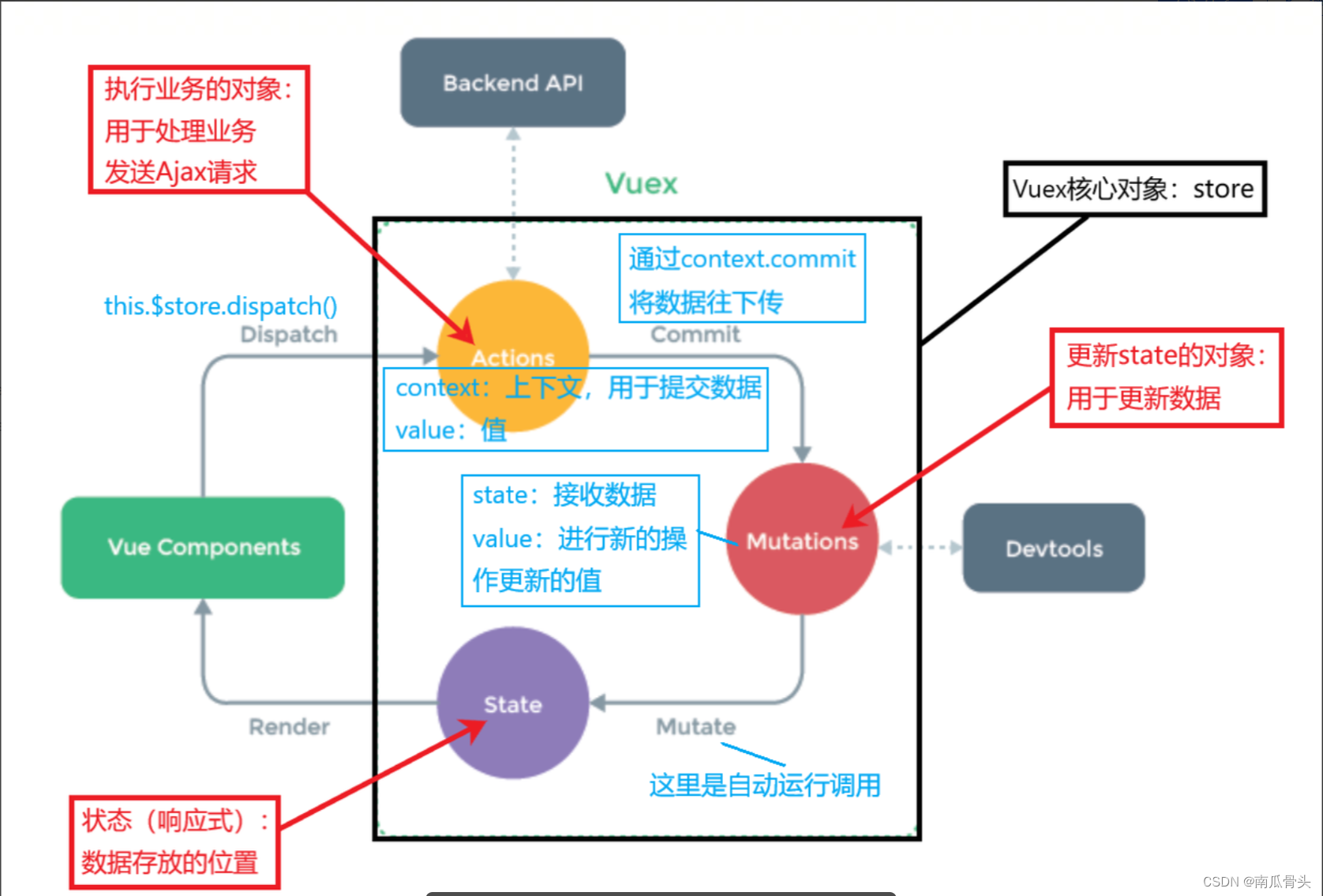
actions(负责执行业务的对象)
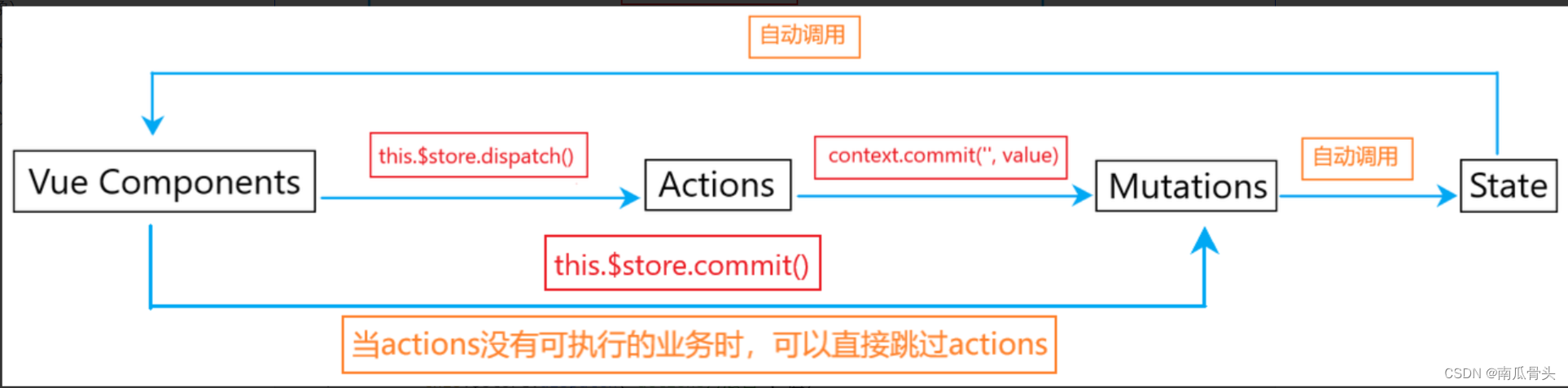
- 注意:以下的context和value并不是一定要写的,当你的业务简单(简单到可以只做一点代码就能完成要求,也不需要更新数据)或者可以跳过这个业务时,可以选择不写,直接通过
this.$store.commit('mutations的方法名', value)转到mutations
methods : {
方法名(){
this.$store.dispatch('actions方法名', 值)
}
}
const actions = {
方法名(context, value){
......对value执行的业务
context.commit('这里写mutations的方法名', value)
}
}
- context:上下文,将所在方法的值(value)传到下一个(mutations)方法中
- value:值,actions的值接收的是从xxx.vue文件中的
this.$store.dispatch('actions方法名', 值)传过来的数据
mutations(负责更新数据的对象)
- 对于actions和mutations中的方法名可以在命名时进行区分(一点小建议,当然两个写的一样也没关系)
- 如actions中的方法名可以按照驼峰式的写法
‘saveUsername’ - 而mutations的方法名可以按照全大写叫下划线分隔
‘SAVE_USERNAME’
传给mutations值的方法分两种:
- 第一种:通过
this.$store.dispatch('actions方法名', 值),将数据传给actions,再通过context.commit('mutations方法名', value)传给mutations方法名中。
methods : {
方法名(){
this.$store.dispatch('actions方法名', 值)
}
}
const actions = {
方法名(context, value){
......对value执行的业务
context.commit('这里写mutations的方法名', value)
}
}
const mutations = {
方法名(state, value){
......
}
}
- 1
- 2
- 3
- 4
- 5
- 6
- 7
- 8
- 9
- 10
- 11
- 12
- 13
- 14
- 15
- 16
- 17
- 18
- 19
- 20
- 21
- 第二种:通过
this.$store.commit('mutations方法名', 值),将数据不经过actions的方式,直接传给mutations对象中。
methods : {
方法名(){
this.$store.commit('actions方法名', 值)
}
}
const mutations = {
方法名(state, value){
......
}
}
- state:数据,接收actions对象中处理好的数据
- value:值,更新到state的值
state(存放数据的对象,可以看做Vue的data)
const state = {
xxx : '',
xxx : [
{id:xxx, name:xxx, age:xxx},
{id:xxx, name:xxx, age:xxx},
{id:xxx, name:xxx, age:xxx}
]
}
getters(自动接收state对象,可以看做Vue的computed)
<template>
<div>
<h1>{{$store.getters.对象名}}</h1>
</div>
</template>
const getters = {
方法名(state){
return ......
}
}
