-
元对象系统功能
元对象系统功能
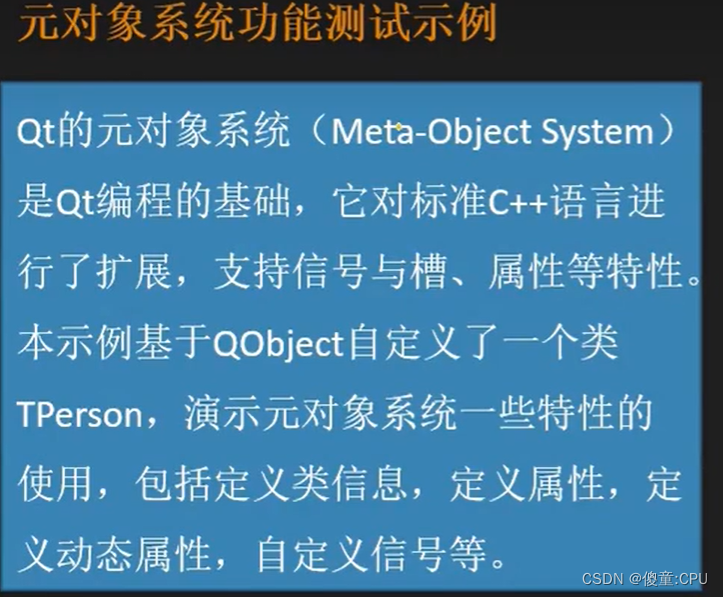


增加一些固定的属性


#------------------------------------------------- # # Project created by QtCreator 2023-10-24T21:54:44 # #------------------------------------------------- QT += core gui greaterThan(QT_MAJOR_VERSION, 4): QT += widgets TARGET = sample_3 TEMPLATE = app # The following define makes your compiler emit warnings if you use # any feature of Qt which as been marked as deprecated (the exact warnings # depend on your compiler). Please consult the documentation of the # deprecated API in order to know how to port your code away from it. DEFINES += QT_DEPRECATED_WARNINGS # You can also make your code fail to compile if you use deprecated APIs. # In order to do so, uncomment the following line. # You can also select to disable deprecated APIs only up to a certain version of Qt. #DEFINES += QT_DISABLE_DEPRECATED_BEFORE=0x060000 # disables all the APIs deprecated before Qt 6.0.0 SOURCES += \ main.cpp \ widget.cpp \ tperson.cpp HEADERS += \ widget.h \ tperson.h FORMS += \ widget.ui- 1
- 2
- 3
- 4
- 5
- 6
- 7
- 8
- 9
- 10
- 11
- 12
- 13
- 14
- 15
- 16
- 17
- 18
- 19
- 20
- 21
- 22
- 23
- 24
- 25
- 26
- 27
- 28
- 29
- 30
- 31
- 32
- 33
- 34
- 35
- 36
- 37
#ifndef TPERSON_H #define TPERSON_H #includeclass TPerson : public QObject { Q_OBJECT //提示信息 Q_CLASSINFO("author","wang") Q_CLASSINFO("company","UPC") Q_CLASSINFO("version","2.0.0") Q_PROPERTY(int age READ age WRITE setAge NOTIFY ageChanged) Q_PROPERTY(QString name MEMBER m_name) Q_PROPERTY(int score MEMBER m_score) public: explicit TPerson(QString name,QObject *parent = nullptr); ~TPerson(); //定义函数接口--对接年龄属性 int age();//读年龄 void setAge(quint8 ageValue);//写年龄 void incAge();//增加年龄 signals: void ageChanged(int ageValue);//年龄改变时,触发的函数 public slots: private: //任务属性 QString m_name; int m_age = 10; int m_score = 79; }; #endif // TPERSON_H - 1
- 2
- 3
- 4
- 5
- 6
- 7
- 8
- 9
- 10
- 11
- 12
- 13
- 14
- 15
- 16
- 17
- 18
- 19
- 20
- 21
- 22
- 23
- 24
- 25
- 26
- 27
- 28
- 29
- 30
- 31
- 32
- 33
- 34
- 35
- 36
- 37
- 38
#ifndef WIDGET_H #define WIDGET_H #includeclass TPerson;//定义一个类 namespace Ui { class Widget; } class Widget : public QWidget { Q_OBJECT public: explicit Widget(QWidget *parent = 0); ~Widget(); private : //定义二个类指针 TPerson *boy; TPerson *girl; private slots: //定义二个槽函数 void do_ageChanged(int value); void do_spinChanged(int argl); void on_btnBoylnc_clicked(); void on_btnGirlnc_clicked(); void on_btnClear_clicked(); void on_btnClassinfo_clicked(); private: Ui::Widget *ui; }; #endif // WIDGET_H - 1
- 2
- 3
- 4
- 5
- 6
- 7
- 8
- 9
- 10
- 11
- 12
- 13
- 14
- 15
- 16
- 17
- 18
- 19
- 20
- 21
- 22
- 23
- 24
- 25
- 26
- 27
- 28
- 29
- 30
- 31
- 32
- 33
- 34
- 35
- 36
- 37
- 38
- 39
- 40
- 41
#include "widget.h" #includeint main(int argc, char *argv[]) { QApplication a(argc, argv); Widget w; w.show(); return a.exec(); } - 1
- 2
- 3
- 4
- 5
- 6
- 7
- 8
- 9
- 10
- 11
- 12
#include "tperson.h" TPerson::TPerson(QString name,QObject *parent) : QObject(parent),m_name(name) { } TPerson::~TPerson() { qDebug("TPerson类的对象被删除"); } int TPerson::age() { return m_age; } void TPerson::setAge(quint8 ageValue) { if(m_age != ageValue) { m_age = ageValue; emit ageChanged(m_age); } } void TPerson::incAge() { ++m_age; emit ageChanged(m_age); }- 1
- 2
- 3
- 4
- 5
- 6
- 7
- 8
- 9
- 10
- 11
- 12
- 13
- 14
- 15
- 16
- 17
- 18
- 19
- 20
- 21
- 22
- 23
- 24
- 25
- 26
- 27
- 28
- 29
- 30
- 31
- 32
- 33
- 34
#include "widget.h" #include "ui_widget.h" #include "tperson.h" #includeWidget::Widget(QWidget *parent) : QWidget(parent), ui(new Ui::Widget) { ui->setupUi(this); //初始化界面 boy = new TPerson("小明",this); boy->setProperty("sex","boy"); boy->setProperty("age",10); boy->setProperty("score",70); girl = new TPerson("小丽",this); girl->setProperty("sex","gril"); girl->setAge(20); ui->spinBoy->setProperty("isBoy",true); ui->spinGirl->setProperty("isBoy",false); connect(boy,SIGNAL(ageChanged(int)),ui->spinBoy,SLOT(setValue(int))); connect(girl,SIGNAL(ageChanged(int)),ui->spinGirl,SLOT(setValue(int))); connect(boy,SIGNAL(ageChanged(int)),this,SLOT(do_ageChanged(int))); connect(girl,SIGNAL(ageChanged(int)),this,SLOT(do_ageChanged(int))); connect(ui->spinBoy,SIGNAL(valueChanged(int)),this,SLOT(do_spinChanged(int))); connect(ui->spinGirl,SIGNAL(valueChanged(int)),this,SLOT(do_spinChanged(int))); } Widget::~Widget() { delete ui; } void Widget::do_ageChanged(int value) { //Q_UNUSED(value); TPerson *person = qobject_cast - 1
- 2
- 3
- 4
- 5
- 6
- 7
- 8
- 9
- 10
- 11
- 12
- 13
- 14
- 15
- 16
- 17
- 18
- 19
- 20
- 21
- 22
- 23
- 24
- 25
- 26
- 27
- 28
- 29
- 30
- 31
- 32
- 33
- 34
- 35
- 36
- 37
- 38
- 39
- 40
- 41
- 42
- 43
- 44
- 45
- 46
- 47
- 48
- 49
- 50
- 51
- 52
- 53
- 54
- 55
- 56
- 57
- 58
- 59
- 60
- 61
- 62
- 63
- 64
- 65
- 66
- 67
- 68
- 69
- 70
- 71
- 72
- 73
- 74
- 75
- 76
- 77
- 78
- 79
- 80
- 81
- 82
- 83
- 84
- 85
- 86
- 87
- 88
- 89
- 90
- 91

-
相关阅读:
观察者(observer)模式(一)
基于新版Opencv5.x(C++)流媒体视频流实现网页浏览器人脸检测
uCOSIII实时操作系统 二 同步与通信
基于Minifilter框架的双缓冲透明加解密驱动 课程论文+项目源码
阶段性检测实战项目----文件搜索引擎
STM32——HAL库中寄存器地址名称映射分析
聊聊 C# 中的多态底层 (虚方法调用) 是怎么玩的
三维重建之NeRF(pytorch)
计算机毕业设计django基于python的学生选课系统-高校教务管理系统(源码+系统+mysql数据库+Lw文档)
押中AIGC 美图终于认清了自己
- 原文地址:https://blog.csdn.net/qq_45159887/article/details/133999959


