-
vue实现在页面拖拽放大缩小div并显示鼠标在div的坐标
1、功能要求:
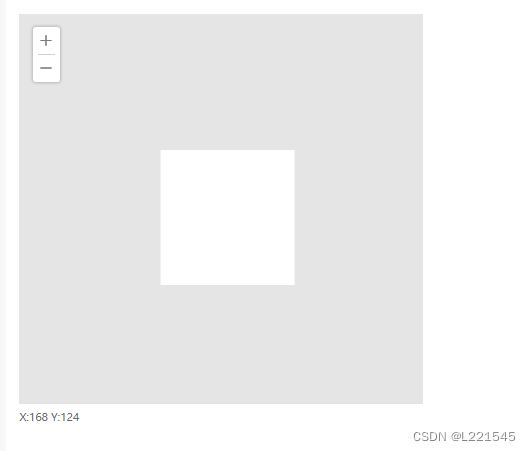
实现在一个指定区域拖拽div,并可以放大缩小,同时显示鼠标在该div里的坐标,如图可示
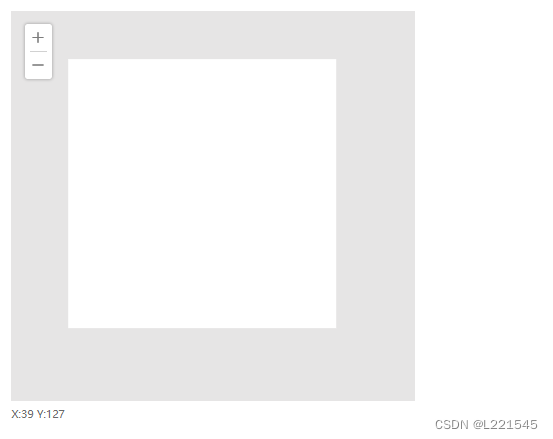
缩小并拖动
2、实现
<div class="div_content" ref="div_content"> <div class="div_image" id="pic" :style="{'zoom':zoom,'transform':'translate('+moveX+'px,'+moveY+'px)',}" @mousedown.stop="mousedown($event)" @mousemove="handleMouseMove" @mouseleave="mouseout" > </div> <div class="div_image_tool"> <img src="..." class="div_add " @click="add_img"> <div class="heng"></div> <img src="..." class="div_add div_decrease" @click="dec_img"> </div> </div> <div class="div_axirs">X:{{ux}} Y:{{uy}}</div>- 1
- 2
- 3
- 4
- 5
- 6
- 7
- 8
- 9
- 10
- 11
- 12
- 13
- 14
- 15
- 16
js代码
data(){return{ ux: 0, uy: 0, moveX: 0,//X轴移动的距离 moveY: 0, startx: '',//鼠标的初始位置 starty: '', endx: 0, endy: 0, zoom: 1,//放大的倍数 } }, methods:{ add_img() { this.zoom <= 10 ? this.zoom = this.zoom + 0.5 : '' }, dec_img() { this.zoom > 0.5 ? this.zoom = this.zoom - 0.5 : '' }, mousedown(e) { // 绑定mousemove this.startx = this.formatXY(e.pageX / this.zoom); this.starty = this.formatXY(e.pageY / this.zoom) document.onmousemove = (e) => { this.moveX = this.formatXY(e.pageX / this.zoom) - this.startx + this.endx this.moveY = this.formatXY(e.pageY / this.zoom) - this.starty + this.endy e.preventDefault() }; document.onmouseup = (e) => { // 解除绑定mousemove document.onmousemove = null; this.endx = this.moveX this.endy = this.moveY; } }, mouseout() { var that = this; that.ux = 0; that.uy = 0; }, handleMouseMove(e) { this.getAxis(e) }, getAxis(e) { this.ux = this.formatXY(e.offsetX / this.zoom); this.uy = this.formatXY(e.offsetY / this.zoom); }, formatXY(num) { return num.toFixed(0) }, }- 1
- 2
- 3
- 4
- 5
- 6
- 7
- 8
- 9
- 10
- 11
- 12
- 13
- 14
- 15
- 16
- 17
- 18
- 19
- 20
- 21
- 22
- 23
- 24
- 25
- 26
- 27
- 28
- 29
- 30
- 31
- 32
- 33
- 34
- 35
- 36
- 37
- 38
- 39
- 40
- 41
- 42
- 43
- 44
- 45
- 46
- 47
- 48
- 49
- 50
- 51
- 52
- 53
- 54
- 55
- 56
- 57
- 58
- 59
- 60
- 61
- 62
- 63
- 64
- 65
- 66
- 67
css
.div_content { position: relative; width: 600px; height: 580px !important; margin: 0 20px; overflow: hidden; background: rgb(230, 229, 229); } .div_image { height: 400px; width: 400px; background: white; margin: 100px auto auto 100px !important; }- 1
- 2
- 3
- 4
- 5
- 6
- 7
- 8
- 9
- 10
- 11
- 12
- 13
- 14
- 15
- 16
-
相关阅读:
【微服务】SpringBoot整合Resilience4j使用详解
智慧电网解决方案-最新全套文件
OS操作系统——设备管理(测试习题)
不同图像的噪声,选用什么滤波器去噪,图像处理的噪声和处理方法
C++ 内存共享/软件守护
Containerd 安装使用与高级命令行工具 crictl、nerdctl
盘点7种JavaScript常用设计模式
Windows系统如何部署Wing FTP Server与公网远程访问【内网穿透】
docker下搭建redis集群
关于南京的故事
- 原文地址:https://blog.csdn.net/L221545/article/details/133900929
