-
为网站配置SSL
HTTPS (全称:Hyper Text Transfer Protocol over SecureSocket Layer),是以安全为目标的 HTTP 通道,在HTTP的基础上通过传输加密和身份认证保证了传输过程的安全性。HTTPS 在HTTP 的基础下加入SSL 层,HTTPS 的安全基础是 SSL,因此加密的详细内容就需要 SSL。 HTTPS 存在不同于 HTTP 的默认端口及一个加密/身份验证层(在 HTTP与 TCP 之间),这个系统提供了身份验证与加密通讯方法。
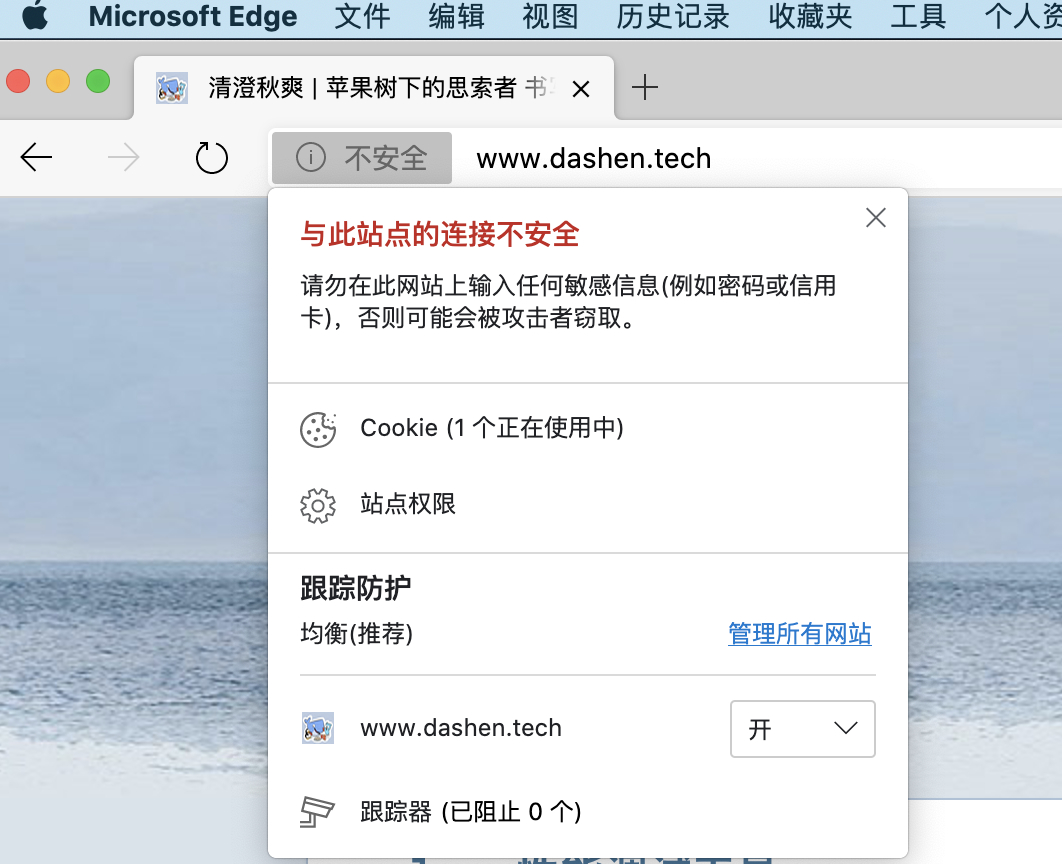
现状

证书申请
除了向公有云申请证书, 也可使用 自签名或openssl生成的证书,但方便起见还是使用云厂商提供的证书.

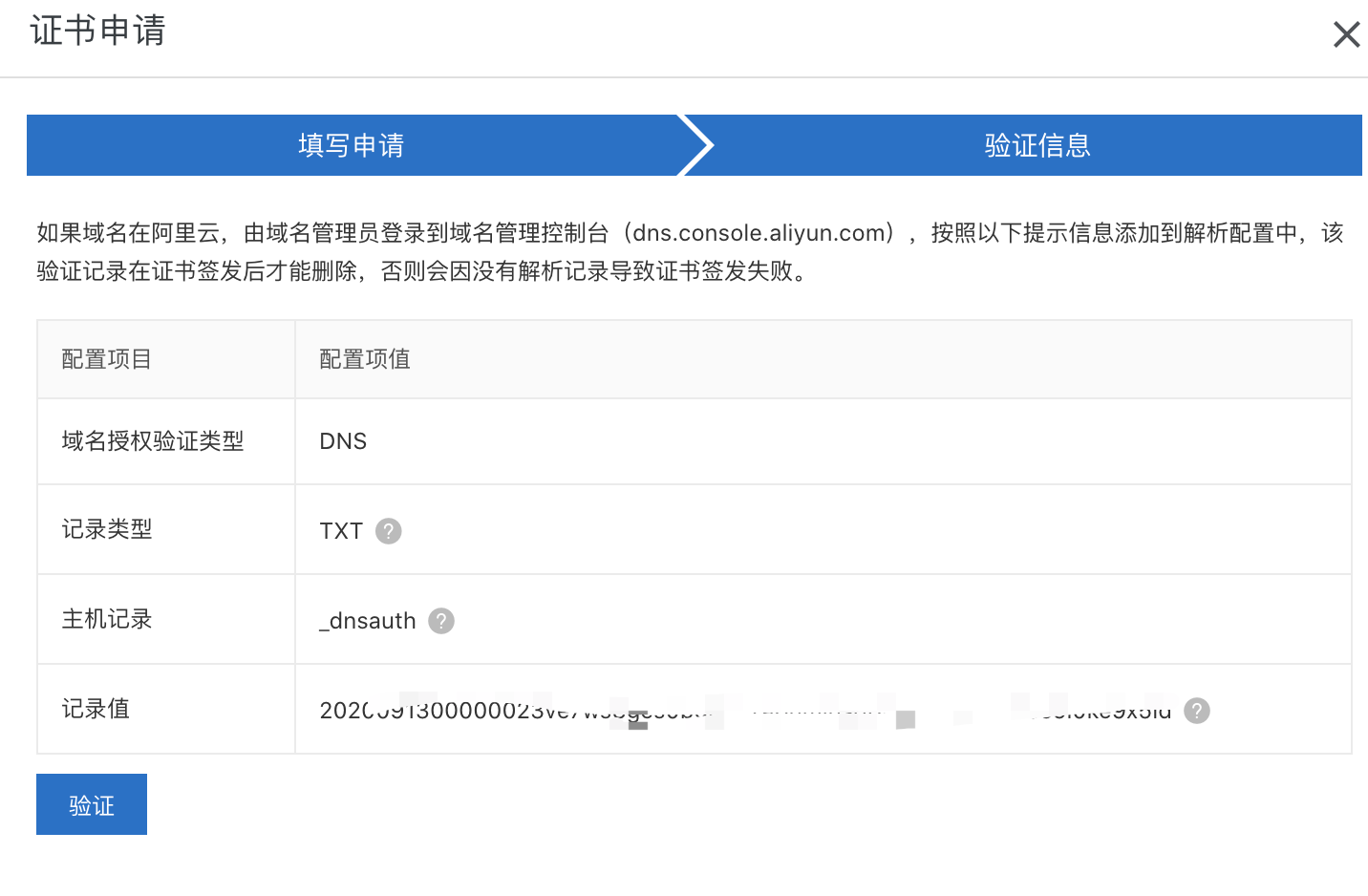
一般免费版,只有一年有效期.到期需要重新申请&更换


Nginx配置
将证书文件上传至
/usr/local/openresty/nginx/conf/cert目录下.
博客项目当前的conf配置如下:
server {
    listen      80;
    server_name dashen.tech www.dashen.tech;
    access_log  /var/log/blog.access.log main;
    error_log  /var/log/blog.error.log;

  location / {
        root        /home/ubuntu/cuishuang.github.io;
        index       index.html;
        expires     1d;
        add_header  Cache-Control public;
        access_log  off;
    }
}- 1
新增启用https的配置:server {
listen 443 ssl;
server_name dashen.tech www.dashen.tech; #域名
ssl_certificate /usr/local/openresty/nginx/conf/cert/shuang_blog.pem; #证书路径
ssl_certificate_key /usr/local/openresty/nginx/conf/cert/shuang_blog.key; #key路径
ssl_session_cache shared:SSL:1m; #s储存SSL会话的缓存类型和大小
ssl_session_timeout 5m; #会话过期时间
access_log /var/log/blog.access.log main;
error_log /var/log/blog.error.log;
location / {
root /home/ubuntu/cuishuang.github.io;
index index.html;
expires 1d;
add_header Cache-Control public;
access_log off;
}
}- 1
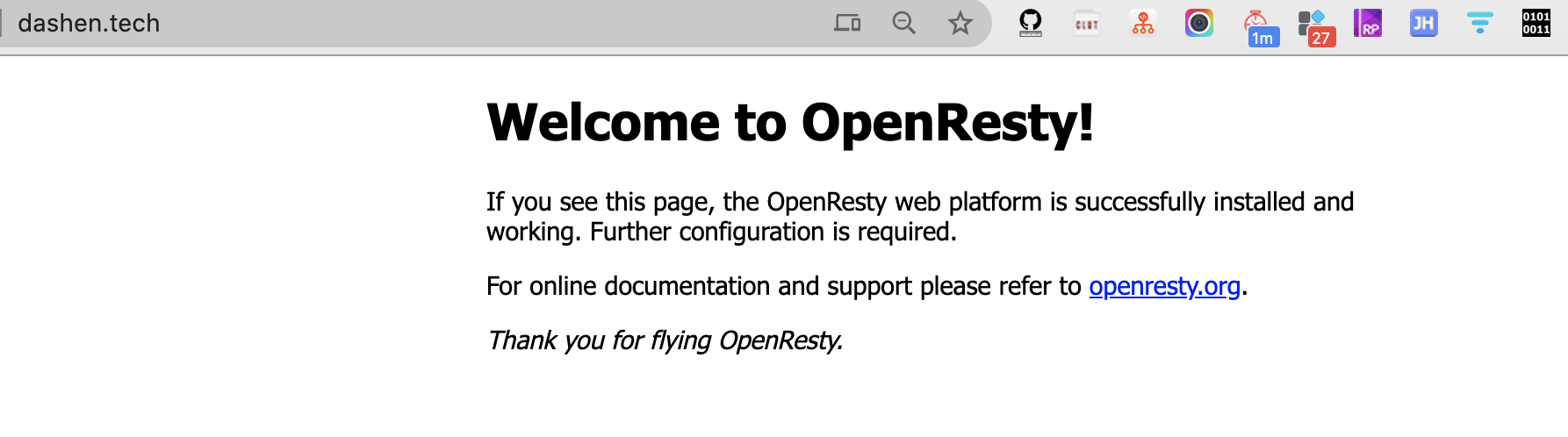
删掉之前的conf. 重启nginx,访问https://www.dashen.tech[1],已能正常访问.
再访问之前的网址https://dashen.tech[2],则
配置将http访问自动跳转到https
再增加一段配置:
server {
    listen      80;
    server_name dashen.tech www.dashen.tech;
    access_log  /var/log/blog.access.log main;
    error_log  /var/log/blog.error.log;

    return      301 https://$server_name$request_uri; #这是nginx最新支持的写法

  location / {
        root        /home/ubuntu/cuishuang.github.io;
        index       index.html;
        expires     1d;
        add_header  Cache-Control public;
        access_log  off;
    }
}- 1
参考: Nginx强制跳转Https[3]
再次重启nginx,这时请求https://dashen.tech[4]就可以跳转到https://www.dashen.tech[5]
但因为网站下有部分资源使用了http,所以浏览器依然没有变为安全锁,
可参考Hexo启用https加密连接[6],
也可右键查看哪些请求使用了http,将其修改为https即可~

参考资料
[1] https://www.dashen.tech: https://www.dashen.tech
[2]https://dashen.tech: https://dashen.tech
[3]Nginx强制跳转Https: https://www.jianshu.com/p/116fc2d08165
[4]https://dashen.tech: https://dashen.tech
[5]https://www.dashen.tech: https://www.dashen.tech
[6]Hexo启用https加密连接: https://note.youdao.com/web/#/file/recent/note/WEBe69d252eb353dd5ee0210d053ec0cc3a/
本文由 mdnice 多平台发布
-
相关阅读:
Golang struct 结构体 面向对象编程思想-抽象 理解抽象
测试人员如何打造自己的核心影响力
洛谷题解 | P1046 陶陶摘苹果
TP8 定时任务yzh52521/http-crontab 教程
IntelliJ IDEA 2022.3正式发布,配置云同步&支持Redis好用到炸
git常用命令
上帝视角看支付总架构解析
Github每日精选(第23期):macOS下的开源清理工具lemon-cleaner
轻松实现文件按大小归类保存,高效管理你的文件库!
AI 辅助学 Java | 专栏 1 帮你学 Java
- 原文地址:https://blog.csdn.net/techdashen/article/details/133868394
