-
如何同步 Github 和 Gitee的仓库代码
一、从github导入仓库,手动同步

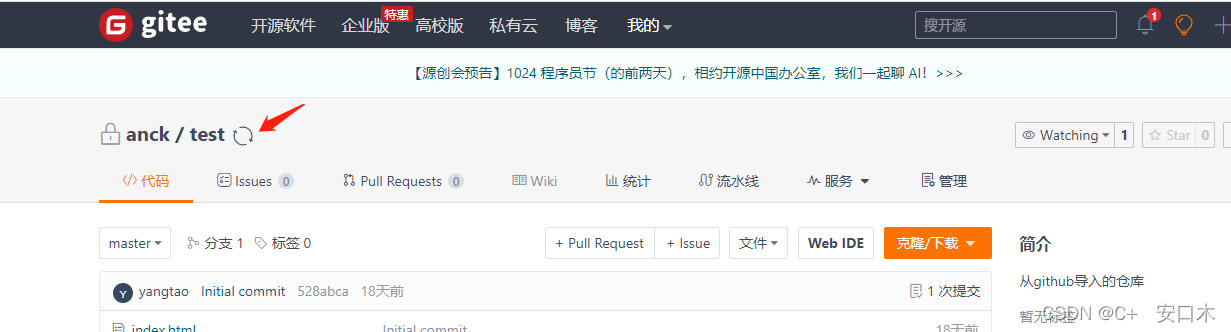
在 Gitee 的项目主页,导入的仓库会会有一个同步的按钮,你只用点一下,即可与 Github 同步更新,但是注意这里的同步功能默认是强制同步。有点麻烦的是,我们需要在推送到 Github 后,再到 Gitee 项目主页手动点击一下。二、推送两个仓库
可以通过本地仓库的形式,同时推送到github和gitee,相当于执行两次commit的操作,push两次。但显然也不是我想要的。
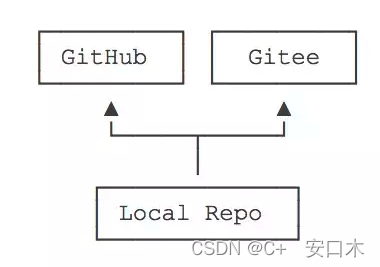
git remote add 远程库名 远程库地址 eg: git remote add gitee git@github.com:xxx/xxx.git- 1
- 2
除此之外我们还可以在sh脚本文件里
deploy.sh直接推送2个仓库#!/usr/bin/env sh # 确保脚本抛出遇到的错误 set -e # 定义变量 dist_path=docs/.vuepress/dist # 打包生成的文件夹路径 # 生成静态文件 npm run docs:build # 进入生成的文件夹 cd $dist_path git init git add -A git commit -m 'deploy' # 如果发布到 https://<USERNAME>.github.io/<REPO> git push -f git@github.com:ytking/test.git master:gh-pages git push -f git@gitee.com:ytanck/test.git master:gh-pages cd - rm -rf $dist_path- 1
- 2
- 3
- 4
- 5
- 6
- 7
- 8
- 9
- 10
- 11
- 12
- 13
- 14
- 15
- 16
- 17
- 18
- 19
- 20
- 21
- 22
- 23
当我们执行 sh deploy.sh 的时候,就会自动往两个仓库里推送。
三、Github Actions 自动同步
官方的Action方法Github Action。可以参考阮一峰老师的《GitHub Actions 入门教程》
运用CI/CD的思想,从github中自动化的执行流程,完美符合我们的预期。
需要将SSH公钥传到 Gitee和GitHub 上,这样就可以实现 GitHub 和 Gitee 的通信。Actions方法1:使用Yikun/hub-mirror-action@master
需要SSH私钥和gitee私人令牌
在项目根目录新建.github/workflows/syncToGitee.yml脚本如下:name: Sync to Gitee on: push: branches: [master, gh-pages] workflow_dispatch: jobs: build: runs-on: ubuntu-latest steps: - name: Sync to Gitee uses: Yikun/hub-mirror-action@master with: # 必选,需要同步的Github用户(源) src: 'github/ytking' # 必选,需要同步到的Gitee的用户(目的) dst: 'gitee/ytanck' # 必选,Gitee公钥对应的私钥 dst_key: ${{ secrets.GITEE_PRIVATE_KEY }} # 必选,Gitee对应的用于创建仓库的token dst_token: ${{ secrets.GITEE_TOKEN }} # static_list 仓库名称 单一仓库同步 static_list: "ytking" # 如果是组织,指定组织即可,默认为用户user # account_type: org # 还有黑、白名单,静态名单机制,可以用于更新某些指定库 # static_list: repo_name # black_list: 'repo_name,repo_name2' # white_list: 'repo_name,repo_name2' # force_update 表示启用 git push -f 强制同步 force_update: true # debug 为 true 表示启用 debug 开关,会显示所有执行命令 debug: true- 1
- 2
- 3
- 4
- 5
- 6
- 7
- 8
- 9
- 10
- 11
- 12
- 13
- 14
- 15
- 16
- 17
- 18
- 19
- 20
- 21
- 22
- 23
- 24
- 25
- 26
- 27
- 28
- 29
- 30
- 31
- 32
- 33
- 34
- 35
- 36
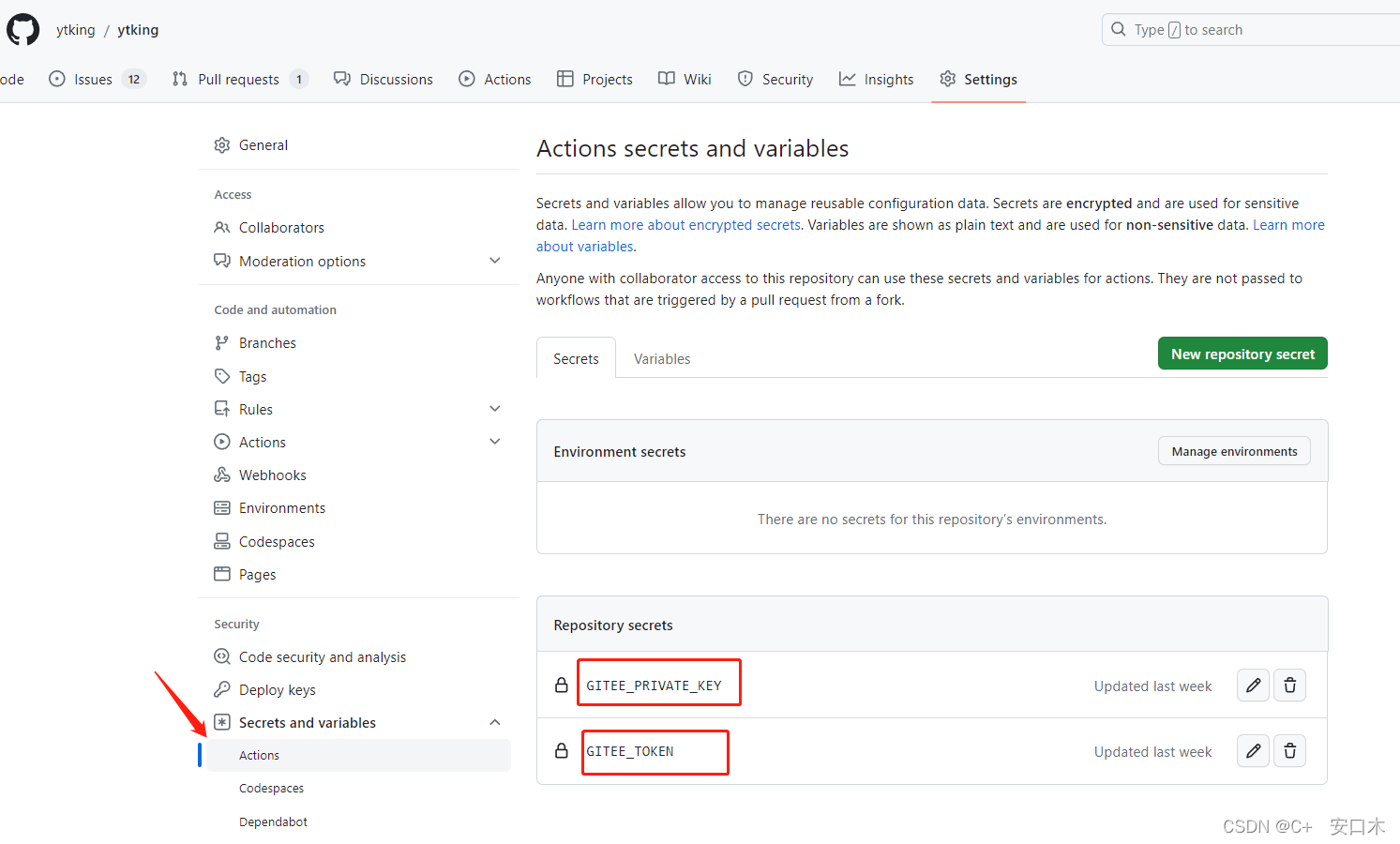
src表示需要被同步的源端账户名,即我们 Github 的账户名,因为我的 Github ID 是ytking,所以这里我应该改成github/ytking。dst表示需要同步到的目的端账户名,即我们 Gitee 的账户名,因为我的 Gitee ID 也是ytanck,所以这里我应该改成gitee/ytanck。dst_key表示用于在目的端上传代码的私钥SSH,然后将其保存在 Secrets 中。如何获取SSH请自行百度复制私钥内容,然后在要同步的 Github 仓库中,选择 “Setting” -> “Secrets” -> “New repository secret”
如何获取GITEEN_TOKEN,在 Gitee 上创建一个私人令牌(token),这个记得保存,因为它只会出现一次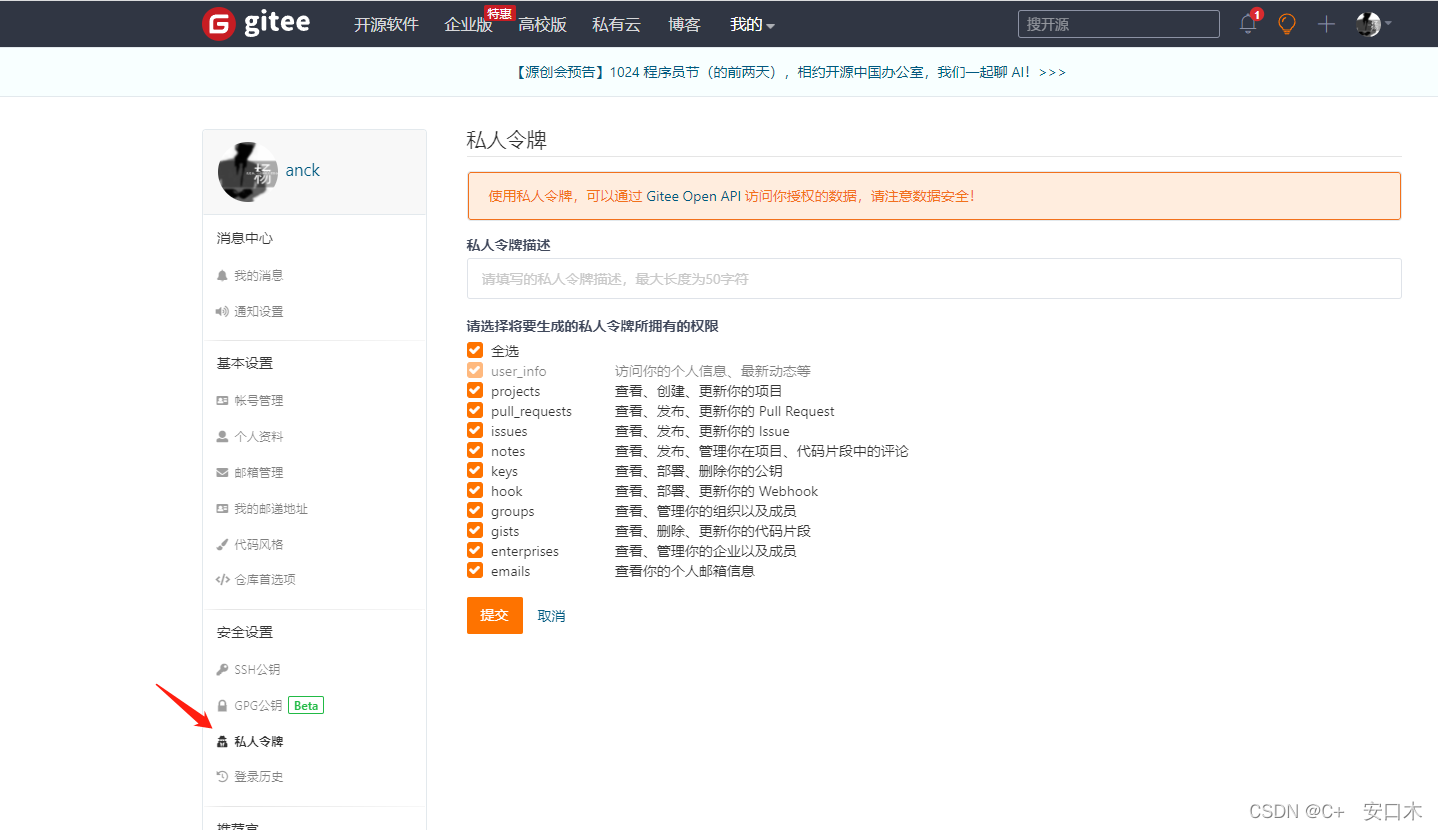
配置完成后我们push分支,使用Sync to Gitee的 Action的workflow已经运行起来了

Actions方法二:
使用 wearerequired/git-mirror-action@v1
在项目根目录新建.github/workflows/sync-gitee.yml脚本name: Sync to Gitee on: push: branches: [master, gh-pages] workflow_dispatch: jobs: build: runs-on: ubuntu-latest steps: - name: Sync to Gitee uses: wearerequired/git-mirror-action@v1 env: # 在 Settings->Secrets 配置 GITEE_PRIVATE_KEY SSH_PRIVATE_KEY: ${{ secrets.GITEE_PRIVATE_KEY }} with: # GitHub 源仓库地址 source-repo: git@github.com:ytking/monorepo-pnpm.git # Gitee 目标仓库地址 destination-repo: git@gitee.com:ytanck/monorepo-pnpm.git- 1
- 2
- 3
- 4
- 5
- 6
- 7
- 8
- 9
- 10
- 11
- 12
- 13
- 14
- 15
- 16
- 17
- 18
- 19
- 20
- 21
- 22
- 23
GITEE_PRIVATE_KEY就是SSH私钥,如何获取shh请自行百度。另外方法二需要配置公钥,方法如下:复制id_rsa.pub,
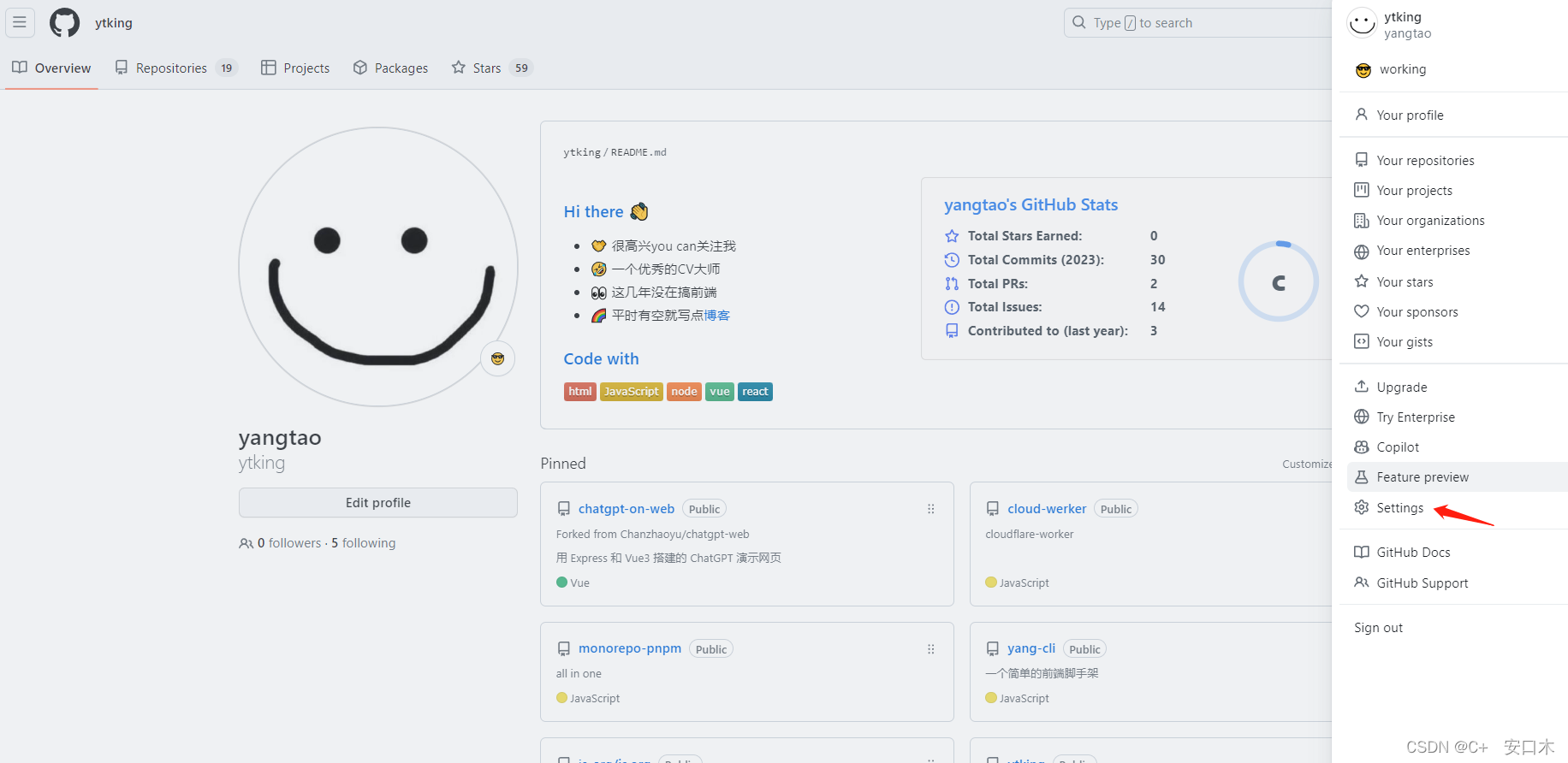
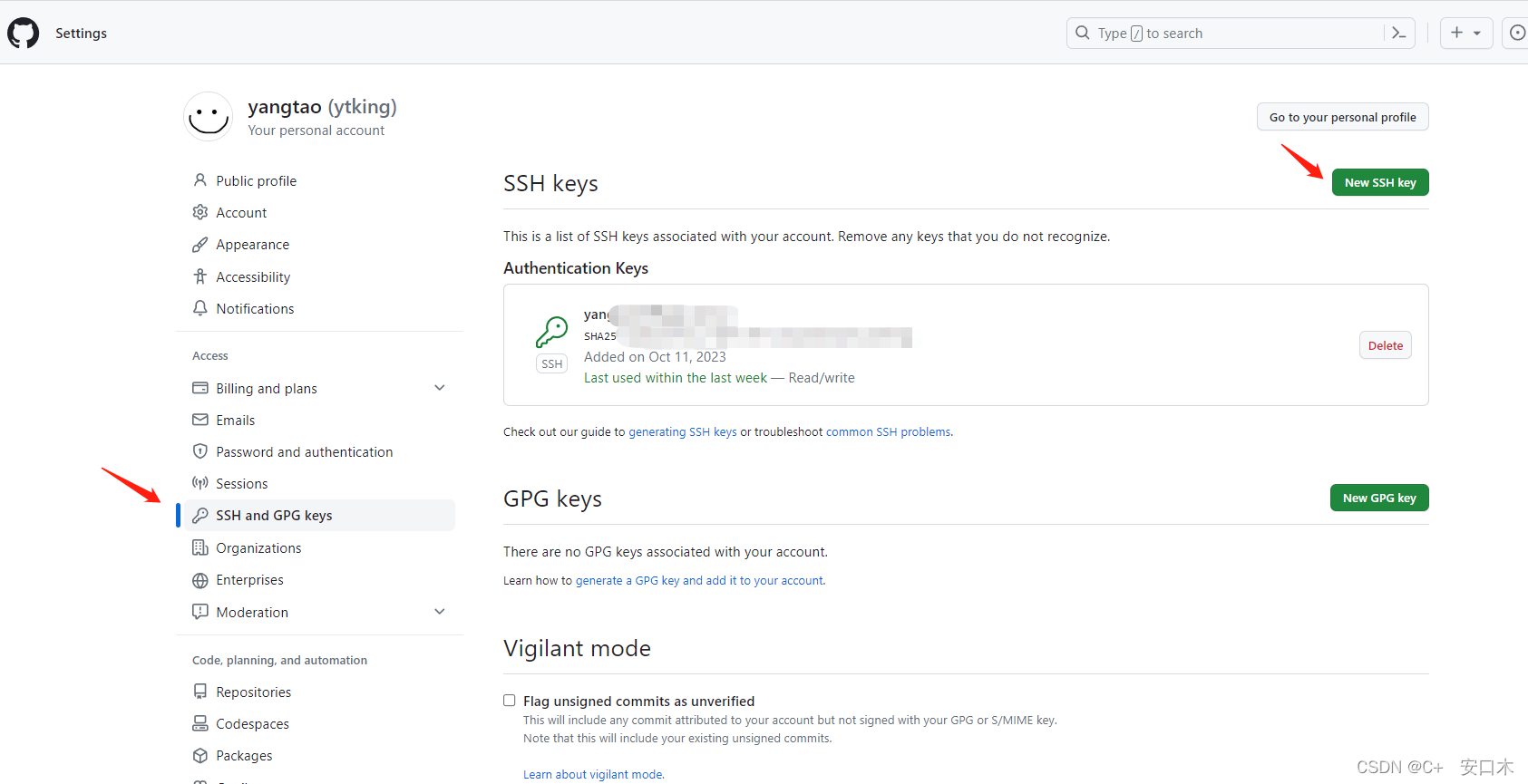
配置完成后,但你再push master分支时就会触发工作流的Action
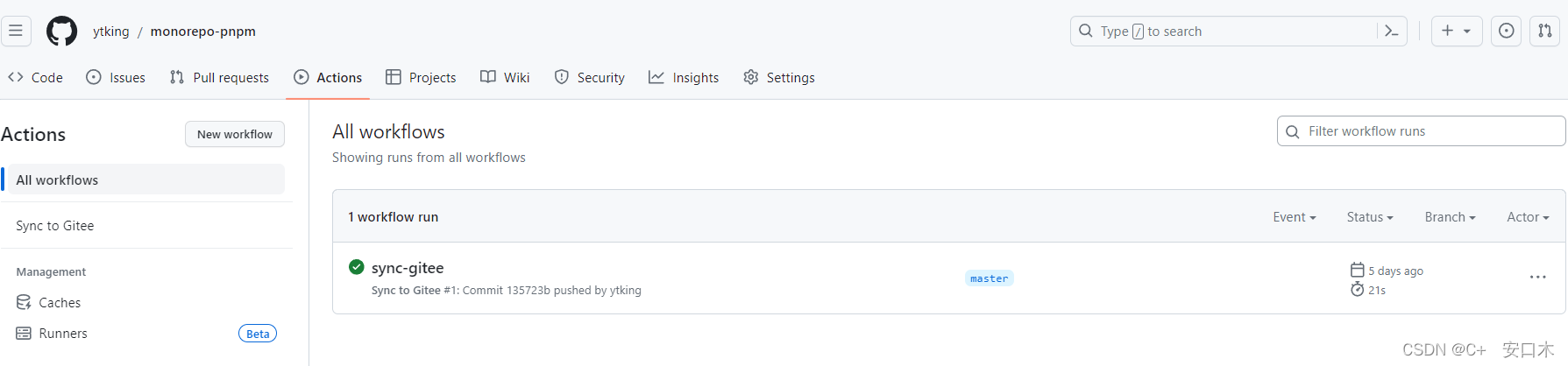
此时就会发现Gitee也同步更新了
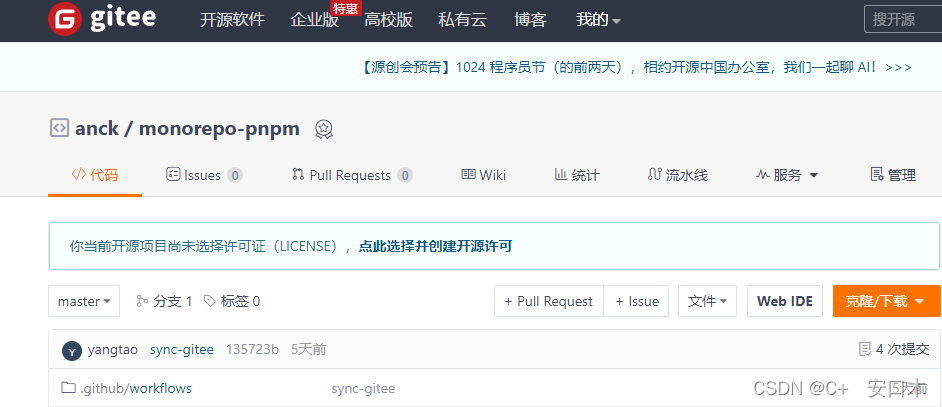
注:方法一如果不指定仓库,会自动同步所有仓库,方法二是针对某一仓库去同步,前提要在Gitee里提前创建好了指定名字的空仓库。 -
相关阅读:
SpringSecurity授权
Linux学习-59-备份还原数据命令(dump、restore、dd命令)
Arduino框架下I2S控制ADC采样以及PWM输出示例解析
springboot的基本配置
狂神。SpringBoot学习(2)
Restful接口设计介绍及项目准备工作
手把手教你自己搭建getwayWorker聊天服务器
【电脑小白】装机从认识电脑部件开始
[附源码]计算机毕业设计小太阳幼儿园学生管理系统Springboot程序
网工内推 | 运维工程师,软考认证优先,全额社保
- 原文地址:https://blog.csdn.net/weixin_50367873/article/details/133860570
