-
《PyTorch深度学习实践》第三讲 梯度下降算法
问题描述
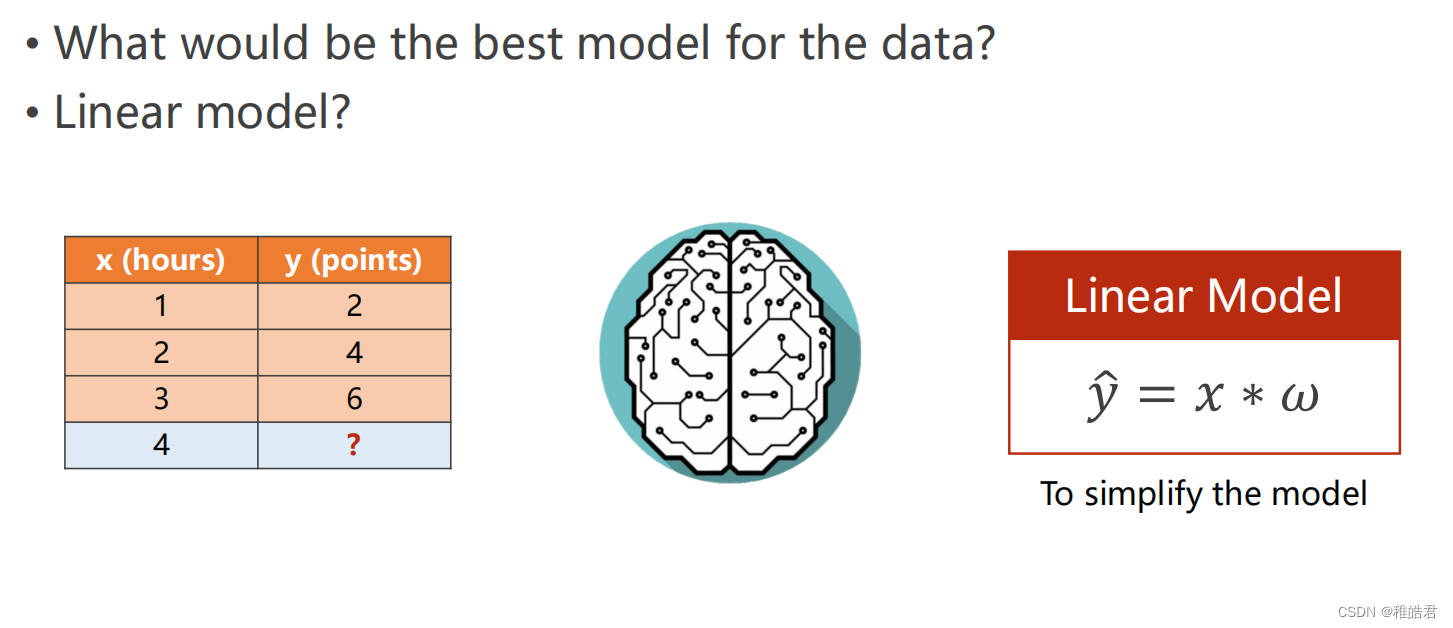
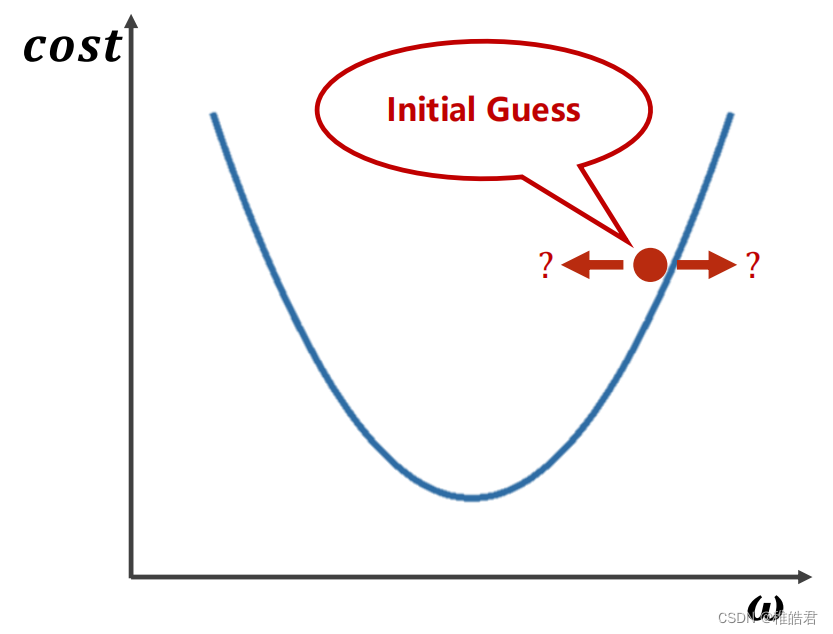
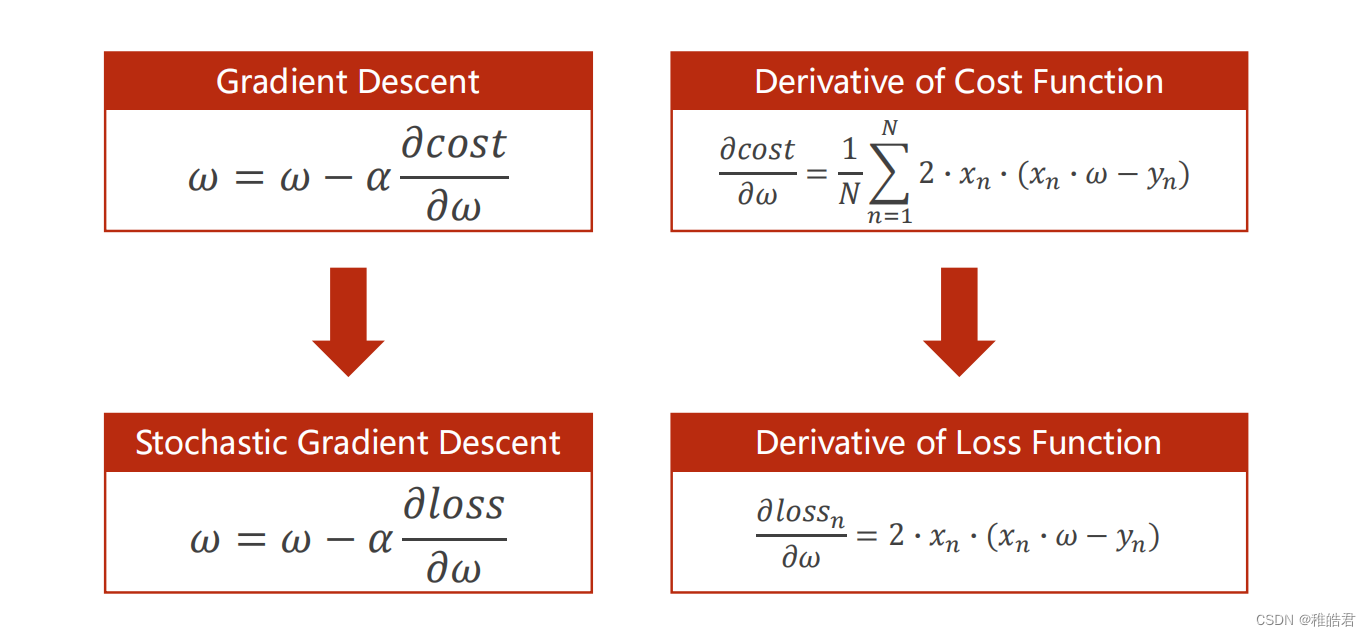
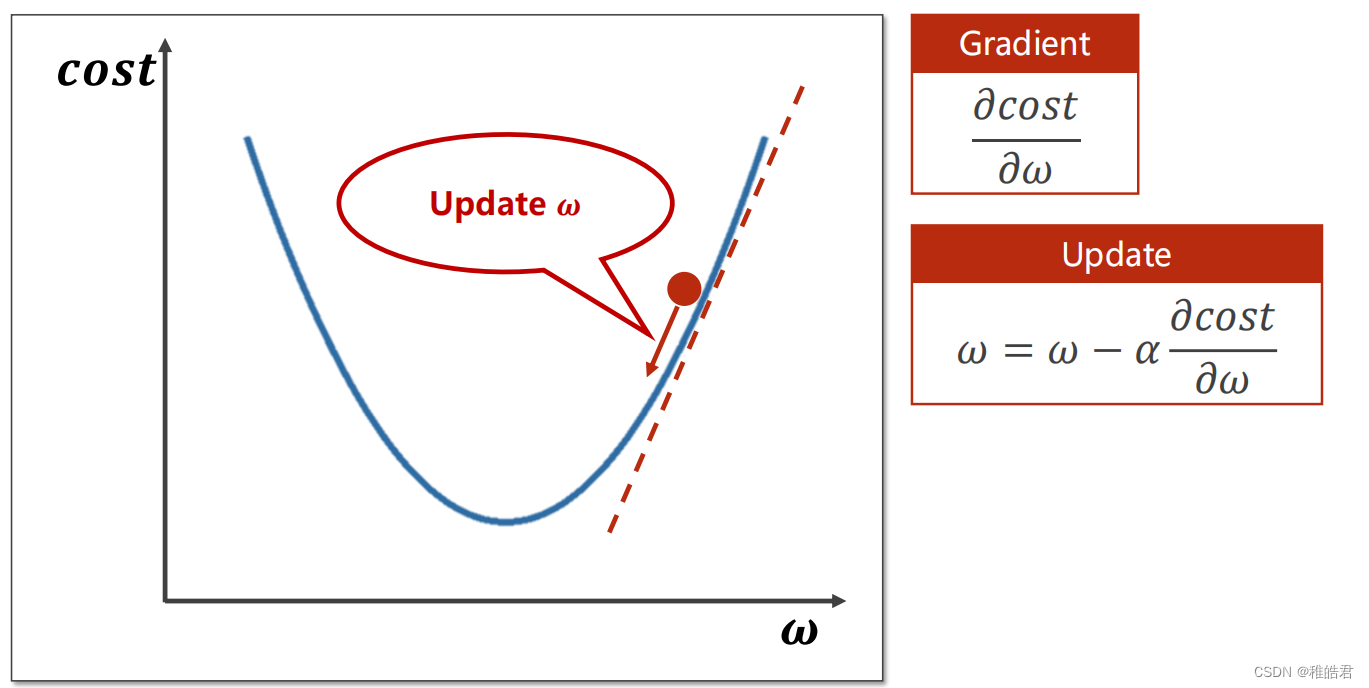
梯度下降
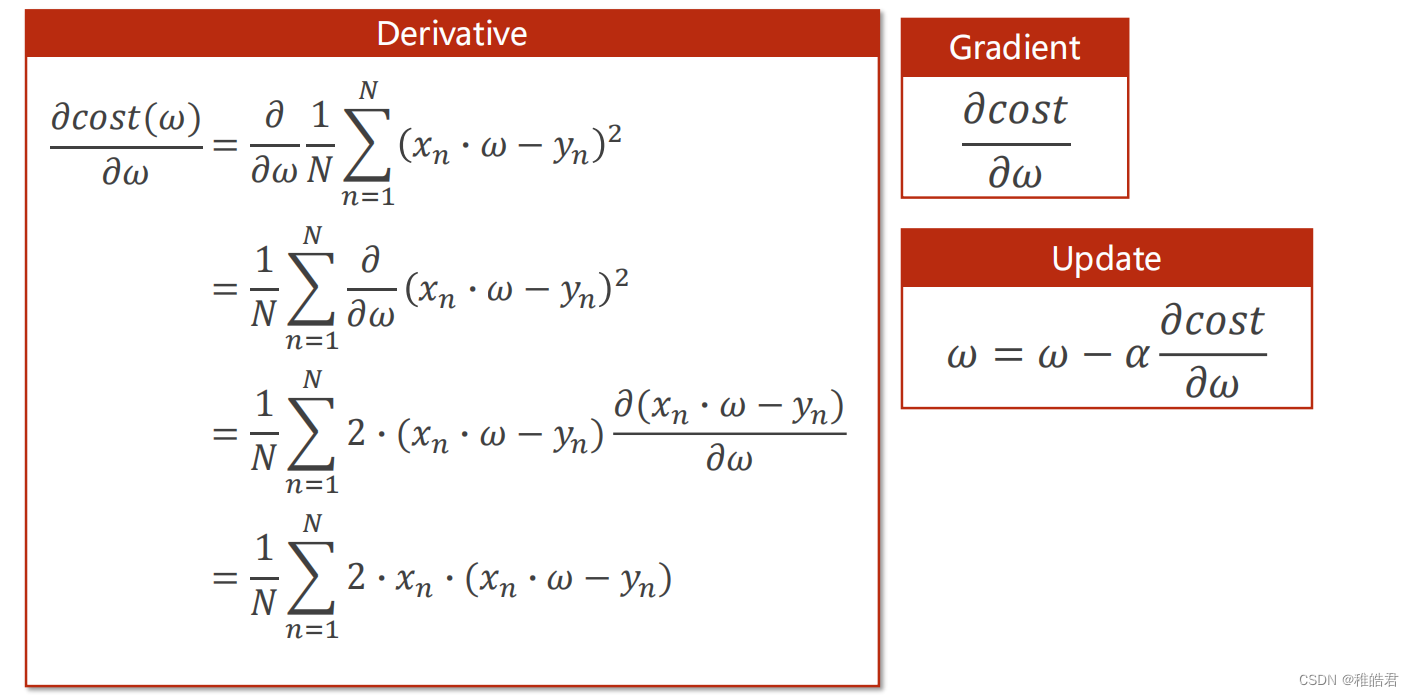
问题分析
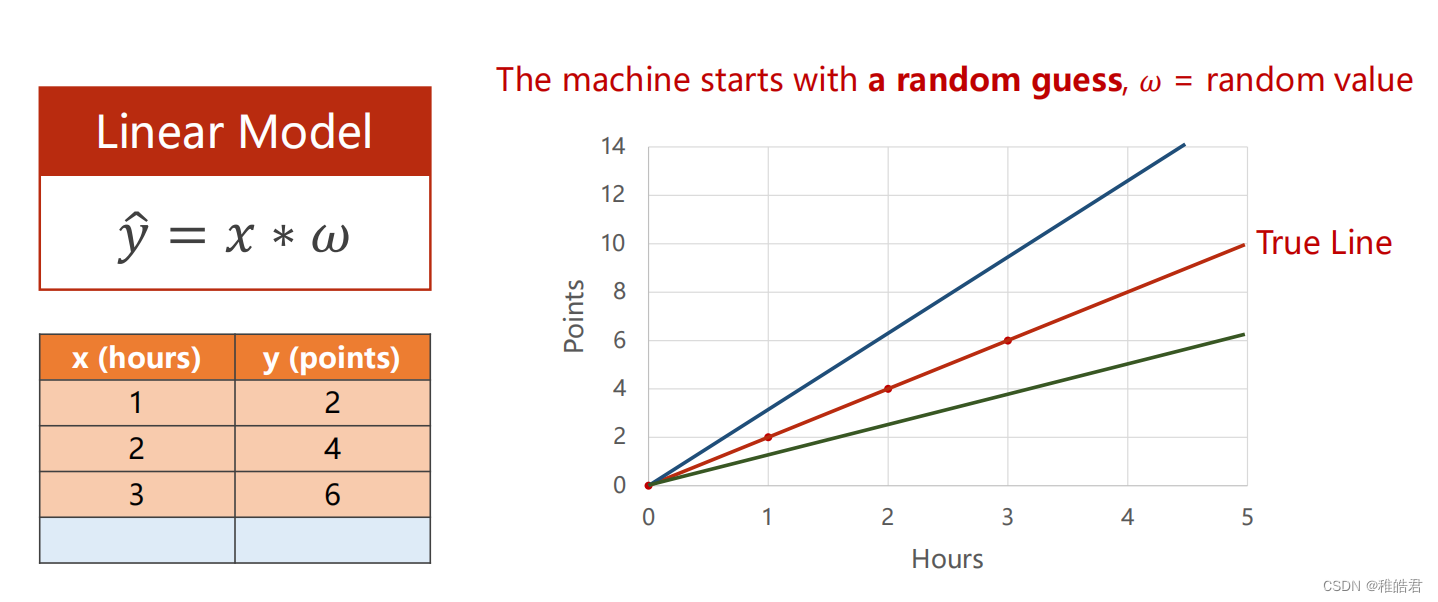
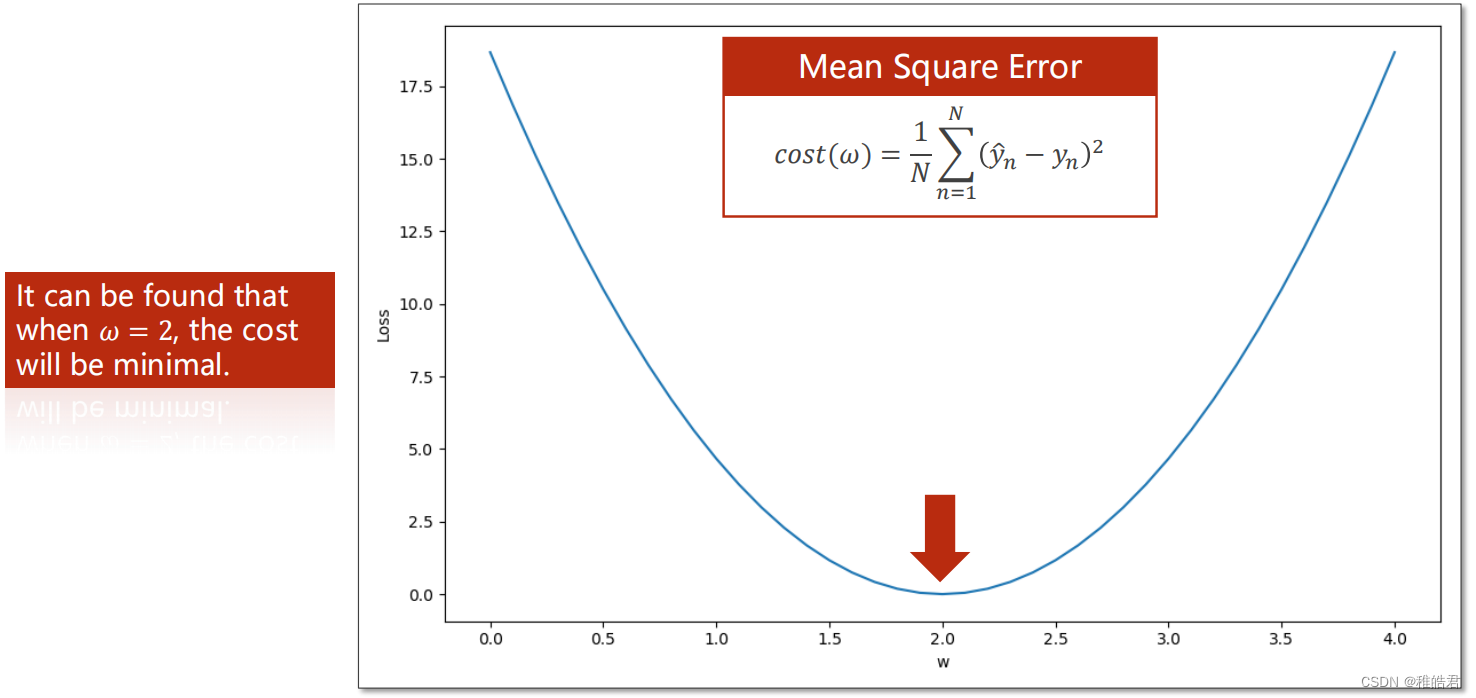
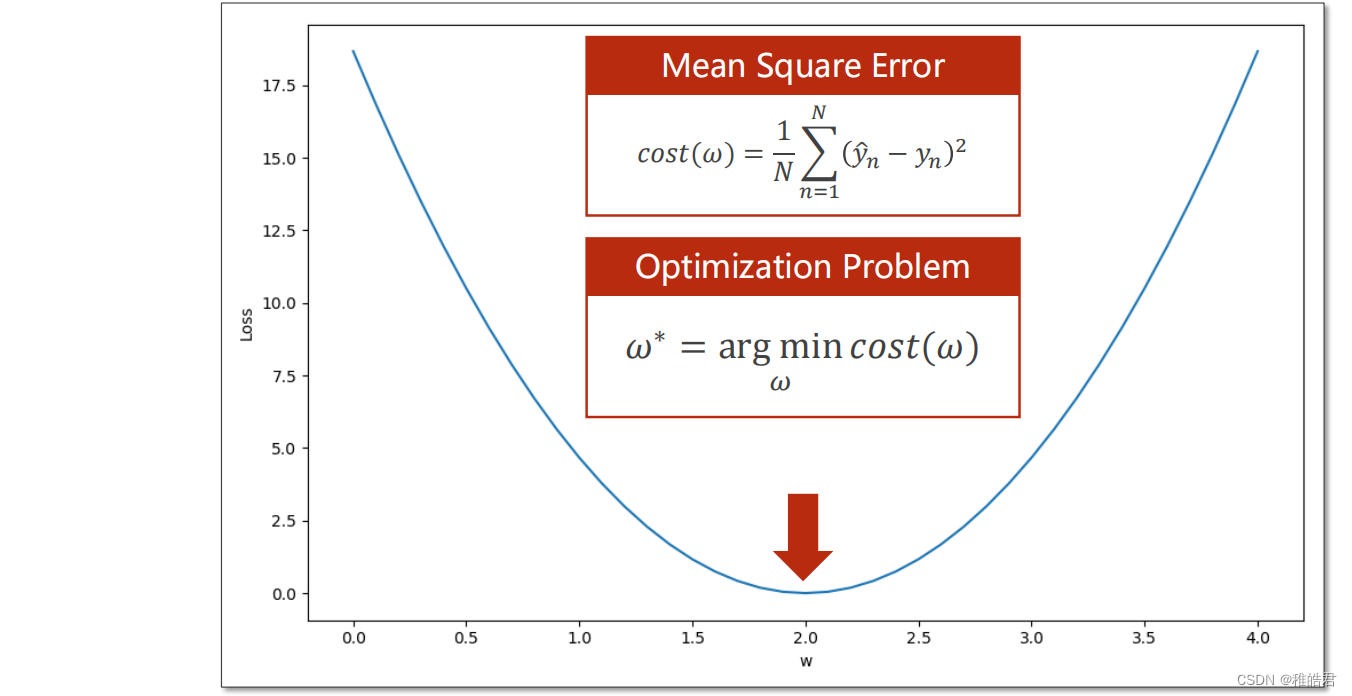
编程实现


代码
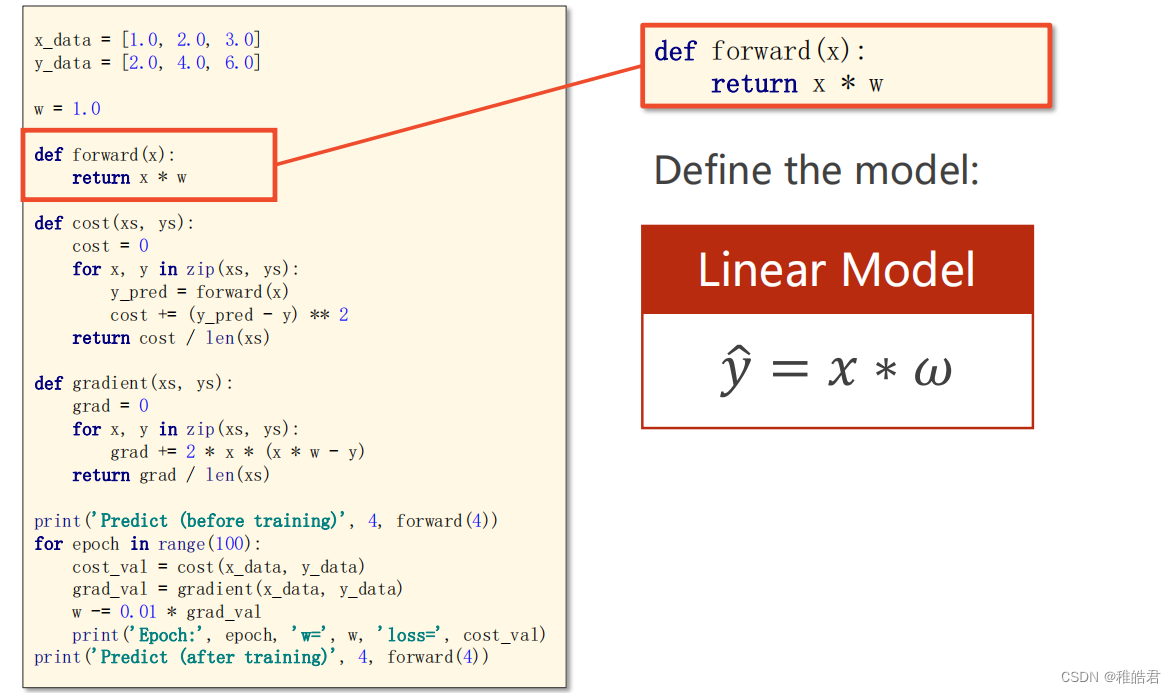
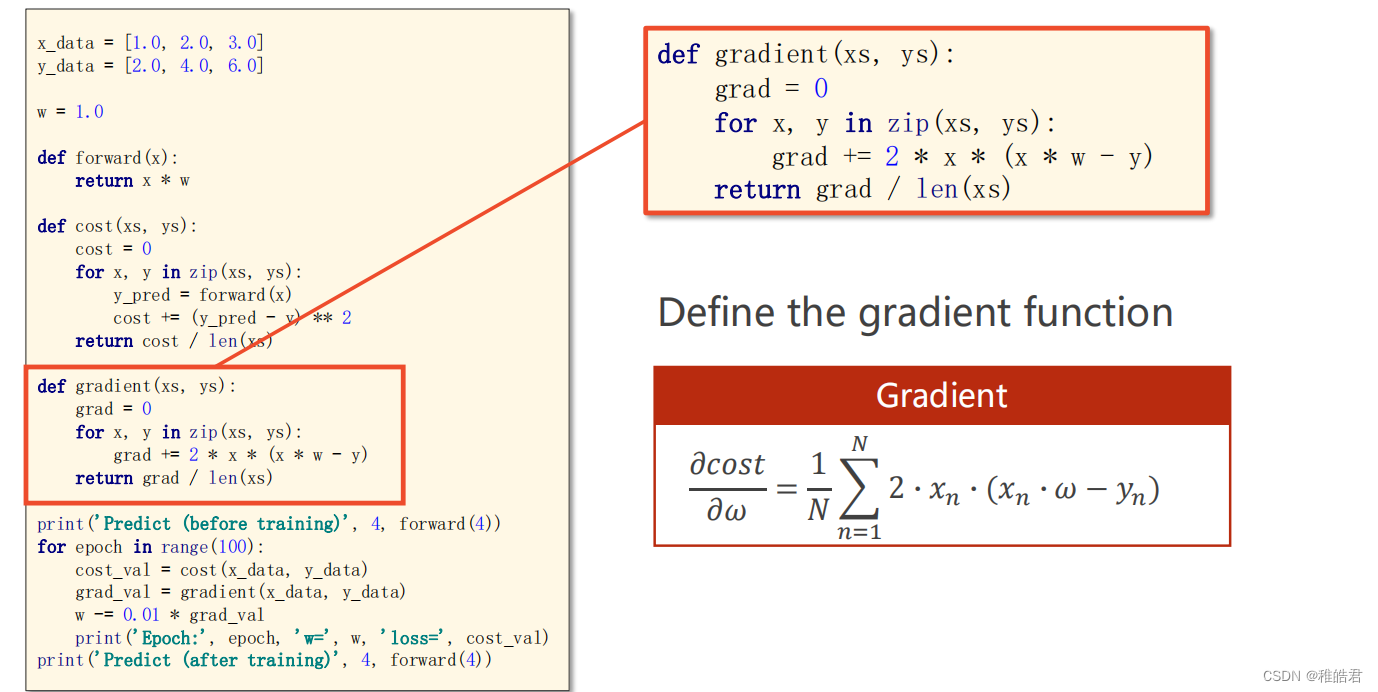
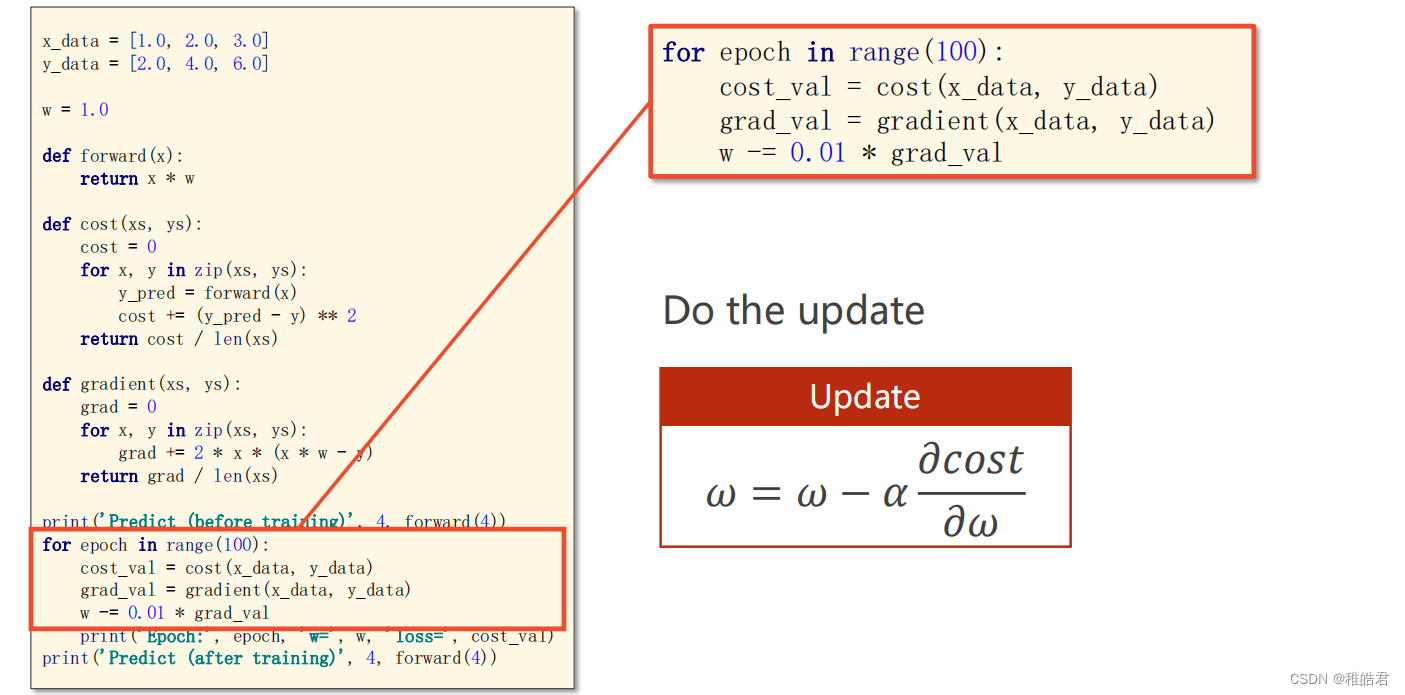
import matplotlib.pyplot as plt # 训练集数据 x_data = [1.0, 2.0, 3.0] y_data = [2.0, 4.0, 6.0] # 设置初始权重猜测 w = 1.0 # 前馈计算 def forward(x): return x * w # 计算损失 def cost(xs, ys): cost = 0 for x, y in zip(xs, ys): y_pred = forward(x) cost += (y_pred - y) ** 2 return cost / len(xs) # 计算梯度 def gradien(xs, ys): grad = 0 for x, y in zip(xs, ys): grad += 2 * x * (x * w - y) return grad / len(xs) print('Predict(before training)', 4, forward(4)) # 存放每轮的数据 cost_list = [] epoch_list = [] # 训练过程 for epoch in range(100): # 训练100轮 cost_val = cost(x_data, y_data) grad_val = gradien(x_data, y_data) # 更新梯度 w -= 0.01 * grad_val # 0.01 学习率 print('Epoch:', epoch, 'w = ', w, 'loss = ', cost_val) cost_list.append(cost_val) epoch_list.append(epoch) print('Predict(after training)', 4, forward(4)) # 绘图展示 plt.plot(epoch_list, cost_list) plt.xlabel('Epoch') plt.ylabel('Cost') plt.show()- 1
- 2
- 3
- 4
- 5
- 6
- 7
- 8
- 9
- 10
- 11
- 12
- 13
- 14
- 15
- 16
- 17
- 18
- 19
- 20
- 21
- 22
- 23
- 24
- 25
- 26
- 27
- 28
- 29
- 30
- 31
- 32
- 33
- 34
- 35
- 36
- 37
- 38
- 39
- 40
- 41
- 42
- 43
- 44
- 45
- 46
- 47
- 48
- 49
- 50
- 51
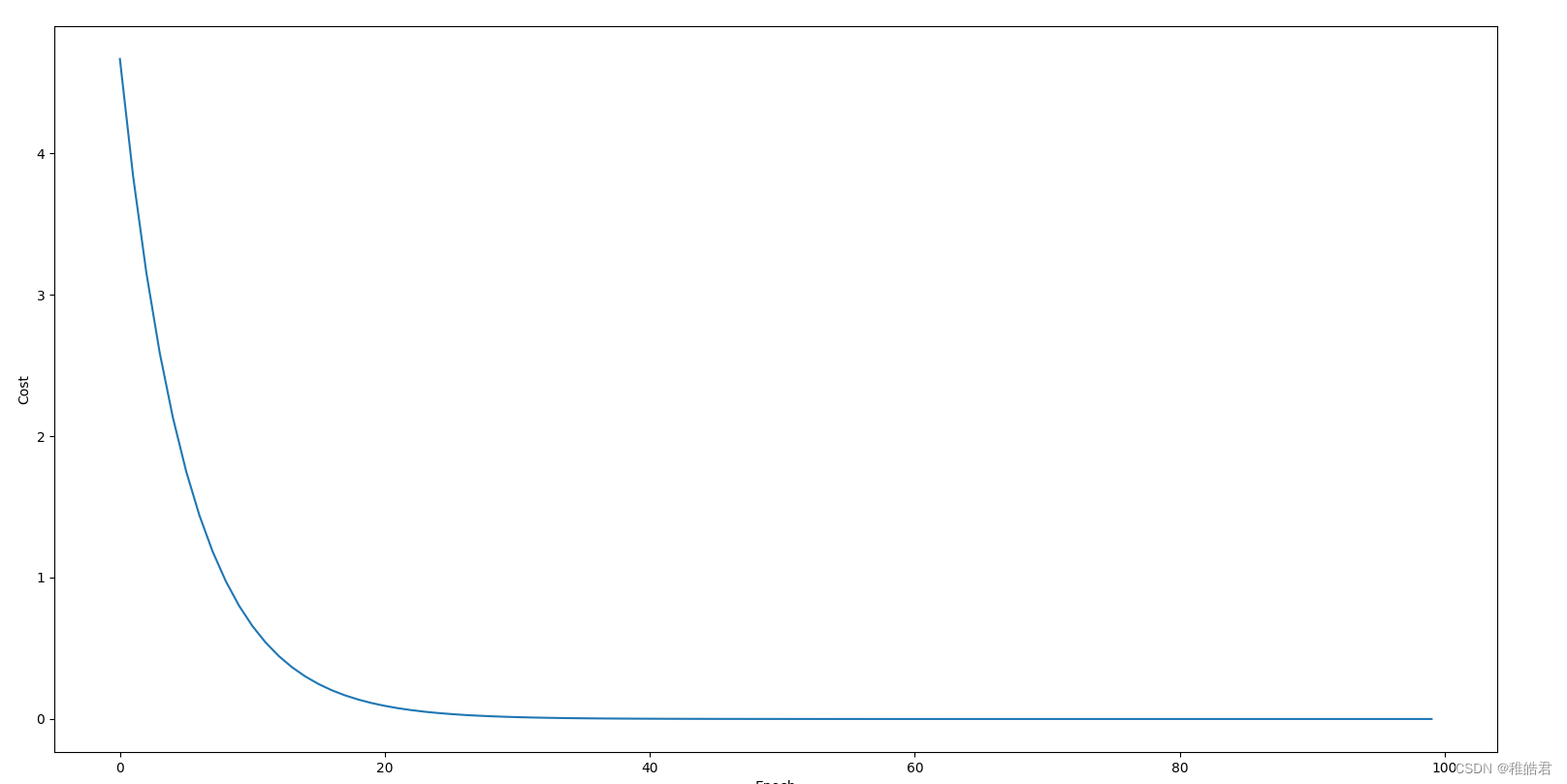
实现效果
随机梯度下降
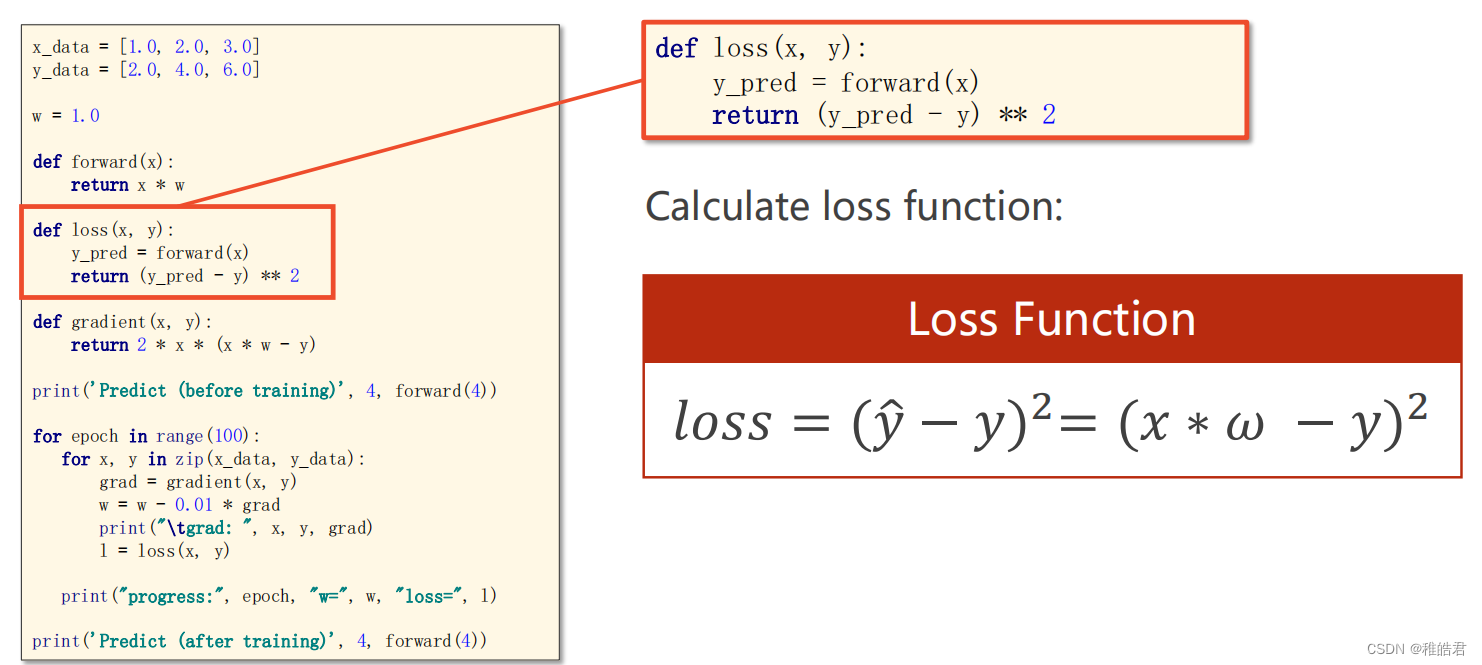
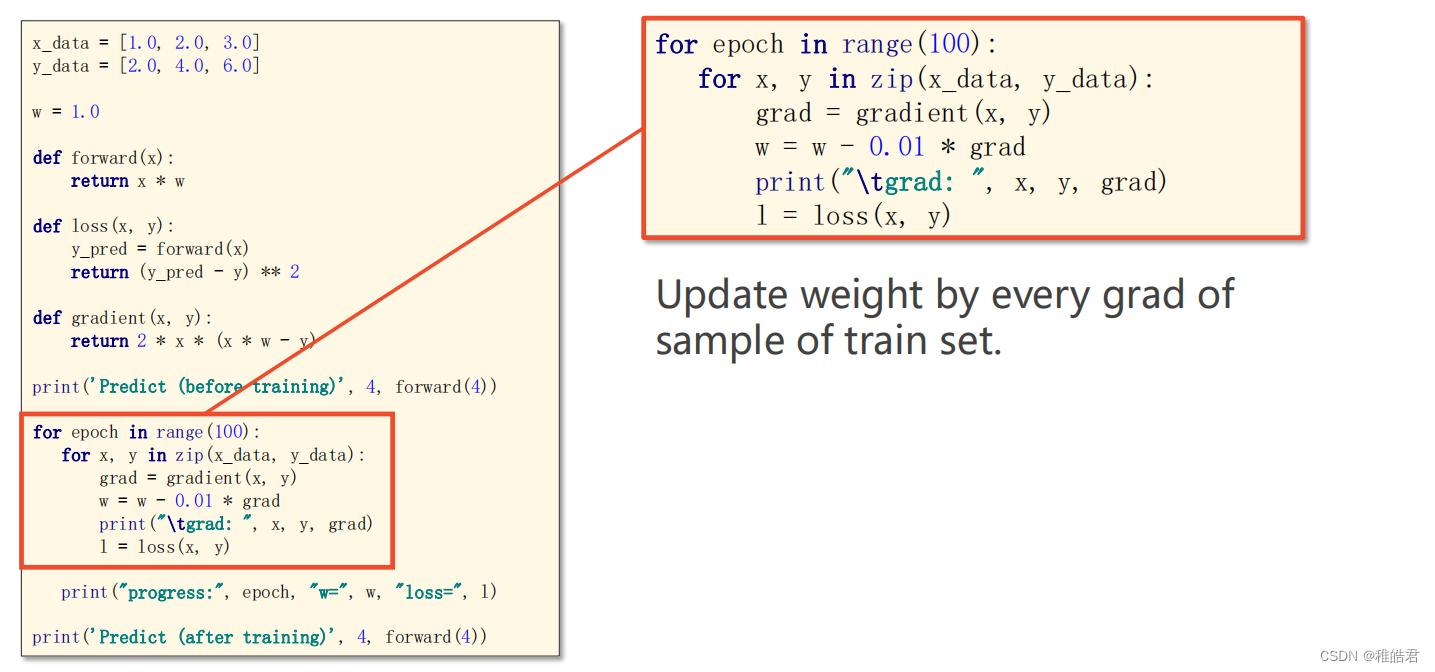
使用随机梯度下降对上述问题进行求解,随机梯度下降法和梯度下降法的主要区别在于:
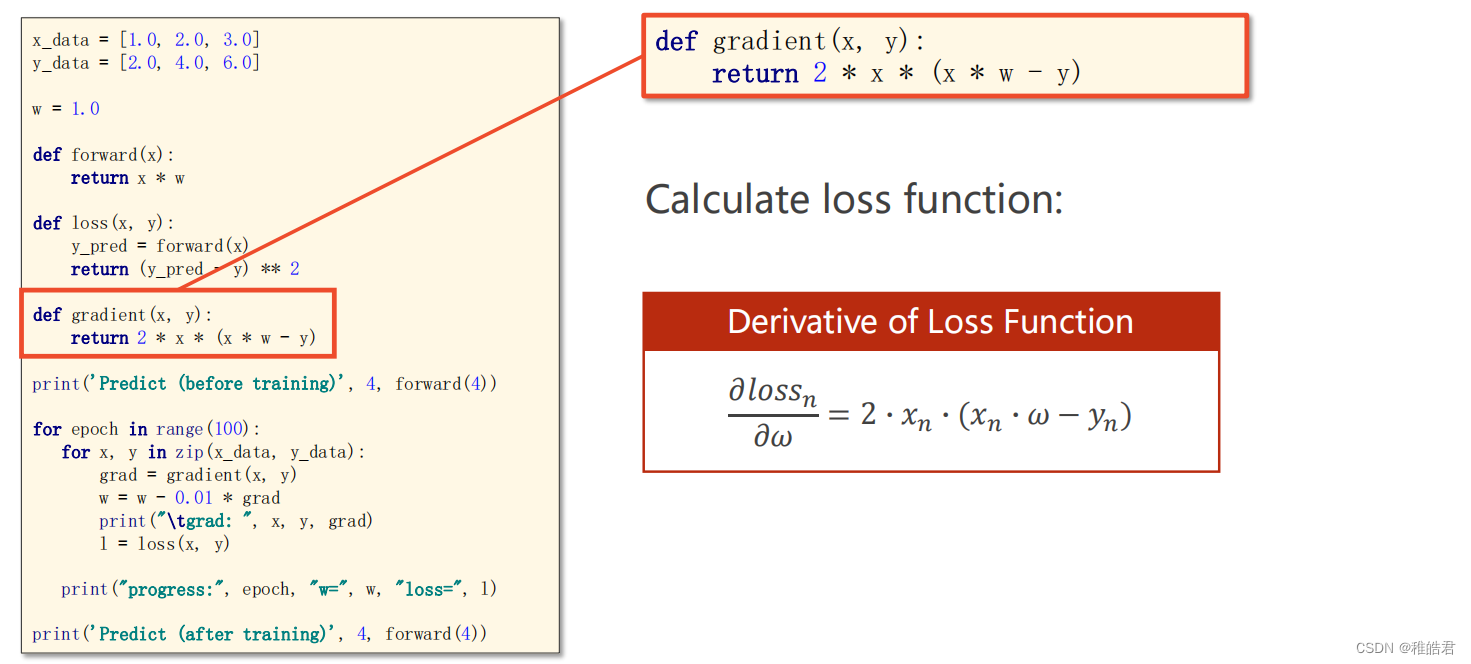
1、损失函数由计算所有训练数据的损失,更改为计算一个训练数据的损失。
2、梯度函数由计算所有训练数据的梯度,更改为计算一个训练数据的梯度。问题分析
编程实现
代码
import matplotlib.pyplot as plt # 训练集数据 x_data = [1.0, 2.0, 3.0] y_data = [2.0, 4.0, 6.0] # 设置初始权重猜测 w = 1.0 # 前馈计算 def forward(x): return x * w # 计算损失 def loss(x, y): y_pred = forward(x) return (y_pred - y) ** 2 # 计算梯度 def gradien(x, y): return 2 * x * (x * w - y) print('Predict(before training)', 4, forward(4)) # 存放每轮的数据 loss_list = [] epoch_list = [] # 训练过程 for epoch in range(100): # 训练100轮 for x, y in zip(x_data, y_data): grad = gradien(x, y) w = w - 0.01 * grad print('\tgrad:', x, y, grad) l = loss(x, y) epoch_list.append(epoch) loss_list.append(l) print('Predict(after training)', 4, forward(4)) # 绘图展示 plt.plot(epoch_list, loss_list) plt.xlabel('Epoch') plt.ylabel('Loss') plt.show()- 1
- 2
- 3
- 4
- 5
- 6
- 7
- 8
- 9
- 10
- 11
- 12
- 13
- 14
- 15
- 16
- 17
- 18
- 19
- 20
- 21
- 22
- 23
- 24
- 25
- 26
- 27
- 28
- 29
- 30
- 31
- 32
- 33
- 34
- 35
- 36
- 37
- 38
- 39
- 40
- 41
- 42
- 43
- 44
- 45
- 46
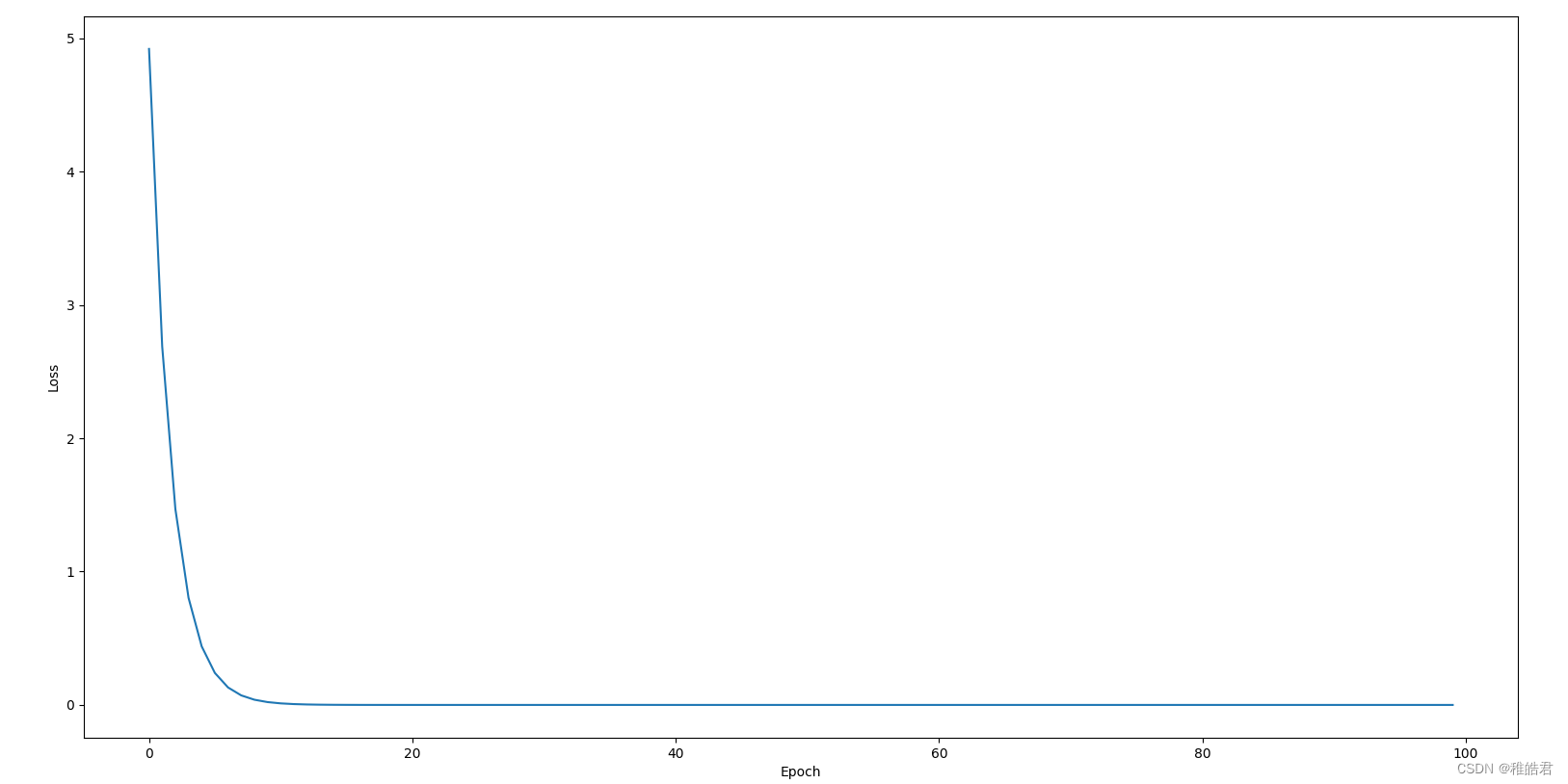
实现效果
参考资料
传送门梯度下降算法
-
相关阅读:
16 Makefile Conventions
HOSMEL:一种面向中文的可热插拔模块化实体链接工具包
按图搜索1688商品(拍立淘) 中国站
【电源专题】案例:电源芯片规格书大标题写5A那是能输出5A吗?
文献阅读(44)—— 基于眼底照的近视深度学习算法和区块链平台,以促进人工智能医学研究:回顾性多队列研究
C语言-入门-基础-语法-流程控制(七)
LSTM的预测算法 - 股票预测 天气预测 房价预测 计算机竞赛
第二十二课,实例化(instancing)
同花顺_代码解析_交易系统_J09_18
C# 自定义List
- 原文地址:https://blog.csdn.net/m0_46669450/article/details/133826082
- 最新文章
-
沪漂五周年了:我越来越迷茫了
Agentic Skill Routing 实战:别再把所有 Skill 塞进 AI Agent 上下文
MySQL-Seconds_behind_master的精度误差
[MAF预定义ChatClient中间件-03]CachingChatClient——利用缓存省钱省时间
AI的至暗历史:从万众期待到被政府撤资,AI的两次死亡徘徊
Agent OS :五种驯服不确定性的范式
PortSwigger SQL注入LAB11
数据库即时编译JIT
[Begin]AI Learn Data Day 0
深度学习进阶(二十七)现代 LLM 的核心架构设计其二:SwiGLU