1. 依赖
<groupId>com.qcloud</groupId>
<artifactId>cos_api</artifactId>
<version>5.6.54</version>
2. FileController
import com.ruoyi.common.core.domain.AjaxResult;
import com.ruoyi.common.utils.file.FileUtils;
import io.swagger.annotations.Api;
import io.swagger.annotations.ApiOperation;
import lombok.extern.slf4j.Slf4j;
import org.springframework.beans.factory.annotation.Autowired;
import org.springframework.web.bind.annotation.PostMapping;
import org.springframework.web.bind.annotation.RequestMapping;
import org.springframework.web.bind.annotation.RequestPart;
import org.springframework.web.bind.annotation.RestController;
import org.springframework.web.multipart.MultipartFile;
import java.security.SecureRandom;
import java.text.SimpleDateFormat;
@Api(value = "文件", tags = {"文件"})
@RequestMapping("/file/upload")
public class FileController {
private COSUtils cosUtils;
public AjaxResult upload(@RequestPart("file") MultipartFile file){
String fileSuffix = file.getOriginalFilename().substring(file.getOriginalFilename().lastIndexOf("."));
String finalFileName = System.currentTimeMillis() + "" + new SecureRandom().nextInt(0x0400) + fileSuffix;
String objectName = new SimpleDateFormat("yyyyMMdd").format(new Date()) + "/" + finalFileName;
cosUtils.uploadFileCOS(file.getInputStream(), objectName);
url = cosUtils.getUrl(objectName);
AjaxResult ajax = AjaxResult.success();
ajax.put("fileName", file.getOriginalFilename());
ajax.put("newFileName", FileUtils.getName(finalFileName));
return AjaxResult.error(e.getMessage());
3. AjaxResult
import java.util.HashMap;
import com.ruoyi.common.constant.HttpStatus;
import com.ruoyi.common.utils.StringUtils;
public class AjaxResult extends HashMap<String, Object>
private static final long serialVersionUID = 1L;
public static final String CODE_TAG = "code";
public static final String MSG_TAG = "msg";
public static final String DATA_TAG = "data";
public AjaxResult(int code, String msg)
super.put(CODE_TAG, code);
public AjaxResult(int code, String msg, Object data)
super.put(CODE_TAG, code);
if (StringUtils.isNotNull(data))
super.put(DATA_TAG, data);
public static AjaxResult success()
return AjaxResult.success("操作成功");
public static AjaxResult success(Object data)
return AjaxResult.success("操作成功", data);
public static AjaxResult success(String msg)
return AjaxResult.success(msg, null);
public static AjaxResult success(String msg, Object data)
return new AjaxResult(HttpStatus.SUCCESS, msg, data);
public static AjaxResult error()
return AjaxResult.error("操作失败");
public static AjaxResult error(String msg)
return AjaxResult.error(msg, null);
public static AjaxResult error(String msg, Object data)
return new AjaxResult(HttpStatus.ERROR, msg, data);
public static AjaxResult error(int code, String msg)
return new AjaxResult(code, msg, null);
public AjaxResult put(String key, Object value)
4. COSUtils
import com.qcloud.cos.COSClient;
import com.qcloud.cos.ClientConfig;
import com.qcloud.cos.auth.BasicCOSCredentials;
import com.qcloud.cos.auth.COSCredentials;
import com.qcloud.cos.http.HttpMethodName;
import com.qcloud.cos.http.HttpProtocol;
import com.qcloud.cos.model.GeneratePresignedUrlRequest;
import com.qcloud.cos.model.ObjectMetadata;
import com.qcloud.cos.model.PutObjectResult;
import com.qcloud.cos.region.Region;
import lombok.extern.slf4j.Slf4j;
import org.springframework.stereotype.Component;
import java.io.IOException;
import java.io.InputStream;
private static final String secretId = "xxxxxx";
private static final String secretKey = "xxxxxx";
private static final String bucketName = "xxxxxx";
private static final String region = "xxxxxx";
private static final String FOLDER = "image/";
public static COSClient getCOSClient() {
// 1 初始化用户身份信息(secretId, secretKey)。
COSCredentials cred = new BasicCOSCredentials(secretId, secretKey);
Region rg = new Region(region);
ClientConfig clientConfig = new ClientConfig(rg);
// 从 5.6.54 版本开始,默认使用了 https
clientConfig.setHttpProtocol(HttpProtocol.https);
COSClient cosClient = new COSClient(cred, clientConfig);
public String uploadFileCOS(InputStream instream, String fileName){
ObjectMetadata objectMetadata = new ObjectMetadata();
objectMetadata.setContentLength(instream.available());
objectMetadata.setCacheControl("no-cache");
objectMetadata.setContentType(getContentType(fileName.substring(fileName.lastIndexOf("."))));
objectMetadata.setHeader("Pragma", "no-cache");
PutObjectResult putResult = getCOSClient().putObject(bucketName, FOLDER + fileName, instream, objectMetadata);
ret = putResult.getETag();
} catch (IOException e) {
} catch (IOException e) {
public static final String getContentType(String filenameExtension) {
if (filenameExtension.equalsIgnoreCase(".bmp")) {
return "application/x-bmp";
if (filenameExtension.equalsIgnoreCase(".gif")) {
if (filenameExtension.equalsIgnoreCase(".jpeg") ||
filenameExtension.equalsIgnoreCase(".jpg") ||
filenameExtension.equalsIgnoreCase(".png")) {
if (filenameExtension.equalsIgnoreCase(".html")) {
if (filenameExtension.equalsIgnoreCase(".txt")) {
if (filenameExtension.equalsIgnoreCase(".vsd")) {
return "application/vnd.visio";
if (filenameExtension.equalsIgnoreCase(".pptx") ||
filenameExtension.equalsIgnoreCase(".ppt")) {
return "application/vnd.ms-powerpoint";
if (filenameExtension.equalsIgnoreCase(".docx") ||
filenameExtension.equalsIgnoreCase(".doc")) {
return "application/msword";
if (filenameExtension.equalsIgnoreCase(".xla") ||
filenameExtension.equalsIgnoreCase(".xlc") ||
filenameExtension.equalsIgnoreCase(".xlm") ||
filenameExtension.equalsIgnoreCase(".xls") ||
filenameExtension.equalsIgnoreCase(".xlt") ||
filenameExtension.equalsIgnoreCase(".xlw")) {
return "application/vnd.ms-excel";
if (filenameExtension.equalsIgnoreCase(".xlsx")) {
return "application/vnd.openxmlformats-officedocument.spreadsheetml.sheet";
if (filenameExtension.equalsIgnoreCase(".xml")) {
if (filenameExtension.equalsIgnoreCase(".pdf")) {
return "application/pdf";
if (filenameExtension.equalsIgnoreCase(".zip")) {
return "application/zip";
if (filenameExtension.equalsIgnoreCase(".tar")) {
return "application/x-tar";
if (filenameExtension.equalsIgnoreCase(".avi")) {
if (filenameExtension.equalsIgnoreCase(".mp4")) {
if (filenameExtension.equalsIgnoreCase(".mp3")) {
if (filenameExtension.equalsIgnoreCase(".mp2")) {
// return "application/octet-stream";
public String getUrl(String key) {
GeneratePresignedUrlRequest req =
new GeneratePresignedUrlRequest(bucketName, key, HttpMethodName.GET);
// 设置签名过期时间(可选), 若未进行设置, 则默认使用 ClientConfig 中的签名过期时间(1小时)
Date expirationDate = new Date(System.currentTimeMillis() + 3600L * 1000 * 24 * 365 * 10);
req.setExpiration(expirationDate);
COSClient cosClient = getCOSClient();
URL url = cosClient.generatePresignedUrl(req);
return "https://" + url.getHost() + "/image" + url.getPath();
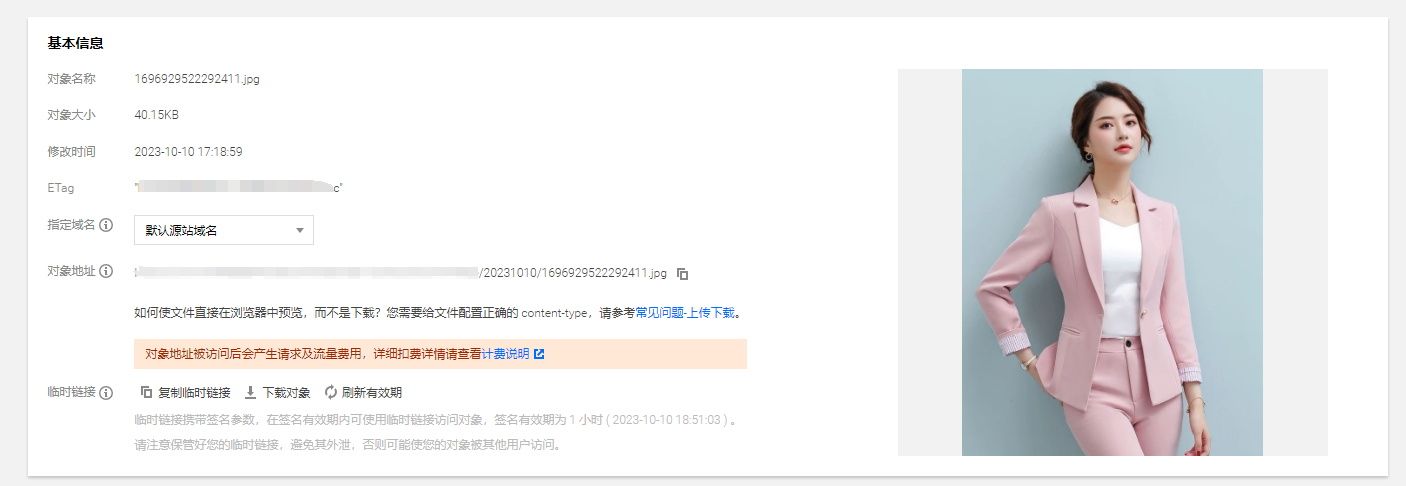
5. 上传成功