-
C#餐饮收银系统
一、引言
餐饮收银系统是一种用于管理餐馆、咖啡厅、快餐店等餐饮业务的计算机化工具。它旨在简化点餐、结账、库存管理等任务,提高运营效率,增强客户体验,同时提供准确的财务记录。C# 餐饮收银系统是一种使用C#编程语言开发的餐饮业务管理软件,具有以下主要功能:
二、需求分析
分析思维导图

三、程序截图
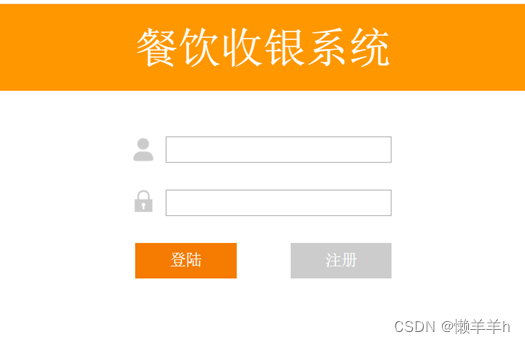
登录
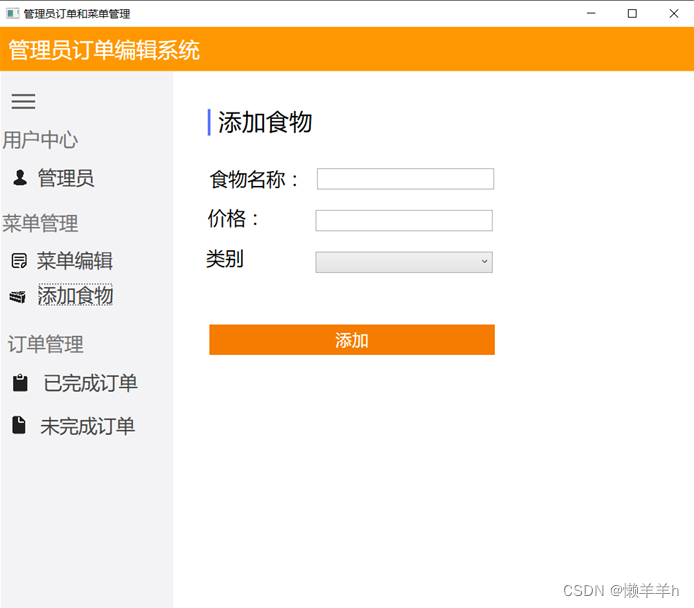
管理员主界面
添加食物界面
服务员订单界面
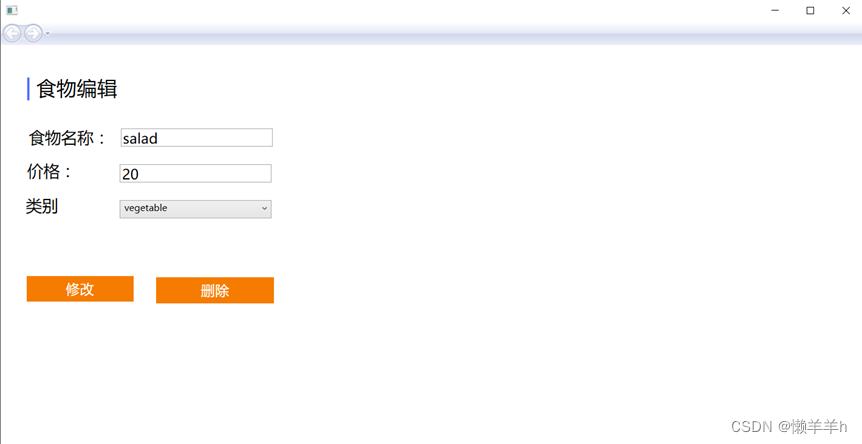
修改食物详情界面
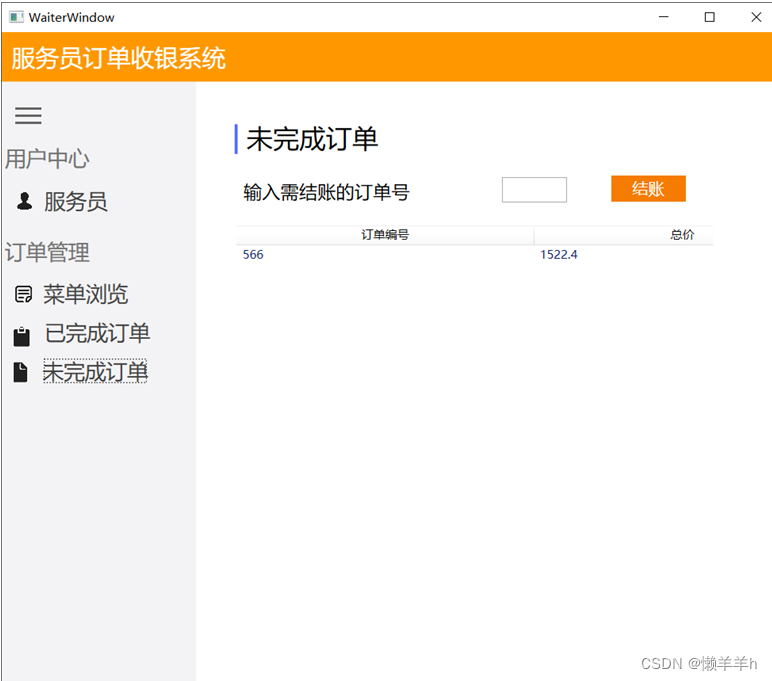
未完成订单界面
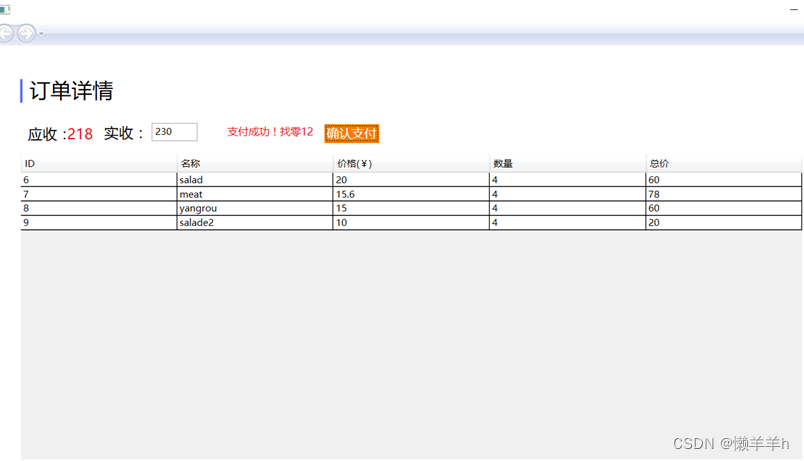
支付成功界面
四、程序说明
管理员账号和密码:admin, admin
服务员账号和密码: test, test
注:可自行注册账号并登录,但是只能注册服务员账号五、代码
AdminWindows.cs
using System; using System.Collections.Generic; using System.Linq; using System.Text; using System.Threading.Tasks; using System.Windows; using System.Windows.Controls; using System.Windows.Data; using System.Windows.Documents; using System.Windows.Input; using System.Windows.Media; using System.Windows.Media.Imaging; using System.Windows.Shapes; namespace Cashier { ////// AdminWindow.xaml 的交互逻辑 /// public partial class AdminWindow : Window { public AdminWindow() { InitializeComponent(); frame.Source = new Uri("MenuEditPage.xaml", UriKind.Relative); } private void textBlock2_Copy_Click(object sender, RoutedEventArgs e) { Button btn = sender as Button; String choice = btn.Content.ToString(); switch (choice) { case "菜单编辑": LoadMenuEditPage(); break; case "添加食物": LoadAddFoddPage(); break; case "食物编辑": LoadFoodEditPage(); break; case "已完成订单": LoadOderCompletedPage(); break; case "未完成订单": LoadOderNotPage(); break; } } private void LoadMenuEditPage() { frame.Source = new Uri("MenuEditPage.xaml", UriKind.Relative); } private void LoadAddFoddPage() { frame.Source = new Uri("AddFoodPage.xaml", UriKind.Relative); } private void LoadOderCompletedPage() { frame.Source = new Uri("OderCompletedPage.xaml", UriKind.Relative); } private void LoadOderNotPage() { frame.Source = new Uri("OderNotPage.xaml", UriKind.Relative); } private void LoadFoodEditPage() { frame.Source = new Uri("FoodEditPage.xaml", UriKind.Relative); } } } - 1
- 2
- 3
- 4
- 5
- 6
- 7
- 8
- 9
- 10
- 11
- 12
- 13
- 14
- 15
- 16
- 17
- 18
- 19
- 20
- 21
- 22
- 23
- 24
- 25
- 26
- 27
- 28
- 29
- 30
- 31
- 32
- 33
- 34
- 35
- 36
- 37
- 38
- 39
- 40
- 41
- 42
- 43
- 44
- 45
- 46
- 47
- 48
- 49
- 50
- 51
- 52
- 53
- 54
- 55
- 56
- 57
- 58
- 59
- 60
- 61
- 62
- 63
- 64
- 65
- 66
- 67
- 68
- 69
- 70
- 71
- 72
- 73
- 74
- 75
- 76
- 77
- 78
AddFoodPage.cs
using System; using System.Collections.Generic; using System.Linq; using System.Text; using System.Threading.Tasks; using System.Windows; using System.Windows.Controls; using System.Windows.Data; using System.Windows.Documents; using System.Windows.Input; using System.Windows.Media; using System.Windows.Media.Imaging; using System.Windows.Navigation; using System.Windows.Shapes; using MySql.Data.MySqlClient; namespace Cashier { ////// AddFoodPage.xaml 的交互逻辑 /// /// public partial class AddFoodPage : Page { private String mysqlConnStr = "server=localhost;User Id=root;password=;Database=canyin"; public AddFoodPage() { InitializeComponent(); } private void btn_Click(object sender, RoutedEventArgs e) { InsertFood(); } private void InsertFood() { String foodName = foodNameBox.Text.ToString(); String price = priceBox.Text.ToString(); String category = categoryBox.Text; if(foodName.Equals("") || price.Equals("") || category.Equals("")) { resultBox.Text = "请将食物信息填写完整"; return; } // MessageBox.Show("食物名称是:" + foodName + ", 价格是: " + price + ", 种类是: " + category); try { MySqlConnection conn = new MySqlConnection(mysqlConnStr); conn.Open(); String cmd = "insert into food(name, price, category) values('" + foodName + "','" + price + "','" + category + "')"; MySqlCommand mycmd = new MySqlCommand(cmd, conn); if (mycmd.ExecuteNonQuery() > 0) { resultBox.Text = "食品添加成功"; foodNameBox.Text = ""; priceBox.Text = ""; categoryBox.Text = ""; conn.Close(); } } catch (Exception e) { resultBox.Text = "食品添加失败" + e.Message; } } } } - 1
- 2
- 3
- 4
- 5
- 6
- 7
- 8
- 9
- 10
- 11
- 12
- 13
- 14
- 15
- 16
- 17
- 18
- 19
- 20
- 21
- 22
- 23
- 24
- 25
- 26
- 27
- 28
- 29
- 30
- 31
- 32
- 33
- 34
- 35
- 36
- 37
- 38
- 39
- 40
- 41
- 42
- 43
- 44
- 45
- 46
- 47
- 48
- 49
- 50
- 51
- 52
- 53
- 54
- 55
- 56
- 57
- 58
- 59
- 60
- 61
- 62
- 63
- 64
- 65
- 66
- 67
- 68
- 69
- 70
- 71
- 72
- 73
- 74
- 75
- 76
- 77
CommonValue.cs
using System; using System.Collections.Generic; using System.Linq; using System.Text; using System.Threading.Tasks; namespace Cashier { class CommonValue { public static int EDIT_FOOD_ID = 5; public static String mysqlConectString = "server=localhost;User Id=root;password=;Database=canyin"; public static String USER_NAME; public static int FOOD_PAY_ID = 556; } }- 1
- 2
- 3
- 4
- 5
- 6
- 7
- 8
- 9
- 10
- 11
- 12
- 13
- 14
- 15
- 16
- 17
MainWindows.cs
using System; using System.Collections.Generic; using System.Linq; using System.Text; using System.Threading.Tasks; using System.Windows; using System.Windows.Controls; using System.Windows.Data; using System.Windows.Documents; using System.Windows.Input; using System.Windows.Media; using System.Windows.Media.Imaging; using System.Windows.Navigation; using System.Windows.Shapes; using MySql.Data.MySqlClient; namespace Cashier { ////// MainWindow.xaml 的交互逻辑 /// public partial class MainWindow : Window { //用户账户 private String user; private String password; public MainWindow() { InitializeComponent(); } private void richTextBox_TextChanged(object sender, TextChangedEventArgs e) { } private void textBox_TextChanged(object sender, TextChangedEventArgs e) { } //监听注册按钮 private void button1_Click(object sender, RoutedEventArgs e) { Button btn = sender as Button; String choice = btn.Content.ToString(); switch (choice) { case "登录": UserLogin(); break; case "注册": UserRegister(); break; } } private void button1_Click_1(object sender, RoutedEventArgs e) { } private void UserLogin() { //用户登录的逻辑代码 user = userBox.Text.ToString(); password = passwordBox.Text.ToString(); if(user.Equals("")) { MessageBox.Show("请输入用户名"); } else if(password.Equals("")) { MessageBox.Show("请输入密码"); } else { CheckInfoAndLogin(); } } private void UserRegister() { //跳转到登陆界面 RegisterWindow register = new RegisterWindow(); register.Show(); this.Close(); } //检查用户的数据,如果查询失败则返回密码错误 private void CheckInfoAndLogin() { try { MySqlConnection conn = new MySqlConnection(CommonValue.mysqlConectString); conn.Open(); string cmd = "select * from user where user='" + user + "'"; MySqlCommand myCmd = new MySqlCommand(cmd, conn); MySqlDataReader reader = myCmd.ExecuteReader(); reader.Read(); string dbUser = reader["user"].ToString(); string dbPassword = reader["password"].ToString(); if (password.Equals(dbPassword) && dbUser.Equals("admin")) { OpenAdminWindow(); CommonValue.USER_NAME = user; } else if (password.Equals(dbPassword)) { OpenWaiterWindow(); CommonValue.USER_NAME = user; } else { MessageBox.Show("密码输入错误,请重新输入!"); } conn.Close(); } catch(Exception e) { String msg = e.Message; MessageBox.Show("数据库连接错误!" + msg); } } //打开管理员窗口 private void OpenAdminWindow() { AdminWindow aw = new AdminWindow(); aw.Show(); this.Close(); } //打开服务员窗口 private void OpenWaiterWindow() { WaiterWindow ww = new WaiterWindow(); ww.Show(); this.Close(); } } } - 1
- 2
- 3
- 4
- 5
- 6
- 7
- 8
- 9
- 10
- 11
- 12
- 13
- 14
- 15
- 16
- 17
- 18
- 19
- 20
- 21
- 22
- 23
- 24
- 25
- 26
- 27
- 28
- 29
- 30
- 31
- 32
- 33
- 34
- 35
- 36
- 37
- 38
- 39
- 40
- 41
- 42
- 43
- 44
- 45
- 46
- 47
- 48
- 49
- 50
- 51
- 52
- 53
- 54
- 55
- 56
- 57
- 58
- 59
- 60
- 61
- 62
- 63
- 64
- 65
- 66
- 67
- 68
- 69
- 70
- 71
- 72
- 73
- 74
- 75
- 76
- 77
- 78
- 79
- 80
- 81
- 82
- 83
- 84
- 85
- 86
- 87
- 88
- 89
- 90
- 91
- 92
- 93
- 94
- 95
- 96
- 97
- 98
- 99
- 100
- 101
- 102
- 103
- 104
- 105
- 106
- 107
- 108
- 109
- 110
- 111
- 112
- 113
- 114
- 115
- 116
- 117
- 118
- 119
- 120
- 121
- 122
- 123
- 124
- 125
- 126
- 127
- 128
- 129
- 130
- 131
- 132
- 133
- 134
- 135
- 136
- 137
- 138
- 139
- 140
- 141
- 142
- 143
- 144
- 145
- 146
- 147
- 148
- 149
OderNotPage.cs
using System; using System.Collections.Generic; using System.Linq; using System.Text; using System.Threading.Tasks; using System.Windows; using System.Windows.Controls; using System.Windows.Data; using System.Windows.Documents; using System.Windows.Input; using System.Windows.Media; using System.Windows.Media.Imaging; using System.Windows.Navigation; using System.Windows.Shapes; using MySql.Data.MySqlClient; using System.Data.SqlClient; using System.Data; namespace Cashier { ////// OderNotPage.xaml 的交互逻辑 /// public partial class OderNotPage : Page { public OderNotPage() { InitializeComponent(); ShowOders(); } private void ShowOders() { try { //获取表格 DataTable data = new DataTable("oder"); data.Columns.Add(new DataColumn("oder_id", typeof(string))); data.Columns.Add(new DataColumn("sum", typeof(string))); MySqlConnection conn = new MySqlConnection(CommonValue.mysqlConectString); conn.Open(); string cmd = "select * from oder where complete=0"; MySqlCommand myCmd = new MySqlCommand(cmd, conn); MySqlDataAdapter mda = new MySqlDataAdapter(cmd, conn); MySqlDataReader reader = myCmd.ExecuteReader(); while (reader.Read()) { string id = reader["oder_id"].ToString(); string name = reader["sum"].ToString(); data.Rows.Add(id, name); } listView.DataContext = data.DefaultView; conn.Close(); } catch (Exception e) { MessageBox.Show("查询订单失败:" + e.Message); } } private void button_Click(object sender, RoutedEventArgs e) { CommonValue.FOOD_PAY_ID = int.Parse(idPayBox.Text.ToString()); NavigationWindow window = new NavigationWindow(); window.Source = new Uri("OderDetailPage.xaml", UriKind.Relative); window.Show(); } } } - 1
- 2
- 3
- 4
- 5
- 6
- 7
- 8
- 9
- 10
- 11
- 12
- 13
- 14
- 15
- 16
- 17
- 18
- 19
- 20
- 21
- 22
- 23
- 24
- 25
- 26
- 27
- 28
- 29
- 30
- 31
- 32
- 33
- 34
- 35
- 36
- 37
- 38
- 39
- 40
- 41
- 42
- 43
- 44
- 45
- 46
- 47
- 48
- 49
- 50
- 51
- 52
- 53
- 54
- 55
- 56
- 57
- 58
- 59
- 60
- 61
- 62
- 63
- 64
- 65
- 66
- 67
- 68
- 69
- 70
- 71
- 72
- 73
- 74
- 75
- 76
六、交流与联系
q:969060742 文档、完整代码、sql、程序资源- 1
-
相关阅读:
【Spring入门学习】
Jackson 的各种使用
【前端】webpack5常用loader和plugin
我与Vue.js 2.x 的七年之痒
Solidity智能合约开发 — 3.5-库合约
AWS动手实验 - 在两层架构中部署 WordPress网站
教程图文详解 - 广域网通信(第三章)
关于 css 伪元素 content属性值 为中文字符时出现乱码问题的处理
使用brainconn工具绘制的大脑连接数据,比BrainNet更方便和灵活
非素数模下的二次剩余
- 原文地址:https://blog.csdn.net/m0_58065010/article/details/133549718
