-
vue 封装element公共组件 +后端联调
首先封装的是一个
分页,也是项目组封装公共组件最多之一1-1创建一个新的页面放分页功能
- 1
- 2
- 3
- 4
- 5
- 6
- 7
- 8
- 9
- 10
- 11
- 12
- 13
- 14
- 15
- 16
- 17
- 18
- 19
- 20
- 21
- 22
- 23
- 24
- 25
- 26
- 27
- 28
- 29
1-2在使用那个页面当中导入这个分页页面
import Pagination from '@/components/pagigation/Pagination.vue'- 1
1-3在使用的页面注册一下
components:{ Pagination },- 1
- 2
- 3
1-4上边去显示
- 1
- 2
- 3
- 4
分页切换视图更新
在子组件定义props接受从外面传递过来的值,父页面在子标签里边定义这个变量
// props它里面接受从外面传递的值 // default是默认的意思 props:{ total:{ type:Number, default:100 }, pageSize:{ type:Number, default:10 } }- 1
- 2
- 3
- 4
- 5
- 6
- 7
- 8
- 9
- 10
- 11
- 12
- 1
再从表格获取这个总条数和页数
async projectList(page){ let res = await this.$api.projectList({page}) console.log('产品列表数据',res.data); this.tableData = res.data.data//获取表格数据 this.total =res.data.total//获取分页的总共 this.pageSize = res.data.pageSize//获取分页页数 }- 1
- 2
- 3
- 4
- 5
- 6
- 7
,
总条数和页数要和数据同步
需要在子组件里边使用$emit里边定义一个方法
handleCurrentChange(val) { console.log(`当前页: ${val}`); this.$emit('CurrentChange',val) }- 1
- 2
- 3
- 4
在父页面子组件接收这个方法
- 1
- 2
在methods里边写这个方法总条数和页数就和表格里边数据同步了
CurrentChange(val){ this.projectList(val) },- 1
- 2
- 3
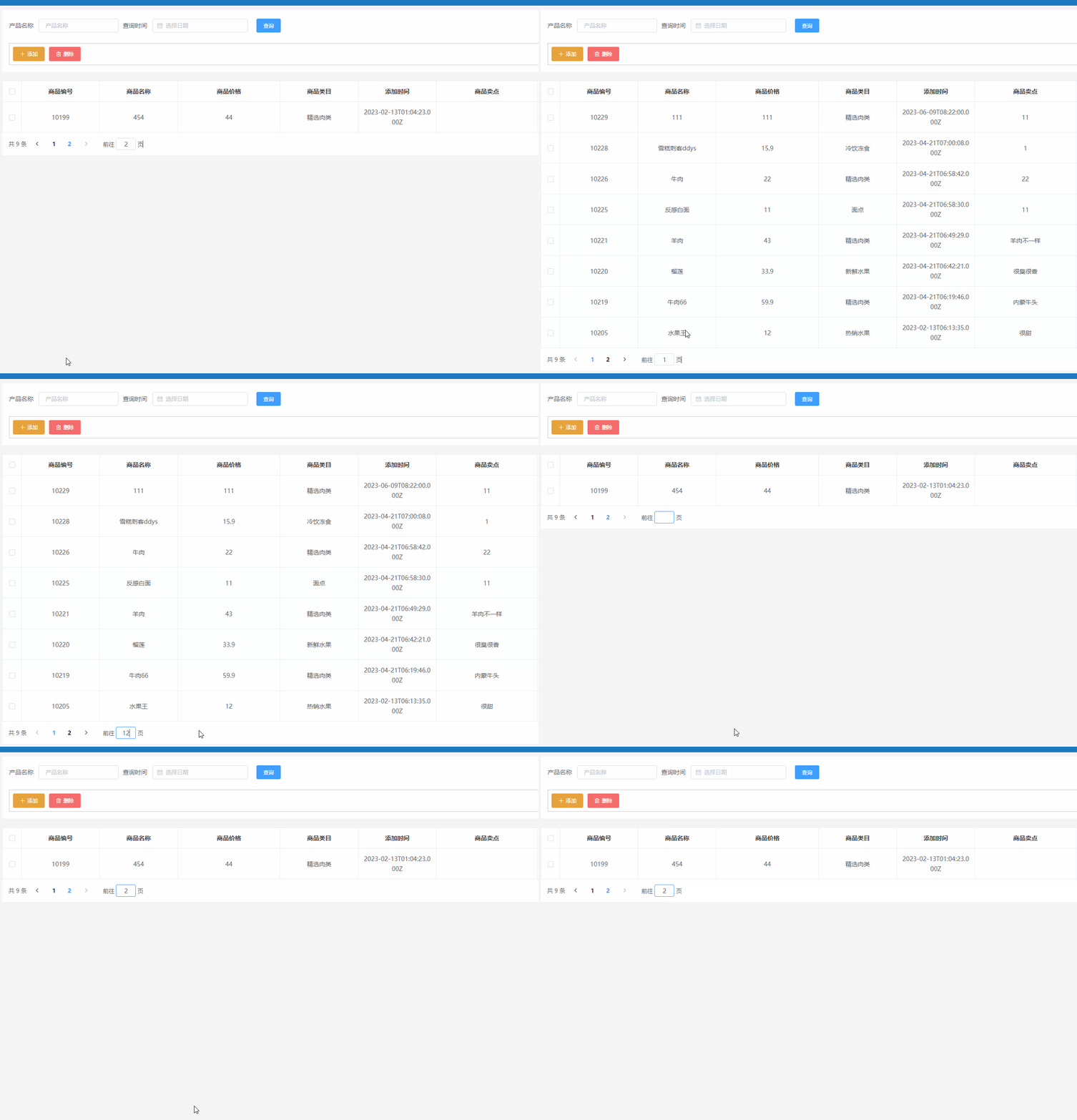
分页效果图
-
相关阅读:
机器人微控制器编程(CoCube)-深度融合
colab切换目录的解决方案
重新点燃学习的激情:如何克服停滞不前的困境
深度解读昇腾CANN多流并行技术,提高硬件资源利用率
MySQL read 查询语句5 增强
借助ChatGPT撰写学术论文,如何设定有效的角色提示词指
C++——vector的使用以及模拟实现
swin transformer源码——超详细图解
《机器学习实战》7.AdaBoost元算法提高分类性能
计算机图形学-算法总结
- 原文地址:https://blog.csdn.net/qq_48203828/article/details/133043742
