1.新建项目


2.添加Git仓库
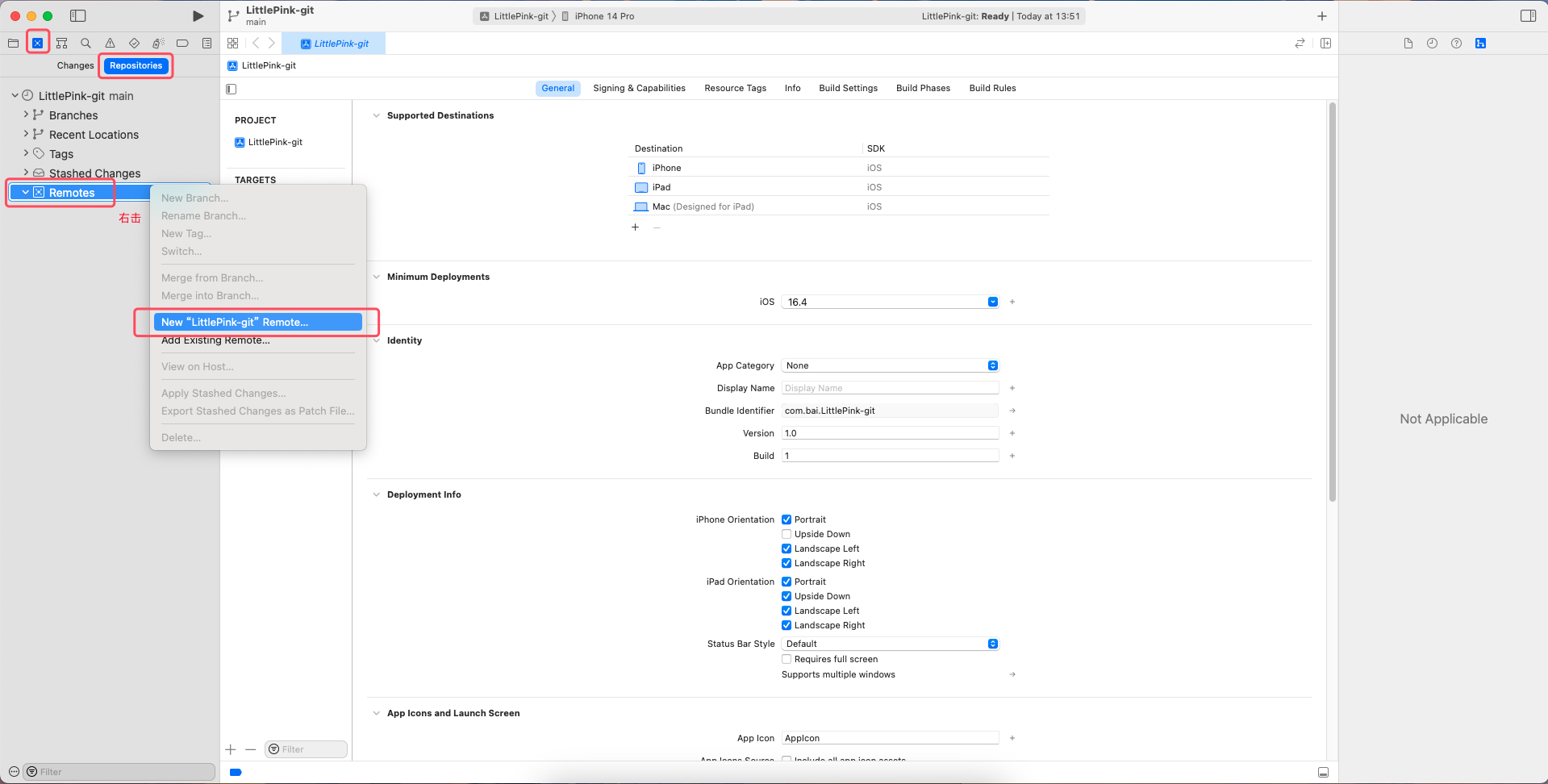
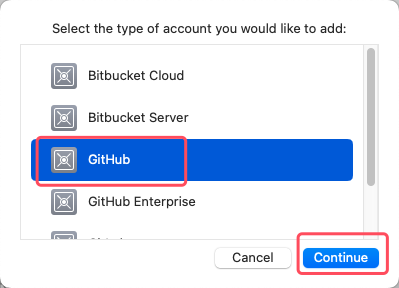
添加自己的gitHub账号.


3.Token获取方式:
Settings.
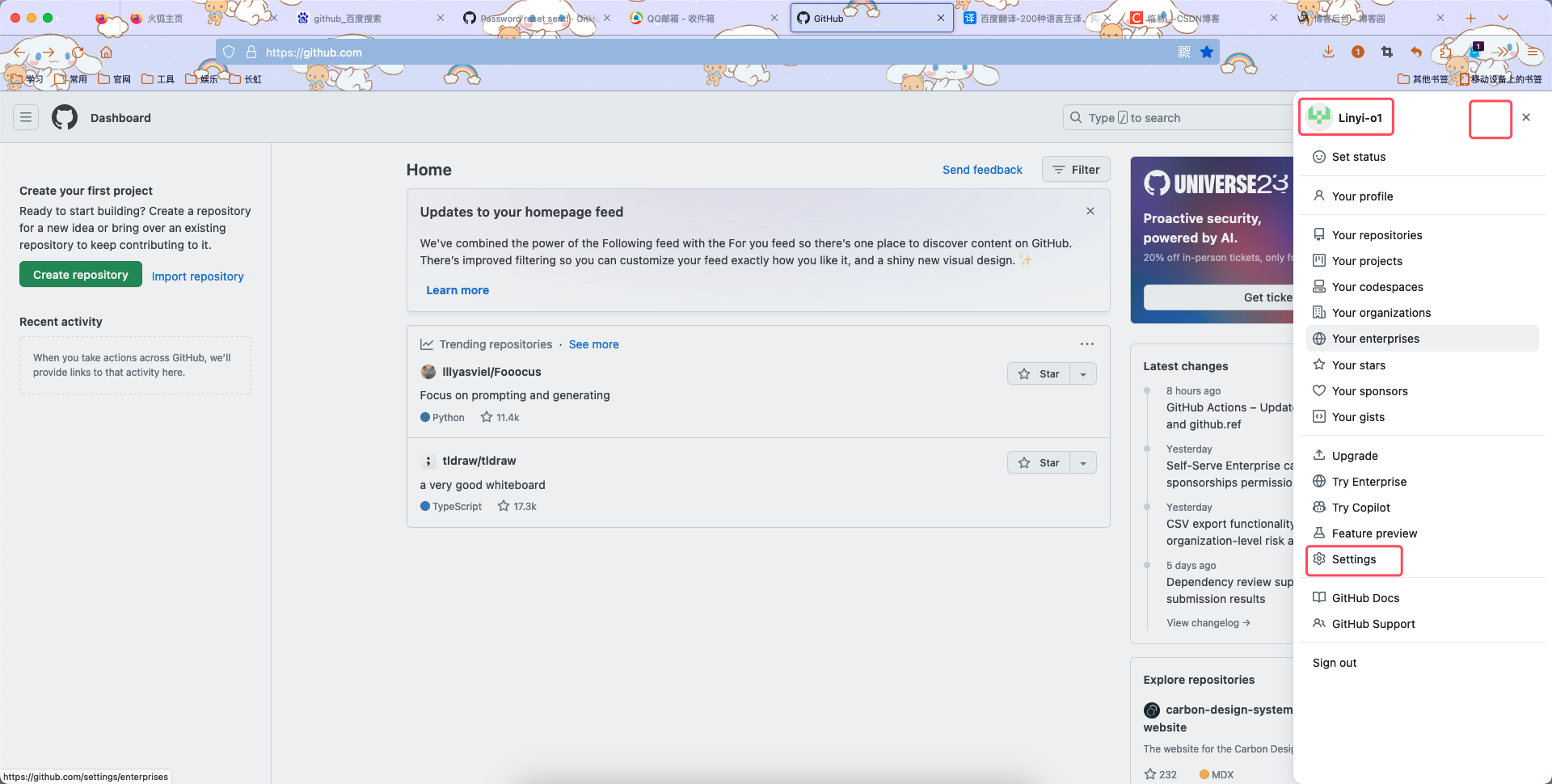
Developer Settings.

获取个人Token.

填写相关内容.

得到Token后复制它,拿到Xcode中登录.

填写相关信息.

创建后打开GitHub,查看自己的所有仓库,发现小粉书仓库已创建成功!

4.创建名为.gitignore的文稿,将GitHub的.gitignore粘贴进去.
- # Xcode
- #
- # gitignore contributors: remember to update Global/Xcode.gitignore, Objective-C.gitignore & Swift.gitignore
-
- ## User settings
- xcuserdata/
-
- ## compatibility with Xcode 8 and earlier (ignoring not required starting Xcode 9)
- *.xcscmblueprint
- *.xccheckout
-
- ## compatibility with Xcode 3 and earlier (ignoring not required starting Xcode 4)
- build/
- DerivedData/
- *.moved-aside
- *.pbxuser
- !default.pbxuser
- *.mode1v3
- !default.mode1v3
- *.mode2v3
- !default.mode2v3
- *.perspectivev3
- !default.perspectivev3
-
- ## Obj-C/Swift specific
- *.hmap
-
- ## App packaging
- *.ipa
- *.dSYM.zip
- *.dSYM
-
- ## Playgrounds
- timeline.xctimeline
- playground.xcworkspace
-
- # Swift Package Manager
- #
- # Add this line if you want to avoid checking in source code from Swift Package Manager dependencies.
- # Packages/
- # Package.pins
- # Package.resolved
- # *.xcodeproj
- #
- # Xcode automatically generates this directory with a .xcworkspacedata file and xcuserdata
- # hence it is not needed unless you have added a package configuration file to your project
- # .swiftpm
-
- .build/
-
- # CocoaPods
- #
- # We recommend against adding the Pods directory to your .gitignore. However
- # you should judge for yourself, the pros and cons are mentioned at:
- # https://guides.cocoapods.org/using/using-cocoapods.html#should-i-check-the-pods-directory-into-source-control
- #
- # Pods/
- #
- # Add this line if you want to avoid checking in source code from the Xcode workspace
- # *.xcworkspace
-
- # Carthage
- #
- # Add this line if you want to avoid checking in source code from Carthage dependencies.
- # Carthage/Checkouts
-
- Carthage/Build/
-
- # Accio dependency management
- Dependencies/
- .accio/
-
- # fastlane
- #
- # It is recommended to not store the screenshots in the git repo.
- # Instead, use fastlane to re-generate the screenshots whenever they are needed.
- # For more information about the recommended setup visit:
- # https://docs.fastlane.tools/best-practices/source-control/#source-control
-
- fastlane/report.xml
- fastlane/Preview.html
- fastlane/screenshots/**/*.png
- fastlane/test_output
-
- # Code Injection
- #
- # After new code Injection tools there's a generated folder /iOSInjectionProject
- # https://github.com/johnno1962/injectionforxcode
- iOSInjectionProject/

按下commond+shift+句号,显示隐藏的.gitignore文件,将它拖入Xcode中.

进行一次提交.
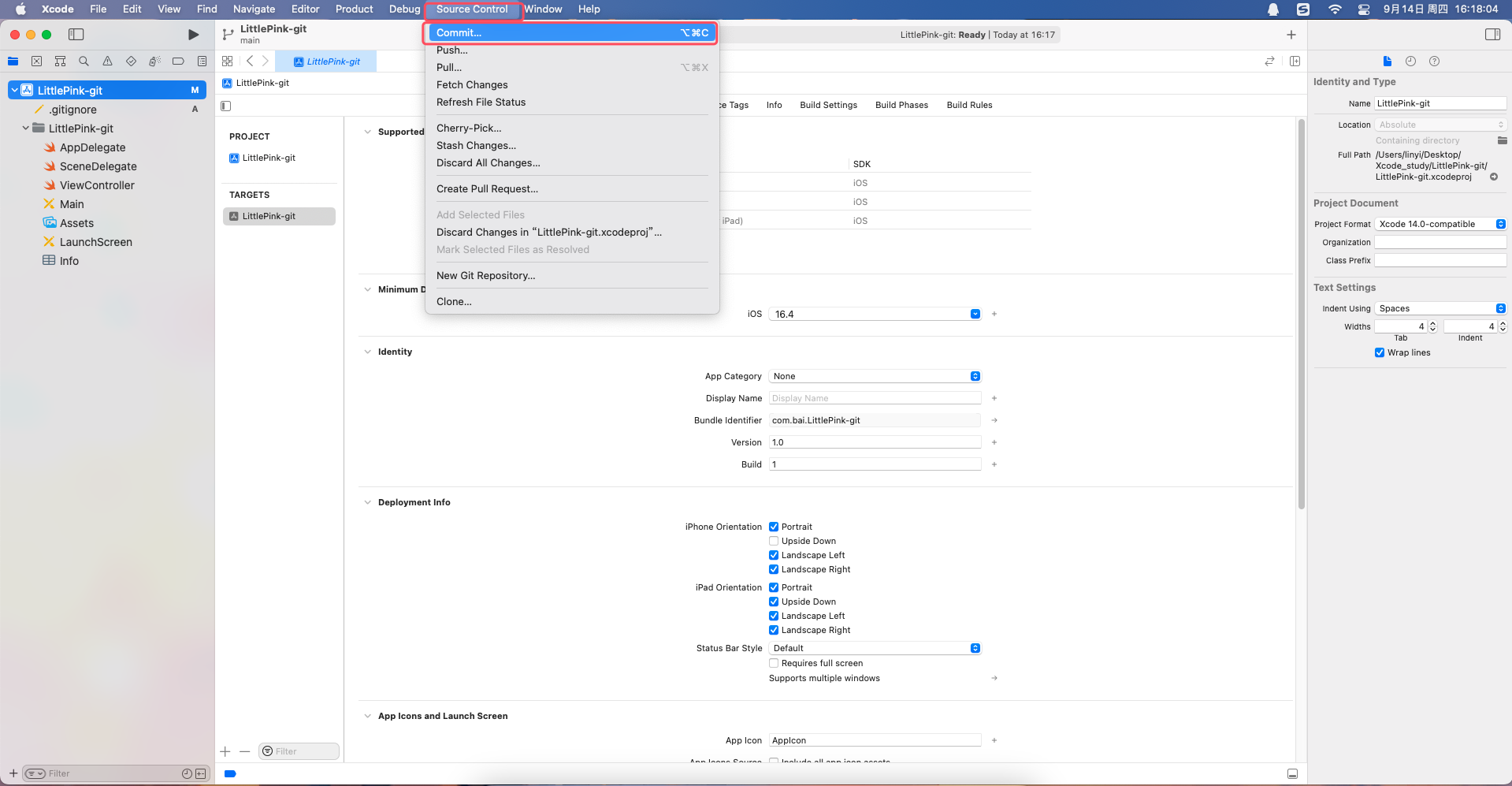

查看发现提交成功.
