-
从 算力云 零开始部署ChatGLM2-6B 教程
硬件最低需求,显存13G以上
基本环境:

1.autodl-tmp 目录下git clone https://github.com/THUDM/ChatGLM2-6B.git- 1
然后使用 pip 安装依赖:
pip install -r requirements.txt- 1
pip
使用pip 阿里的
再执行git clone之前,要先在命令行执行学术加速的代码,否则执行速度太慢。source /etc/network_turbo- 1
git clone https://huggingface.co/THUDM/chatglm2-6b/- 1
https://huggingface.co/THUDM/chatglm2-6b/
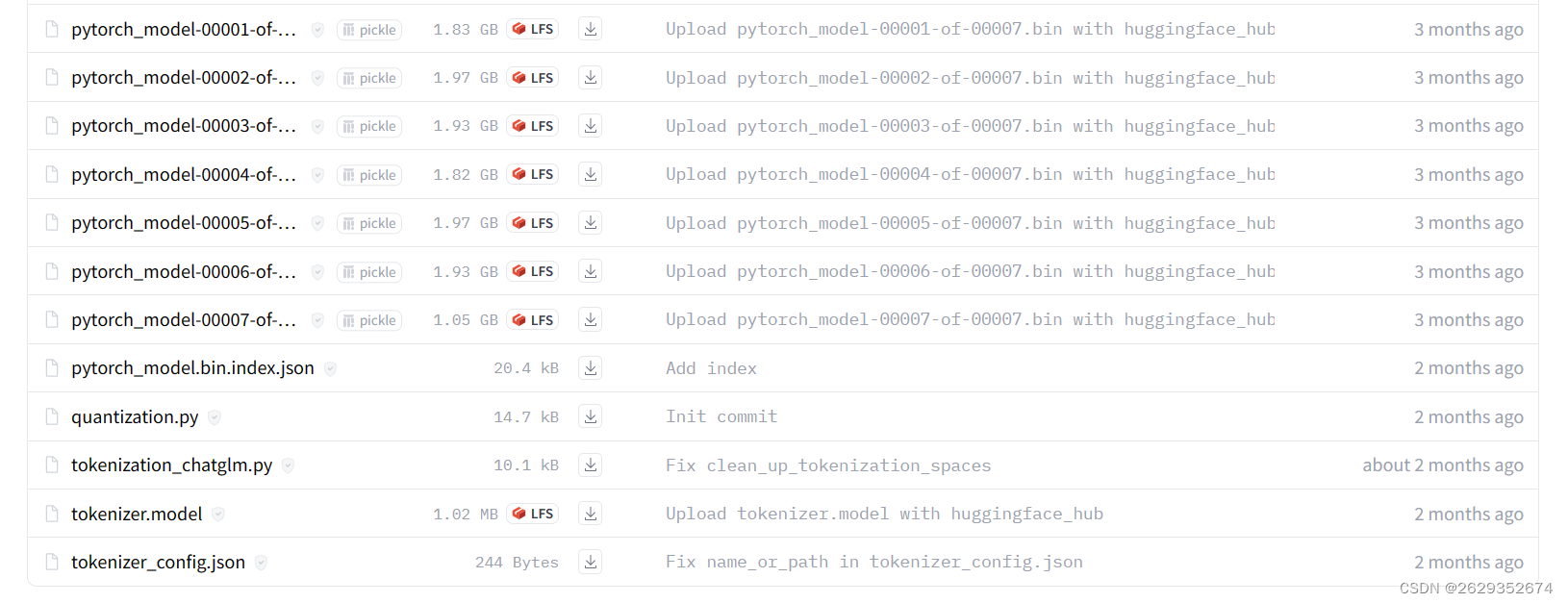

wget https://huggingface.co/THUDM/chatglm2-6b/resolve/main/tokenizer.model wget https://huggingface.co/THUDM/chatglm2-6b/resolve/main/pytorch_model-00007-of-00007.bin wget https://huggingface.co/THUDM/chatglm2-6b/resolve/main/pytorch_model-00006-of-00007.bin wget https://huggingface.co/THUDM/chatglm2-6b/resolve/main/pytorch_model-00005-of-00007.bin wget https://huggingface.co/THUDM/chatglm2-6b/resolve/main/pytorch_model-00004-of-00007.bin wget https://huggingface.co/THUDM/chatglm2-6b/resolve/main/pytorch_model-00003-of-00007.bin wget https://huggingface.co/THUDM/chatglm2-6b/resolve/main/pytorch_model-00002-of-00007.bin wget https://huggingface.co/THUDM/chatglm2-6b/resolve/main/pytorch_model-00001-of-00007.bin- 1
- 2
- 3
- 4
- 5
- 6
- 7
- 8
- autodl-tmp/ChatGLM2-6B/ web_demo.py 路径修改
demo.queue().launch(server_port=6006,share=True, inbrowser=True) tokenizer = AutoTokenizer.from_pretrained("/root/autodl-tmp/chatglm2-6b", trust_remote_code=True) model = AutoModel.from_pretrained("/root/autodl-tmp/chatglm2-6b", trust_remote_code=True).cuda()- 1
- 2
- 3

-
相关阅读:
pyspark使用xgboost做模型训练
JAVA智能小区物业管理系统计算机毕业设计Mybatis+系统+数据库+调试部署
【力扣刷题】Day31——DP专题
易语言abcd排序
【图像检测】基于Itti模型实现图像显著性检测附matlab代码
目录与文件系统
《自然语言处理实战入门》 基于知识图谱的问答机器人
一文读懂!异常检测全攻略!从统计方法到机器学习 ⛵
如何评价自己的研究工作是否有价值
Hbase基本概念
- 原文地址:https://blog.csdn.net/qq_56352553/article/details/132752776