-
SpringMvc第四战-【SpringMvc文件上传,下载】
目录
2.打开代理ReverseProxy_windows_amd64.exe(顺序不能错)
前言:
小编详细的向读者展示了:如在新建一个Maven项目的情况下去搭建一个Springmvc ,mybatis,maven集成然后实现SpringMvc的CRUD,以及对于效果图的展示!本次小编带来的的关于文件的上传以及下载!
一.SpringMvc文件上传
1.导入依赖(在pom.xml中)
- <dependency>
- <groupId>commons-fileuploadgroupId>
- <artifactId>commons-fileuploadartifactId>
- <version>1.3.3version>
- dependency>
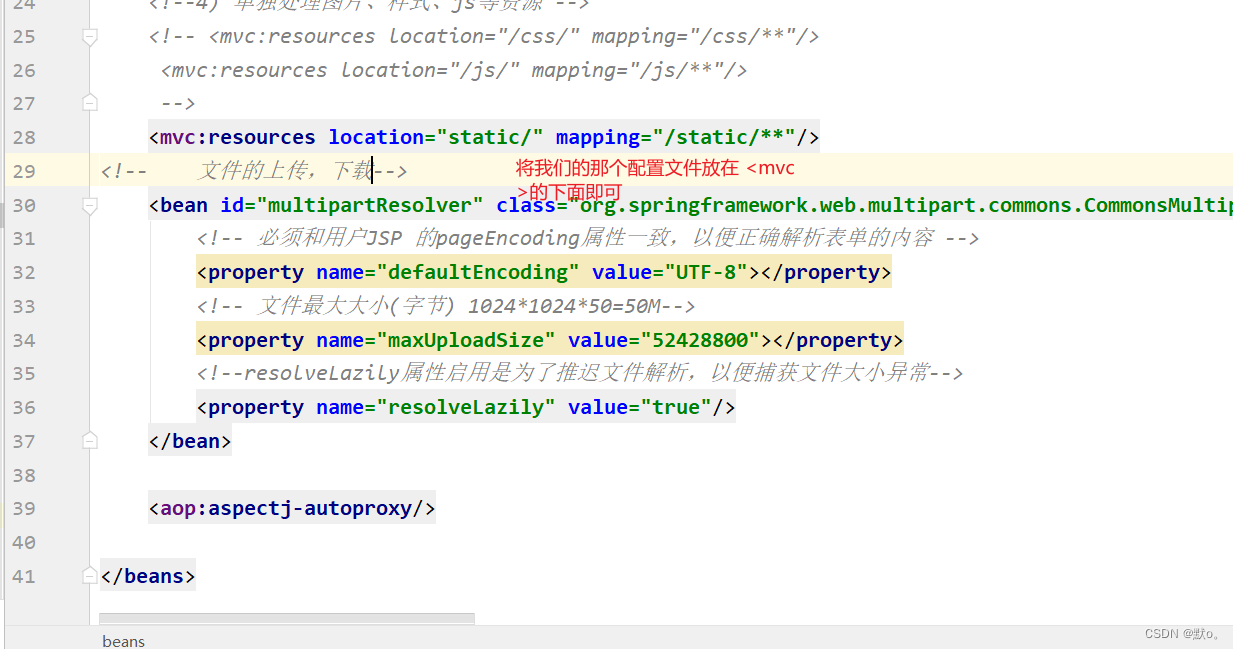
2.配置文件上传解析器(在spring-mvc.xml中)
- <bean id="multipartResolver" class="org.springframework.web.multipart.commons.CommonsMultipartResolver">
- <property name="defaultEncoding" value="UTF-8">property>
- <property name="maxUploadSize" value="52428800">property>
- <property name="resolveLazily" value="true"/>
- bean>
3.前端标记多功能表单(构建一个jsp界面来操作)
- <%--
- Created by IntelliJ IDEA.
- User: lzzxq
- Date: 2023/9/9
- Time: 14:26
- To change this template use File | Settings | File Templates.
- --%>
- <%@ page contentType="text/html;charset=UTF-8" language="java" %>
书籍头像上传 - "text" name="bid" readonly="readonly" value="${param.bid}"/>
- "file" name="xxx"/>
- "submit" value="上传图片"/>
4.将文件写出流,然后写入服务器
后端利用muiltpartFile类,接收前端传递到后端的文件
- @RequestMapping("/upload")
- //头像上传
- public String upload(Book book,MultipartFile xxx){
- try {
- //上传的图片存放地址
- String dir=PropertiesUtil.getValue("dir");
- // 网络访问地址
- String server=PropertiesUtil.getValue("server");
- String filename = xxx.getOriginalFilename();
- System.out.println("文件名:"+filename);
- System.out.println("文件类型:"+xxx.getContentType());
- FileUtils.copyInputStreamToFile(xxx.getInputStream(),new File(dir+filename));
- //修改字段名的属性
- book.setBname(server+filename);
- bookBiz.updateByPrimaryKeySelective(book);
- } catch (IOException e) {
- e.printStackTrace();
- }
- return "redirect:list";
- }
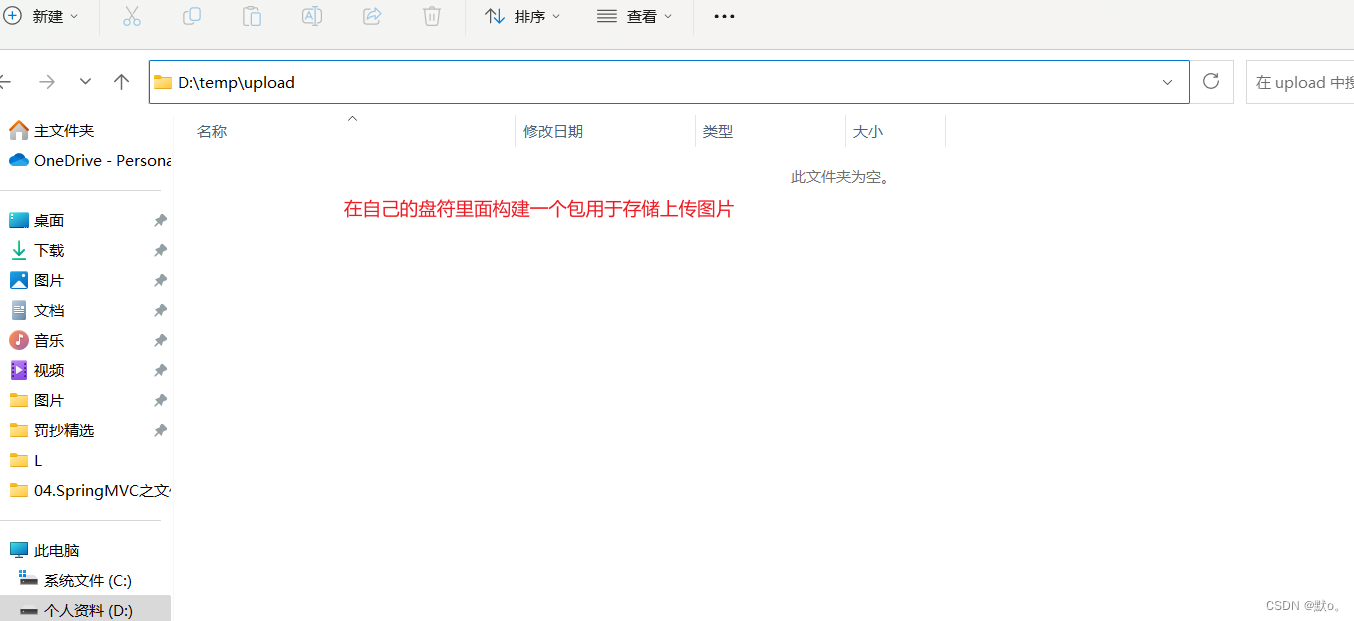
5.配置映射地址(硬盘和网络地址的映射)
5.1硬盘路径
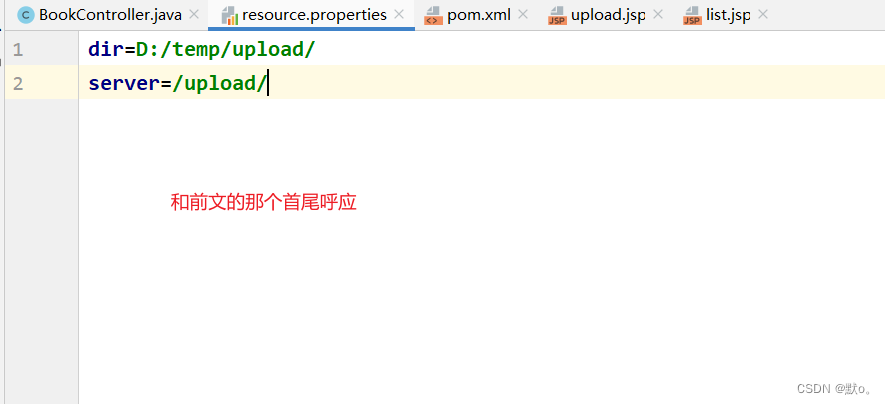
5.2服务器路径

6.在resource包咯构建一个类用于映射
7.效果图形式

二.文件下载
1.编写方法用于图片下载
- //文件下载
- @RequestMapping(value="/download")
- public ResponseEntity<byte[]> download(Book book, HttpServletRequest req){
- try {
- //先根据文件id查询对应图片信息
- Book bk=this.bookBiz.selectByPrimaryKey(book.getBid());
- String diskPath = PropertiesUtil.getValue("dir");
- String reqPath = PropertiesUtil.getValue("server");
- String realPath = bk.getBname().replace(reqPath,diskPath);
- String fileName = realPath.substring(realPath.lastIndexOf("/")+1);
- //下载关键代码
- File file=new File(realPath);
- HttpHeaders headers = new HttpHeaders();//http头信息
- String downloadFileName = new String(fileName.getBytes("UTF-8"),"iso-8859-1");//设置编码
- headers.setContentDispositionFormData("attachment", downloadFileName);
- headers.setContentType(MediaType.APPLICATION_OCTET_STREAM);
- //MediaType:互联网媒介类型 contentType:具体请求中的媒体类型信息
- return new ResponseEntity<byte[]>(FileUtils.readFileToByteArray(file),headers, HttpStatus.OK);
- }catch (Exception e){
- e.printStackTrace();
- }
- return null;
- }
2.在list.jsp增加一个图片下载的点击事件
"${pageContext.request.contextPath }/book/download?bid=${b.bid}">图片下载3.展示效果图

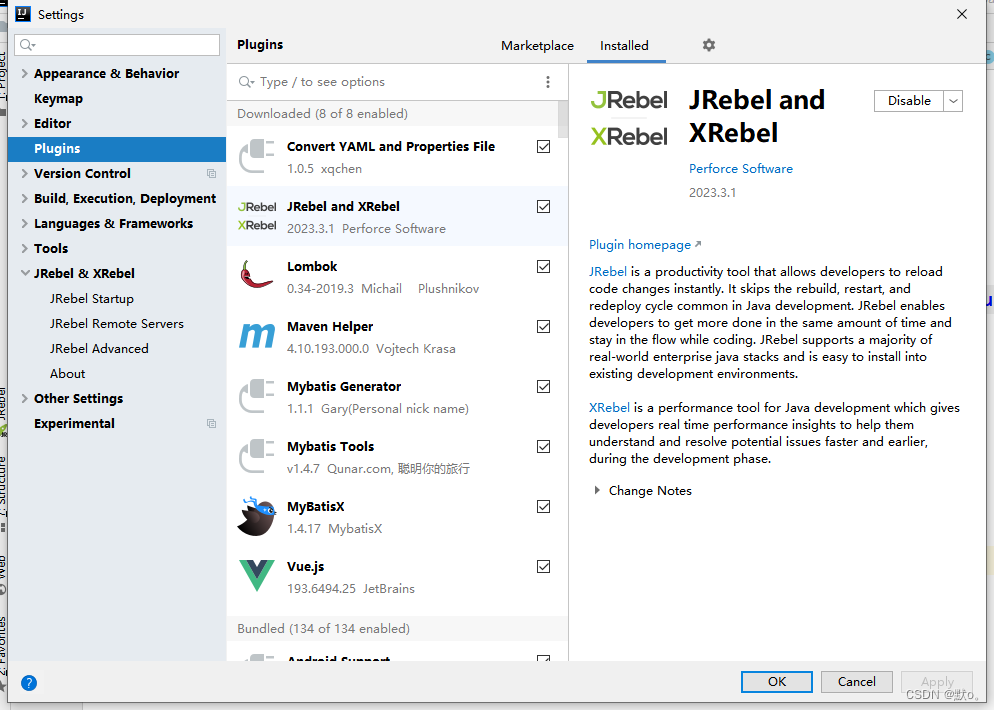
三..jrebel的使用
1.安装jrebel插件
2.打开代理ReverseProxy_windows_amd64.exe(顺序不能错)
3.jrebel启动项目
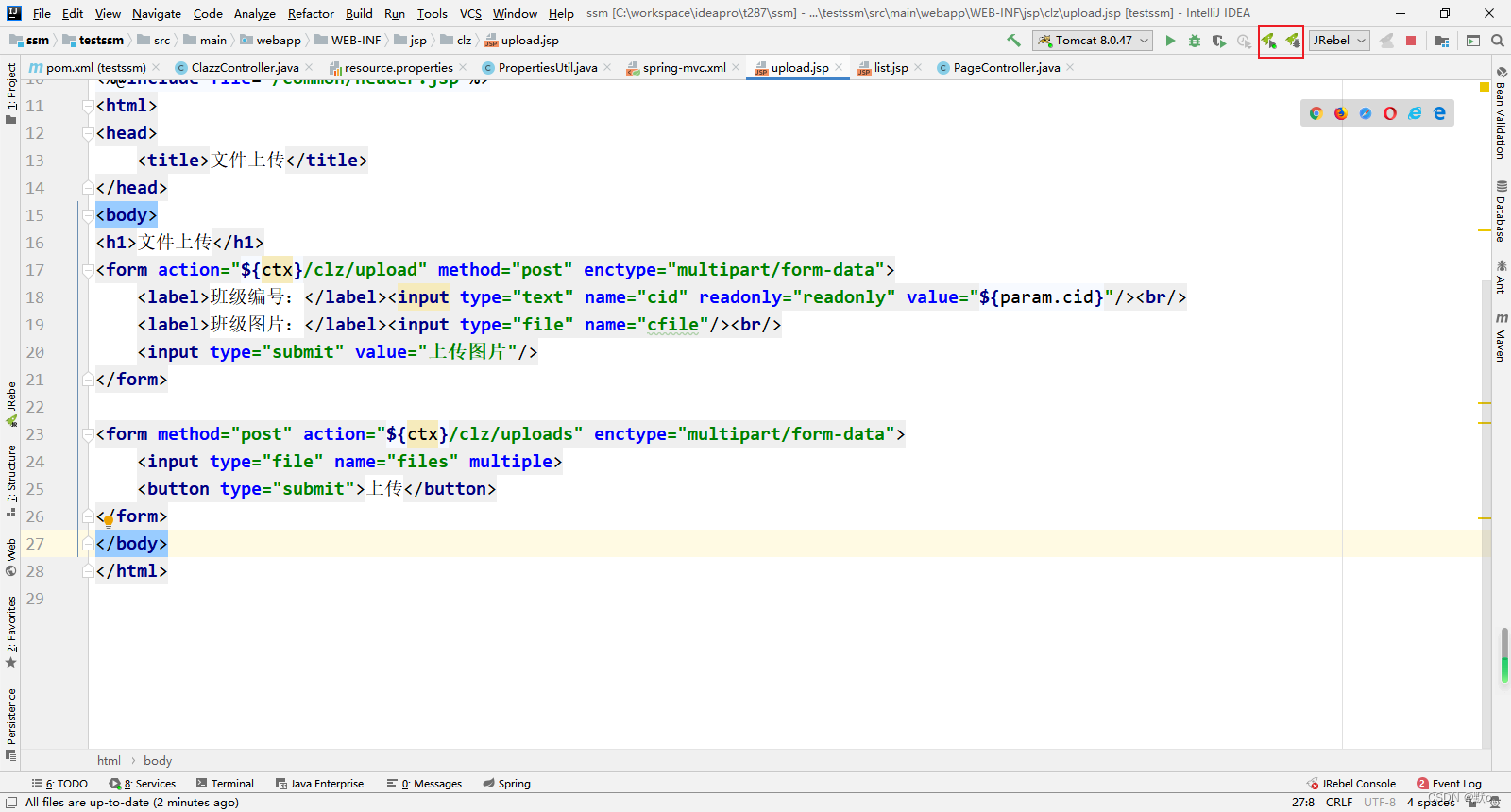
4.启动时要输入UUID
第一行输入: http://127.0.0.1:8888/GUID
其次在浏览器输入

在将GUID赋值GUID到网址前面
5.设置jrebel离线(不需要打开打理)
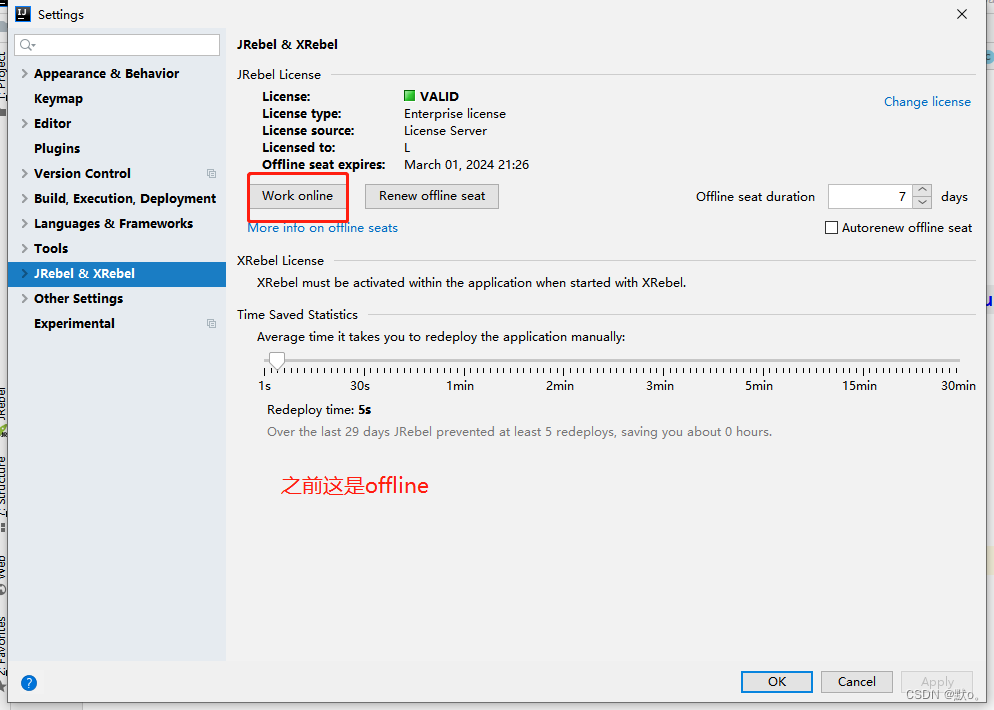
6.再次jrebel启动项目即可运行
四.多文件上传
1.编写用于多文件上传的语句
- //多文件上传
- @RequestMapping("/uploads")
- public String uploads(HttpServletRequest req, Book book, MultipartFile[] files){
- try {
- StringBuffer sb = new StringBuffer();
- for (MultipartFile cfile : files) {
- //思路:
- //1) 将上传图片保存到服务器中的指定位置
- String dir = PropertiesUtil.getValue("dir");
- String server = PropertiesUtil.getValue("server");
- String filename = cfile.getOriginalFilename();
- FileUtils.copyInputStreamToFile(cfile.getInputStream(),new File(dir+filename));
- sb.append(filename).append(",");
- }
- System.out.println(sb.toString());
- } catch (Exception e) {
- e.printStackTrace();
- }
- return "redirect:list";
- }
2.在upload.jsp增加用于多文件上传的from表单
- "file" name="files" multiple>
3.运行结果

-
相关阅读:
从入门开始手把手搭建千万级Java算法测试-主页面的搭建和自定义测试数组生成类
中英文说明书丨艾美捷1,2-二硬脂酰-sn-甘油-3-PC(DSPC)
spring boot集成dubbo(从0到1)
平板电脑在AI 人工智能时代的新机遇是哪些?
浅析DNS劫持及应对方案
【GESP】2023年06月图形化三级 -- 自幂数判断
三个激活函数在同一figure上的实现
《HDMapNet:An Online HD Map Construction and Evaluation Framework》论文笔记
【Bluetooth蓝牙开发】六、BLE协议之物理层浅析
坚固可靠的多合一轨道交通天线让您的赏秋路途不再枯燥
- 原文地址:https://blog.csdn.net/lz17267861157/article/details/132775380

 https://www.guidgen.com/
- 最新文章
-
沪漂五周年了:我越来越迷茫了
Agentic Skill Routing 实战:别再把所有 Skill 塞进 AI Agent 上下文
MySQL-Seconds_behind_master的精度误差
[MAF预定义ChatClient中间件-03]CachingChatClient——利用缓存省钱省时间
AI的至暗历史:从万众期待到被政府撤资,AI的两次死亡徘徊
Agent OS :五种驯服不确定性的范式
PortSwigger SQL注入LAB11
数据库即时编译JIT
[Begin]AI Learn Data Day 0
深度学习进阶(二十七)现代 LLM 的核心架构设计其二:SwiGLU