-
打包个七夕exe玩玩
前段时间七夕 当别的哥们都在酒店不要不要的时候
身为程序员的我 还在单位群收到收到
正好后来看到大佬些的这个
https://www.52pojie.cn/thread-1823963-1-1.html
这个贱 我必须要犯,可是我也不能直接给他装个python吧 多麻烦 就这几个弹窗 好low 加上bgm 再打包成exeimport tkinter as tk import random import threading import time import pygame # 音乐的路径 file=r'C:\Users\farben\Downloads\aa.flac' # 初始化 pygame.mixer.init() # 加载音乐文件 track = pygame.mixer.music.load(file) # 开始播放音乐流 pygame.mixer.music.play() def dow(): window = tk.Tk() width=window.winfo_screenwidth() height=window.winfo_screenheight() a=random.randrange(0,width) b=random.randrange(0,height) window.title('520快乐') window.geometry("200x50"+"+"+str(a)+"+"+str(b)) tk.Label(window, text='亲爱的嫁给我吧!', # 标签的文字 bg='Red', # 背景颜色 font=('楷体', 15), fg="green", # 字体和字体大小 width=15, height=2 # 标签长宽 ).pack() # 固定窗口位置 window.mainloop() threads = [] for i in range(100):#需要的弹框数量 t = threading.Thread(target=dow) threads.append(t) time.sleep(0.1) threads[i].start()- 1
- 2
- 3
- 4
- 5
- 6
- 7
- 8
- 9
- 10
- 11
- 12
- 13
- 14
- 15
- 16
- 17
- 18
- 19
- 20
- 21
- 22
- 23
- 24
- 25
- 26
- 27
- 28
- 29
- 30
- 31
- 32
- 33
- 34
- 35
- 36
- 37
好的 让我们开始打包
安装Pyinstaller
首先我们要先安装Pyinstaller,直接在cmd使用pip命令pip install pyinstaller- 1
然后去你存放这个文件的目录里执行下面这行命令 qixi.ico是我从网上随便找的个图片 自行修改是打包成exe之后的一个logo
Pyinstaller -F -w -i qixi.ico word.py- 1
执行完毕会发现当前目录多了几个文件夹,打开其中名为dist的文件夹 里面就是exe 发给女神看吧
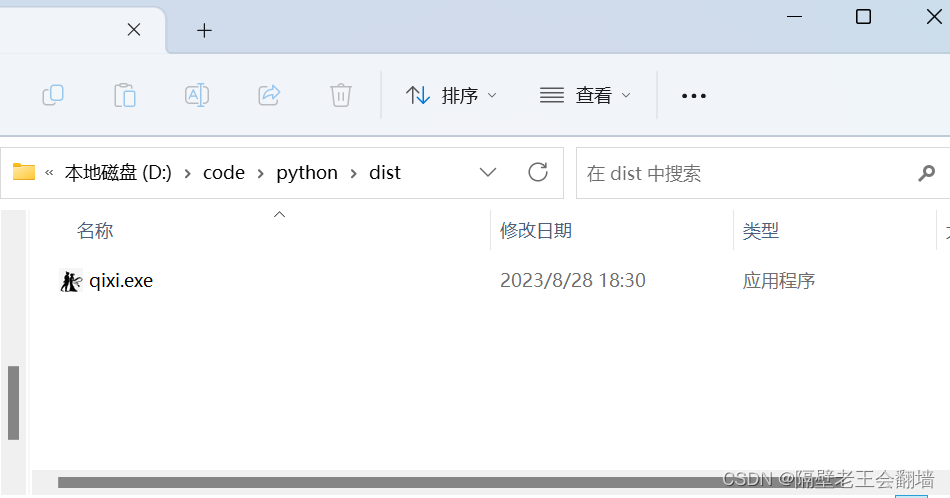
女神没电脑?,算了 那她配不上你
打包成exe后,别用“os.path.dirname(os.path.abspath(file))”之类的方法获取项目所在目录,因为打包后的exe运行时是通过临时运行一个虚拟目录的方式运行的,通过上面的方法获取到的目录是该虚拟目录所在路径,而不是exe所在目录。如果需要用到一些和目录项目的操作(比如处理exe同级命令下的某个txt之类的),建议用“./”等相对目录方式。
相对路径一直找不到的话 https://zhuanlan.zhihu.com/p/681342327
-
相关阅读:
centos安装部署OpenStack train版
基于springboot的ShardingSphere5.2.1的分库分表的解决方案之mysql主从的配置(五)
【论文阅读】Spelling Error Correction with Soft-Masked BERT
Node.js入门
cdn加速华为云obs桶文件配置过程(详细)
什么是向量嵌入?
GaussDB数据库SQL系列-定义重载函数
快来了解抖音小店的爆款秘籍:选择、营销与服务的关键
电商数据采集,用电商API帮你!(淘宝拼多多京东1688Lazada)
【微服务】微服务初步认识 - 微服务技术如何学习 · 认识微服务架构
- 原文地址:https://blog.csdn.net/weixin_43686599/article/details/132650966
