-
【ijkplayer】编译 Android 版本的 ijkplayer ⑦ ( 使用 AS 打开源码 | 重新设置 AGP 和 Gradle 版本号 | 设置依赖仓库 | 设置依赖 | 编译运行 )
博客源码 : https://download.csdn.net/download/han1202012/88215731
一、Android Studio 打开编译后的 ijkplayer 源码
在 【ijkplayer】编译 Android 版本的 ijkplayer ⑥ ( 进入 ijkplayer-android/android 目录 | 执行 compile-ijk.sh 脚本完成编译 ) 博客中 , 完成了 ijkplayer 的编译 ,
编译后的 Android 项目源码在 https://download.csdn.net/download/han1202012/85008881 下载 ;
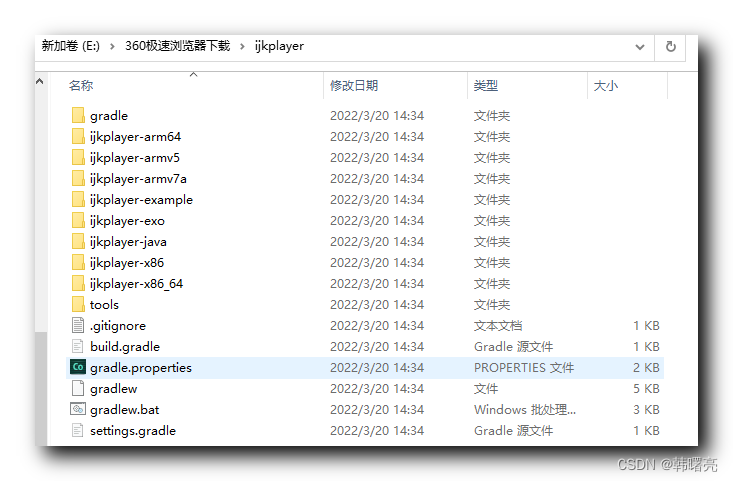
下载后 , 解压文件 , 文件目录如下 , 该目录结构就是一个 Android Studio 目录 ;
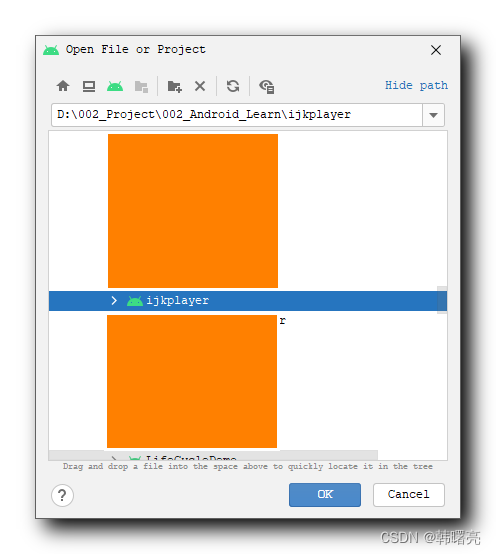
在 Android Studio 中打开该项目 ;
二、重新设置 Android Gradle 插件版本号和 Gradle 构建工具版本号
报错如下信息 :
Unsupported Gradle. The project uses Gradle version which is incompatible with Android Studio 2021.3. Possible solution: - Open Gradle wrapper settings, upgrade version to 3.0 or newer and reload the project- 1
- 2
- 3
- 4
- 5
修改 Gradle 构建工具版本号 : 根目录下的 gradle/wrapper/gradle-wrapper.properties 中配置 gradle-4.6-all.zip 版本号 ;
#distributionUrl=https\://services.gradle.org/distributions/gradle-2.14.1-all.zip distributionUrl=https\://services.gradle.org/distributions/gradle-4.6-all.zip- 1
- 2
修改 Android Gradle 插件版本号 : 根目录下的 build.gradle 构建脚本中设置 AGP 版本号 ;
buildscript { dependencies { //classpath 'com.android.tools.build:gradle:2.1.3' classpath 'com.android.tools.build:gradle:3.2.0' } }- 1
- 2
- 3
- 4
- 5
- 6
三、设置依赖仓库
1、取消 jcenter 仓库
jcenter 仓库无法访问 , 该程序中只设置了 jcenter 仓库 , 肯定无法下载对应的依赖 , 这里重新设置依赖仓库 ;
2、添加 google 和 mavenCentral 仓库
jcenter 仓库已经停止维护 , 这里重新设置为 google 和 mavenCentral 仓库 ;
在 根目录下的 build.gradle 构建脚本中 , 配置依赖仓库 ;
buildscript { repositories { google() mavenCentral() //jcenter() } } allprojects { repositories { google() mavenCentral() //jcenter() } }- 1
- 2
- 3
- 4
- 5
- 6
- 7
- 8
- 9
- 10
- 11
- 12
- 13
- 14
- 15
3、添加阿里云仓库
添加阿里云仓库 , 避免出现由于网络导致的某些依赖无法下载的问题 ;
allprojects { repositories { maven { url 'https://maven.aliyun.com/repository/public/' } maven{ url 'https://maven.aliyun.com/repository/google/' } google() mavenCentral() //jcenter() } }- 1
- 2
- 3
- 4
- 5
- 6
- 7
- 8
- 9
- 10
- 11
- 12
- 13
四、取消 jcenter 上传相关插件
编译时 , 报如下错误 ,
A problem occurred configuring root project 'ijkplayer'. > Could not resolve all artifacts for configuration ':classpath'. > Could not find com.jfrog.bintray.gradle:gradle-bintray-plugin:1.7. Searched in the following locations: https://dl.google.com/dl/android/maven2/com/jfrog/bintray/gradle/gradle-bintray-plugin/1.7/gradle-bintray-plugin-1.7.pom https://dl.google.com/dl/android/maven2/com/jfrog/bintray/gradle/gradle-bintray-plugin/1.7/gradle-bintray-plugin-1.7.jar https://repo.maven.apache.org/maven2/com/jfrog/bintray/gradle/gradle-bintray-plugin/1.7/gradle-bintray-plugin-1.7.pom https://repo.maven.apache.org/maven2/com/jfrog/bintray/gradle/gradle-bintray-plugin/1.7/gradle-bintray-plugin-1.7.jar Required by: project : Possible solution: - Declare repository providing the artifact, see the documentation at https://docs.gradle.org/current/userguide/declaring_repositories.html- 1
- 2
- 3
- 4
- 5
- 6
- 7
- 8
- 9
- 10
- 11
- 12
- 13
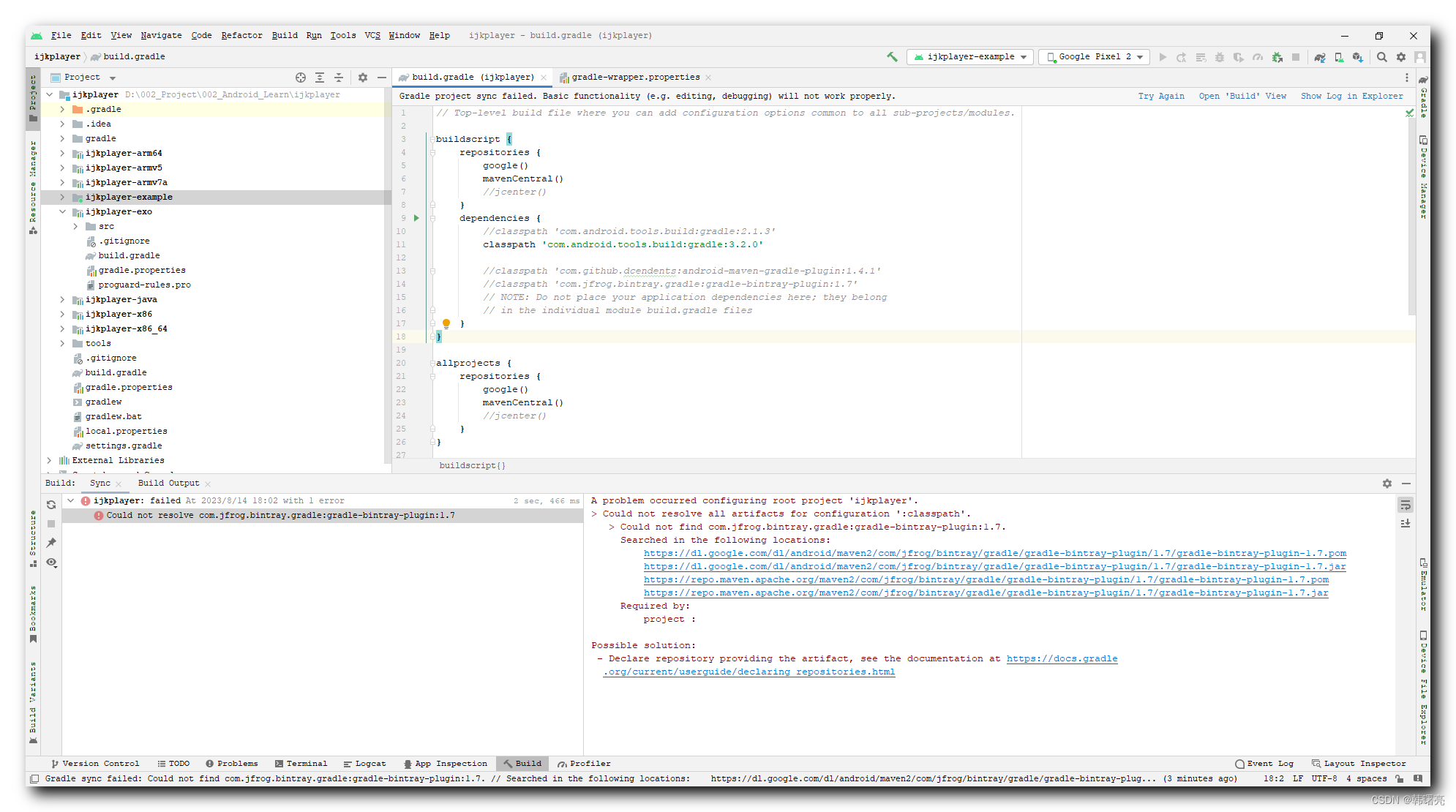
注释掉 在 根目录下 build.gradle 构建脚本中的 android-maven-gradle-plugin 和 gradle-bintray-plugin 插件 , 这是向 jcenter 仓库上传依赖库的 AGP 插件 , 现在已经没有任何作用了 , 直接删除 ;
buildscript { dependencies { //classpath 'com.github.dcendents:android-maven-gradle-plugin:1.4.1' //classpath 'com.jfrog.bintray.gradle:gradle-bintray-plugin:1.7' } }- 1
- 2
- 3
- 4
- 5
- 6
五、设置编译工具版本号
将编译工具版本号设置为 28.0.2 ;
设置完毕后 , 完整的 根目录 build.gradle 构建脚本如下 :
// Top-level build file where you can add configuration options common to all sub-projects/modules. buildscript { repositories { google() mavenCentral() //jcenter() } dependencies { //classpath 'com.android.tools.build:gradle:2.1.3' classpath 'com.android.tools.build:gradle:3.2.0' //classpath 'com.github.dcendents:android-maven-gradle-plugin:1.4.1' //classpath 'com.jfrog.bintray.gradle:gradle-bintray-plugin:1.7' // NOTE: Do not place your application dependencies here; they belong // in the individual module build.gradle files } } allprojects { repositories { maven { url 'https://maven.aliyun.com/repository/public/' } maven{ url 'https://maven.aliyun.com/repository/google/' } google() mavenCentral() //jcenter() } } ext { compileSdkVersion = 25 //buildToolsVersion = "25.0.3" buildToolsVersion = "28.0.2" targetSdkVersion = 25 versionCode = 800800 versionName = "0.8.8" } wrapper { gradleVersion = '2.14.1' }- 1
- 2
- 3
- 4
- 5
- 6
- 7
- 8
- 9
- 10
- 11
- 12
- 13
- 14
- 15
- 16
- 17
- 18
- 19
- 20
- 21
- 22
- 23
- 24
- 25
- 26
- 27
- 28
- 29
- 30
- 31
- 32
- 33
- 34
- 35
- 36
- 37
- 38
- 39
- 40
- 41
- 42
- 43
- 44
- 45
- 46
- 47
六、取消 productFlavors
在 ijkplayer-example 项目中的 build.gradle 中设置了 productFlavors 风味 , 因为这个报错很多 , 直接取消 productFlavors ;
productFlavors { all32 { minSdkVersion 21 } all64 { minSdkVersion 21 } // armv5 {} // armv7a {} // arm64 { minSdkVersion 21 } // x86 {} }- 1
- 2
- 3
- 4
- 5
- 6
- 7
- 8
将上述 风格 都注释掉 ;
productFlavors { //all32 { minSdkVersion 21 } //all64 { minSdkVersion 21 } // armv5 {} // armv7a {} // arm64 { minSdkVersion 21 } // x86 {} }- 1
- 2
- 3
- 4
- 5
- 6
- 7
- 8
七、设置 build.gradle 中的依赖为 implementation 依赖
将 所有的 Module 中的 compile 依赖都改为 implementation 依赖 ;
尤其是 ijkplayer-example 项目中的 build.gradle 中的 依赖 ;
apply plugin: 'com.android.application' android { // http://tools.android.com/tech-docs/new-build-system/tips //noinspection GroovyAssignabilityCheck compileSdkVersion rootProject.ext.compileSdkVersion //noinspection GroovyAssignabilityCheck buildToolsVersion rootProject.ext.buildToolsVersion lintOptions { abortOnError false } defaultConfig { applicationId "tv.danmaku.ijk.media.example" minSdkVersion 21 targetSdkVersion rootProject.ext.targetSdkVersion versionCode rootProject.ext.versionCode versionName rootProject.ext.versionName } buildTypes { release { minifyEnabled false proguardFiles getDefaultProguardFile('proguard-android.txt'), 'proguard-rules.pro' } } //flavorDimensions "minSdkVersion" productFlavors { //all32 { minSdkVersion 21 } //all64 { minSdkVersion 21 } // armv5 {} // armv7a {} // arm64 { minSdkVersion 21 } // x86 {} } } dependencies { implementation fileTree(include: ['*.jar'], dir: 'libs') implementation 'com.android.support:appcompat-v7:23.0.1' implementation 'com.android.support:preference-v7:23.0.1' implementation 'com.android.support:support-annotations:23.0.1' implementation 'com.squareup:otto:1.3.8' implementation project(':ijkplayer-java') implementation project(':ijkplayer-exo') implementation project(':ijkplayer-armv5') implementation project(':ijkplayer-armv7a') implementation project(':ijkplayer-x86') implementation project(':ijkplayer-armv5') implementation project(':ijkplayer-armv7a') implementation project(':ijkplayer-arm64') implementation project(':ijkplayer-x86') implementation project(':ijkplayer-x86_64') /*compile fileTree(include: ['*.jar'], dir: 'libs') compile 'com.android.support:appcompat-v7:23.0.1' compile 'com.android.support:preference-v7:23.0.1' compile 'com.android.support:support-annotations:23.0.1' compile 'com.squareup:otto:1.3.8' compile project(':ijkplayer-java') compile project(':ijkplayer-exo') all32Compile project(':ijkplayer-armv5') all32Compile project(':ijkplayer-armv7a') all32Compile project(':ijkplayer-x86') all64Compile project(':ijkplayer-armv5') all64Compile project(':ijkplayer-armv7a') all64Compile project(':ijkplayer-arm64') all64Compile project(':ijkplayer-x86') all64Compile project(':ijkplayer-x86_64')*/ // compile 'tv.danmaku.ijk.media:ijkplayer-java:0.8.8' // compile 'tv.danmaku.ijk.media:ijkplayer-exo:0.8.8' // all32Compile 'tv.danmaku.ijk.media:ijkplayer-armv5:0.8.8' // all32Compile 'tv.danmaku.ijk.media:ijkplayer-armv7a:0.8.8' // all32Compile 'tv.danmaku.ijk.media:ijkplayer-x86:0.8.8' // all64Compile 'tv.danmaku.ijk.media:ijkplayer-armv5:0.8.8' // all64Compile 'tv.danmaku.ijk.media:ijkplayer-armv7a:0.8.8' // all64Compile 'tv.danmaku.ijk.media:ijkplayer-arm64:0.8.8' // all64Compile 'tv.danmaku.ijk.media:ijkplayer-x86:0.8.8' // all64Compile 'tv.danmaku.ijk.media:ijkplayer-x86_64:0.8.8' // armv5Compile project(':player-armv5') // armv7aCompile project(':player-armv7a') // arm64Compile project(':player-arm64') // x86Compile project(':player-x86') // x86_64Compile project(':player-x86_64') }- 1
- 2
- 3
- 4
- 5
- 6
- 7
- 8
- 9
- 10
- 11
- 12
- 13
- 14
- 15
- 16
- 17
- 18
- 19
- 20
- 21
- 22
- 23
- 24
- 25
- 26
- 27
- 28
- 29
- 30
- 31
- 32
- 33
- 34
- 35
- 36
- 37
- 38
- 39
- 40
- 41
- 42
- 43
- 44
- 45
- 46
- 47
- 48
- 49
- 50
- 51
- 52
- 53
- 54
- 55
- 56
- 57
- 58
- 59
- 60
- 61
- 62
- 63
- 64
- 65
- 66
- 67
- 68
- 69
- 70
- 71
- 72
- 73
- 74
- 75
- 76
- 77
- 78
- 79
- 80
- 81
- 82
- 83
- 84
- 85
- 86
- 87
- 88
- 89
- 90
- 91
- 92
- 93
- 94
- 95
- 96
- 97
- 98
- 99
八、编译应用
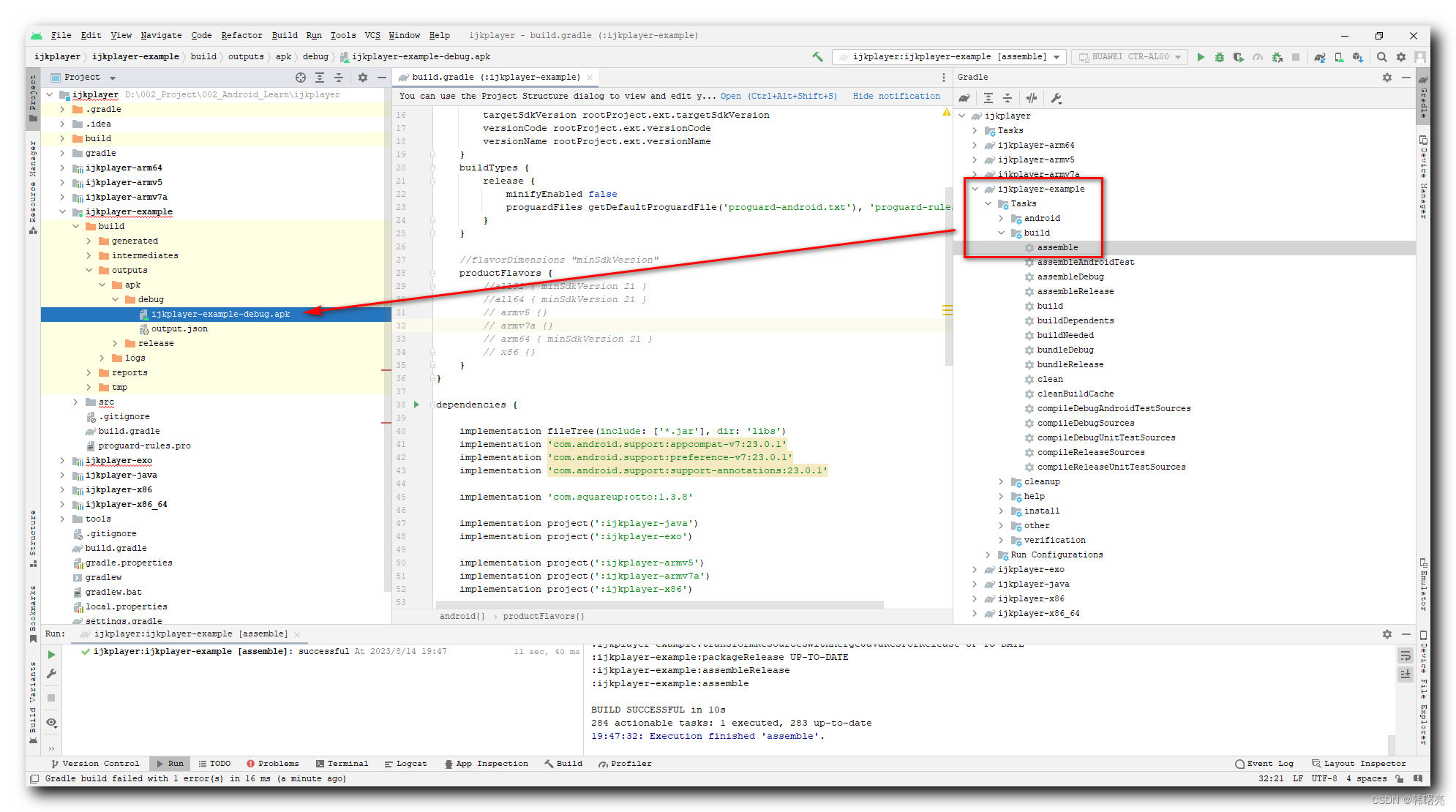
在 Gradle 面板中 , 执行 ijkplayer-example 项目下的 Tasks/build/assemble 任务 , 即可编译生成 debug 版本的 apk 安装包 ;
博客源码 : https://download.csdn.net/download/han1202012/88215731
-
相关阅读:
Maven 高级篇,Maven常用操作、高级操作、nexus私服搭建
硬核评测 | 百分点科技NLP、知识图谱产品获“可信AI”多项最高级
GD32学习1——环境搭建keil5
二、字符串 String
开发Chrome插件,实现网站自动登录
@ApiModel 和 @ApiModelProperty
spring boot 项目中的application不能执行是什么问题
【Java】类和对象知识
Unity功能—— 在VS中快速访问Unity API对应文档
【LeetCode】145. 二叉树的后序遍历 [ 左子树 右子树 根结点]
- 原文地址:https://blog.csdn.net/han1202012/article/details/132274142

- 最新文章
-
沪漂五周年了:我越来越迷茫了
Agentic Skill Routing 实战:别再把所有 Skill 塞进 AI Agent 上下文
MySQL-Seconds_behind_master的精度误差
[MAF预定义ChatClient中间件-03]CachingChatClient——利用缓存省钱省时间
AI的至暗历史:从万众期待到被政府撤资,AI的两次死亡徘徊
Agent OS :五种驯服不确定性的范式
PortSwigger SQL注入LAB11
数据库即时编译JIT
[Begin]AI Learn Data Day 0
深度学习进阶(二十七)现代 LLM 的核心架构设计其二:SwiGLU