• Vue基础02、过滤案例、购物车案例


    Vue基础02、过滤案例、购物车案例

    一、v-for能循环的类型

    1. 数组、带索引
    2. 对象、默认value值、也可以是key值
    3. 字符串、带索引
    4. 数字、带索引

    二、js的几种循环方式

    1. js的循环基于索引的循环
    2. js的in循环拿到的是索引
    3. es6语法 of循环
    4. 数组的方法 forEach循环
    5. jQuery的循环 循环数组、对象

    三、key值的解释

    之前我们用v-for放在标签上,其实标签上还可以放key,但是key值必须是唯一,不然就程序报错,用属性指令绑定一个变量,key的值每次都不一样,这样可以加速虚拟DOM的替换。想要专业一些那就尽量写这个方式

    html
    <div v-for="item in 8" :key="item">{{item}}div>

    四、数组、对象的检测与更新

    对象,新增一个key-value,发现页面没有变化,以后设置下即可。

    python
    Vue.set(this.info,"hobby’,'篮球')
    

    五、input的几个事件

    属性名称 中文名称 解释用法
    click 点击事件 点击按钮时触发
    input 输入事件 输入内容时触发
    change 改变事件 发生变化时触发
    blur 失去焦点 失去焦点时触发
    focus 聚焦事件 焦点聚焦时触发

    六、事件修饰符

    事件修饰符 解释含义
    .stop 只处理自己的阻止事件冒泡
    .self 只处理自己的不处理子事件
    .prevent 阻止a链接的跳转
    .once 事件只触发一次(适用于抽奖页面)

    七、按键修饰符

    类似于键盘映射,按了键盘的那个键就会触发其对应的函数并执行下面介绍一下具体用法

    python
    定义函数
    @keyup="handleKeyUp"
    按键修饰符
    @keyup.enter # 可以是键盘对应的英文单词
    @keyup.13 # 或数字对应关系也是可以的
    
    # keycode对照表链接
    https://www.cnblogs.com/guochaoxxl/p/16753266.html

    八、表单控制

    1. radio 单选
    2. checkbox 单选和多选
      img

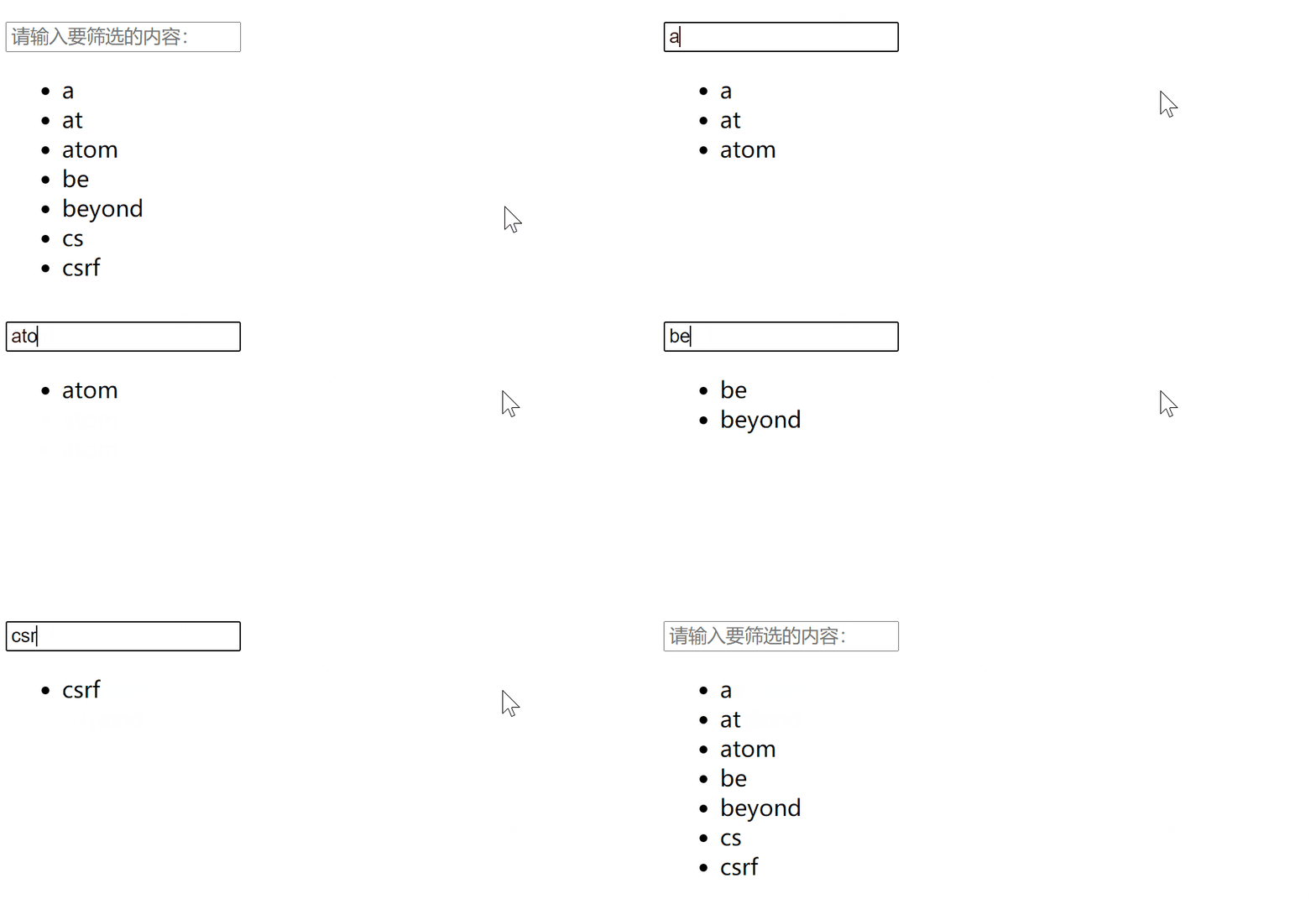
    九、过滤案例

    html
    html>
    <html lang="en">
    <head>
        <meta charset="UTF-8">
        <title>Titletitle>
        <script src="js/Vue.js">script>
    head>
    <body>
    <div id="aaa">
        <h1>filter exampleh1>
        <p>pls enter sth: <input type="text" v-model="myText" @input="handleInput">p>
        <ul>
            <li v-for="item in newDataList">{{item}}li>
        ul>
    div>
    body>
    <script>
        var vm = new Vue({
            el:'#aaa',
            data:{
                myText:'',
                dataList:['a','at','atom','be','beyond','cs','csrf'],
                newDataList:['a','at','atom','be','beyond','cs','csrf'],
            },
            methods:{
                handleInput(){
                    this.newDataList = this.dataList.filter(
                        item => item.indexOf(this.myText) >=0
                    )
                },
            },
        })
    script>
    html>
    img

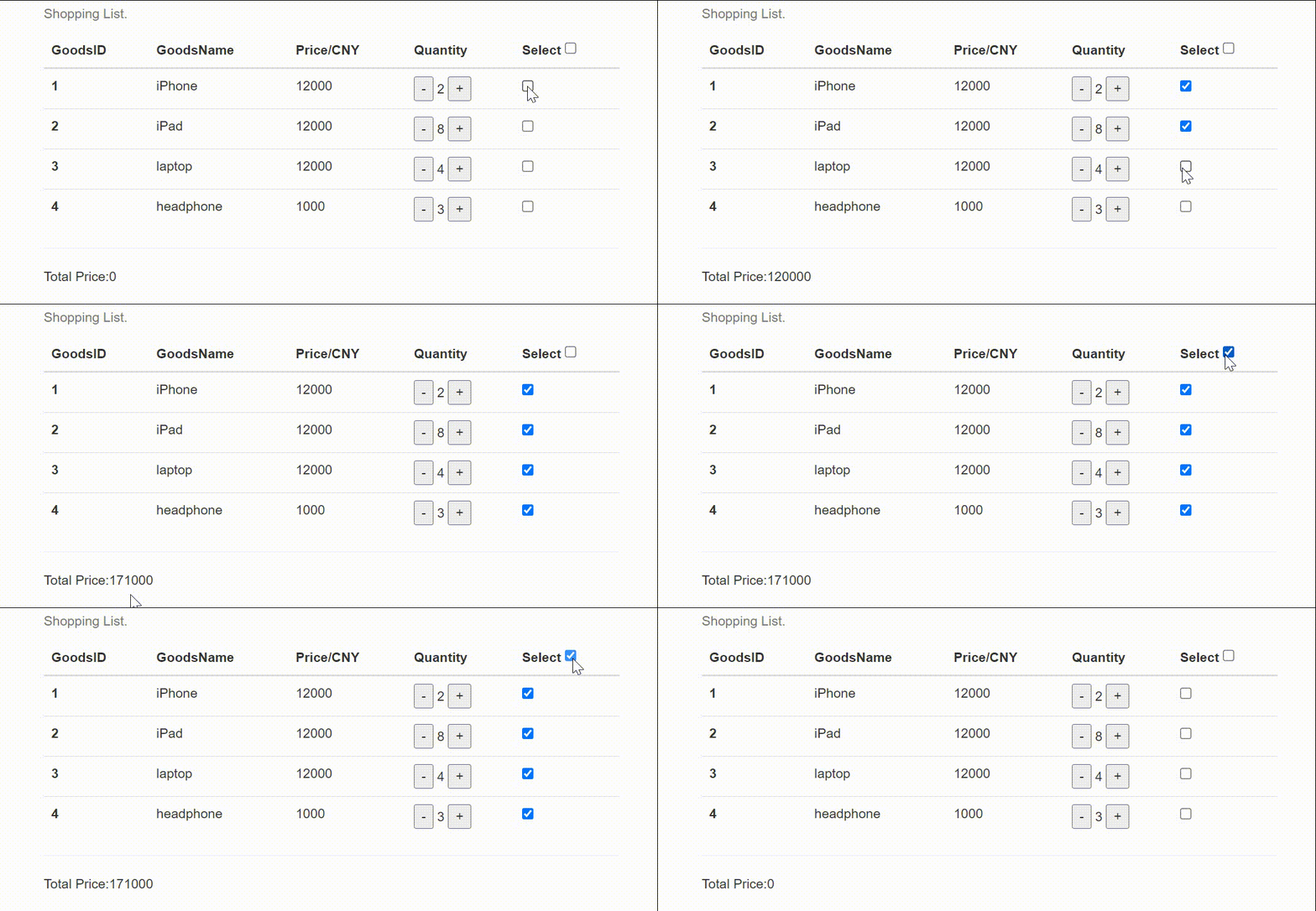
    十、购物车案例

    html
    html>
    <html lang="en">
    <head>
        <meta charset="UTF-8">
        <title>Titletitle>
        <script src="./js/Vue.js">script>
        <link rel="stylesheet" href="https://stackpath.bootstrapcdn.com/bootstrap/3.4.1/css/bootstrap.min.css"
              integrity="sha384-HSMxcRTRxnN+Bdg0JdbxYKrThecOKuH5zCYotlSAcp1+c8xmyTe9GYg1l9a69psu" crossorigin="anonymous">
    head>
    <body>
    <div class="app">
        <div class="container-fluid">
            <div class="row">
                <div class="col-md-6 col-md-offset-3">
                    <div class="bs-example" data-example-id="simple-table">
                        <table class="table">
                            <caption>Shopping List.caption>
                            <thead>
                            <tr>
                                <th>GoodsIDth>
                                <th>GoodsNameth>
                                <th>Price/CNYth>
                                <th>Quantityth>
                                <th>Select <input type="checkbox" v-model="checkAll" @change="handleCheckAll">th>
                            tr>
                            thead>
                            <tbody>
                            <tr v-for="item in goodList">
                                <th scope="row">{{item.id}}th>
                                <td>{{item.name}}td>
                                <td>{{item.price}}td>
                                <td>
                                    <button  @click="handleDown(item)">-button>
                                    {{item.number}}
                                    <button @click="item.number++">+button>
                                td>
                                <td><input type="checkbox" v-model="checkGroup" :value="item" @change="handleCheckOne">td>
                            tr>
                            tbody>
                        table>
                        <hr>
                        <p>Total Price:{{getPrice()}}p>
                    div>
    
                div>
            div>
        div>
    
    div>
    body>
    <script>
        var vm = new Vue({
            el: '.app',
            data: {
                goodList: [
                    {id: '1', name: 'iPhone', price: 12000, number: 2},
                    {id: '2', name: 'iPad', price: 12000, number: 2},
                    {id: '3', name: 'laptop', price: 12000, number: 2},
                    {id: '4', name: 'headphone', price: 1000, number: 2},
                ],
                checkGroup: [],
                checkAll: false,
            },
            methods: {
                getPrice() {
                    var total = 0
                    for (item of this.checkGroup) {
                        total += item.price * item.number
                    }
                    return total
                },
                handleCheckAll() {
                    if (this.checkAll) {
                        this.checkGroup = this.goodList
                    } else {
                        this.checkGroup = []
                    }
                },
                handleCheckOne() {
                    if (this.checkGroup.length == this.goodList) {
                        this.checkAll = true
                    } else {
                        this.checkAll = false
                    }
                },
                handleDown(item) {
                    if (item.number > 1) {
                        item.number--
                    } else {
                        alert("Are you sure???")
                    }
                }
    
            },
        })
    script>
    html>
    

    image


    __EOF__

  • 本文作者: The Road of Learning 阿丽米热
  • 本文链接: https://www.cnblogs.com/almira998/p/17124741.html
  • 关于博主: 评论和私信会在第一时间回复。或者直接私信我。
  • 版权声明: 本博客所有文章除特别声明外,均采用 BY-NC-SA 许可协议。转载请注明出处!
  • 声援博主: 如果您觉得文章对您有帮助,可以点击文章右下角推荐一下。
  • 相关阅读:
    C语言编程陷阱(七)
    if条件分支计算分段函数
    ts重点学习39-索引签名
    Leetcode 386. 字典序排数
    使用Python的turtle模块绘制玫瑰花图案(含详细Python代码与注释)
    Qt OpenGL(二十四)——Qt OpenGL 核心模式-实现彩色三角形
    Centos7下通过docker安装Rancher2.7搭建Kubernetes
    【C++ Primer Plus】第3章 处理数据
    VMware虚拟机下Linux系统软RAID10创建、故障修复、重启、卸载
    彻底理解零拷贝技术
  • 原文地址:https://www.cnblogs.com/almira998/p/17124741.html