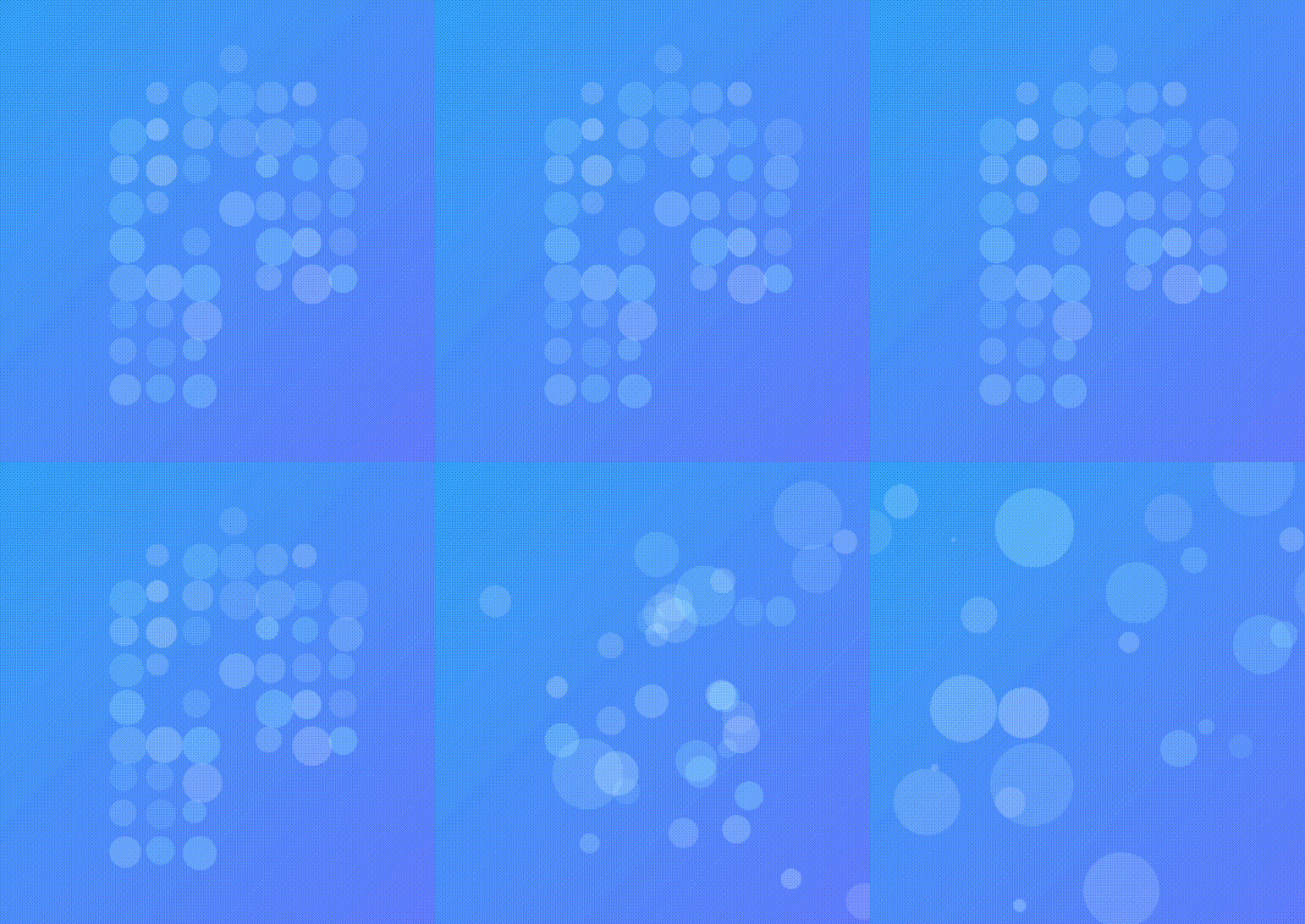
1. 效果展示
2. 开始前说明
效果实现参考源码:Logo 聚集与散开
原效果代码基于 react jsx 类组件实现。依赖旧,代码冗余。
我将基于此进行重构,重构目标:
- 基于最新依赖包,用 ts + hook 实现效果
- 简化 dom 结构及样式
- 支持响应式
重构应该在还原的基础上,用更好的方式实现相同的效果。如果能让功能更完善,那就更好了。
在重构的过程中,注意理解:
- 严格模式
- 获取不到最新数据,setState 异步更新,useRef 同步最新数据
- 类组件生命周期,如何转换为 hook
- canvas 上绘图获取图像数据,并对数据进行处理
3. 重构
说明:后面都是代码,对代码感兴趣的可以与源码比较一下;对效果感兴趣的,希望对你有帮助!
脚手架:vite-react+ts
3.1 删除多余文件及代码,只留最简单的结构
- 修改入口文件
main.tsx为:
import ReactDOM from "react-dom/client";
import App from "./App";

ReactDOM.createRoot(document.getElementById("root") as HTMLElement).render(
  <App />
);
注意:这儿删除了严格模式
-
删除
index.css -
修改
App.tsx为:
import "./App.css";

function App() {
  return (
    <div className="App">

    div>
  );
}

export default App;
- 修改
App.css为:
* {
  margin: 0;
  padding: 0;
  box-sizing: border-box;
}
3.3 安装依赖
yarn add rc-tween-one lodash-es -S
yarn add @types/lodash-es -D
rc-tween-one:Ant Motion 的一个动效组件
3.4 重构代码
APP.tsx
import TweenOne from "rc-tween-one";
import LogoAnimate from "./logoAnimate";
import "./App.css";

function App() {
  return (
    <div className="App">
      <div className="banner">
        <div className="content">
          <TweenOne
            animation={{ opacity: 0, y: -30, type: "from", delay: 500 }}
            className="title"
          >
            logo 聚合分散
          TweenOne>
        div>

        <LogoAnimate />
      div>
    div>
  );
}

export default App;
App.css
* {
  margin: 0;
  padding: 0;
  box-sizing: border-box;
}

.banner {
  width: 100%;
  height: 100vh;
  overflow: hidden;
  background: linear-gradient(135deg, #35aef8 0%, #7681ff 76%, #7681ff 76%);
  position: relative;
  display: flex;
  align-items: center;
  justify-content: space-evenly;
}

.banner .content {
  height: 35%;
  color: #fff;
}
.banner .content .title {
  font-size: 40px;
  background: linear-gradient(yellow, white);
  -webkit-background-clip: text;
  color: transparent;
}

.banner .logo-box {
  width: 300px;
  height: 330px;
}
.banner .logo-box * {
  pointer-events: none;
}
.banner .logo-box img {
  margin-left: 70px;
  transform: scale(1.5);
  margin-top: 60px;
  opacity: 0.4;
}
.banner .logo-box .point-wrap {
  position: absolute;
}
.banner .logo-box .point-wrap .point {
  border-radius: 100%;
}

@media screen and (max-width: 767px) {
  .banner {
    flex-direction: column;
  }
  .banner .content {
    order: 1;
  }
}
* {
  margin: 0;
  padding: 0;
  box-sizing: border-box;
}

.banner {
  width: 100%;
  height: 100vh;
  overflow: hidden;
  background: linear-gradient(135deg, #35aef8 0%, #7681ff 76%, #7681ff 76%);
  position: relative;
  display: flex;
  align-items: center;
  justify-content: space-evenly;
}

.banner .content {
  height: 35%;
  color: #fff;
}
.banner .content .title {
  font-size: 30px;
}

.banner .logo-box {
  width: 300px;
  height: 330px;
}
.banner .logo-box * {
  pointer-events: none;
}
.banner .logo-box img {
  margin-left: 70px;
  transform: scale(1.5);
  margin-top: 60px;
  opacity: 0.4;
}
.banner .logo-box .point-wrap {
  position: absolute;
}
.banner .logo-box .point-wrap .point {
  border-radius: 100%;
}

@media screen and (max-width: 767px) {
  .banner {
    flex-direction: column;
  }
  .banner .content {
    order: 1;
  }
}
重点重构文件 logoAnimate.tsx
import React, { useRef, useState, useEffect } from "react";
import TweenOne, { Ticker } from "rc-tween-one";
import type { IAnimObject } from "rc-tween-one";
import { cloneDeep, delay } from "lodash-es";

type Point = {
  wrapStyle: {
    left: number;
    top: number;
  };
  style: {
    width: number;
    height: number;
    opacity: number;
    backgroundColor: string;
  };
  animation: IAnimObject;
};

const logoAnimate = () => {
  const data = {
    image:
      "https://imagev2.xmcdn.com/storages/f390-audiofreehighqps/4C/D1/GKwRIDoHwne3AABEqQH4FjLV.png",
    w: 200, // 图片实际的宽度
    h: 200, // 图片实际的高度
    scale: 1.5, // 显示时需要的缩放比例
    pointSizeMin: 10, // 显示时圆点最小的大小
  };

  const intervalRef = useRef<string | null>(null);
  const intervalTime = 5000;
  const initAnimateTime = 800;

  const logoBoxRef = useRef<HTMLDivElement>(null);

  // 聚合:true,保证永远拿到的是最新的数据,useState是异步的,在interval中拿不到
  const gatherRef = useRef(true);

  // 数据变更,促使dom变更
  const [points, setPoints] = useState<Point[]>([]);

  // 同步 points 数据,保证永远拿到的是最新的数据,useState是异步的,在interval中拿不到
  const pointsRef = useRef(points);
  useEffect(() => {
    pointsRef.current = points;
  }, [points]);

  const setDataToDom = (imgData: Uint8ClampedArray, w: number, h: number) => {
    const pointArr: { x: number; y: number; r: number }[] = [];
    const num = Math.round(w / 10);
    for (let i = 0; i < w; i += num) {
      for (let j = 0; j < h; j += num) {
        const index = (i + j * w) * 4 + 3;
        if (imgData[index] > 150) {
          pointArr.push({
            x: i,
            y: j,
            r: Math.random() * data.pointSizeMin + 12
          });
        }
      }
    }

    const newPoints = pointArr.map((item, i) => {
      const opacity = Math.random() * 0.4 + 0.1;

      const point: Point = {
        wrapStyle: { left: item.x * data.scale, top: item.y * data.scale },
        style: {
          width: item.r * data.scale,
          height: item.r * data.scale,
          opacity: opacity,
          backgroundColor: `rgb(${Math.round(Math.random() * 95 + 160)}, 255, 255)`,
        },
        animation: {
          y: (Math.random() * 2 - 1) * 10 || 5,
          x: (Math.random() * 2 - 1) * 5 || 2.5,
          delay: Math.random() * 1000,
          repeat: -1,
          duration: 3000,
          ease: "easeInOutQuad",
        },
      };
      return point;
    });

    delay(() => {
      setPoints(newPoints);
    }, initAnimateTime + 150);

    intervalRef.current = Ticker.interval(updateTweenData, intervalTime);
  };

  const createPointData = () => {
    const { w, h } = data;

    const canvas = document.createElement("canvas");
    const ctx = canvas.getContext("2d");
    if (!ctx) return;

    ctx.clearRect(0, 0, w, h);
    canvas.width = w;
    canvas.height = h;

    const img = new Image();
    img.crossOrigin = "anonymous";
    img.src = data.image;
    img.onload = () => {
      ctx.drawImage(img, 0, 0);
      const data = ctx.getImageData(0, 0, w, h).data;
      setDataToDom(data, w, h);
    };
  };

  useEffect(() => {
    createPointData();

    return () => {
      removeInterval();
    };
  }, []);

  // 分散数据
  const disperseData = () => {
    if (!logoBoxRef.current || !logoBoxRef.current.parentElement) return;

    const rect = logoBoxRef.current.parentElement.getBoundingClientRect();
    const boxRect = logoBoxRef.current.getBoundingClientRect();
    const boxTop = boxRect.top - rect.top;
    const boxLeft = boxRect.left - rect.left;

    const newPoints = cloneDeep(pointsRef.current).map((item) => ({
      ...item,
      animation: {
        x: Math.random() * rect.width - boxLeft - item.wrapStyle.left,
        y: Math.random() * rect.height - boxTop - item.wrapStyle.top,
        opacity: Math.random() * 0.2 + 0.1,
        scale: Math.random() * 2.4 + 0.1,
        duration: Math.random() * 500 + 500,
        ease: "easeInOutQuint",
      },
    }));
    setPoints(newPoints);
  };

  // 聚合数据
  const gatherData = () => {
    const newPoints = cloneDeep(pointsRef.current).map((item) => ({
      ...item,
      animation: {
        x: 0,
        y: 0,
        opacity: Math.random() * 0.2 + 0.1,
        scale: 1,
        delay: Math.random() * 500,
        duration: 800,
        ease: "easeInOutQuint",
      },
    }));
    setPoints(newPoints);
  };

  const updateTweenData = () => {
    gatherRef.current ? disperseData() : gatherData();
    gatherRef.current = !gatherRef.current;
  };

  const removeInterval = () => {
    if (intervalRef.current) {
      Ticker.clear(intervalRef.current);
      intervalRef.current = null;
    }
  };
  const onMouseEnter = () => {
    if (!gatherRef.current) {
      updateTweenData();
    }
    removeInterval();
  };

  const onMouseLeave = () => {
    if (gatherRef.current) {
      updateTweenData();
    }
    intervalRef.current = Ticker.interval(updateTweenData, intervalTime);
  };

  return (
    <>
      {points.length === 0 ? (
        <TweenOne
          className="logo-box"
          animation={{
            opacity: 0.8,
            scale: 1.5,
            rotate: 35,
            type: "from",
            duration: initAnimateTime,
          }}
        >
          <img key="img" src={data.image} alt="" />
        TweenOne>
      ) : (
        <TweenOne
          animation={{ opacity: 0, type: "from", duration: 800 }}
          className="logo-box"
          onMouseEnter={onMouseEnter}
          onMouseLeave={onMouseLeave}
          ref={logoBoxRef}
        >
          {points.map((item, i) => (
            <TweenOne className="point-wrap" key={i} style={item.wrapStyle}>
              <TweenOne
                className="point"
                style={item.style}
                animation={item.animation}
              />
            TweenOne>
          ))}
        TweenOne>
      )}

  );
};

export default logoAnimate;