-
OpenStack 创建虚拟机错误: Host ‘compute1‘ is not mapped to any cell
-
之前 Ubuntu 20.04 手动安装OpenStack只做到了 Networking service Installation Guide 这一步,然后就不继续了,以为最困难的都过去了
-
今天临时想要创建一个虚拟机,发现从命令行方式和 DashBoard 创建虚拟机,都报错了!
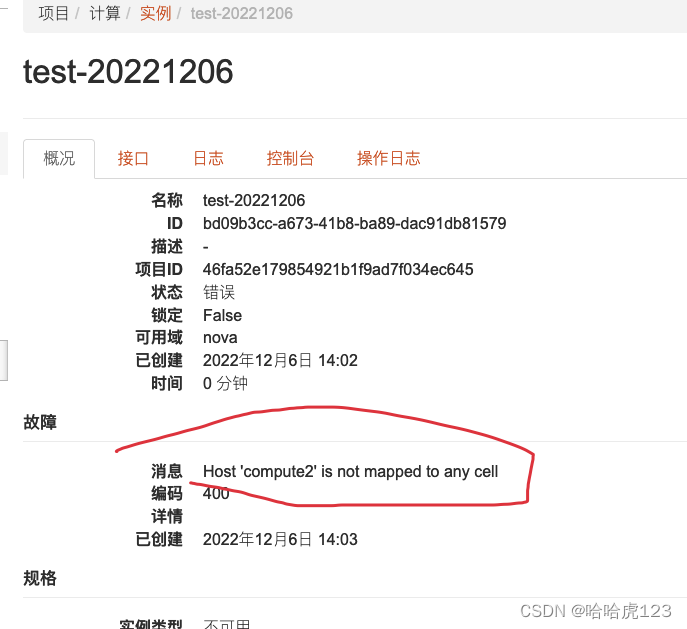
Host ‘compute2’ is not mapped to any cell
-
从 DashBoard 查看错误原因
-
分析:前面其他错误修改后,没有重新同步发现 compute 节点
所以直接重新来过root@controller:/home/dhbm# nova-manage cell_v2 discover_hosts --verbose
Found 2 cell mappings. Skipping cell0 since it does not contain hosts. Getting computes from cell 'cell1': acff5521-7a28-4a1d-bf04-6354dc5884eb Checking host mapping for compute host 'compute2': 0186d682-fbda-4c55-a6b4-950fa35ca6e2 Creating host mapping for compute host 'compute2': 0186d682-fbda-4c55-a6b4-950fa35ca6e2 Found 1 unmapped computes in cell: acff5521-7a28-4a1d-bf04-6354dc5884eb- 1
- 2
- 3
- 4
- 5
- 6
root@controller:/home/dhbm# openstack compute service list --service nova-compute
+----+--------------+------------+------+---------+-------+----------------------------+ | ID | Binary | Host | Zone | Status | State | Updated At | +----+--------------+------------+------+---------+-------+----------------------------+ | 5 | nova-compute | controller | nova | enabled | up | 2022-12-06T06:26:07.000000 | | 13 | nova-compute | compute2 | nova | enabled | up | 2022-12-06T06:26:10.000000 | +----+--------------+------------+------+---------+-------+----------------------------+- 1
- 2
- 3
- 4
- 5
- 6
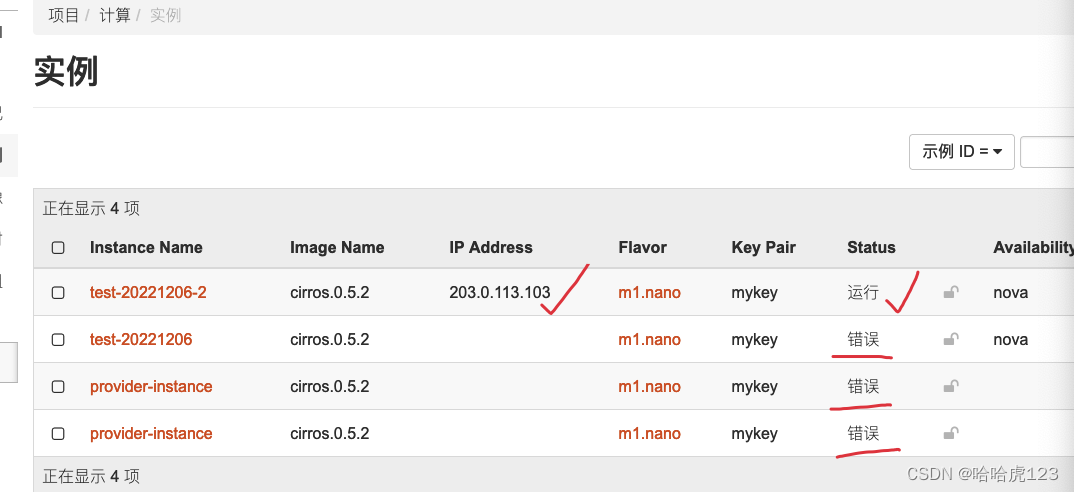
再次创建虚拟机,就 OK了!
后记
保险起见,以上修改调整后,一定重启一下对应服务
service nova-api restart
service nova-scheduler restart
service nova-conductor restart
service nova-novncproxy restartHTTP 服务也要重启
systemctl restart apache2
比如:我这里直接继续创建虚拟机,就报错了
消息
Build of instance aec7299c-8928-44a3-a486-5d2521869bf3 aborted: The request you have made requires authentication. (HTTP 401) (Request-ID: req-9adf4910-4225-494d-9179-0e03317fc513)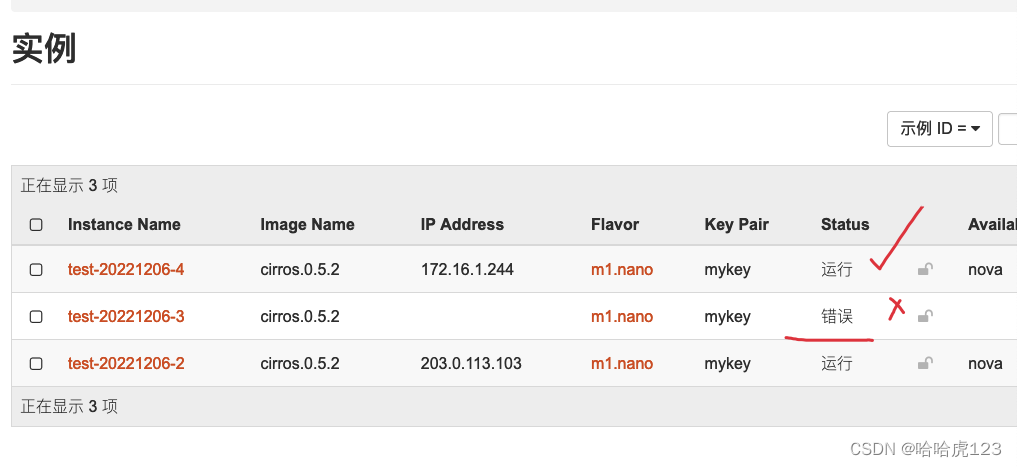
-
-
相关阅读:
springboot医院HIS信息管理系统源码:技术架构:Angular+Nginx+Java+Spring,SpringBoot
基于小脑模型神经网络轨迹跟踪matlab程序
视频流PS打包方式详解
Flink SQL 自定义 Connector
Linux基础命令
递归 函数
利用大语言模型,矢量数据库实现数据库的智能搜索
Vue2 .sync修饰符的应用
.Net中Redis的Hash表操作
Docker Compose 启动容器例子
- 原文地址:https://blog.csdn.net/u010953609/article/details/128202334