-
83.Django项目中使用验证码
1. 概述
验证码(CAPTCHA)是“Completely Automated Public Turing test to tell Computers and Humans Apart”(全自动区分计算机和人类的图灵测试)的缩写,是一种区分用户是计算机还是人的公共全自动程序。可以防止:恶意破解密码、刷票、论坛灌水,有效防止某个黑客对某一个特定注册用户用特定程序暴力破解方式进行不断的登陆尝试等。
2. 类别
当今验证码各种不同的类别很多,常见的如下:
-
普通型:随机多个(一般是4个)字母、数字和中文的图片,可能加一些干扰项
-
问答型:图片中显示一个问题,譬如3+3=?
-
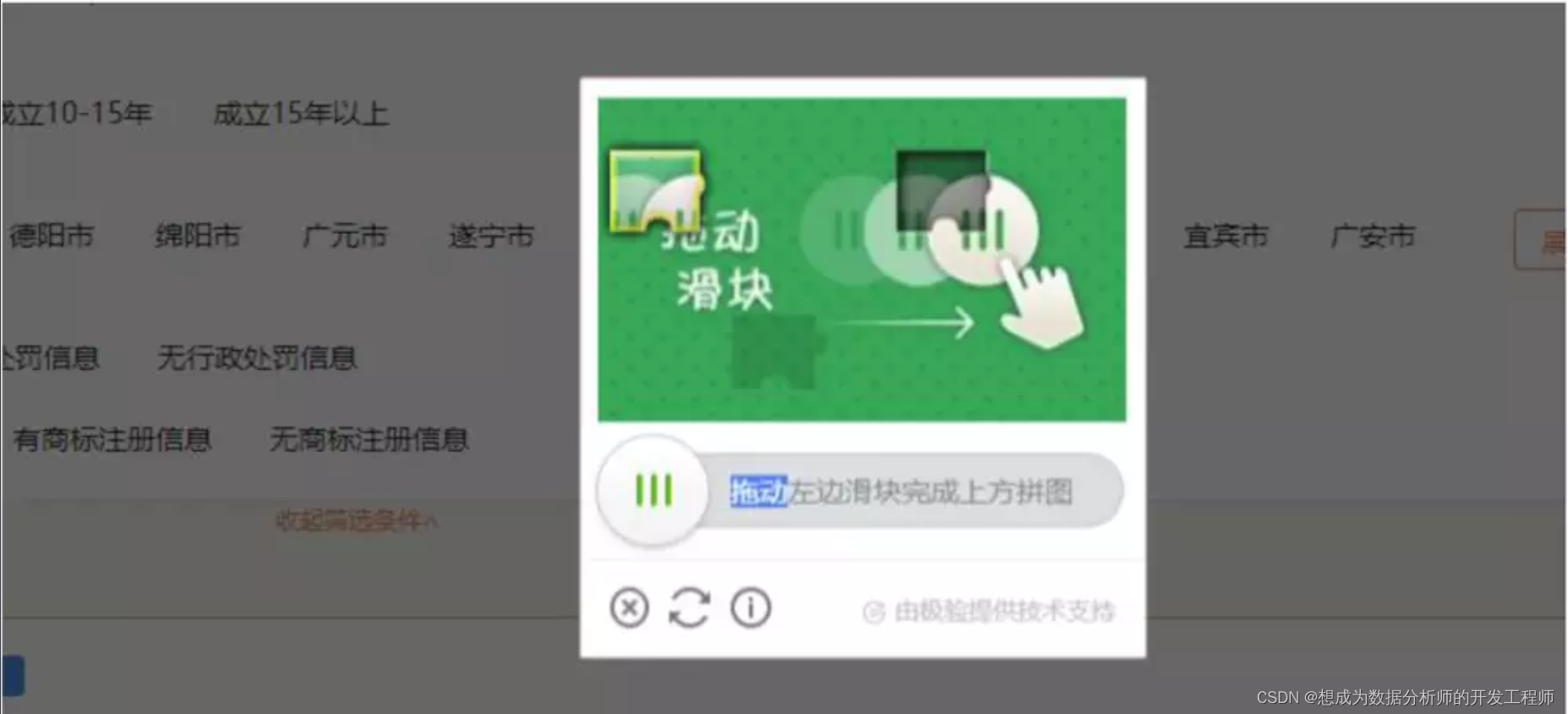
拖动行为型:拖动一个小图片到一个拼图中
-
点击行为型:按照顺序点击图片中的特定位置
![[外链图片转存失败,源站可能有防盗链机制,建议将图片保存下来直接上传(img-ZuwelXqX-1669135661832)(.\imgs\captcha_click.jpg)]](https://1000bd.com/contentImg/2024/04/19/60486a72684b0caa.png)
3. 实现思路
大部分的验证码验证的思路都是这样的:
- 客户端发送获取验证码的请求
- 服务端接收到验证码请求后,生成对应的验证码和正确答案
- 服务端将验证码的正确答案保存到会话对象当中
- 服务端将验证码返回到客户端
- 客户端看到验证码后:
- 如果看不清等原因,可以重新获取,那么就重新回到第1步
- 正确显示后,输入答案,提交答案到服务端
- 服务端接收到验证码答案后,和保存在会话对象中的正确答案比对,正确就通过验证,失败则返回错误提示
4. Django项目中实现验证码
本文档中以普通的4个字母的验证码作为演示
首先新建项目:captcha_study,子应用:captcha_app。在mysql数据库中新建库catcha_study库。在settings中挂载子应用,配置数据库。然后迁移数据库。创建后台管理superuser用户。以上操作都可以参考本专栏的前几篇文章。4.1 实现登录功能(未使用验证码)
借用之前 session学习 课程中的部分的登录模块代码
3. settings中配置数据库:DATABASES = { 'default': { 'ENGINE': 'django.db.backends.mysql', 'NAME': 'captcha_study', 'USER': 'root', 'PASSWORD': '123456', 'HOST': '127.0.0.1', 'PORT': '3306', } }- 1
- 2
- 3
- 4
- 5
- 6
- 7
- 8
- 9
- 10
-
迁移数据库
由于只使用了django自带的应用的数据库模型,所以直接 migrate 就可以
python manage.py migrate- 1
- 创建 superuser
python manager.py createsuperuser- 1
- 修改主应用的urls.py:
path('captcha/', include('captcha_app.urls')),- 1
- 新增子应用的urls.py
from django.urls import path from . import views app_name = 'captcha_app' urlpatterns = [ path('', views.index, name='index'), path('login/', views.login, name='login'), path('logout/', views.logout, name='logout'), ]- 1
- 2
- 3
- 4
- 5
- 6
- 7
- 8
- 9
- 10
- views中修改:
from django.contrib import auth from django.contrib.auth.decorators import login_required from django.shortcuts import render, redirect # Create your views here. @login_required(login_url='captcha_app:login') def index(request): return render(request, 'captcha_app/index.html') def logout(request): # 登出 auth.logout(request) return redirect('captcha_app:login') def login(request): """ 本应用的登录请求 登录请求一般有2个不同的http的method get: 显示的就是登录页面 post: 在登录页面输入用户名和密码之后,点击登录提交 :param request: :return: """ # get请求,对一个 登录的页面 if request.method == 'GET': # 通过 session获取 error_message error_message = request.session.get('error_message') request.session['error_message'] = None return render(request, 'captcha_app/login.html', {'error_message':error_message}) else: username = request.POST.get('username') password = request.POST.get('password') # 验证用户名和密码 user = auth.authenticate(username=username, password=password) # 用户名和密码正确 if user: # 使用auth应用的话,登录成功必须调用 login 方法 # 在其他 函数中 使用 request.user 获取 用户对象实例 auth.login(request, user) return redirect('captcha_app:index') else: # 在不同的 视图函数中传递参数,使用 session error_message = '用户名或者密码错误!!' request.session['error_message'] = error_message return redirect('captcha_app:login')- 1
- 2
- 3
- 4
- 5
- 6
- 7
- 8
- 9
- 10
- 11
- 12
- 13
- 14
- 15
- 16
- 17
- 18
- 19
- 20
- 21
- 22
- 23
- 24
- 25
- 26
- 27
- 28
- 29
- 30
- 31
- 32
- 33
- 34
- 35
- 36
- 37
- 38
- 39
- 40
- 41
- 42
- 43
- 44
- 45
- 46
- 47
- 48
- 新增template
在子应用中建立 templates 文件夹,再建立一个子文件夹:captcha_app
新增index.html:
DOCTYPE html> <html lang="en"> <head> <meta charset="UTF-8"> <title>首页title> head> <body> 欢迎光临, 用户:{{ request.user.username }}, email:{{ request.user.email }} <a href="{% url 'captcha_app:logout' %}">退出登录a> body> html>- 1
- 2
- 3
- 4
- 5
- 6
- 7
- 8
- 9
- 10
- 11
新建login.html:
DOCTYPE html> <html lang="en"> <head> <meta charset="UTF-8"> <title>登录页面title> <script> function refreshcheckcode(obj) { obj.src = "{% url 'captcha_app:captcha_img' %}?r="+Math.random() console.log(obj.src); } script> head> <body> <form method="post" action="{% url 'captcha_app:login' %}"> {% csrf_token %} <table> <tr> <td>用户名:td> <td><input type="text" value="" name="username" id="username">td> tr> <tr> <td>密码:td> <td><input type="password" value="" name="password" id="password">td> tr> <tr> <td>验证码:td> <td> <input type="text" name="checkbox"> <img src="{% url 'captcha_app:captcha_img' %}" onclick="refreshcheckcode(this);"> td> tr> {% if error_message %} <tr> <td colspan="2"><strong>{{ error_message }}strong>td> tr> {% endif %} <tr> <td colspan="2"> <input type="submit" value="登录"> td> tr> table> form> body> html>- 1
- 2
- 3
- 4
- 5
- 6
- 7
- 8
- 9
- 10
- 11
- 12
- 13
- 14
- 15
- 16
- 17
- 18
- 19
- 20
- 21
- 22
- 23
- 24
- 25
- 26
- 27
- 28
- 29
- 30
- 31
- 32
- 33
- 34
- 35
- 36
- 37
- 38
- 39
- 40
- 41
- 42
- 43
- 44
- 45
- 46
4.2 新增图片
安装Pillow库
pip install Pillow==8.3.1- 1
验证码-生成图片
在C盘的Windows中的Fonts选择几款喜欢的字体,放入和captcha.py同一级目录# captcha_study\common\captcha_4char\captcha.py import os from PIL import Image, ImageDraw, ImageFont, ImageFilter import random import string def random_str(length=4): """ 随机字符串 默认长度 4 :param length: 默认长度 4 :return: """ return ''.join(random.sample(string.ascii_letters, length)) def random_color(s=1, e=255): """ 随机 RGB 颜色 :param s: 起始值, 0-255 :param e: 结束时, 0-255 :return: (r, g, b) """ return random.randint(s, e), random.randint(s, e), random.randint(s, e) def veri_code(length=4, width=160, height=40, size=28): """ 生成验证码图片 :param length: 验证码字符串长度 :param width: 图片宽度 :param height: 图片高度 :param size: 字体大小 :return: (验证码图片, 验证码字符串) """ # 创建Image对象 image = Image.new('RGB', (width, height), (255, 255, 255)) # 创建Font对象 file = os.path.dirname(os.path.abspath(__file__)) font = ImageFont.truetype(f'{file}/common/captcha_4char/simfang.ttf', size) # 创建Draw对象 draw = ImageDraw.Draw(image) # 随机颜色填充每个像素 for x in range(0, width, 2): for y in range(height): draw.point((x, y), fill=random_color(64, 255)) # 验证码 code = random_str(length) # 随机颜色验证码写到图片上 for t in range(length): draw.text((40 * t + 5, 5), code[t], font=font, fill=random_color(32, 127)) # 模糊滤镜 image = image.filter(ImageFilter.BLUR) return image, code if __name__ == '__main__': img, code = veri_code() with open('test.png', 'wb') as f: img.save(f)- 1
- 2
- 3
- 4
- 5
- 6
- 7
- 8
- 9
- 10
- 11
- 12
- 13
- 14
- 15
- 16
- 17
- 18
- 19
- 20
- 21
- 22
- 23
- 24
- 25
- 26
- 27
- 28
- 29
- 30
- 31
- 32
- 33
- 34
- 35
- 36
- 37
- 38
- 39
- 40
- 41
- 42
- 43
- 44
- 45
- 46
- 47
- 48
- 49
- 50
- 51
- 52
- 53
- 54
- 55
- 56
views视图
from django.contrib import auth from django.contrib.auth.decorators import login_required from django.shortcuts import render, redirect, HttpResponse from captcha_study.common.captcha_4char import captcha from io import BytesIO # Create your views here. @login_required(login_url='captcha_app:login') def index(request): return render(request, 'captcha_app/index.html') def logout(request): # 登出 auth.logout(request) return redirect('captcha_app:login') def login(request): """ 本应用的登录请求 登录请求一般有2个不同的http的method get: 显示的就是登录页面 post:在登录页面输入用户名和密码之后,点击登录提交 :param request: :return: """ # get请求,对一个 登录的页面 if request.method == 'GET': # 通过 session获取 error_message error_message = request.session.get('error_message') request.session['error_message'] = None return render(request, 'captcha_app/login.html', {'error_message':error_message}) else: username = request.POST.get('username') password = request.POST.get('password') # 获取表单提交的验证码 checkcode = request.POST.get('checkbox') print("提交的验证码:",checkcode) # 获取session会话中的checkcode session_checkcode = request.session.get('checkcode') print("正确的验证码:",session_checkcode) if checkcode and checkcode.lower() == session_checkcode.lower(): # 验证用户名和密码 user = auth.authenticate(username=username, password=password) # 用户名和密码正确 if user: # 使用auth应用的话,登录成功必须调用 login 方法 # 在其他 函数中 使用 request.user 获取 用户对象实例 auth.login(request, user) return redirect('captcha_app:index') else: # 在不同的 视图函数中传递参数,使用 session error_message = '用户名或者密码错误!!' request.session['error_message'] = error_message return redirect('captcha_app:login') else: # 添加验证码错误信息 error_message = '验证码不正确' request.session['error_message'] = error_message return redirect('captcha_app:login') # 不能直接返回模板templates,页面会显示重新提交 # 生成验证码,以流文件形式保存 def captcha_img(request): img, code = captcha.veri_code() # 将code保存到session会话中 request.session['checkcode'] = code # 创建流文件 stream = BytesIO() # 保存到流文件中 img.save(stream,'PNG') # 从流文件中获取图片 return HttpResponse(stream.getvalue())- 1
- 2
- 3
- 4
- 5
- 6
- 7
- 8
- 9
- 10
- 11
- 12
- 13
- 14
- 15
- 16
- 17
- 18
- 19
- 20
- 21
- 22
- 23
- 24
- 25
- 26
- 27
- 28
- 29
- 30
- 31
- 32
- 33
- 34
- 35
- 36
- 37
- 38
- 39
- 40
- 41
- 42
- 43
- 44
- 45
- 46
- 47
- 48
- 49
- 50
- 51
- 52
- 53
- 54
- 55
- 56
- 57
- 58
- 59
- 60
- 61
- 62
- 63
- 64
- 65
- 66
- 67
- 68
- 69
- 70
- 71
- 72
- 73
urls路由
from django.urls import path from . import views app_name = 'captcha_app' urlpatterns = [ path('', views.index, name='index'), path('login/', views.login, name='login'), path('logout/', views.logout, name='logout'), path('captcha_img/',views.captcha_img, name='captcha_img'), ]- 1
- 2
- 3
- 4
- 5
- 6
- 7
- 8
- 9
- 10
-
-
相关阅读:
plsql怎么显示或隐藏左边的窗口
【每日一题】 ~ C 语言中全局变量、局部变量、静态全局变量、静态局部变量有什么区别?
【TCP:可靠数据传输,快速重传,流量控制,TCP流量控制】
【连通性的初步分析】
代码,写的复杂点还是简单点?
SIMD 加速:AVX2 指令集实现大小端转换
发行说明 | IvorySQL 3.0 发版
KO之间互相调用
轻松一刻|Walrus CLI与CI/CD工具集成,轻松部署2048游戏
FPGA verilog 临近插值任意比例视频缩放代码
- 原文地址:https://blog.csdn.net/m0_63953077/article/details/127992771