-
JavaEE——HttpServletRequest
HttpServletRequest
核心方法
方法 功能 String getProtocol() 返回请求协议的名称和版本。 String getMethod() 返回请求的 HTTP 方法的名称 String getRequestURI() 从协议名称直到 HTTP 请求的第一行的查询字符串中,返回该请求的 URL 的一部分。 String getContextPath() 返回指示请求上下文的请求 URI 部分。 String getQueryString() 返回包含在路径后的请求 URL 中的查询字符串。 Enumeration getParameterNames() 返回一个 String 对象的枚举,包含在该请求中包含的参数的名称。 String getParameter(String name) 以字符串形式返回请求参数的值,或者如果参数不存在则返回null。 String[] getParameterValues(String name) 返回一个字符串对象的数组,包含所有给定的请求参数的值,如果参数不存在则返回 null。 Enumeration getHeaderNames() 返回一个枚举,包含在该请求中包含的所有的头名。 String getHeader(String name) 以字符串形式返回指定的请求头的值。 String getCharacterEncoding() 返回请求主体中使用的字符编码的名称。 String getContentType() 返回请求主体的 MIME 类型,如果不知道类型则返回 null。 int getContentLength() 以字节为单位返回请求主体的长度,并提供输入流,或者如果长度未知则返回 -1。 InputStream getInputStream() 用于读取请求的 body 内容. 返回一个 InputStream 对象. 实例
获取request信息
例如,我们可以用这些方法来打印类似抓包的效果
import javax.servlet.ServletException; import javax.servlet.annotation.WebServlet; import javax.servlet.http.HttpServlet; import javax.servlet.http.HttpServletRequest; import javax.servlet.http.HttpServletResponse; import java.io.IOException; import java.util.Enumeration; @WebServlet("/showRequest") public class ShowRequest extends HttpServlet { @Override protected void doGet(HttpServletRequest req, HttpServletResponse resp) throws ServletException, IOException { req.setCharacterEncoding("utf8"); resp.setContentType("text/html; charset=utf-8"); StringBuffer stringBuffer = new StringBuffer(); stringBuffer.append(req.getProtocol()); stringBuffer.append("
"); stringBuffer.append(req.getMethod()); stringBuffer.append("
"); stringBuffer.append(req.getRequestURI()); stringBuffer.append("
"); stringBuffer.append(req.getContextPath()); stringBuffer.append("
"); stringBuffer.append(req.getQueryString()); stringBuffer.append("
"); Enumeration<String> headerNames = req.getHeaderNames(); while(headerNames.hasMoreElements()){ String headerName = headerNames.nextElement(); stringBuffer.append(headerName + " " + req.getHeader(headerName)); stringBuffer.append("
"); } resp.getWriter().write(stringBuffer.toString()); } }- 1
- 2
- 3
- 4
- 5
- 6
- 7
- 8
- 9
- 10
- 11
- 12
- 13
- 14
- 15
- 16
- 17
- 18
- 19
- 20
- 21
- 22
- 23
- 24
- 25
- 26
- 27
- 28
- 29
- 30
- 31
- 32
- 33
- 34
- 35
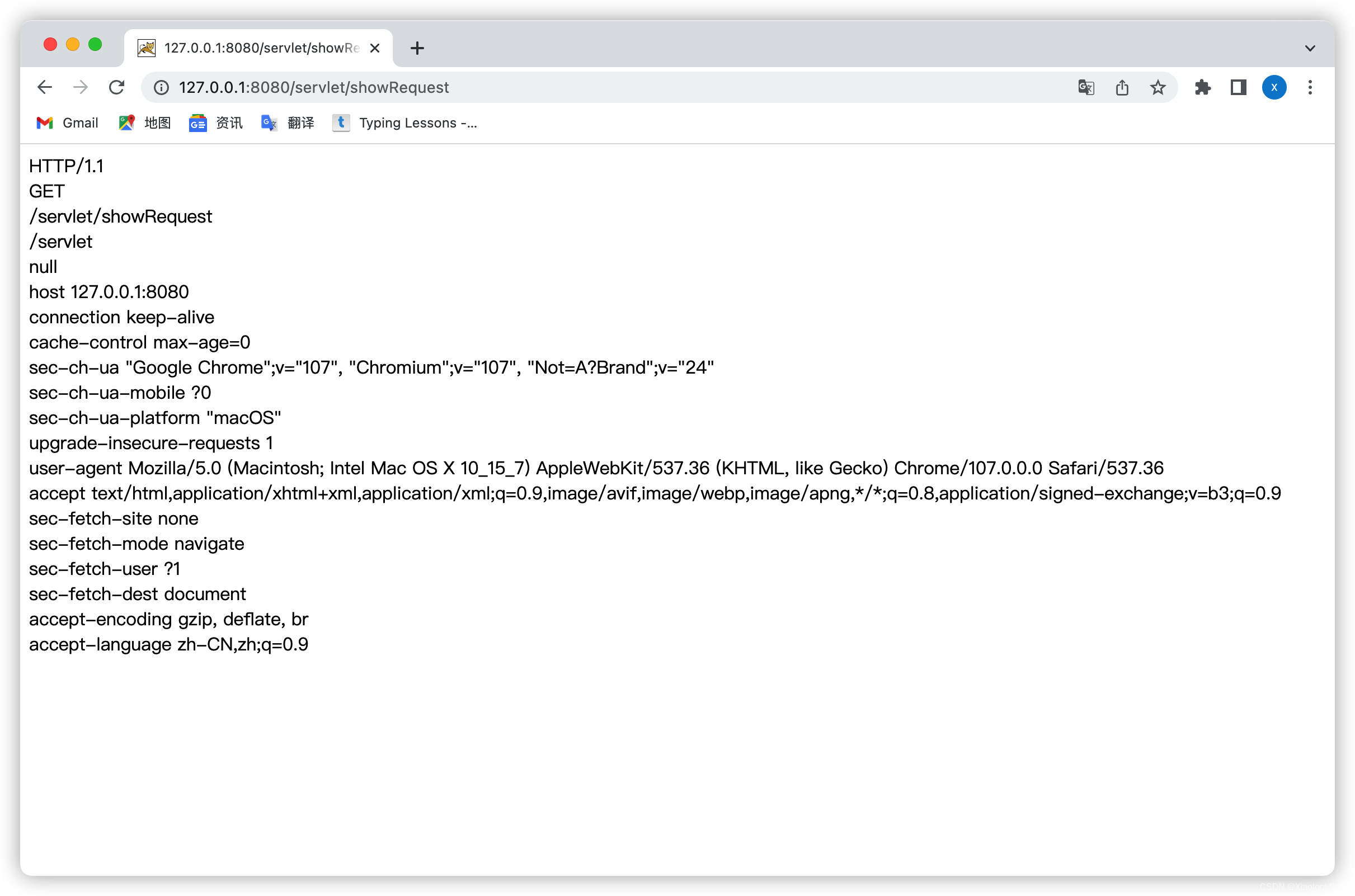
获取请求中的参数
import javax.servlet.ServletException; import javax.servlet.annotation.WebServlet; import javax.servlet.http.HttpServlet; import javax.servlet.http.HttpServletRequest; import javax.servlet.http.HttpServletResponse; import java.io.IOException; @WebServlet("/getParameter") public class GetParameter extends HttpServlet { @Override protected void doGet(HttpServletRequest req, HttpServletResponse resp) throws ServletException, IOException { req.setCharacterEncoding("utf8"); resp.setContentType("text/html; charset=utf-8"); String studentId = req.getParameter("studentId"); String studentName = req.getParameter("studentName"); System.out.println(studentId); System.out.println(studentName); resp.getWriter().write(studentId + " | " + studentName); } }- 1
- 2
- 3
- 4
- 5
- 6
- 7
- 8
- 9
- 10
- 11
- 12
- 13
- 14
- 15
- 16
- 17
- 18
- 19
- 20
- 21
- 22
获取post中的参数
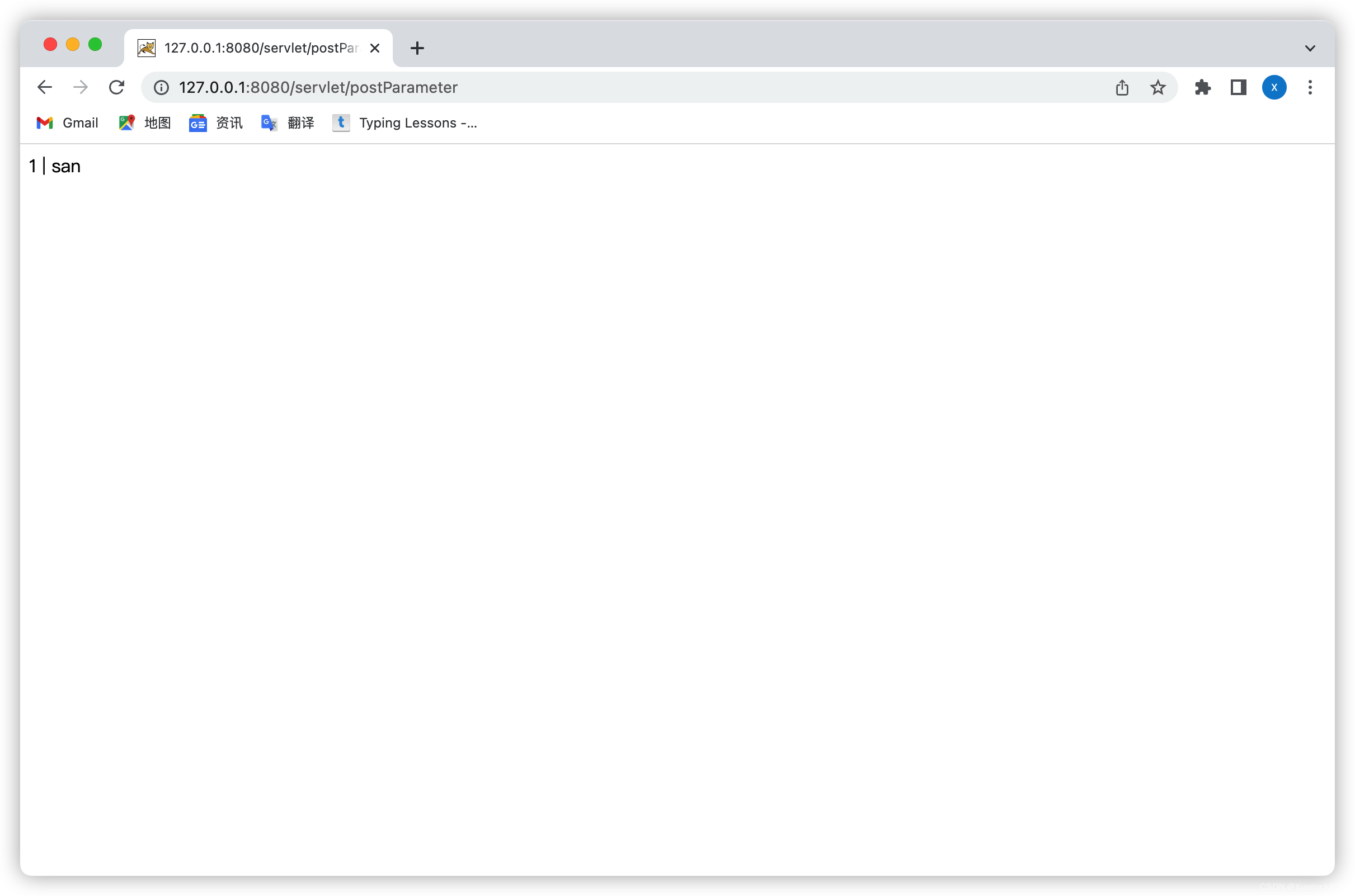
import javax.servlet.ServletException; import javax.servlet.annotation.WebServlet; import javax.servlet.http.HttpServlet; import javax.servlet.http.HttpServletRequest; import javax.servlet.http.HttpServletResponse; import java.io.IOException; @WebServlet("/postParameter") public class PostParameter extends HttpServlet { @Override protected void doPost(HttpServletRequest req, HttpServletResponse resp) throws ServletException, IOException { req.setCharacterEncoding("utf8"); resp.setContentType("text/html; charset=utf-8"); String studentId = req.getParameter("studentId"); String studentName = req.getParameter("studentName"); System.out.println(studentId); System.out.println(studentName); resp.getWriter().write(studentId + " | " + studentName); } }- 1
- 2
- 3
- 4
- 5
- 6
- 7
- 8
- 9
- 10
- 11
- 12
- 13
- 14
- 15
- 16
- 17
- 18
- 19
- 20
并在webapps下创建post.html,利用ajax方式提交post请求
DOCTYPE html> <html lang="en"> <head> <meta charset="UTF-8"> <meta http-equiv="X-UA-Compatible" content="IE=edge"> <meta name="viewport" content="width=device-width, initial-scale=1.0"> <title>Documenttitle> head> <body> <form action="postParameter" method="post"> <input type="text" name="studentId"> <input type="text" name="studentName"> <input type="submit" value="提交"> form> body> html>- 1
- 2
- 3
- 4
- 5
- 6
- 7
- 8
- 9
- 10
- 11
- 12
- 13
- 14
- 15
- 16
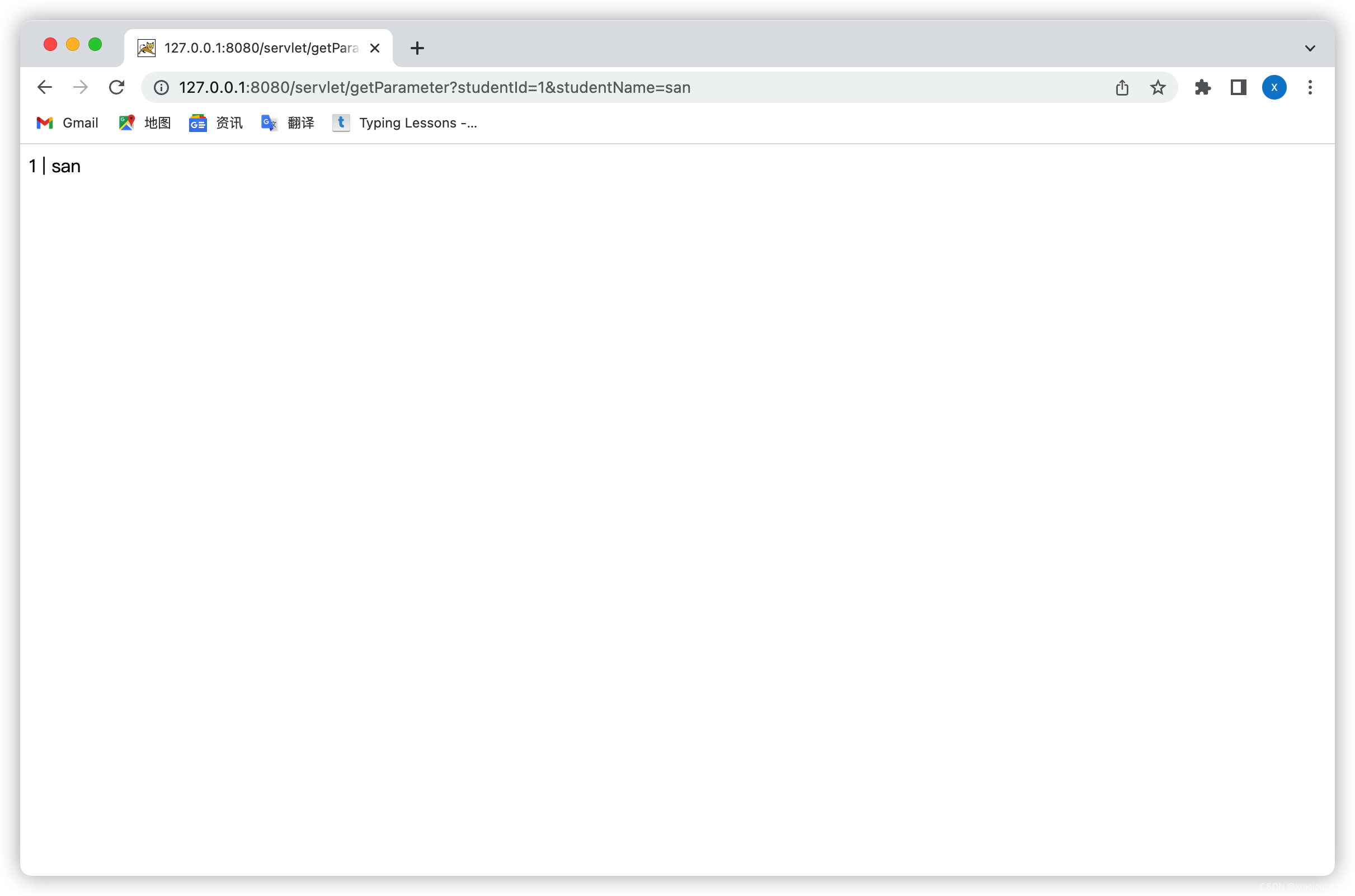
如果没有queryString时,getParameter获取的就是null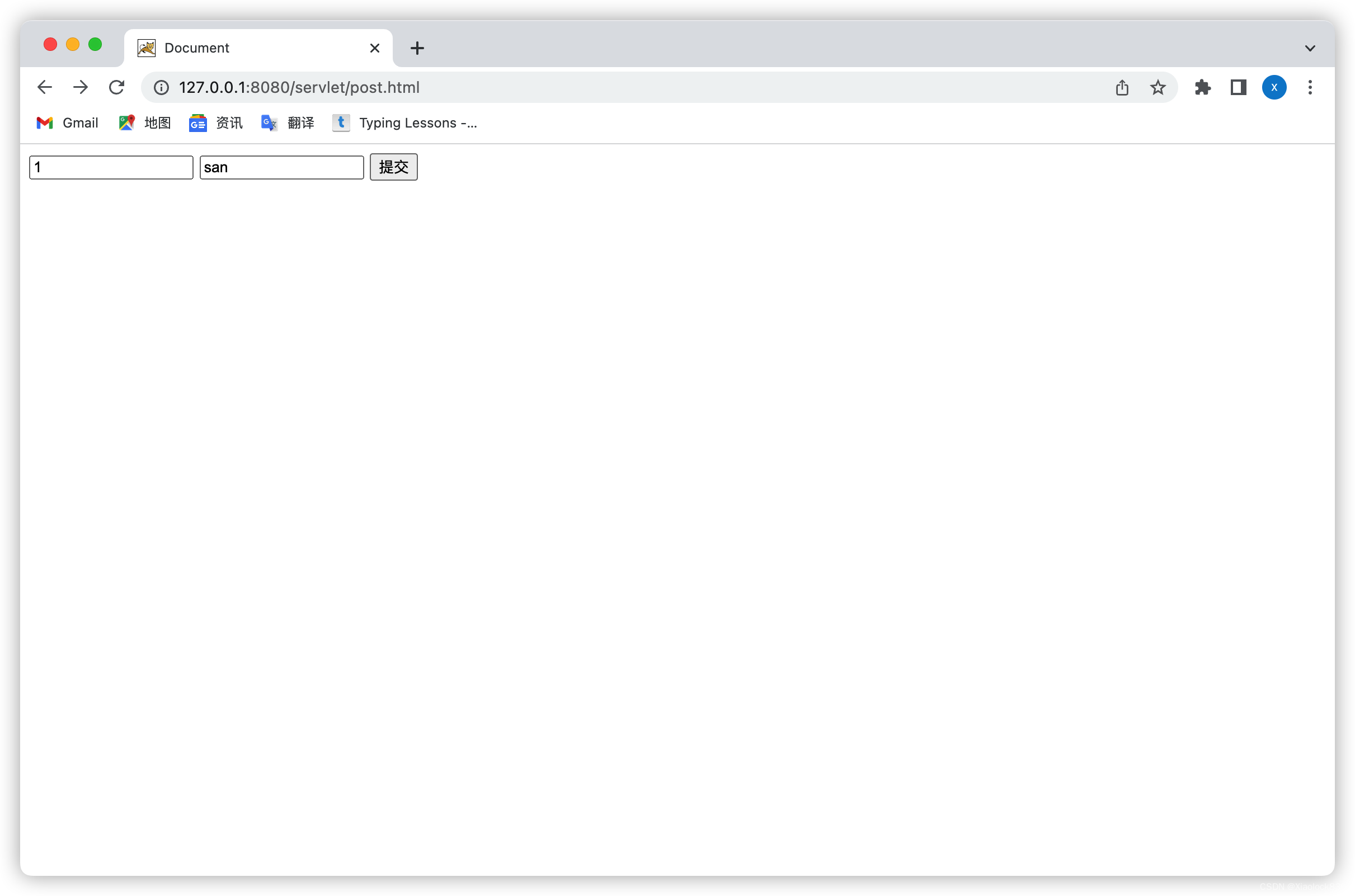
获取json数据
先去maven中央仓库导入jackson

import com.fasterxml.jackson.databind.ObjectMapper; import javax.servlet.ServletException; import javax.servlet.annotation.WebServlet; import javax.servlet.http.HttpServlet; import javax.servlet.http.HttpServletRequest; import javax.servlet.http.HttpServletResponse; import java.io.IOException; class Student { public int classId; public int studentId; } @WebServlet("/postParameterJson") public class PostParameterJson extends HttpServlet { @Override protected void doPost(HttpServletRequest req, HttpServletResponse resp) throws ServletException, IOException { resp.setContentType("text/html; charset=utf-8"); req.setCharacterEncoding("utf8"); ObjectMapper objectMapper = new ObjectMapper(); Student student = objectMapper.readValue(req.getInputStream(),Student.class); System.out.println(student.classId + " | " + student.studentId); resp.getWriter().write(student.classId + "| " + student.studentId); } }- 1
- 2
- 3
- 4
- 5
- 6
- 7
- 8
- 9
- 10
- 11
- 12
- 13
- 14
- 15
- 16
- 17
- 18
- 19
- 20
- 21
- 22
- 23
- 24
- 25
- 26
再用postman构造请求来看代码写的对不对
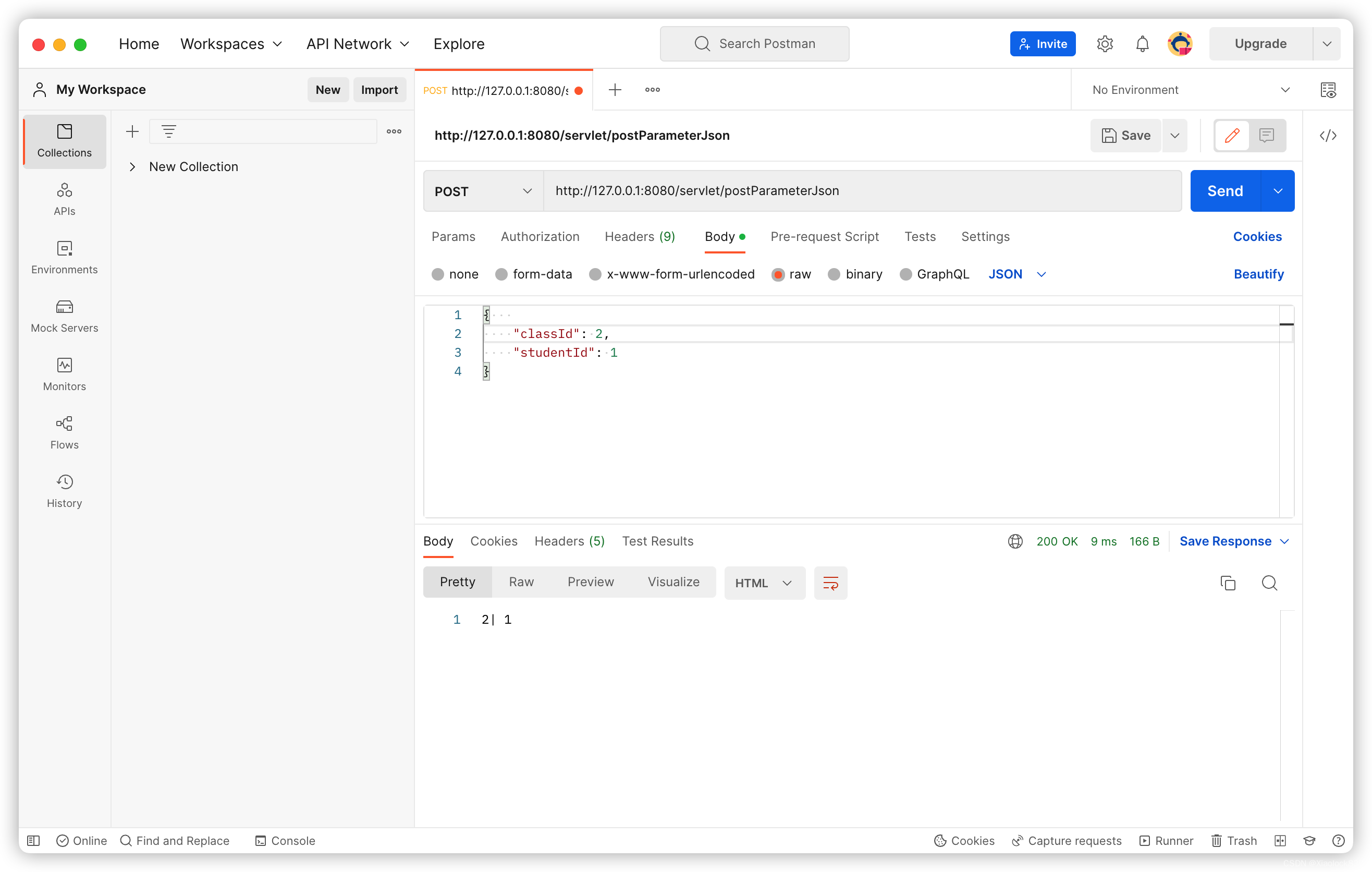
可以看到,成功的获得了classId和studentId -
相关阅读:
服务器基础知识:raid卡有什么优势?
Shopee退货运费是由谁承担?
postgrsql psql命令 /var/run/postgresql/.s.PGSQL.5432无法访问
如何将内网ip映射到外网?快解析内网穿透
自动化测试测试框架封装改造
React技巧之导入组件
阿里面试面试题
重新定义公共厕所,智慧公厕最新解决方案与推广路径
剑指 Offer 37. 序列化二叉树
Android 字符串 占位符
- 原文地址:https://blog.csdn.net/m0_60867520/article/details/127947750

- 最新文章
-
沪漂五周年了:我越来越迷茫了
Agentic Skill Routing 实战:别再把所有 Skill 塞进 AI Agent 上下文
MySQL-Seconds_behind_master的精度误差
[MAF预定义ChatClient中间件-03]CachingChatClient——利用缓存省钱省时间
AI的至暗历史:从万众期待到被政府撤资,AI的两次死亡徘徊
Agent OS :五种驯服不确定性的范式
PortSwigger SQL注入LAB11
数据库即时编译JIT
[Begin]AI Learn Data Day 0
深度学习进阶(二十七)现代 LLM 的核心架构设计其二:SwiGLU