-
【Vue】Vue开发实战之我的笔记(ch18-ch27)--20221115
参考https://blog.csdn.net/yfm120750310/article/details/111353963
18 | 为什么需要Vuex
18.1 为什么需要Vuex
provide和inject虽然能够实现层层传递的数据管理,但对于一个大的管理系统而言会显得有些繁琐,我们需要一个大型的状态管理系统。

Vuex不采取组件components相关的provide和inject。

Vuex不采取组件components相关的provide和inject。

18.2 补充说明–Vuex的特性介绍
https://blog.csdn.net/qq_56989560/article/details/124706021

18.3 补充说明-安装Vuex3失败
https://www.cnblogs.com/huifeidezhuzai/p/16378841.html

19 | 如何在Vue中使用Vuex
19.1 Vuex基本语法
import Vue from 'vue' import Vuex from 'vuex' Vue.use(Vuex) export default new Vuex.Store({ //数据,相当于data state: { }, getters: { }, //里面定义方法,操作state方发 mutations: { }, // 操作异步操作mutation actions: { }, modules: { }, })- 1
- 2
- 3
- 4
- 5
- 6
- 7
- 8
- 9
- 10
- 11
- 12
- 13
- 14
- 15
- 16
- 17
- 18
- 19
- 20
- 21
- 22
- 23
- 24
- 25
19.2 state最简单的例子return this.$store.state.count
- main.js
import Vue from 'vue' import Vuex from 'vuex' import App from './App.vue' Vue.use(Vuex) Vue.config.productionTip = false const store = new Vuex.Store({ state: { count: 0, }, }) new Vue({ store, render: h => h(App), }).$mount('#app')- 1
- 2
- 3
- 4
- 5
- 6
- 7
- 8
- 9
- 10
- 11
- 12
- 13
- 14
- 15
- 16
- 17
- 18
- App.vue
<template> <div id="app"> {{count}} </div> </template> <script> export default { name: 'app', computed: { count() { return this.$store.state.count } } } </script> <style> </style>- 1
- 2
- 3
- 4
- 5
- 6
- 7
- 8
- 9
- 10
- 11
- 12
- 13
- 14
- 15
- 16
- 17
- 18
- 19
- 20

19.3 mutations无参数commit(‘increment’)
- main.js
import Vue from 'vue' import Vuex from 'vuex' import App from './App.vue' Vue.use(Vuex) Vue.config.productionTip = false const store = new Vuex.Store({ state: { count: 0, }, mutations:{ increment(state){ state.count++ } } }) new Vue({ store, render: h => h(App), }).$mount('#app')- 1
- 2
- 3
- 4
- 5
- 6
- 7
- 8
- 9
- 10
- 11
- 12
- 13
- 14
- 15
- 16
- 17
- 18
- 19
- 20
- 21
- 22
- 23
- App.vue
<template> <div id="app"> {{count}} <button @click="$store.commit('increment')">count++</button> </div> </template> <script> export default { name: 'app', computed: { count() { return this.$store.state.count } } } </script> <style> </style>- 1
- 2
- 3
- 4
- 5
- 6
- 7
- 8
- 9
- 10
- 11
- 12
- 13
- 14
- 15
- 16
- 17
- 18
- 19
- 20
- 21
19.4 mutations有参数commit(‘increment’,2)
- main.js
import Vue from 'vue' import Vuex from 'vuex' import App from './App.vue' Vue.use(Vuex) Vue.config.productionTip = false const store = new Vuex.Store({ state: { count: 0, }, mutations:{ increment(state,n){ state.count +=n } } }) new Vue({ store, render: h => h(App), }).$mount('#app')- 1
- 2
- 3
- 4
- 5
- 6
- 7
- 8
- 9
- 10
- 11
- 12
- 13
- 14
- 15
- 16
- 17
- 18
- 19
- 20
- 21
- 22
- 23
- App.vue
<template> <div id="app"> {{count}} <button @click="$store.commit('increment',2)">count++</button> </div> </template> <script> export default { name: 'app', computed: { count() { return this.$store.state.count } } } </script> <style> </style>- 1
- 2
- 3
- 4
- 5
- 6
- 7
- 8
- 9
- 10
- 11
- 12
- 13
- 14
- 15
- 16
- 17
- 18
- 19
- 20
- 21

19.5 actions那里是increment({state}),也可以处理同步
- main.js:注意对比mutations和actions的区别----如参数
import Vue from 'vue' import Vuex from 'vuex' import App from './App.vue' Vue.use(Vuex) Vue.config.productionTip = false const store = new Vuex.Store({ state: { count: 0, }, mutations:{ increment(state){ state.count ++ } }, actions:{ increment({state}){ state.count ++ } } }) new Vue({ store, render: h => h(App), }).$mount('#app')- 1
- 2
- 3
- 4
- 5
- 6
- 7
- 8
- 9
- 10
- 11
- 12
- 13
- 14
- 15
- 16
- 17
- 18
- 19
- 20
- 21
- 22
- 23
- 24
- 25
- 26
- 27
- 28
- App.vue
<template> <div id="app"> {{count}} <button @click="$store.commit('increment')">count++</button> <button @click="$store.dispatch('increment')">count++</button> </div> </template> <script> export default { name: 'app', computed: { count() { return this.$store.state.count } } } </script> <style> </style>- 1
- 2
- 3
- 4
- 5
- 6
- 7
- 8
- 9
- 10
- 11
- 12
- 13
- 14
- 15
- 16
- 17
- 18
- 19
- 20
- 21
- 22
- 23

19.6 actions那里是increment({state}),setTimeout延迟3秒
- main.js:注意对比mutations和actions的区别----如参数、settimeout
import Vue from 'vue' import Vuex from 'vuex' import App from './App.vue' Vue.use(Vuex) Vue.config.productionTip = false const store = new Vuex.Store({ state: { count: 0, }, mutations:{ increment(state){ state.count ++ } }, actions:{ increment({state}){ setTimeout(()=>{ state.count ++ },3000) } } }) new Vue({ store, render: h => h(App), }).$mount('#app')- 1
- 2
- 3
- 4
- 5
- 6
- 7
- 8
- 9
- 10
- 11
- 12
- 13
- 14
- 15
- 16
- 17
- 18
- 19
- 20
- 21
- 22
- 23
- 24
- 25
- 26
- 27
- 28
- 29
- 30
- App.vue
<template> <div id="app"> {{count}} <button @click="$store.commit('increment')">count++</button> <button @click="$store.dispatch('increment')">count++</button> </div> </template> <script> export default { name: 'app', computed: { count() { return this.$store.state.count } } } </script> <style> </style>- 1
- 2
- 3
- 4
- 5
- 6
- 7
- 8
- 9
- 10
- 11
- 12
- 13
- 14
- 15
- 16
- 17
- 18
- 19
- 20
- 21
- 22
- 23
19.7 getters相当于计算属性
- main.js:getters增加doubleCount方法
import Vue from 'vue' import Vuex from 'vuex' import App from './App.vue' Vue.use(Vuex) Vue.config.productionTip = false const store = new Vuex.Store({ state: { count: 0, }, mutations:{ increment(state){ state.count ++ } }, actions:{ increment({state}){ state.count ++ } }, getters: { doubleCount(state){ return state.count*2 }, }, }) new Vue({ store, render: h => h(App), }).$mount('#app')- 1
- 2
- 3
- 4
- 5
- 6
- 7
- 8
- 9
- 10
- 11
- 12
- 13
- 14
- 15
- 16
- 17
- 18
- 19
- 20
- 21
- 22
- 23
- 24
- 25
- 26
- 27
- 28
- 29
- 30
- 31
- 32
- 33
- App.vue:{{ $ store.getters.doubleCount}}
<template> <div id="app"> {{count}} <br> {{$store.getters.doubleCount}} <button @click="$store.commit('increment')">count++</button> <button @click="$store.dispatch('increment')">count++</button> </div> </template> <script> export default { name: 'app', computed: { count() { return this.$store.state.count } } } </script> <style> </style>- 1
- 2
- 3
- 4
- 5
- 6
- 7
- 8
- 9
- 10
- 11
- 12
- 13
- 14
- 15
- 16
- 17
- 18
- 19
- 20
- 21
- 22
- 23
- 24
- 25

19.8 完整的例子:一个简单的计数器的例子,在main.js中引入Vuex
1)在main.js中引入Vuex
import Vue from 'vue' import Vuex from 'vuex' import App from './App.vue' Vue.use(Vuex) Vue.config.productionTip = false const store = new Vuex.Store({ state: { count: 0, }, mutations: { increment(state) { state.count++ } }, actions: { increment({commit}) { setTimeout(()=>{ // state.count++ // 不要对state进行更改操作,应该通过commit交给mutations去处理 commit('increment') }, 3000) } }, getters: { doubleCount(state) { return state.count * 2 } } }) new Vue({ store, render: h => h(App), }).$mount('#app')- 1
- 2
- 3
- 4
- 5
- 6
- 7
- 8
- 9
- 10
- 11
- 12
- 13
- 14
- 15
- 16
- 17
- 18
- 19
- 20
- 21
- 22
- 23
- 24
- 25
- 26
- 27
- 28
- 29
- 30
- 31
- 32
- 33
- 34
- 35
- 36
2)APP.vue中,
$ store.dispatch对应的是action的定义,$ store.commit对应的是mutations 的定义:<template> <div id="app"> {{count}} <br> {{$store.getters.doubleCount}} <button @click="$store.commit('increment')">count++button> <button @click="$store.dispatch('increment')">count++button> div> template> <script> export default { name: 'app', computed: { count() { return this.$store.state.count } } } script> <style> style>- 1
- 2
- 3
- 4
- 5
- 6
- 7
- 8
- 9
- 10
- 11
- 12
- 13
- 14
- 15
- 16
- 17
- 18
- 19
- 20
- 21
- 22
- 23
- 24
$ store 是如何是如何挂载到实例 this 上的?==>通过new Vue中放置store

19.9 疑惑点:// state.count++ // 不要对state进行更改操作,应该通过commit交给mutations去处理?
20 | Vuex核心概念及底层原理
20.1 Vuex核心概念

20.2 Vuex底层原理

- 简化版min-vuex.js响应式核心代码(源码部分看看就行,也可参考链接中的Vuex的核心概念和底层原理)

21 | Vuex最佳实践
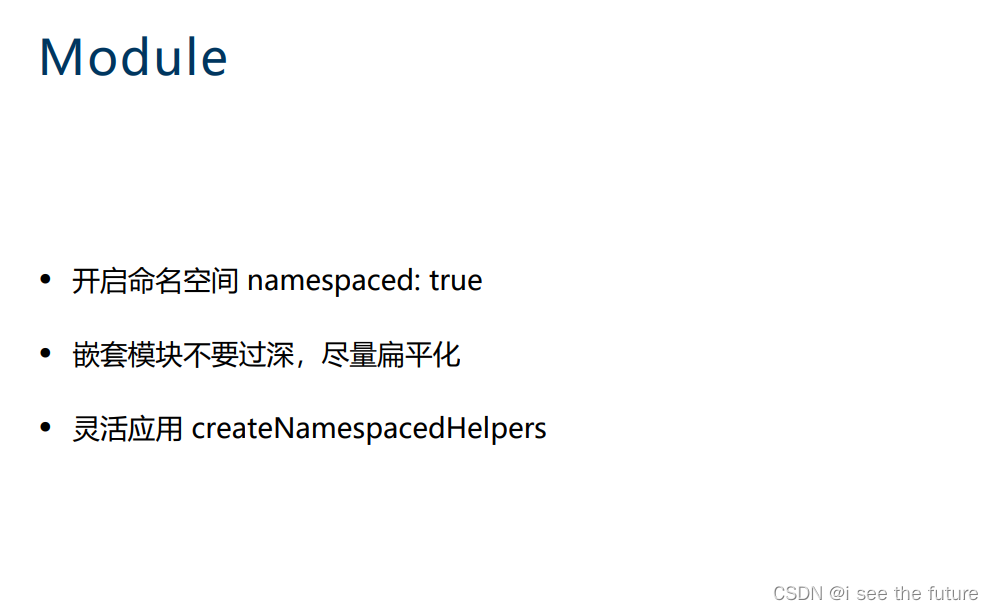
21.1 简写方式
前面提到的五个核心概念的取值,vuex提供了很多简写的方式:


21.2 购物车示例(难)
1)效果

2)文件架构

3)代码(见链接)
- main.js
- App.vue
- components/ProductList.vue
- components/ShoppingCart.vue
- store/index.js
- store/modules/cart.js
- store/modules/products.js
4)代码
computed的两种写法computed: { ...mapState({ checkoutStatus: state => state.cart.checkoutStatus }), ...mapGetters('cart', { products: 'cartProducts', total: 'cartTotalPrice' }), // ...mapGetters({ // products: 'cart/cartProducts', // total: 'cart/cartTotalPrice' // }) }, // computed: { // checkoutStatus(){ // return this.$store.state.cart.checkoutStatus // }, // products() { // return this.$store.getters['cart/cartProducts'] // }, // total() { // return this.$store.getters['cart/cartTotalPrice'] // } // },- 1
- 2
- 3
- 4
- 5
- 6
- 7
- 8
- 9
- 10
- 11
- 12
- 13
- 14
- 15
- 16
- 17
- 18
- 19
- 20
- 21
- 22
- 23
- 24
22 | Vue Router的使用场景
22.1 为什么需要Vue Router
传统开发模式下,每个url都对应着一个html页面,每次切换url的时候会引起页面的重新加载,在这种情况下诞生了单页面(spa)开发模式,用户在切换url的时候不在是执行页面的变化,而是根据我们的逻辑进行执行,返回数据。


22.2 安装Vue Router
https://blog.csdn.net/qq_41552648/article/details/125807963

22.3 router-view
router-view写在什么地方,component组件就匹配到什么地方。
1.router-view是路由的出口,没有它页面则没法进行显示。
2.二级路由的出口对应在一级路由里面进行配置。
3.一个router-view只能存储一个组件,当路径发生改变,之前的会消失。
https://blog.csdn.net/qq_59076775/article/details/12470067022.4 Vue Router代码
1)main.js:在main.js中引入路由
import Vue from 'vue' import VueRouter from 'vue-router' import App from './App.vue' import routes from './routes' Vue.config.productionTip = false Vue.use(VueRouter) const router = new VueRouter({ // mode: 'history', routes, }) new Vue({ router, render: h => h(App), }).$mount('#app')- 1
- 2
- 3
- 4
- 5
- 6
- 7
- 8
- 9
- 10
- 11
- 12
- 13
- 14
- 15
- 16
- 17
- 18
- 19
2)App.vue:在里面加入了
<template> <div id="app"> <h2>router demo</h2> <router-view></router-view> </div> </template> <script> export default { name:'app', components: { }, } </script> <style> #app { font-family: 'Avenir', Helvetica, Arial, sans-serif; -webkit-font-smoothing: antialiased; -moz-osx-font-smoothing: grayscale; text-align: center; color: #2c3e50; margin-top: 60px; } </style>- 1
- 2
- 3
- 4
- 5
- 6
- 7
- 8
- 9
- 10
- 11
- 12
- 13
- 14
- 15
- 16
- 17
- 18
- 19
- 20
- 21
- 22
- 23
- 24
- 25
- 26
3)routes.js:在路由配置列表中则进行如下配置
import RouterDemo from './components/RouterDemo' import RouterChildrenDemo from './components/RouterChildrenDemo' const routes = [ { path: '/foo', component: RouterDemo, name: '1' }, { path: '/bar', component: RouterDemo, name: '2' }, // 当 /user/:id 匹配成功, // RouterDemo 会被渲染在 App 的中 { path: '/user/:id', component: RouterDemo, name: '3', props: true, children: [ { // 当 /user/:id/profile 匹配成功, // RouterChildrenDemo 会被渲染在 RouterDemo 的 中 path: 'profile', component: RouterChildrenDemo, name: '3-1' }, { // 当 /user/:id/posts 匹配成功 // RouterChildrenDemo 会被渲染在 RouterDemo 的 中 path: 'posts', component: RouterChildrenDemo } ] }, { path: '/a', redirect: '/bar' }, { path: '*', component: RouterDemo, name: '404' } ] export default routes - 1
- 2
- 3
- 4
- 5
- 6
- 7
- 8
- 9
- 10
- 11
- 12
- 13
- 14
- 15
- 16
- 17
- 18
- 19
- 20
- 21
- 22
- 23
- 24
- 25
- 26
- 27
- 28
- 29
- 30
- 31
- 32
- 33
4)components/RouterDemo.vue
<template> <div> <router-link to="/foo">Go to Foo</router-link> <br/> <router-link to="/user/12">Go to /user/12</router-link> <br/> <router-link to="/user/12/profile">Go to /user/12/profile</router-link> <br/> <router-link to="/other">Go to 404</router-link> <br/> <router-link to="/a">Go to a 重定向到 bar</router-link> <br/> <a href="#/foo">Go to Foo</a> <br/> <button @click="$router.push('foo')">Go to Foo</button> <p>id: {{id}}</p> <p>{{routerInfo}}</p> <router-view></router-view> </div> </template> <script> export default { props: ['id'], computed: { routerInfo() { const { fullPath, path, name, params, query, meta } = this.$route return { fullPath, path, name, params, query, meta } } } } </script>- 1
- 2
- 3
- 4
- 5
- 6
- 7
- 8
- 9
- 10
- 11
- 12
- 13
- 14
- 15
- 16
- 17
- 18
- 19
- 20
- 21
- 22
- 23
- 24
- 25
- 26
- 27
- 28
- 29
- 30
- 31
- 32
- 33
5)components/RouterChildrenDemo.vue
<template> <div> {{routerInfo}} </div> </template> <script> export default { computed: { routerInfo() { const { fullPath, path, name, params, query, meta } = this.$route return { fullPath, path, name, params, query, meta } } } } </script>- 1
- 2
- 3
- 4
- 5
- 6
- 7
- 8
- 9
- 10
- 11
- 12
- 13
- 14
- 15
- 16
- 17
- 18
- 19

22.5 (未解决)debug:链接显示不出来,打开Console才发现跟warning:< router-link v-slot=“{ navigate, href }” custom >< /router-link >

今天遇到的一个坑,发现是vue.js的版本问题,凡是v2.6.0到v2.6.8都无法正常使用标签,不知道还有没有其他版本不能使用!

22.6 debug:使用脚手架产生vue3项目时,出现报错export ‘default’ (imported as ‘VueRouter’) was not found in ‘vue-router’
warning in ./src/main.js
export ‘default’ (imported as ‘VueRouter’) was not found in ‘vue-router’ (possible exports: NavigationFailureType, RouterLink, RouterView, START_LOCATION, createMemoryHistory, createRouter, createRouterMatcher, createWebHashHistory, createWebHistory, isNavigationFailure, loadRouteLocation, matchedRouteKey, onBeforeRouteLeave, onBeforeRouteUpdate, parseQuery, routeLocationKey, routerKey, routerViewLocationKey, stringifyQuery, useLink, useRoute, useRouter, viewDepthKey)
22.7 error ‘routes‘ is assigned a value but never used no-unused-vars 关于在搭建vue脚手架时使用vue-router报错的问题
https://blog.csdn.net/Lydia214/article/details/125453374
package.json文件在rules中配置 “no-unused-vars”: “off” 解决(关闭提示)23 | (Vue Router)选择何种模式的路由及底层原理
23.1 路由种类

23.2 底层原理

23.3 路由种类的变更代码mode
1)main.js:
mode: 'history'import Vue from 'vue' import VueRouter from 'vue-router' import App from './App.vue' import routes from './routes' Vue.config.productionTip = false Vue.use(VueRouter) const router = new VueRouter({ mode: 'history', routes, }) new Vue({ router, render: h => h(App), }).$mount('#app')- 1
- 2
- 3
- 4
- 5
- 6
- 7
- 8
- 9
- 10
- 11
- 12
- 13
- 14
- 15
- 16
- 17
- 18

24 | Nuxt解决了哪些问题?
24.1 Nuxt解决了哪些问题?
我们都知道spa单页面的缺点有以下几种:
- 不利于SEO(搜索引擎爬取单页面是没有内容的,它不会出现再搜索的结果中)
- 首屏渲染时间长
针对这两个缺点,我们会有一些方案来解决:
- 服务端渲染SSR
- 预渲染Prerendering
Prerendering预渲染
- 主要适用于静态站点
SSR
- 动态渲染
- 配置繁琐
那么针对这些问题Nuxt就是去做这些操作:
- 静态站点
- 动态渲染
- 简化配置
25 | Nuxt核心原理是什么?
25.1 Nuxt的核心原理


26 | UI组件库对比:Element UI、Ant Design Vue、iView
26.1 UI组件库对比

27 | 提升开发效率和体验的常用工具:ESLint、Prettier、vue-devtools
Vetur
- 语法高亮
- Lint 检查
- 格式化
ESLint
- 代码规范
- 错误检查
Prettier
- 格式化
Vue DevTools
- 集成Vuex
- 可远程调试
28 | 单元测试的重要性及其使用(略)
29 | 生态篇习题解答(上)—(略)
30 | 生态篇习题解答(下)—(略)
-
相关阅读:
除了labview你还知道哪些工业控制领域的软件?
一个小故事讲清楚TCP三次握手和四次挥手
10.1 直流电源的组成及各部分的作用
Springboot整合Prometheus-自定义指标
【计算机视觉 | 图像模型】常见的计算机视觉 image model(CNNs & Transformers) 的介绍合集(二)
BAT大厂Java面试,如何抓住面试重点知识?收割大厂offer
【OSTEP】超越物理内存:机制 | 请求分页 | 交换位与存在位 | 页错误
shiro的实现认证
数据库-sqlserver数据库迁移到mysql
UVM 覆盖率
- 原文地址:https://blog.csdn.net/m0_46629123/article/details/127759125
