-
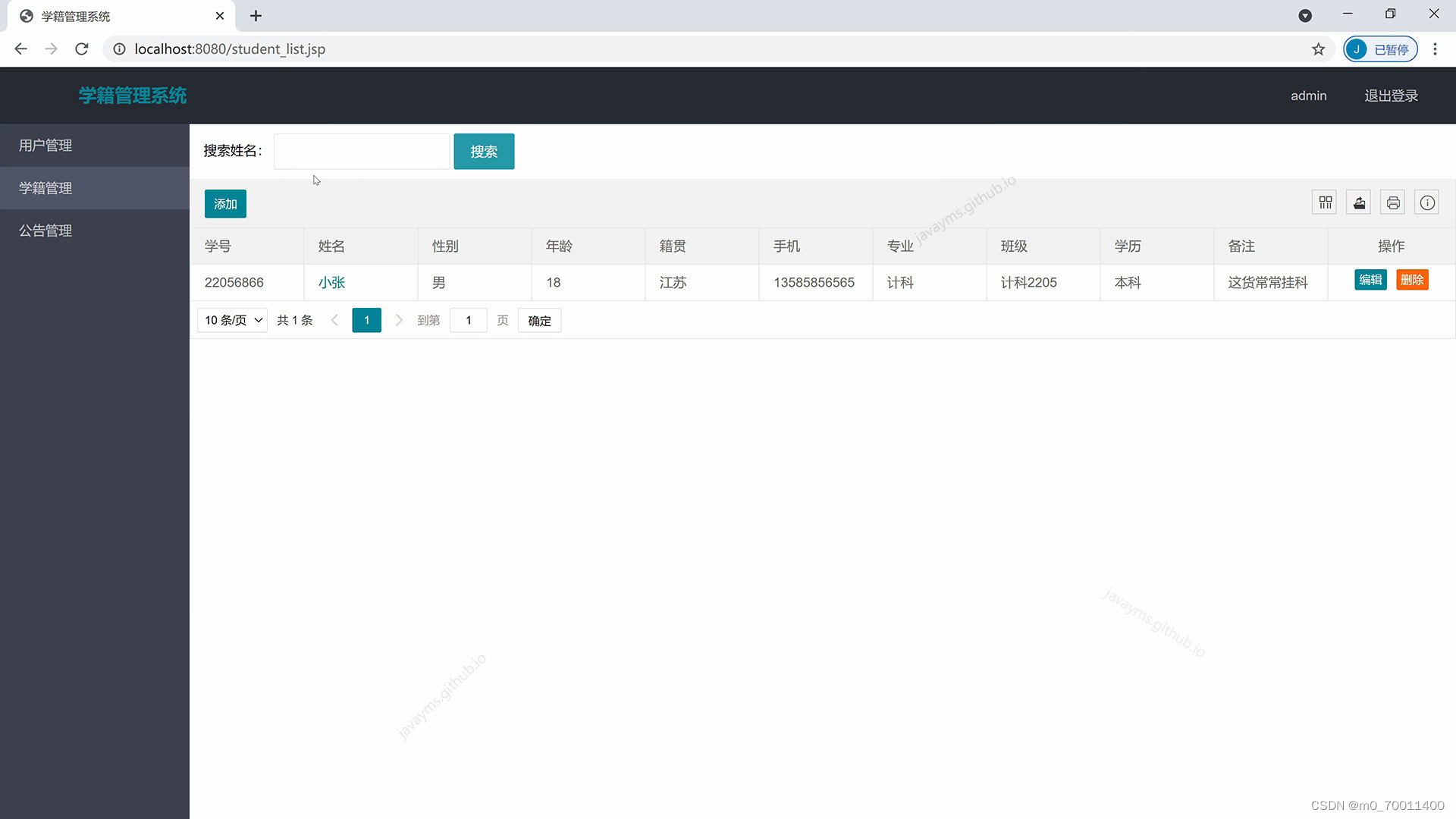
基于javaweb+jsp的学籍管理系统(JavaWeb JSP MySQL Servlet SSM SpringBoot Layui Ajax)
基于javaweb+jsp的学籍管理系统(JavaWeb JSP MySQL Servlet SSM SpringBoot Layui Ajax)
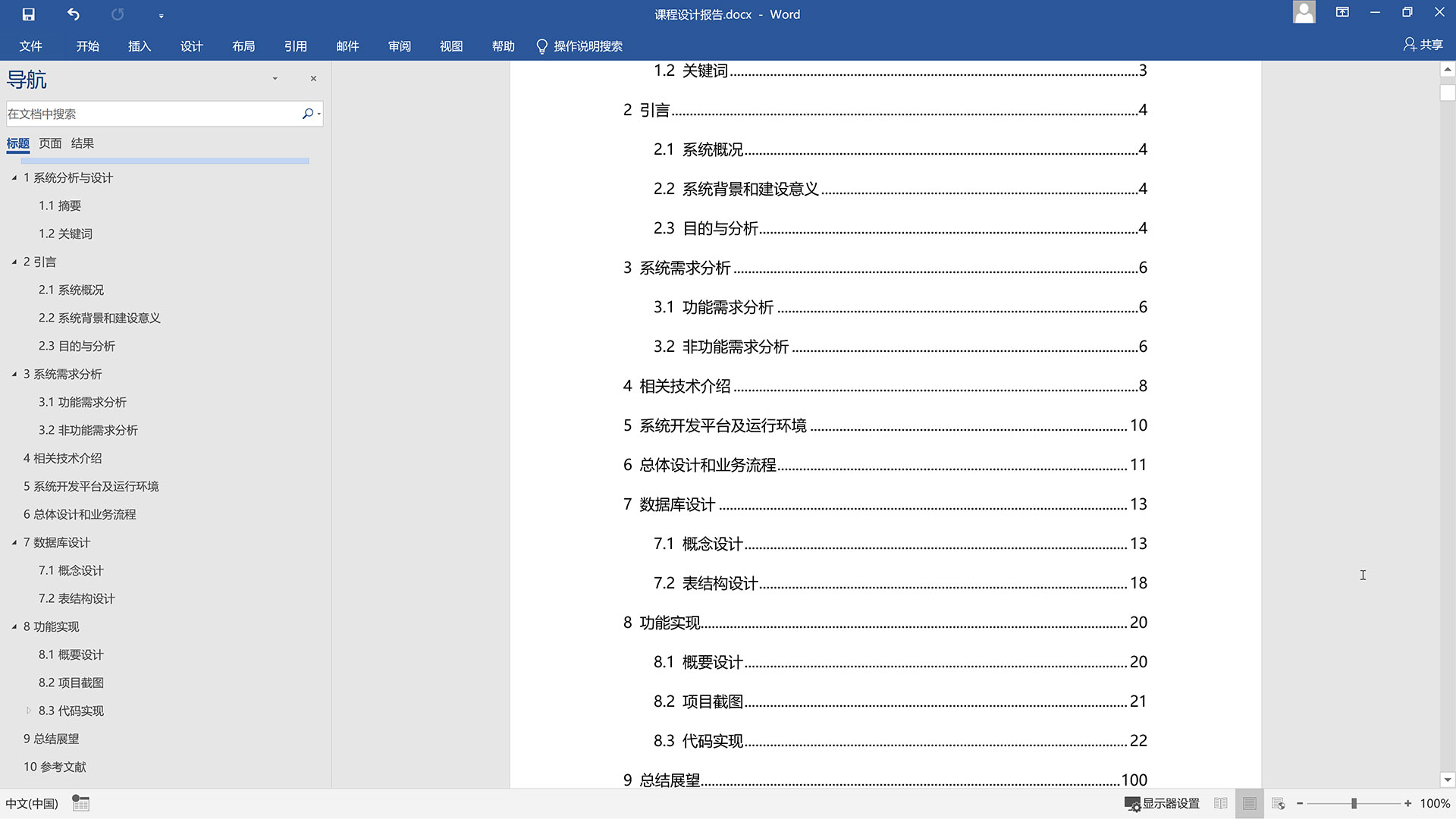
运行环境
Java≥8、MySQL≥5.7、Tomcat≥8
开发工具
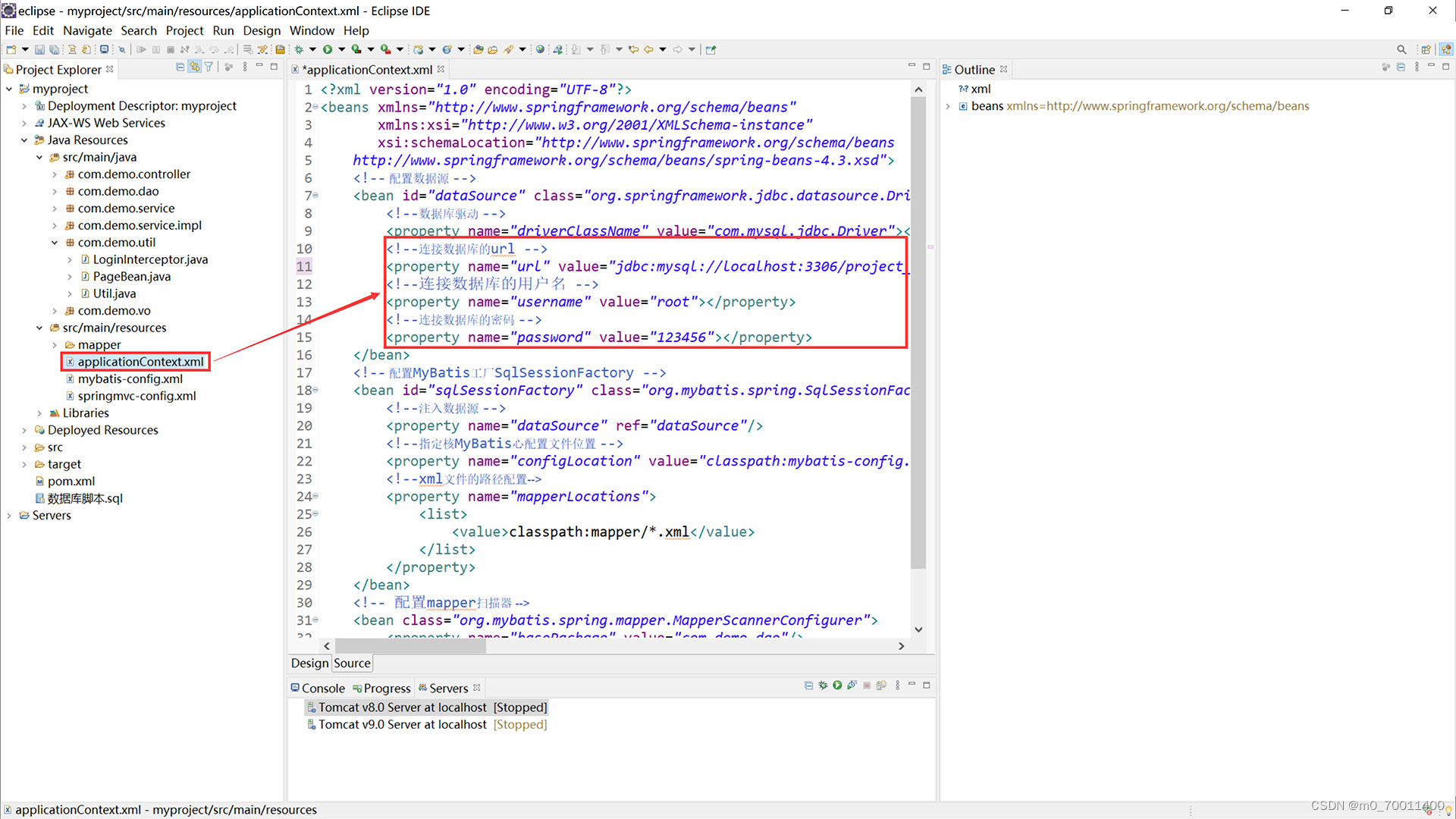
eclipse/idea/myeclipse/sts等均可配置运行
技术框架
JavaWeb JavaBean JSP MVC MySQL Tomcat JavaScript Layui Ajax
基础JSP+Servlet或JSP+SSM(Spring、SpringMVC、MyBatis)框架或JSP+SSM+Maven(pom.xml)框架或SpringBoot…均可
适用
课程设计,大作业,毕业设计,项目练习,学习演示等
功能说明
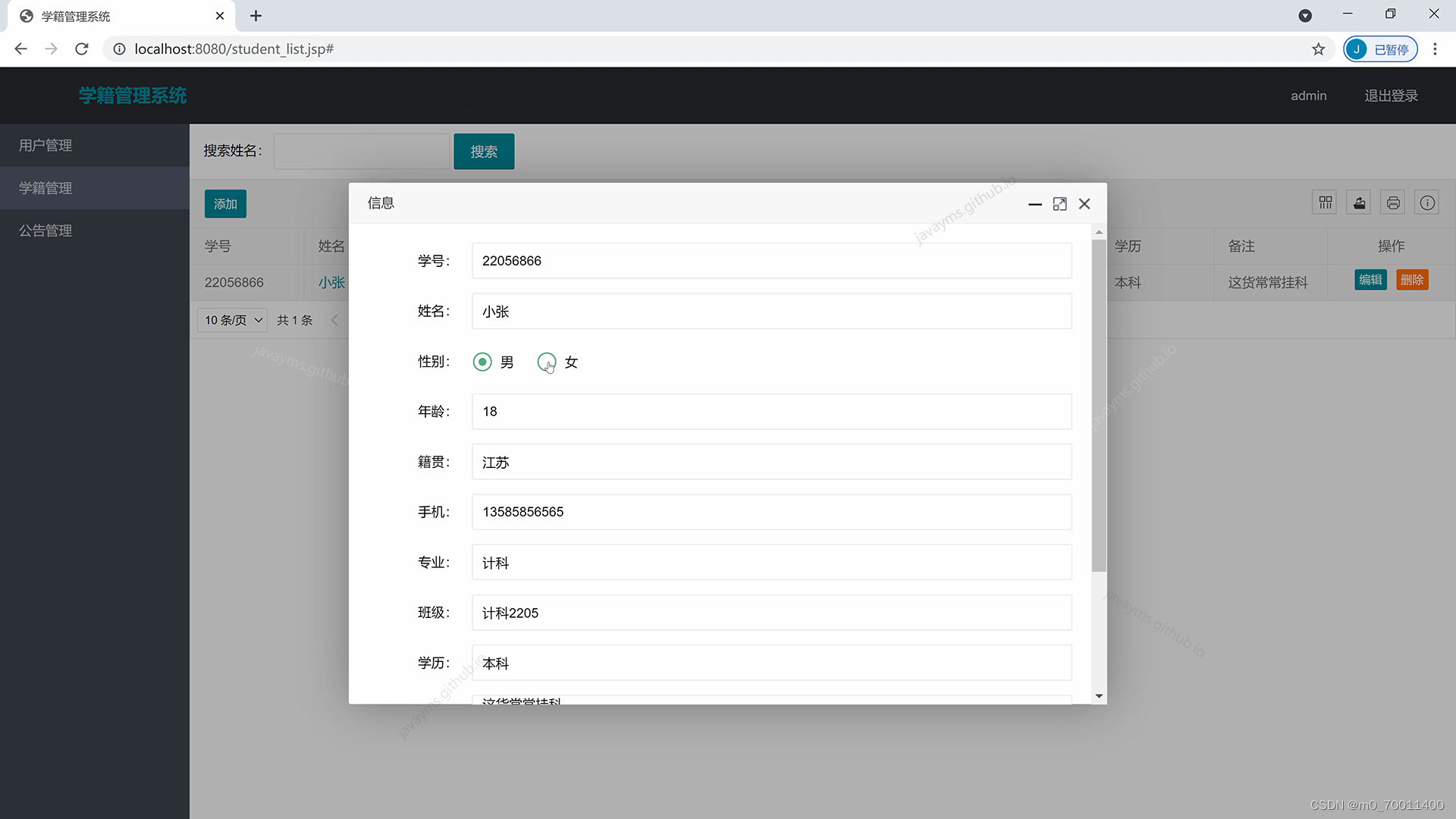
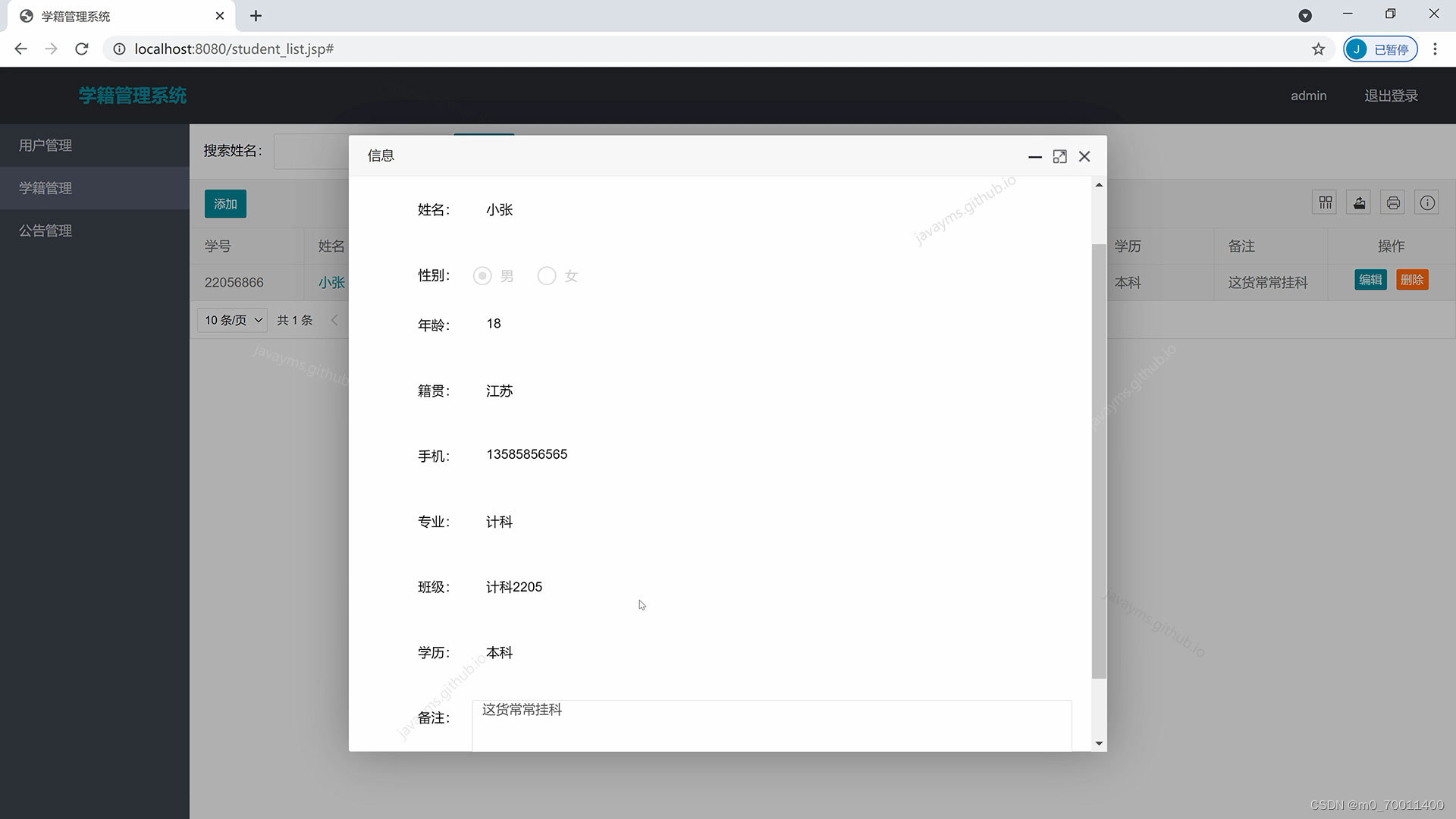
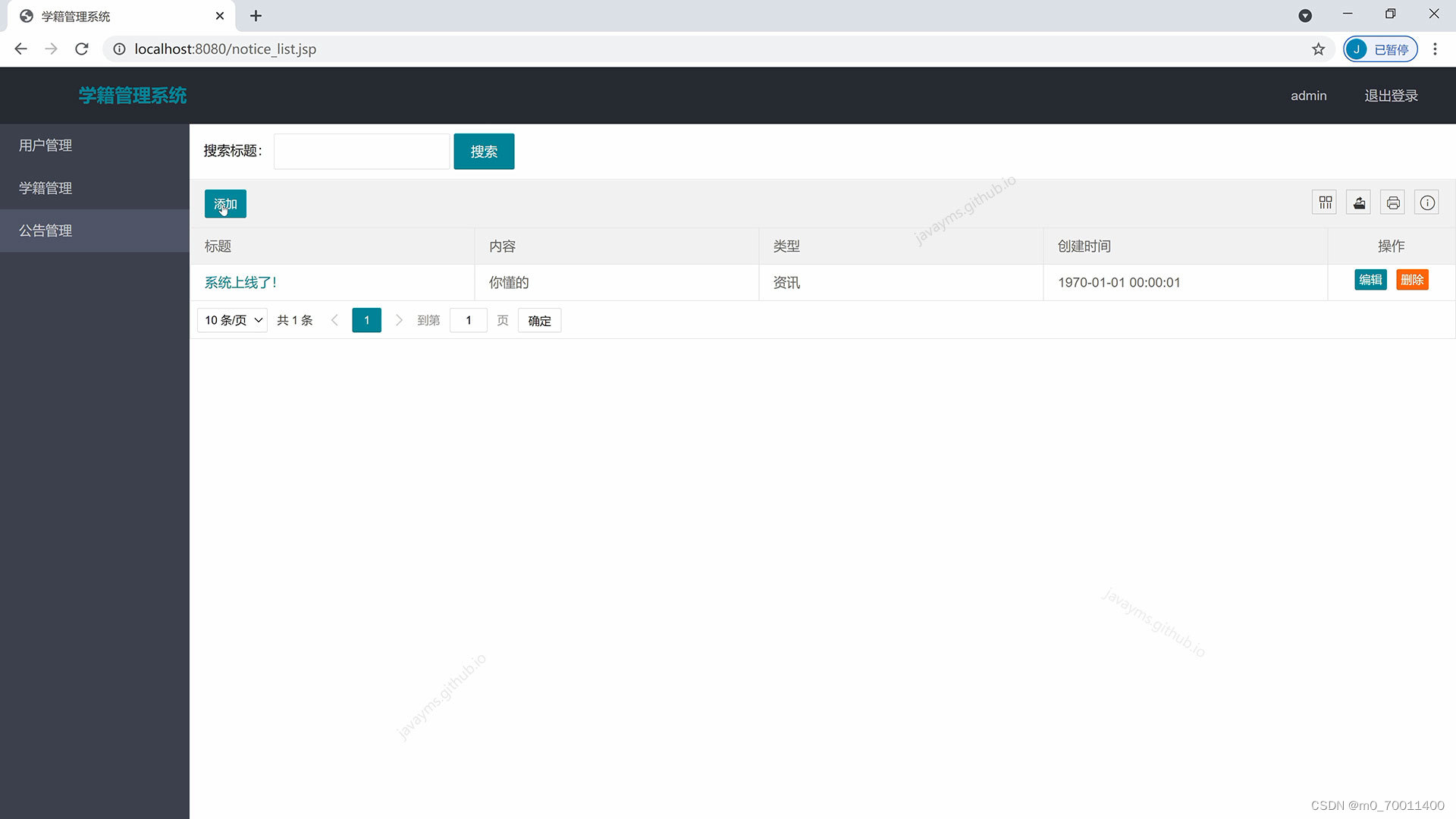
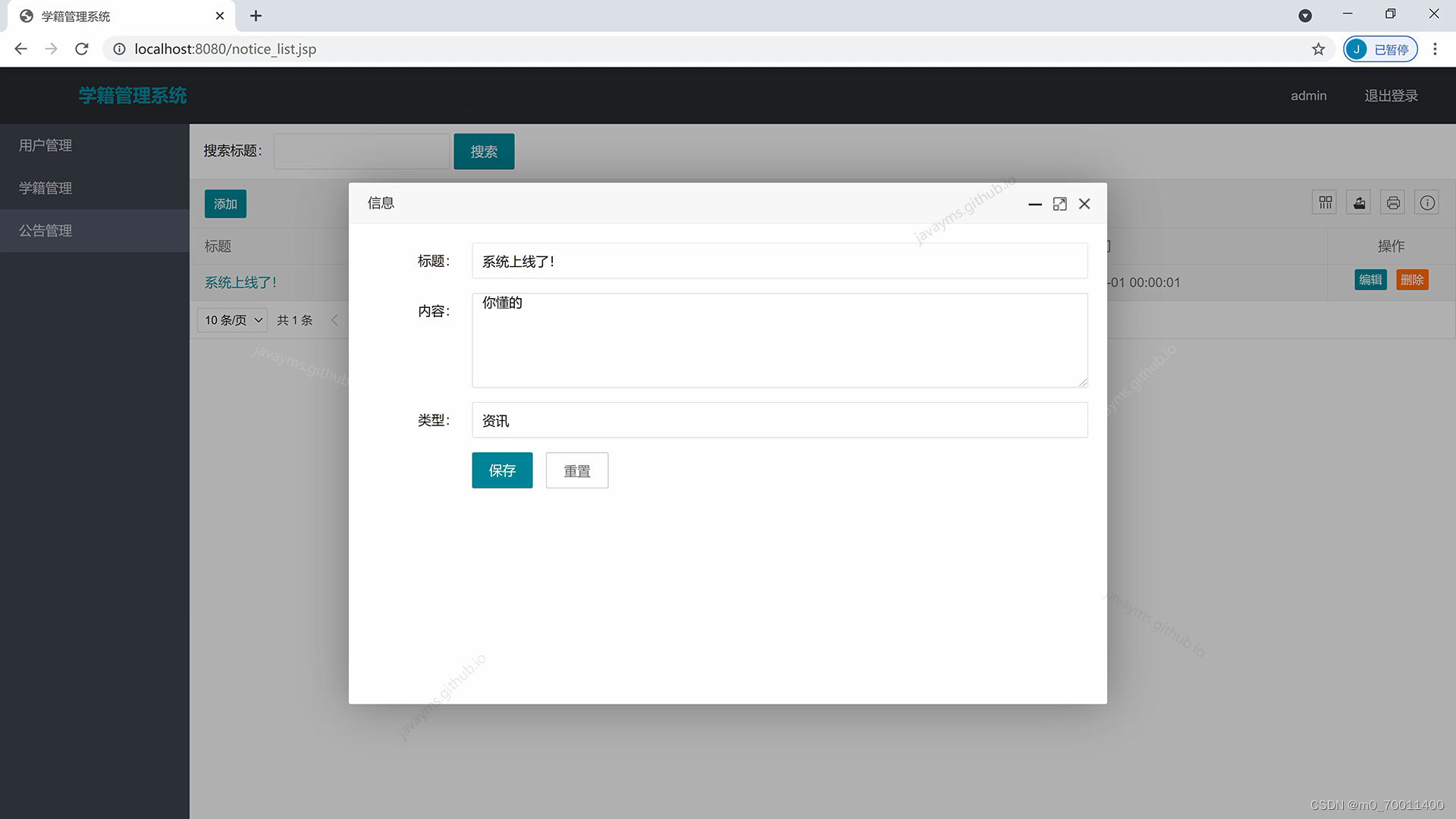
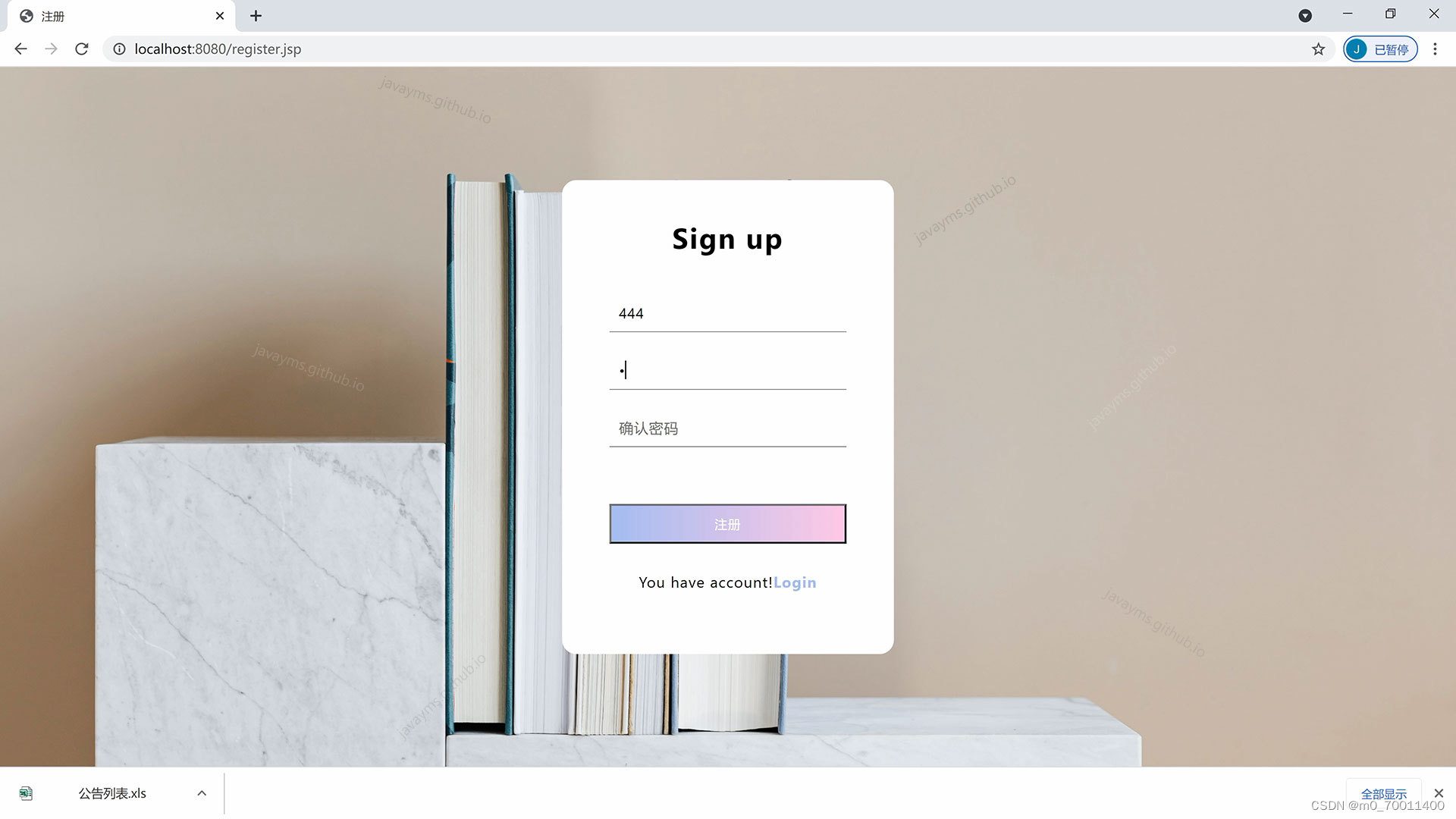
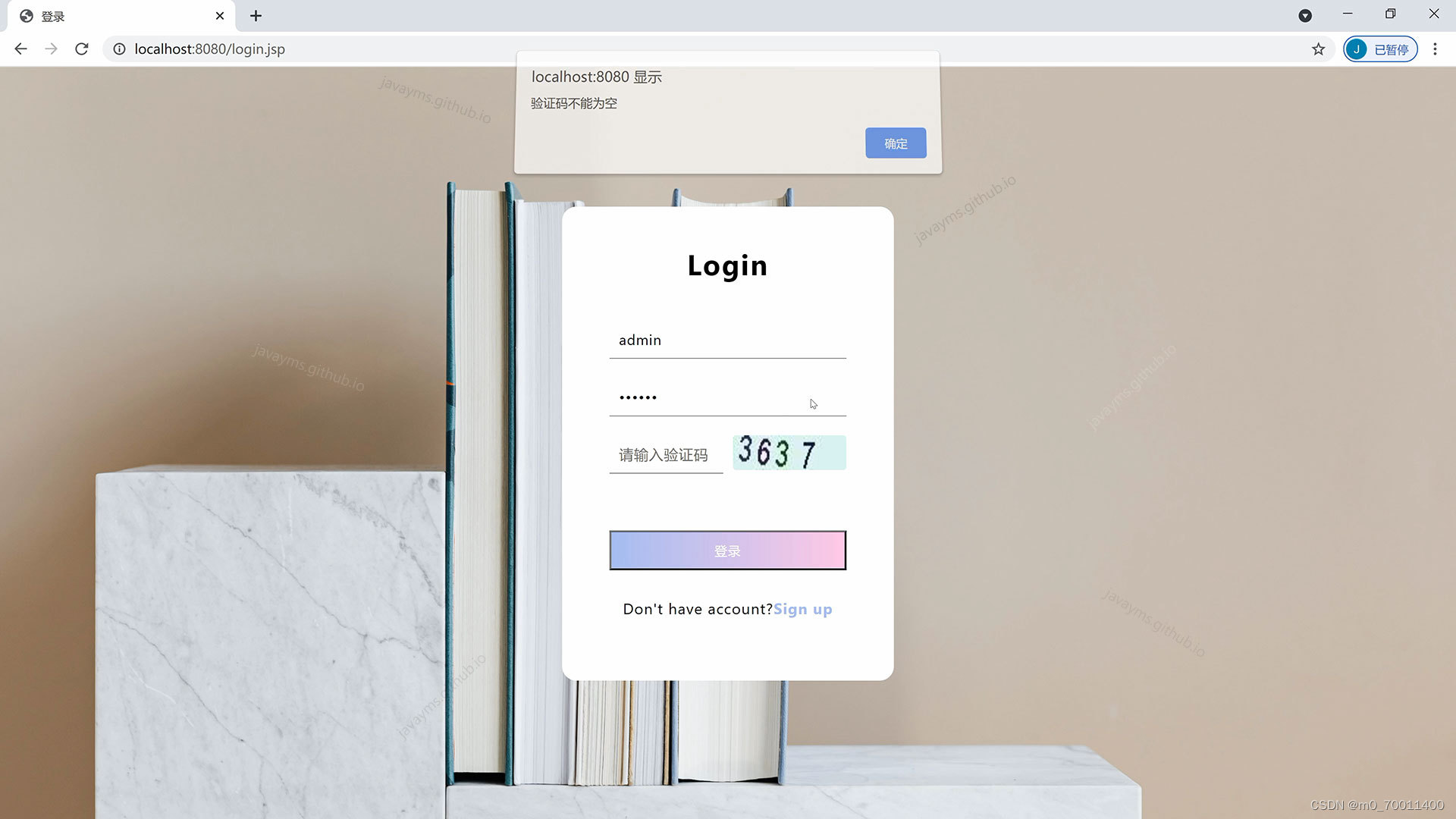
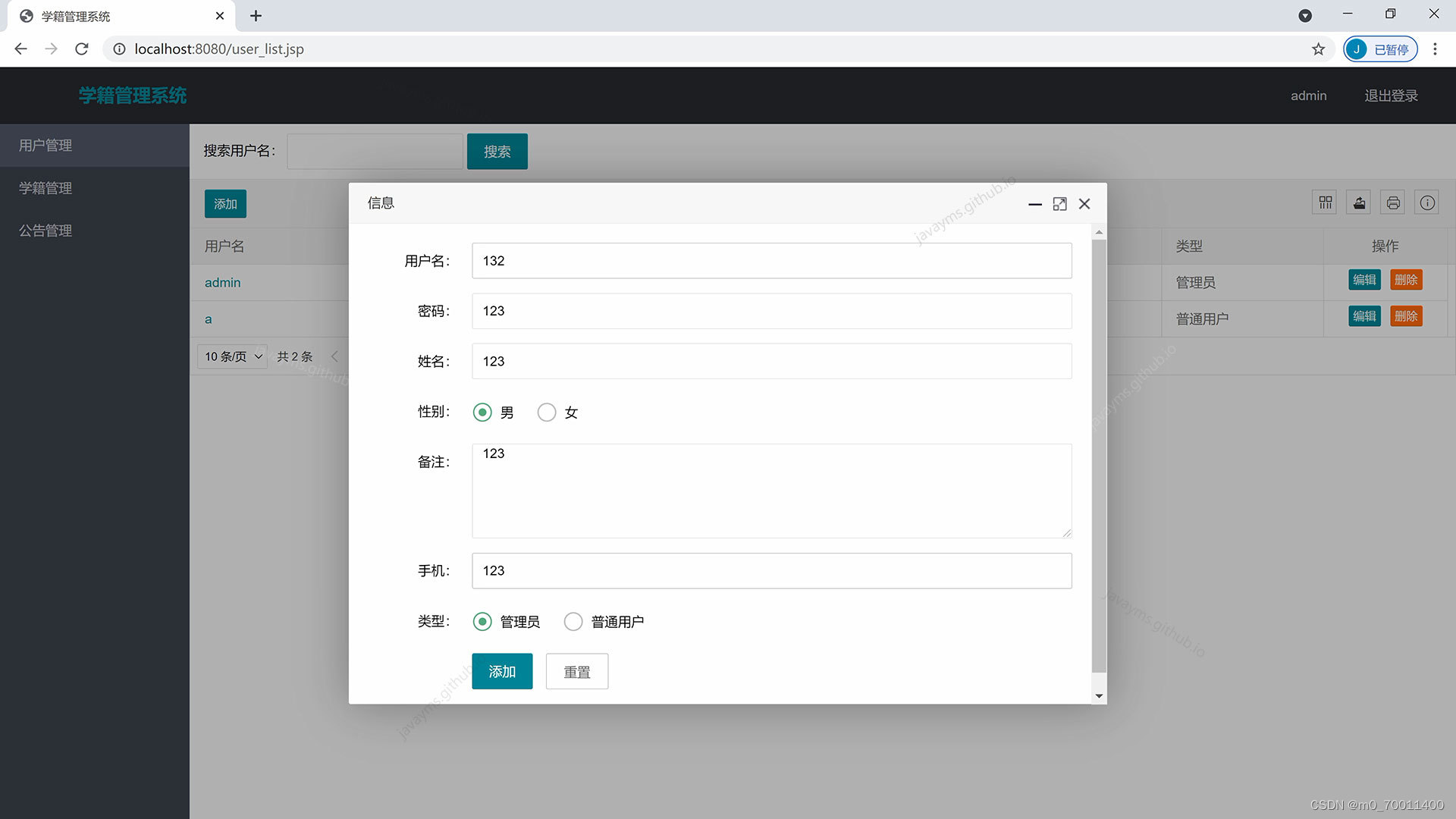
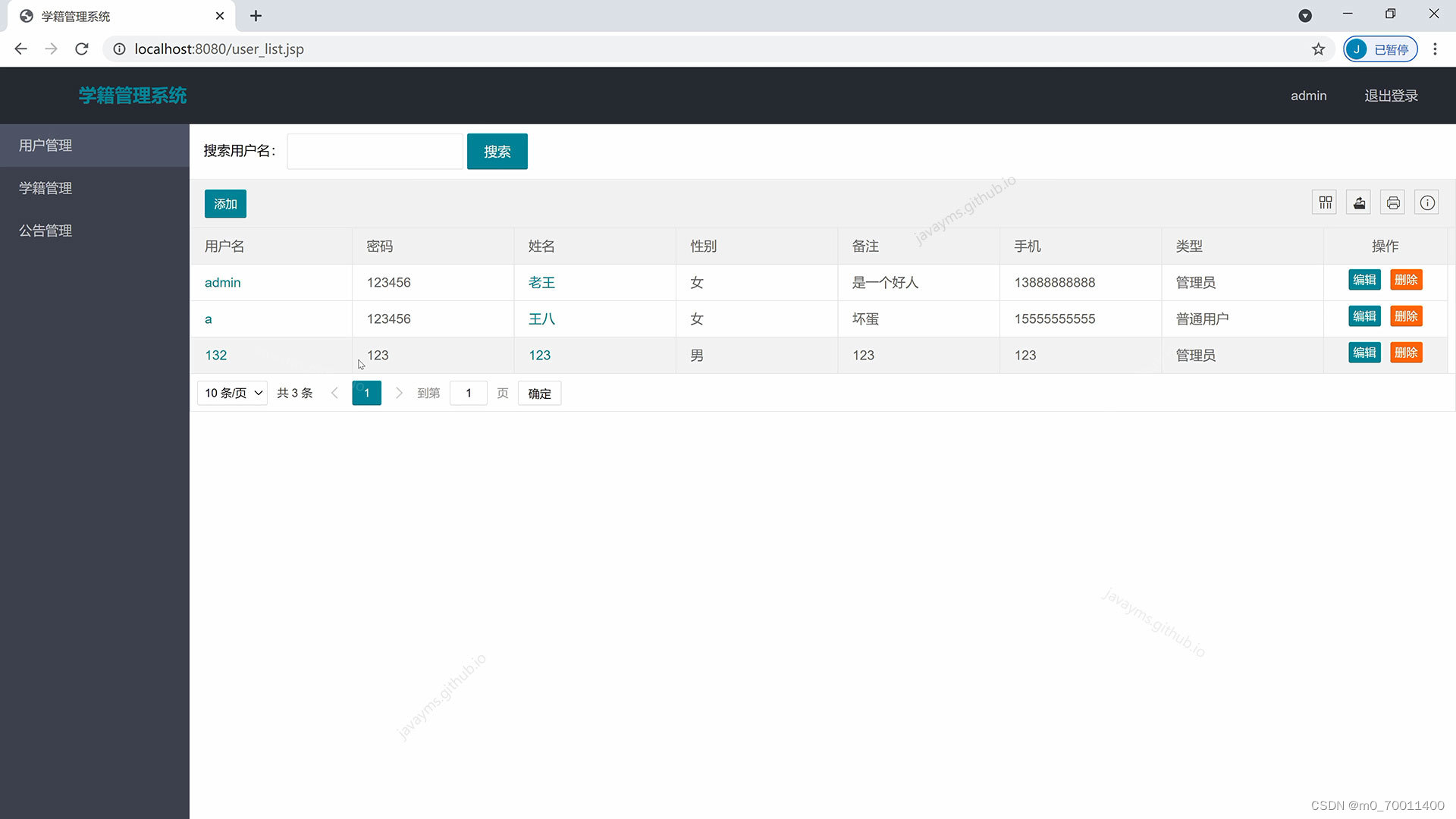
登录、注册、退出、用户模块、公告模块、学籍模块的增删改查管理
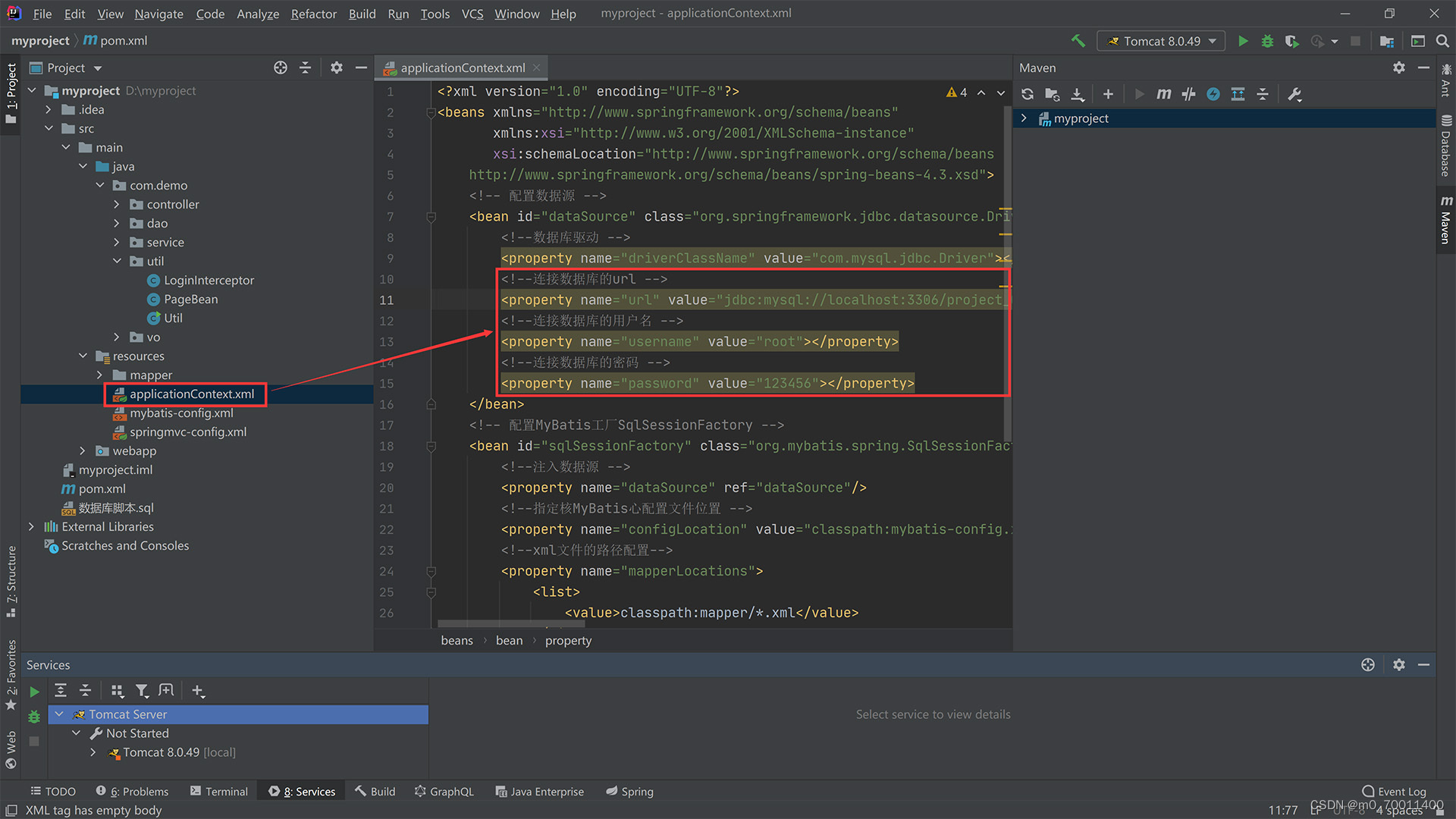
<result column="student_major" property="studentMajor" /> <result column="student_class" property="studentClass" /> <result column="student_level" property="studentLevel" /> <result column="student_text" property="studentText" /> resultMap> <sql id="Base_Column_List"> `id`,`student_no`,`student_name`,`student_sex`,`student_age`,`student_hometown`,`student_phone`,`student_major`,`student_class`,`student_level`,`student_text` sql> <insert id="doCreate" useGeneratedKeys="true" keyColumn="id" keyProperty="id" parameterType="com.demo.vo.Student"> INSERT INTO `t_student` <trim prefix="(" suffix=")" suffixOverrides=","> <if test ='id != null'>`id`,if> <if test ='studentNo != null'>`student_no`,if> <if test ='studentName != null'>`student_name`,if>- 1
- 2
- 3
- 4
- 5
- 6
- 7
- 8
- 9
- 10
- 11
- 12
- 13
- 14
- 15
- 16
- 17
div> div> <div class="layui-form-item"> <label class="layui-form-label">班级:label> <div class="layui-input-block"> <input type="text" name="studentClass" lay-verify="required|studentClass" class="layui-input" value="${vo.studentClass}"> div> div> <div class="layui-form-item"> <label class="layui-form-label">学历:label> <div class="layui-input-block"> <input type="text" name="studentLevel" lay-verify="required|studentLevel" class="layui-input" value="${vo.studentLevel}"> div> div> <div class="layui-form-item"> <label class="layui-form-label">备注:label> <div class="layui-input-block"> <textarea type="text" name="studentText" class="layui-input" style="height: 100px;padding-left: 10px;" placeholder="请输入内容......">${vo.studentText}textarea> div> div>- 1
- 2
- 3
- 4
- 5
- 6
- 7
- 8
- 9
- 10
- 11
- 12
- 13
- 14
- 15
- 16
- 17
- 18
- 19
- 20
//JavaScript代码区域 layui.use('element', function () { let element = layui.element; }); script> <script type="text/html" id="myToolbar"> <div class="layui-btn-container"> <c:if test="${loginUser.userType == '管理员'}"><button class='layui-btn layui-btn-sm' lay-event='add'>添加</button></c:if> </div> script> <script> function arrayBufferToBase64(buffer) { let binary = ''; let bytes = new Uint8Array(buffer); let len = bytes.byteLength; for (let i = 0; i < len; i++) { binary += String.fromCharCode(bytes[i]); }- 1
- 2
- 3
- 4
- 5
- 6
- 7
- 8
- 9
- 10
- 11
- 12
- 13
- 14
- 15
- 16
- 17
- 18
*/ @Service public class StudentServiceImpl implements StudentService { @Autowired private StudentMapper studentMapper; //@Override public boolean insert(Student vo) { return this.studentMapper.doCreate(vo) == 1; } //@Override public boolean delete(Collection<Serializable> ids) {- 1
- 2
- 3
- 4
- 5
- 6
- 7
- 8
- 9
- 10
- 11
- 12
- 13
- 14
- 15
layer.open({ type: 2, area: ['800px', '650px'], fixed: false, //不固定 maxmin: true, content: 'noticeGet?id=' + data.id }); obj.update({});//同步更新缓存对应的值 } else if (layEvent === 'LAYTABLE_TIPS') { layer.alert('Hi,头部工具栏扩展的右侧图标。'); } }); //头工具栏事件- 1
- 2
- 3
- 4
- 5
- 6
- 7
- 8
- 9
- 10
- 11
- 12
- 13
/** * 判断字符串是不是中文 * * @param c * @return */ private static boolean isChinese(char c) { Character.UnicodeBlock ub = Character.UnicodeBlock.of(c); return (ub == Character.UnicodeBlock.CJK_UNIFIED_IDEOGRAPHS || ub == Character.UnicodeBlock.CJK_COMPATIBILITY_IDEOGRAPHS || ub == Character.UnicodeBlock.CJK_UNIFIED_IDEOGRAPHS_EXTENSION_A || ub == Character.UnicodeBlock.GENERAL_PUNCTUATION || ub == Character.UnicodeBlock.CJK_SYMBOLS_AND_PUNCTUATION || ub == Character.UnicodeBlock.HALFWIDTH_AND_FULLWIDTH_FORMS); } /** * 判断字符串是否是乱码 * * @param strName * @return */ public static boolean isMessyCode(String strName) { java.util.regex.Pattern p = java.util.regex.Pattern.compile("\\s*|\t*|\r*|\n*"); java.util.regex.Matcher m = p.matcher(strName); String after = m.replaceAll("");- 1
- 2
- 3
- 4
- 5
- 6
- 7
- 8
- 9
- 10
- 11
- 12
- 13
- 14
- 15
- 16
- 17
- 18
- 19
- 20
- 21
- 22
- 23
- 24
- 25
- 26
title: '提示', layEvent: 'LAYTABLE_TIPS', icon: 'layui-icon-tips' }], title: '用户列表', cols: [ [ { field: 'username', title: '用户名', }, { field: 'realName', title: '姓名', templet: vo => (vo = vo.realName) ? '<a href="#" style="color: #009688;">' + vo + 'a>' : '', event: 'info', },- 1
- 2
- 3
- 4
- 5
- 6
- 7
- 8
- 9
- 10
- 11
- 12
- 13
- 14
- 15
- 16
- 17
* @throws IOException */ @RequestMapping("noticeEdit") public void edit(HttpServletResponse response, HttpServletRequest request) throws IOException { Notice vo = new Notice(); vo.setId(Long.valueOf(Util.decode(request, "id"))); vo.setNoticeName(Util.decode(request, "noticeName")); vo.setNoticeText(Util.decode(request, "noticeText")); vo.setNoticeType(Util.decode(request, "noticeType")); vo.setCreateDate(Util.decode(request, "createDate")); noticeService.update(vo); this.redirectList(request, response); } /** * 获取公告的详细信息(详情页面与编辑页面要显示该公告的详情)并跳转回页面 *- 1
- 2
- 3
- 4
- 5
- 6
- 7
- 8
- 9
- 10
- 11
- 12
- 13
- 14
- 15
- 16
- 17
搜索: <div class="layui-inline"> <input class="layui-input" name="search_keyword" id="search_keyword" autocomplete="off" placeholder="姓名"> <input type="hidden" class="layui-input" name="searchColumn" id="searchColumn" autocomplete="off" value="real_name"> div> <button class="layui-btn" data-type="reload">搜索button> div> div> <table class="layui-hide" id="myData" lay-filter="myTable">table> div> div> <script src="js/layui/layui.js"/> <script> //JavaScript代码区域 layui.use('element', function () { let element = layui.element;- 1
- 2
- 3
- 4
- 5
- 6
- 7
- 8
- 9
- 10
- 11
- 12
- 13
- 14
- 15
- 16
- 17
$.ajax({ type: "GET", dataType: "text", url: "studentDelete?id=" + data.id, success: function () { console.log("已删除!"); } }); obj.del(); //删除对应行(tr)的DOM结构,并更新缓存 //parent.location.reload();//刷新父级页面 // layer.close(index); //parent.location.reload();//刷新父级页面 layer.msg(data.studentName + ' 删除成功!'); // });- 1
- 2
- 3
- 4
- 5
- 6
- 7
- 8
- 9
- 10
- 11
- 12
- 13
- 14
params.put("startIndex", 0); params.put("pageSize", Long.MAX_VALUE); List<User> list = (List<User>) userService.list(params).get("list"); for (User user : list) { if (user.getUsername().equals(username) /*&& user.getPassword().equals(password)*/) {//说明该用户名已存在,必须换个用户名才能注册 request.getSession().setAttribute("alert_msg", "错误:用户名已存在!"); request.getRequestDispatcher("register.jsp").forward(request, response); return; } } User vo = new User(); vo.setUsername(username); vo.setPassword(password);- 1
- 2
- 3
- 4
- 5
- 6
- 7
- 8
- 9
- 10
- 11
- 12
- 13
<div class="layui-input-block"> <textarea type="text" name="studentText" class="layui-input" style="height: 100px;padding-left: 10px;" placeholder="请输入内容......">textarea> div> div> <div class="layui-form-item"> <div class="layui-input-block"> <button type="submit" class="layui-btn" lay-submit="" lay-filter="submit-button">添加button> <button type="reset" class="layui-btn layui-btn-primary">重置button> div> div> form> <script src="js/layui/layui.js" charset="utf-8">script> <script> layui.use(['form', 'layedit', 'laydate'], function () { let form = layui.form, layer = layui.layer, layedit = layui.layedit; //创建一个编辑器 let editIndex = layedit.build('LAY_demo_editor'); //自定义验证规则 form.verify({ content: function (value) { layedit.sync(editIndex); } });- 1
- 2
- 3
- 4
- 5
- 6
- 7
- 8
- 9
- 10
- 11
- 12
- 13
- 14
- 15
- 16
- 17
- 18
- 19
- 20
- 21
- 22
- 23
- 24
fixed: 'right', title: '操作', width: 130, templet: vo => { let flag = ${loginUser.userType == '管理员'}; return flag ? '<a class="layui-btn layui-btn-xs" lay-event="edit">编辑a><a class="layui-btn layui-btn-danger layui-btn-xs" lay-event="del">删除a>' : ''; } } ] ], }); //监听工具条 table.on('tool(myTable)', function (obj) { //注:tool 是工具条事件名,myTable 是 table 原始容器的属性 lay-filter="对应的值" let data = obj.data; //获得当前行数据 let layEvent = obj.event; //获得 lay-event 对应的值(也可以是表头的 event 参数对应的值)- 1
- 2
- 3
- 4
- 5
- 6
- 7
- 8
- 9
- 10
- 11
- 12
- 13
- 14
- 15
* @param request * @throws IOException */ @RequestMapping("studentDelete") public void delete(HttpServletResponse response, HttpServletRequest request) throws IOException { Serializable id = Util.decode(request, "id"); studentService.delete(Arrays.asList(id)); this.redirectList(request, response); } /** * 编辑学籍 * * @param response- 1
- 2
- 3
- 4
- 5
- 6
- 7
- 8
- 9
- 10
- 11
- 12
- 13
- 14
import java.io.Serializable; import java.util.Collection; import java.util.HashMap; import java.util.Map; /** * Student模块的Service层(业务层)的具体实现类,对StudentService接口中定义的抽象方法作出具体的功能实现 */ @Service public class StudentServiceImpl implements StudentService { @Autowired- 1
- 2
- 3
- 4
- 5
- 6
- 7
- 8
- 9
- 10
- 11
- 12
- 13
c:if> div> <div class="layui-side layui-bg-black"> <div class="layui-side-scroll"> <ul class="layui-nav layui-nav-tree" lay-filter="test"> <jsp:include page="menu.jsp"> <jsp:param value="active" name="Notice_active"/> jsp:include> ul> div> div> <div class="layui-body"> <div class="search_style" style="padding-top: 10px;padding-left: 15px;"> <div class="searchTable"> 搜索: <div class="layui-inline"> <input class="layui-input" name="search_keyword" id="search_keyword" autocomplete="off" placeholder="标题"> <input type="hidden" class="layui-input" name="searchColumn" id="searchColumn" autocomplete="off" value="notice_name"> div> <button class="layui-btn" data-type="reload">搜索button> div> div>- 1
- 2
- 3
- 4
- 5
- 6
- 7
- 8
- 9
- 10
- 11
- 12
- 13
- 14
- 15
- 16
- 17
- 18
- 19
- 20
- 21
- 22
- 23
- 24
- 25
- 26
return userPhone; } public void setUserPhone(String userPhone) { this.userPhone = userPhone; } public String getUserText() { return userText; } public void setUserText(String userText) { this.userText = userText; } public String getUserType() { return userType; } public void setUserType(String userType) { this.userType = userType; } } package com.demo.util; import org.springframework.web.servlet.HandlerInterceptor;- 1
- 2
- 3
- 4
- 5
- 6
- 7
- 8
- 9
- 10
- 11
- 12
- 13
- 14
- 15
- 16
- 17
- 18
- 19
- 20
- 21
- 22
- 23
- 24


-
相关阅读:
14_墨菲定律书摘
【Django | 安全防护】CSRF跨站伪请求和SQL注入攻击
利用半自动补环境插件处理某乎算法
Cesium屏幕中心坐标和相机位置坐标计算
Spring注解驱动之@Bean注解指定初始化和销毁的方法
2022使用NVIDIA TensorRT 8.0加速深度学习推理(更新)
LeetCode 热题 1. 两数之和 2. 两数相加 3. 无重复字符的最长子串 4. 寻找两个正序数组的中位数 5. 最长回文子串
Win10怎么打开msixbundle安装包
mmpose关键点(四):优化关键点模型(原理与代码讲解,持续更新)
云服务器如何选?腾讯云2核2G3M云服务器88元一年!
- 原文地址:https://blog.csdn.net/m0_70011400/article/details/127742156
