-
尝试使用java写redis分布式锁
@Service public class RedisTestService { @Resource private StringRedisTemplate redisTamplate; private String countKey = "PRODUCT_COUNT"; private String lock = "PRODUCT_LOCK"; public synchronized void buy() { String uuid = UUID.randomUUID().toString(); //尝试加分布式锁 Boolean aBoolean = redisTamplate.opsForValue().setIfAbsent(this.lock, uuid, Duration.ofSeconds(10)); System.out.println(uuid + "-加锁状态: " + aBoolean); //lua脚本 String lua_script = "if redis.call('get', KEYS[1]) == ARGV[1] then return redis.call('del', KEYS[1]) else return 0 end"; if(aBoolean) { try { //获取库存 String s = redisTamplate.boundValueOps(this.countKey).get(); if(StringUtils.isNotBlank(s)) { Integer count = Integer.parseInt(s); if(count > 0) { count -= 1; redisTamplate.boundValueOps(this.countKey).set(count.toString()); System.out.println("库存剩余: " + count); //模拟业务代码处理时间 int i = new Random().nextInt(10) + 2; System.out.println(uuid + "-睡眠时间: " + i); TimeUnit.SECONDS.sleep(i); } } }catch (Exception e) { System.out.println(e.getMessage()); }finally { Long res = redisTamplate.execute(new DefaultRedisScript<>(lua_script, Long.class), Arrays.asList(this.lock), uuid); System.out.println(uuid + "-解锁状态: "+res); } }else { System.out.println(uuid + "-锁竞争失败"); } } }- 1
- 2
- 3
- 4
- 5
- 6
- 7
- 8
- 9
- 10
- 11
- 12
- 13
- 14
- 15
- 16
- 17
- 18
- 19
- 20
- 21
- 22
- 23
- 24
- 25
- 26
- 27
- 28
- 29
- 30
- 31
- 32
- 33
- 34
- 35
- 36
- 37
- 38
- 39
- 40
- 41
- 42
- 43
- 44
测试结果:
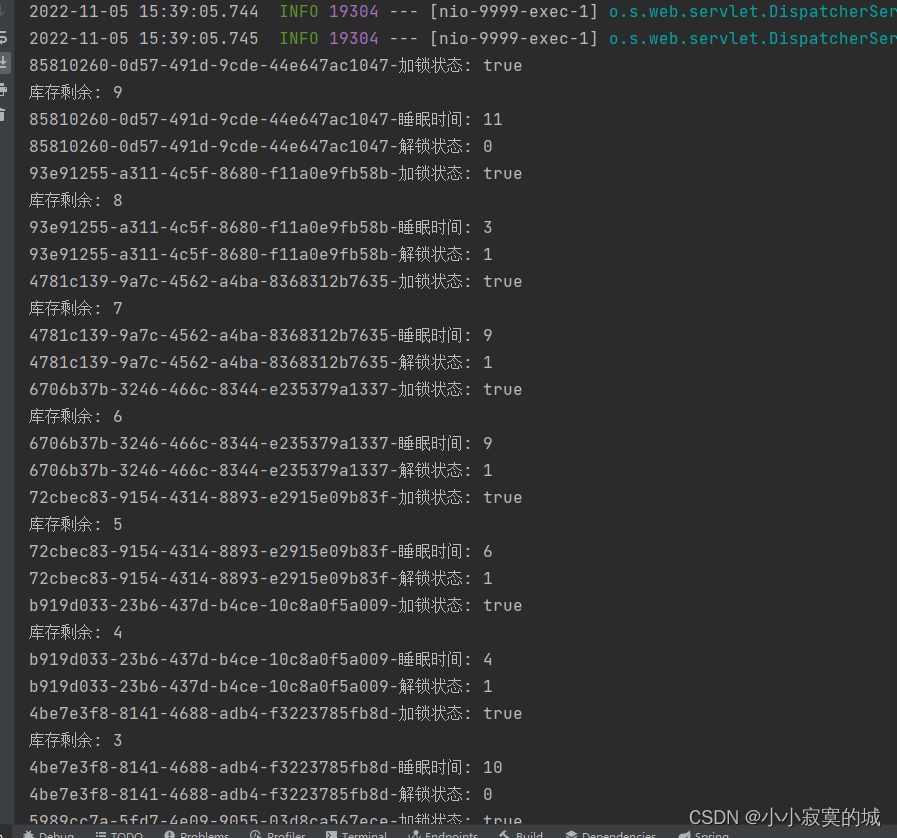

懒了点, 代码比较随意, 没有把业务和加锁操作分开的
本地启用了2个服务执行同一段代码, 模拟分布式, 使用的JMeter进行同时请求两个服务压测, 似乎没什么问题, 但总归不算严谨, 如果有错误感谢指出! -
相关阅读:
力扣 1422. 分割字符串的最大得分
【Pytorch with fastai】第 7 章 :训练SOTA的模型
共享库soname机制
FFmpeg进阶:生成视频的缩略图
Pytest UI自动化测试实战实例
2022年,你还在犯这些Python错误吗?
Biotin-Sulfo-DBCO
5大指标:评估RPA项目的ROI,实现投资回报最大化
【实操干货】如何开始用Qt Widgets编程?(五)
MySQL语法入门
- 原文地址:https://blog.csdn.net/Autumn_1/article/details/127704749
