-
【Linux operation 49】实现ubuntu-22.04.1允许root用户登录图形化桌面
Ubuntu系统中,默认root不能登录图形界面,普通用户需要使用root权限时,只能通过sudo [命令] [参数] 临时使用root权限,或是使用su root切换到root用户权限下进行操作。
1、 设置 root 密码
sudo passwd root- 1
输入两遍密码;
返回如下信息,即表示 root 密码设置成功;passwd: password updated successfully- 1

2、 修改50-ubuntu.conf文件
命令:
vim /usr/share/lightdm/lightdm.conf.d/50-ubuntu.conf- 1
在文件尾加入两行:
greeter-show-manual-login=true all-guest=false- 1
- 2

3、修改gdm-autologin和gdm-passwd文件
3.1、修改gdm-autologin文件
路径:
/etc/pam.d/gdm-autologin- 1
命令:
vim /etc/pam.d/gdm-autologin- 1
操作:
注释掉auth required pam_success_if.so user!=root quiet_success 这一行#auth required pam_succeed_if.so user != root quiet_success- 1

3.2、修改gdm-password文件
路径:
/etc/pam.d/gdm-password- 1
命令:
vim /etc/pam.d/gdm-password- 1
操作:
注释掉#auth required pam_succeed_if.so user != root quiet_success 这一行#auth required pam_succeed_if.so user != root quiet_success- 1

4、修改/root/.profile文件
将 mesg n 改为 tty -s && mesg nvim /root/.profile- 1
未修改前:
root@test-virtual-machine:/# cat /root/.profile # ~/.profile: executed by Bourne-compatible login shells. if [ "$BASH" ]; then if [ -f ~/.bashrc ]; then . ~/.bashrc fi fi mesg n 2> /dev/null || true- 1
- 2
- 3
- 4
- 5
- 6
- 7
- 8
- 9
- 10
修改后
root@test-virtual-machine:/# cat /root/.profile # ~/.profile: executed by Bourne-compatible login shells. if [ "$BASH" ]; then if [ -f ~/.bashrc ]; then . ~/.bashrc fi fi tty -s && mesg n 2> /dev/null || true- 1
- 2
- 3
- 4
- 5
- 6
- 7
- 8
- 9
- 10
5、重启系统,使用root用户登录系统
重启系统后,登录选择Not Listed?
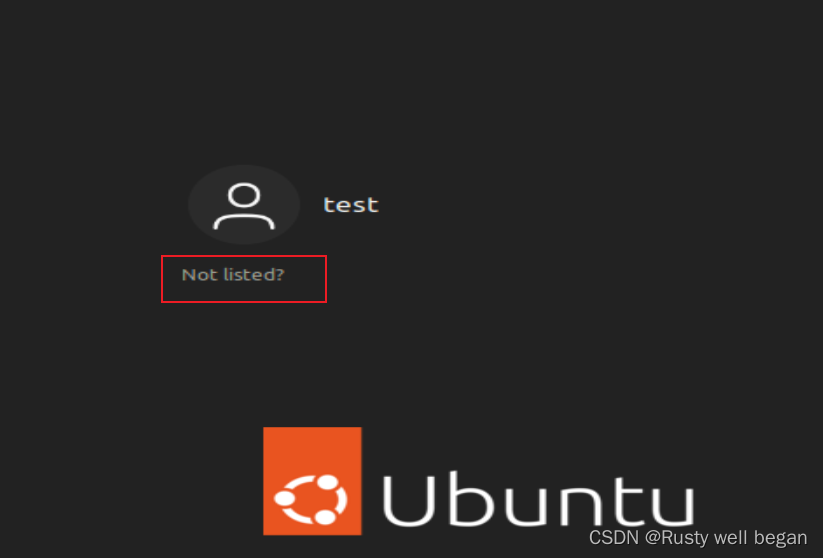
输入root用户名与密码进行登录
-
相关阅读:
【Spring Boot】日志文件
工程伦理--8.4 组织不服从
java.lang.ClassNotFoundException: javafx.util.Pair的问题解决与原因详解
无用小程序之——论如何利用python的pyautogui和特别喜欢发“嗯”*n的人实现部分自动化QQ聊天
好用的 JS 脚本
matlab解方程组解析解
C语言-【指针二】-【指针运算/指针和数组】
Centos7 bash:jps:Command not found....
JavaWeb在线问题.分析实例
串的顺序存储的应用实例二
- 原文地址:https://blog.csdn.net/qq_22938603/article/details/126908328