-
Android Camera 测试环境搭建:Android 原生代码下载
Ubuntu 虚拟机是我新建的,下载的源码特别大,我给虚拟机分配了 600GB 的硬盘。
1. 创建目录
mkdir ~/bin- 1

2. 将 bin 目录放到环境变量里面
后面会将 repo 下载到 bin 目录,将 bin 目录放到环境变量里面的目的是为了后面在任何地方敲击 repo 命令,它都能识别出 repo 命令。
PATH=~/bin:$PATH- 1

3. 下载和安装 curl
目的是后面使用 curl 来下载 repo
sudo apt install curl- 1
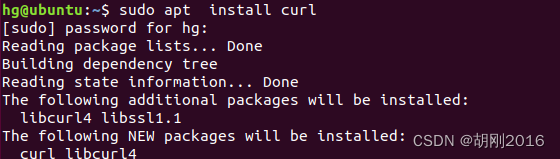
4.下载和安装 repo
curl -sSL -k 'https://gerrit-googlesource.proxy.ustclug.org/git-repo/+/master/repo?format=TEXT' |base64 -d > ~/bin/repo- 1

为 repo 增加可执行权限
chmod a+x repo- 1
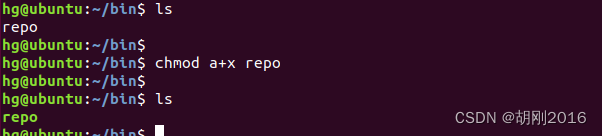
5. 指定 repo 仓库服务器
export REPO_URL='https://gerrit-googlesource.proxy.ustclug.org/git-repo'- 1

6. 创建目录 android-12.1.0_r4
cd ~ mkdir android-12.1.0_r4- 1
- 2

7. 初始化仓库
cd android-12.1.0_r4/ repo init -u git://mirrors.ustc.edu.cn/aosp/platform/manifest -b android-12.1.0_r4- 1
- 2

注意这里会有一个报错/usr/bin/env: ‘python’: No such file or directory- 1
原因是我们没有安装 python
sudo apt-get install python- 1

安装完 python 后,继续执行 repo init
报错没有安装 git

安装 git
sudo apt-get install git- 1

然后,继续执行 repo init

报了证书的错误
解决办法:export GIT_SSL_NO_VERIFY=1
继续执行 repo init
发现提示要升级 repo
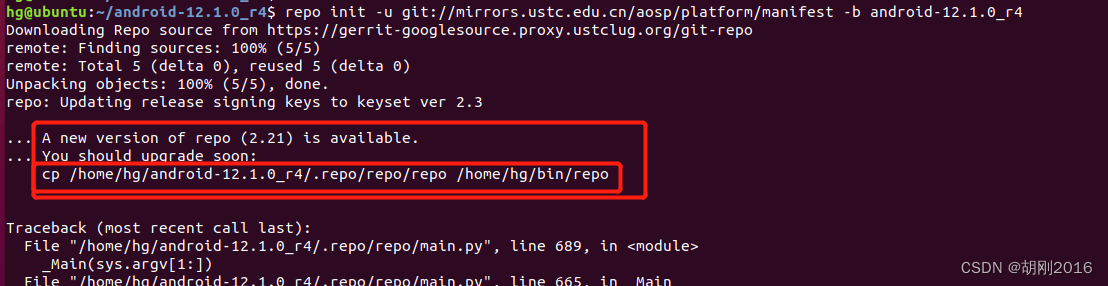
按照提示升级 repo
cp /home/hg/android-12.1.0_r4/.repo/repo/repo /home/hg/bin/repo- 1

执行 repo init
提示要设置 git 的 邮箱和用户名
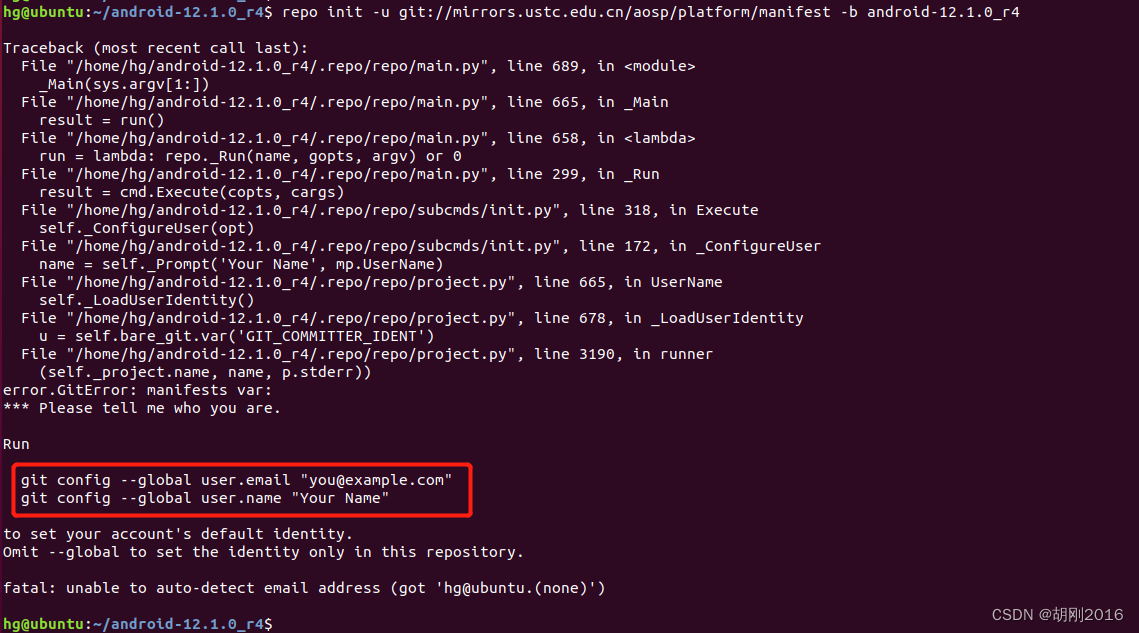
下面根据提示 设置 git 邮箱和用户名

执行 repo init

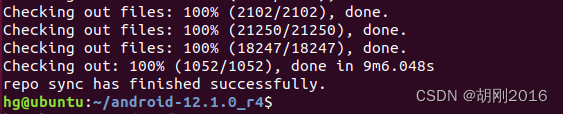
8. 执行 repo sync
我大概用了两个小时
如果下载被中断了,可以继续用 repo sync 下载repo sync- 1

9. 切换分支
git branch -av | grep -iE "858c828" git checkout -b remotes/aosp/android12L-s1-release- 1
- 2

-
相关阅读:
图论应用——拓扑排序
DC-DC模块升压电源直流隔离低压升高压正负输出变换器
Python爬虫教程:解析网页中的元素
Apollo 应用与源码分析:CyberRT概念与Bazel
C++ multimap实践
为什么说 ICMP 协议是网络最强辅助
【深度学习 AIGC】stablediffusion-infinity 在无界限画布中输出绘画 Outpainting
Maven 私服Nexus的搭建教程windows(搭配android maven插件使用)
优化Vue项目架构和模块化:提升应用性能与开发效率
ribbonx编程笔记-读写注册表与使用自定义对话框
- 原文地址:https://blog.csdn.net/Redmoon955331/article/details/126905250