-
云原生|kubernetes 你真的学废了吗---实战k8s 二(命令行创建各类资源)
前言:
kubernetes的资源种类非常多,但常用的也就十来种吧,比如,pod,service,configMap,serviceaccount,deployment,secret,statefulset,StorageClass等等,总的来说学习难度还是不大的。但创建资源的流程你真的知道吗?下面就来介绍一哈资源创建的标准流程吧。
一,
命令行和资源清单文件(通常也叫模板文件)的关系
命令行指的是kubectl 客户端命令,直接通过apiserver调用创建各类资源。命令行方式创建资源具有简单,快速的特点,但缺点也是很大的:命令执行完了,如果有问题,不好回溯,也基本是没有保存,很多细节方面的问题也无法通过命令行书写,比如,pod调度,node亲和性,pod亲和性 或者需要写的命令非常长。
资源清单文件是对资源的精细化描述,并且通常的资源清单文件是yaml格式文件,易读,易理解。但,也是有一个比较大的缺点:编写难度非常高。
那么,命令行其实是基础,就想象成一个房子的地基吧,可以快速的生成资源清单文件(命令行可以转换成资源清单文件),这样的话,先命令生成文件,然后在此文件基础上进行细节的修改就可以达到我们想要的功能啦(降低资源清单文件编写难度了)。
下面将会写一些示例,来说明一个科学的资源创建的流程。
二,
RC/RS和service资源的创建
创建一个pod,该pod使用nginx,能够对外提供服务。
(1)
命令行创建一个pod,此pod不运行,仅仅生成资源清单文件
--dry-run表示不实际运行pod,如果不加此参数将会有非常多的冗余信息,-o表示输出,yaml表示输出格式为yaml,当然,json格式也可以。如果不想看到警告W0915 11:17:31.171659 24955 helpers.go:535] ,那么修改成--dry-run=client 即可。
- [root@master ~]# k run nginx --image=nginx:1.18 --dry-run -o yaml >nginx.yaml
- W0915 11:17:31.171659 24955 helpers.go:535] --dry-run is deprecated and can be replaced with --dry-run=client.
- [root@master ~]# cat nginx.yaml
- apiVersion: v1
- kind: Pod
- metadata:
- creationTimestamp: null
- labels:
- run: nginx
- name: nginx
- spec:
- containers:
- - image: nginx:1.18
- name: nginx
- resources: {}
- dnsPolicy: ClusterFirst
- restartPolicy: Always
- status: {}
OK,命令行生成的资源清单文件已经生成,该有的基本结构都有了。
(2)
命令行多参:打标签,pod的重启策略,暴露端口,资源限制设置
[root@master ~]# k run nginx --image=nginx:1.18 --dry-run=client --restart=Never --labels="app=nginx1" --port=1234 --limits='cpu=200m,memory=512Mi' -o yaml >nginx.yaml- [root@master ~]# cat nginx.yaml
- apiVersion: v1
- kind: Pod
- metadata:
- creationTimestamp: null
- labels:
- app: nginx1
- name: nginx
- spec:
- containers:
- - image: nginx:1.18
- name: nginx
- ports:
- - containerPort: 1234
- resources:
- limits:
- cpu: 200m
- memory: 512Mi
- dnsPolicy: ClusterFirst
- restartPolicy: Never
- status: {}
(3)
service的资源清单文件生成
现在如果执行以上yaml文件,只能集群内看到nginx的首页,如果想暴露给同网段内使用,需要编辑一个service文件,采用nodepod模式暴露(第一种命令):
[root@master ~]# kubectl expose pod nginx --port=38080 --target-port=80 --type=NodePort --dry-run=client -o yaml >service-nginx.yamlservice文件内容(第一种方式的service):
- [root@master ~]# cat service-nginx.yaml
- apiVersion: v1
- kind: Service
- metadata:
- creationTimestamp: null
- labels:
- app: nginx1
- name: nginx
- spec:
- ports:
- - port: 38080
- protocol: TCP
- targetPort: 80
- selector:
- app: nginx1
- type: NodePort
- status:
- loadBalancer: {}
这里特别注意,不要搞错了,是nginx1,因为前面的pod里的label是nginx1(第二种命令):
[root@master logs]# k create svc nodeport nginx1 --tcp=38080:80 -o yaml --dry-run=client >service-nginx2.yamlservice文件内容(第二种方式的service):
- [root@master logs]# cat service-nginx2.yaml
- apiVersion: v1
- kind: Service
- metadata:
- creationTimestamp: null
- labels:
- app: nginx1
- name: nginx1
- spec:
- ports:
- - name: 38080-80
- port: 38080
- protocol: TCP
- targetPort: 80
- selector:
- app: nginx1
- type: NodePort
- status:
- loadBalancer: {}
kubernetes的网络逻辑是这样的:镜像nginx:1.18启动的服务端口是80,映射到38080,kube-proxy代理38080端口到30068端口,
- I0915 09:18:41.192677 1200 proxier.go:812] Stale udp service kube-system/coredns:dns -> 10.0.0.2
- I0915 14:11:25.049350 1200 service.go:379] Adding new service port "default/nginx:" at 10.0.0.107:38080/TCP
- I0915 14:11:25.096252 1200 proxier.go:1655] Opened local port "nodePort for default/nginx:" (:30634/tcp)
- I0915 14:12:53.039292 1200 service.go:404] Removing service port "default/nginx:"
- I0915 14:12:56.347842 1200 service.go:379] Adding new service port "default/nginx:" at 10.0.0.3:38080/TCP
- I0915 14:12:56.399977 1200 proxier.go:1655] Opened local port "nodePort for default/nginx:" (:30068/tcp)
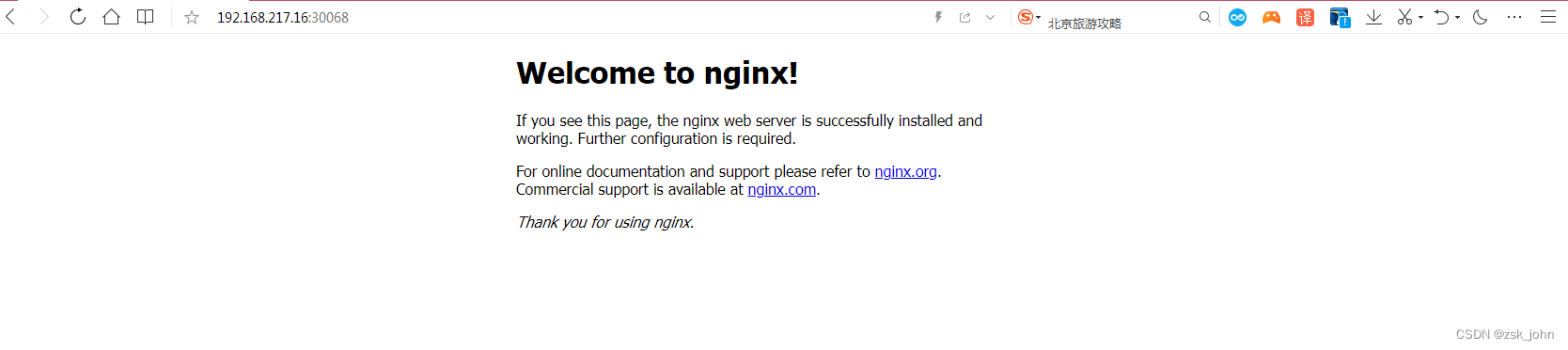
执行以上文件,此时任意节点ip:30068就可以访问到pod所启动的nginx镜像的首页啦:
本例中,labels app=nginx1和前面的pod里的label是相呼应的。
- [root@master ~]# k describe svc nginx1
- Name: nginx1
- Namespace: default
- Labels: app=nginx1
- Annotations: Selector: app=nginx1
- Type: NodePort
- IP: 10.0.0.89
- Port: 38080-80 38080/TCP
- TargetPort: 80/TCP
- NodePort: 38080-80 32602/TCP
- Endpoints: 10.244.0.22:80
- Session Affinity: None
- External Traffic Policy: Cluster
- Events:
三,
deployment资源的创建
k create deploy tomcat --image=bitnami/tomcat --dry-run -o yaml >tomcat.yamldeployment控制器比较复杂,一般只是使用命令行创建一个基本的模板文件,然后在此基础上修改,一个deployment大体包括以下几个主要部分:
apiversion,kind,metadata,spec,status这五个模块,其中的status可以没有。
- [root@master ~]# kubectl explain deploy
- KIND: Deployment
- VERSION: apps/v1
- DESCRIPTION:
- Deployment enables declarative updates for Pods and ReplicaSets.
- FIELDS:
- apiVersion
- APIVersion defines the versioned schema of this representation of an
- object. Servers should convert recognized schemas to the latest internal
- value, and may reject unrecognized values. More info:
- https://git.k8s.io/community/contributors/devel/sig-architecture/api-conventions.md#resources
- kind
- Kind is a string value representing the REST resource this object
- represents. Servers may infer this from the endpoint the client submits
- requests to. Cannot be updated. In CamelCase. More info:
- https://git.k8s.io/community/contributors/devel/sig-architecture/api-conventions.md#types-kinds
- metadata
- Standard object metadata.
- spec
- Specification of the desired behavior of the Deployment.
- status
- Most recently observed status of the Deployment.
查询子模块
例如spec:
- [root@master ~]# kubectl explain deploy.spec
- KIND: Deployment
- VERSION: apps/v1
- RESOURCE: spec
- DESCRIPTION:
- Specification of the desired behavior of the Deployment.
- DeploymentSpec is the specification of the desired behavior of the
- Deployment.
- FIELDS:
- minReadySeconds <integer>
- Minimum number of seconds for which a newly created pod should be ready
- without any of its container crashing, for it to be considered available.
- Defaults to 0 (pod will be considered available as soon as it is ready)
- 略略略。。。。。。。。。。。。。。。。。。。
主要的还是根据以上explain(解释说明)来填充yaml文件,那么,这个yaml文件是根据层级来确定模块的,比如,我想查询import的拉取规则如何定义:
- [root@master ~]# kubectl explain deploy.spec.template.spec.containers.imagePullPolicy
- KIND: Deployment
- VERSION: apps/v1
- FIELD: imagePullPolicy
- DESCRIPTION:
- Image pull policy. One of Always, Never, IfNotPresent. Defaults to Always
- if :latest tag is specified, or IfNotPresent otherwise. Cannot be updated.
- More info:
- https://kubernetes.io/docs/concepts/containers/images#updating-images
OK,上面的说明就非常清楚了, One of Always, Never, IfNotPresent,三种拉取规则。
如何玩转编写资源清单文件,路子我提供了,大家可以试一试哦。
-
相关阅读:
机器学习笔记之高斯混合模型(四)EM算法求解高斯混合模型(M步操作)
Grid布局介绍
LeetCode - 354 俄罗斯套娃信封问题
【Java SE】对象的构造及初始化
day3-day4【代码随想录】长度最小的子数组
OC下如何调用swift,最佳简单实践
阿里云服务 安装 Node.js
Vue.js的快速入门(Vue、axios、node、js、npm、wepback的快速入门)
国产猫粮高端化难题不少,网易天成拿什么出众?
QIODevice(读取数据块设备)
- 原文地址:https://blog.csdn.net/alwaysbefine/article/details/126866673
