-
Part6:Pandas 三类函数对缺失值的处理
Pandas对缺失值的处理
Pandas使用这些函数处理缺失值:
. isnull和notnull:检测是否是空值,可用于df和series.
dropna:丢弃、删除缺失值
axis:删除行还是列,{0 or 'index',1 or 'columns'}, default 0
how :如果等于any则任何值为空都删除,如果等于all则所有值都为空才删除
inplace :如果为True则修改当前df,否则返回新的df
. fillna:填充空值
value:用于填充的值,可以是单个值,或者字典(key是列名,value是值)
method :等于ffill使用前一个不为空的值填充forword fill;等于bfill使用后一个不为空的值填充backword fill
axis:按行还是列填充,{0 or 'index',1 or 'columns'}
inplace:如果为True则修改当前df,否则返回新的dfimport pandas as pd实例:特殊Excel的读取、清洗、处理
步骤1:读取excel的时候,忽略前几个空行
- fpath='./datas/student_excel/student_excel.xlsx'
- df=pd.read_excel(fpath,skiprows=2)
- df
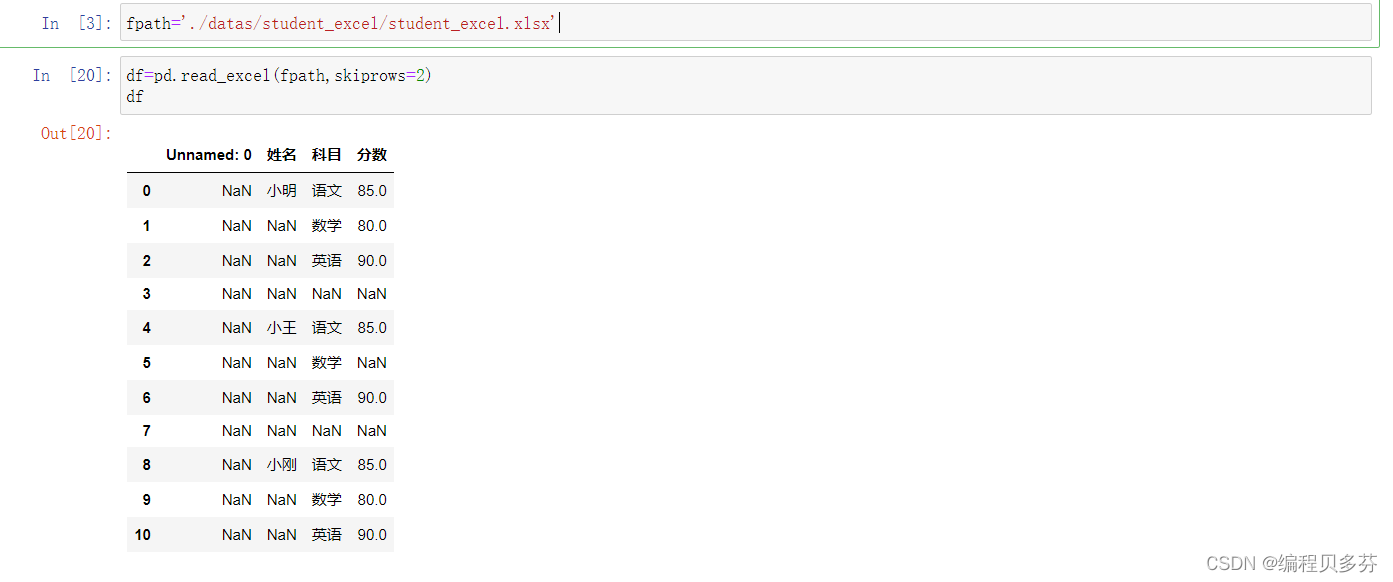
步骤2:检测空值--df.isnull()
df.isnull()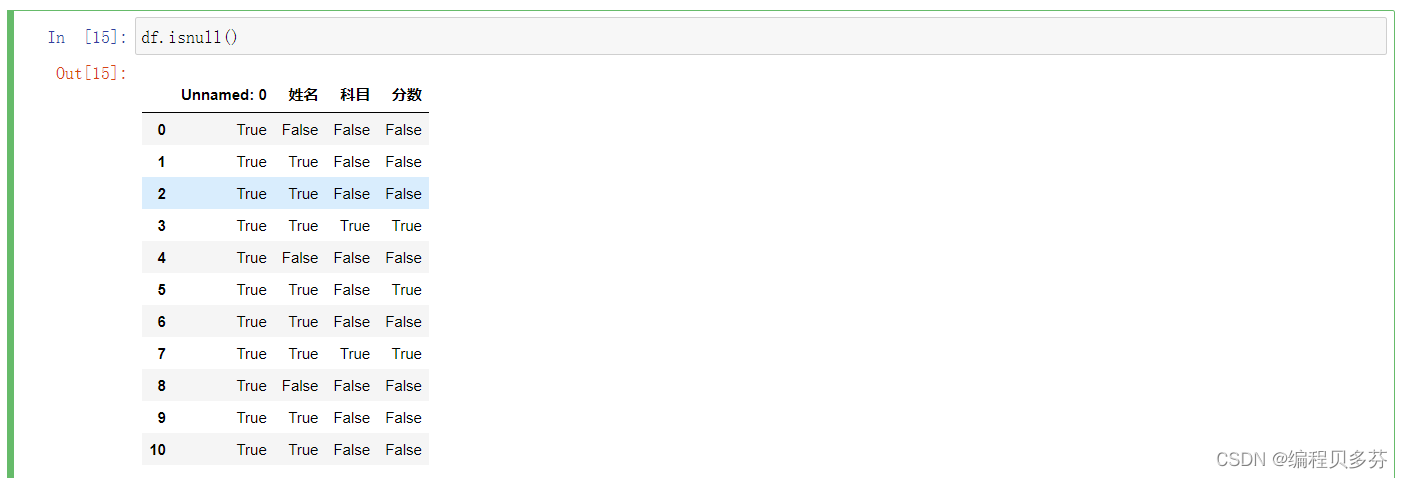
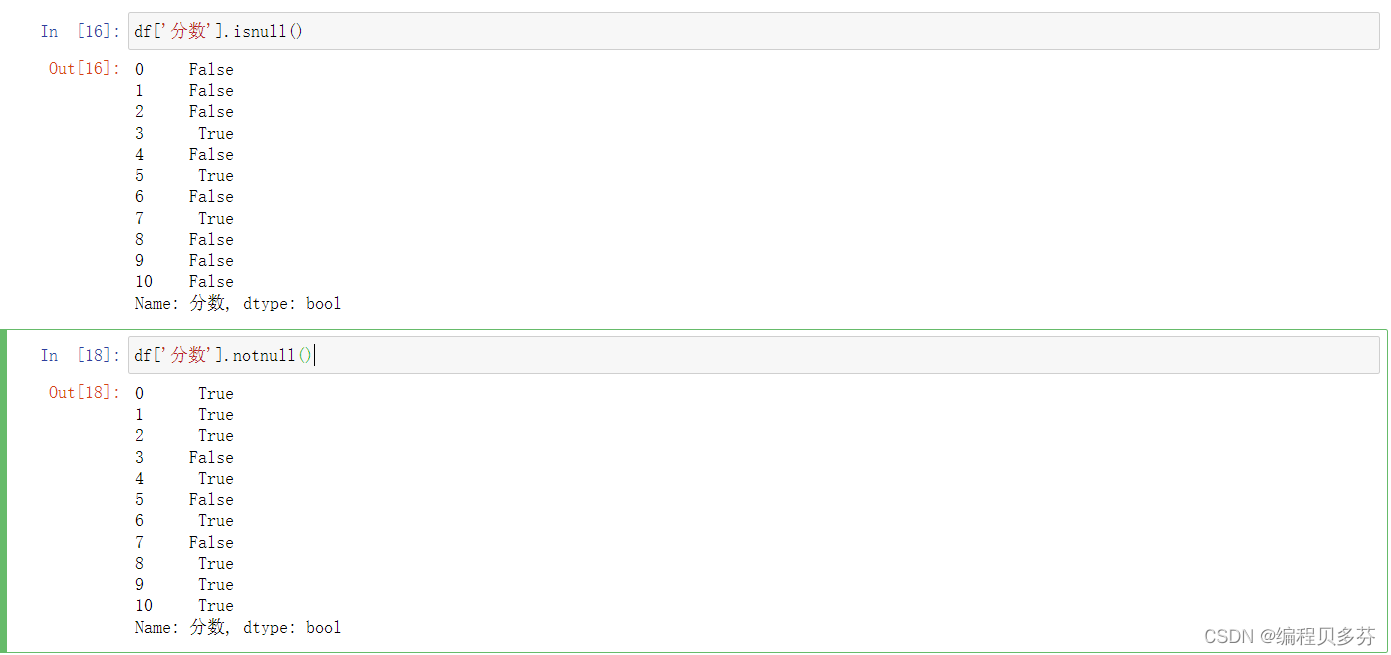
以下两个函数输出的是相反的值:
df['分数'].isnull()、df['分数'].notnull()
- df['分数'].isnull()
- df['分数'].notnull()
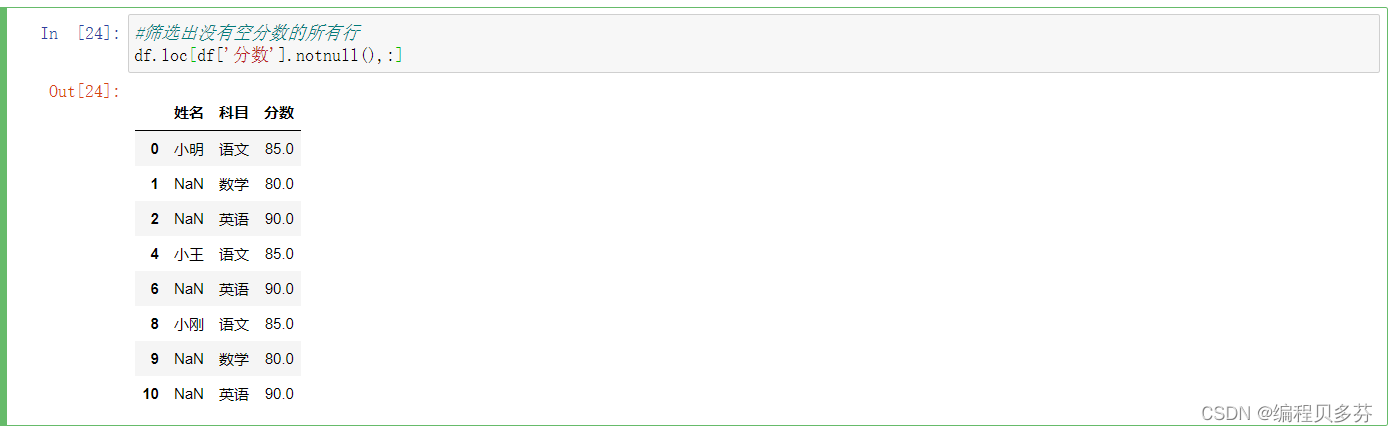
筛选出没有空分数的所有行---df.loc[df['分数'].notnull(),:]
- #筛选出没有空分数的所有行
- df.loc[df['分数'].notnull(),:]
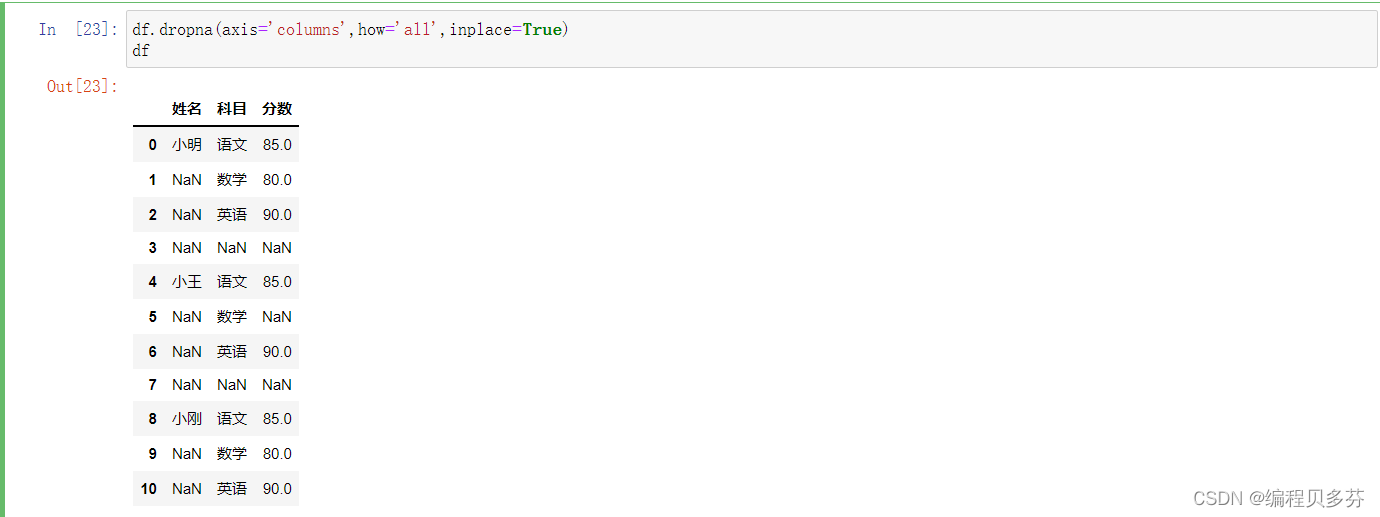
步骤3:删除掉全是空值的列
- df.dropna(axis='columns',how='all',inplace=True)
- df
步骤4:删除掉全是空值的行
- df.dropna(axis='index',how='all',inplace=True)
- df

步骤5:将分数列为空的填充为0分
df.fillna({'分数':0})
上述操作可以等于以下代码
- #上述操作可以等于一下代码
- df.loc[:,'分数']=df['分数'].fillna(0)
- df

步骤6:将姓名的缺失值填充
使用前面的有效值填充,用ffill:forward fill
- df.loc[:,'姓名']=df['姓名'].fillna(method='ffill')
- df

步骤7:将清洗号的excel保存
df.to_excel('./datas/student_excel/student_excel_clean.xlsx',index=False) -
相关阅读:
Arduino驱动TCS3430三刺激真彩传感器(颜色传感器篇)
【Leetcode】面试题 01.09. 字符串轮转
(2022版)一套教程搞定k8s安装到实战 | Volumes
Docker安装 MySQL8.0.33
入门力扣自学笔记199 C++ (题目编号:791)
Dubbo与SpringCloud的Ribbon、Hystrix、 Feign的优劣势⽐较
K8S部署Java项目 pod的logs报错为:Error: Unable to access jarfile app.jar
测试15k薪资第1步 —— 自动化测试理论基础
C++ Reference: Standard C++ Library reference: Containers: array: array
Java新手小白入门篇 Java面向对象(九)
- 原文地址:https://blog.csdn.net/qq_46044325/article/details/126810693