-
支付宝支付功能实现
支付宝开发文档中心
注意:个人无法使用此功能,因为个人申请使用是不会通过的1、电脑网站支付,手机网站支付,app支付
查看接入准备,里面详细介绍了创建应用和配置应用的过程,还介绍了接口调用配置的使用即调用支付宝API客户端的配置

分两种模式:
1.一种是公钥模式加签
2.另一种是公钥证书模式加签:
需要注意的是公钥证书模式加签提交数据使用certificateExecute方法依赖:
依赖位于:

<dependency> <groupId>com.alipay.sdk</groupId> <artifactId>alipay-sdk-java</artifactId> <version>4.33.26.ALL</version> </dependency>- 1
- 2
- 3
- 4
- 5
请详细查看每个(app支付,手机网站支付,电脑网站支付)的接入准备

1.1、异步通知介绍
1.app支付的位于


2.手机网站支付(电脑网站支付类似)的位于

1.2、API和请求示例介绍
app支付,手机网站支付,电脑网站支付类似

2、当面付
当面付文档中心
流程和上面类似


3、小程序支付接入
创建小程序过程详细看一遍(比较麻烦):https://opendocs.alipay.com/mini/development
需要其中的AppID
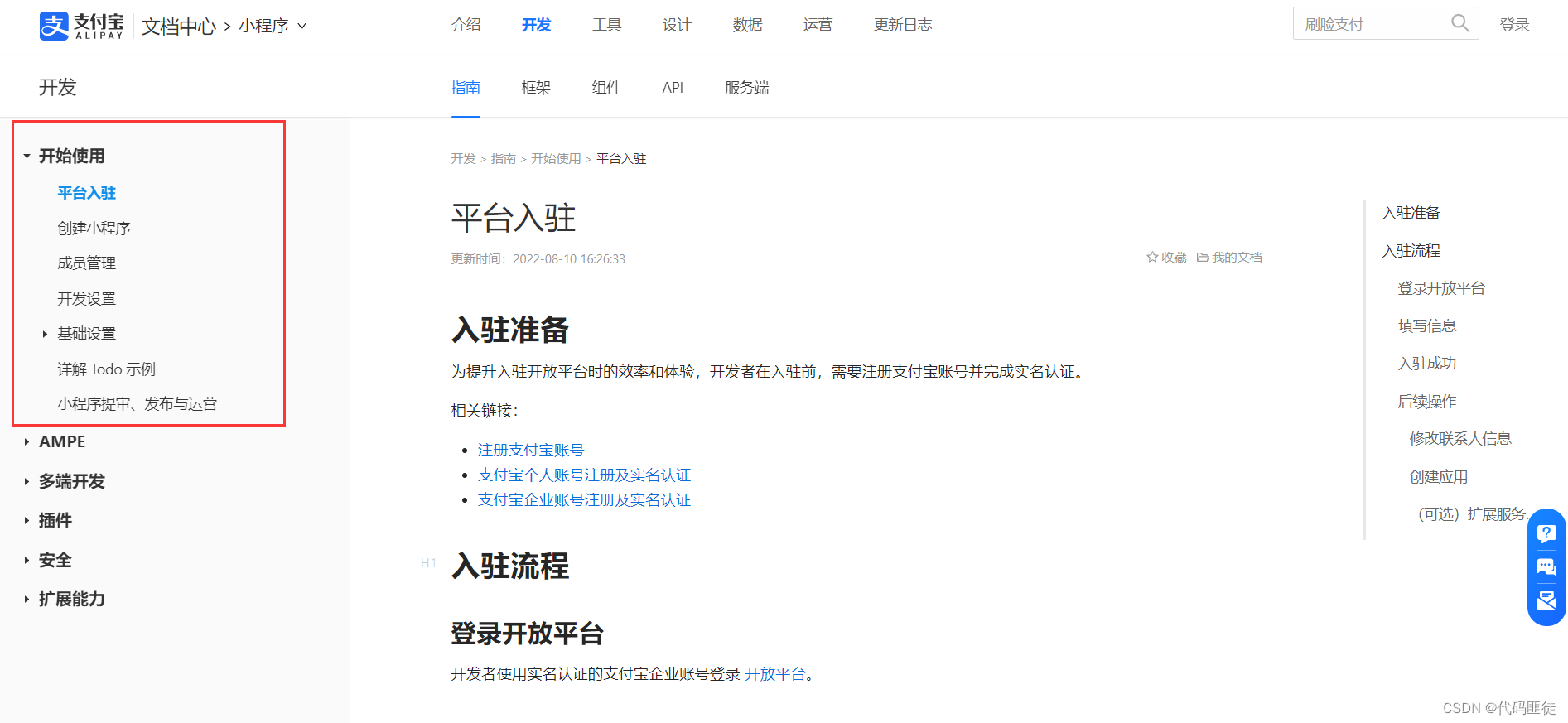
小程序API:


小程序支付接入
需要注意小程序支付接入和当面付-接入准备一样

请求示例:

需要的详细参数:
注意:buyer_id为必填

获取小程序用户身份user_id(buyer_id)/验证小程序用户/用户授权 my.getAuthCode

4、代码
实现了小程序支付,电脑网站支付,手机网站支付,当面付,及支付回调
yaml中配置
需要注意的是:
#通知地址不能直接写成localhost:9090/xxx等,需要使用内网穿透免费的内网穿透工具-飞鸽穿透,什么是内网穿透alipay-payment: #支付宝小程序 alipay-mini-app: #AppID app-id: "xxx" #应用私钥 app-private-key-string: "xxx" #应用公钥证书路径(绝对位置) app-public-cert-path: "G:/OEM/project/xxxx" #支付宝公钥证书路径(绝对位置) alipay-public-cert-path: "G:/OEM/project/xxxx" #支付宝根证书路径(绝对位置) alipay-root-cert-path: "G:/OEM/project/xxxx" #通知地址 #通知地址不能直接写成localhost:9090/xxx等,需要使用内网穿透 notify-url: "http://dreamrenderx.ifast3.vipnps.vip/alipay-payment/alipayMiniAppPaymentNotify" #Web、Wap、App程序 web: #AppID app-id: "xxx" #应用私钥 app-private-key-string: "xxxx" #应用公钥证书路径(绝对位置) app-public-cert-path: "G:/OEM/project/xxxx" #支付宝公钥证书路径(绝对位置) alipay-public-cert-path: "G:/OEM/project/xxxx" #支付宝根证书路径(绝对位置) alipay-root-cert-path: "G:/OEM/project/xxxx" #通知地址 notify-url: "http://dreamrenderx.ifast3.vipnps.vip/alipay-payment/webPaymentNotify"- 1
- 2
- 3
- 4
- 5
- 6
- 7
- 8
- 9
- 10
- 11
- 12
- 13
- 14
- 15
- 16
- 17
- 18
- 19
- 20
- 21
- 22
- 23
- 24
- 25
- 26
- 27
- 28
- 29
- 30
- 31
- 32
配置支付宝调用客户端,这里用的是公钥证书模式加签:
package com.xunan.demo.config; import com.alipay.api.AlipayClient; import com.alipay.api.CertAlipayRequest; import com.alipay.api.DefaultAlipayClient; import lombok.extern.slf4j.Slf4j; import org.springframework.beans.factory.annotation.Value; import org.springframework.context.annotation.Bean; import org.springframework.context.annotation.Configuration; @Slf4j @Configuration public class AlipayPaymentConfig { /** * 支付宝网关地址 */ String GATEWAY_URL = "https://openapi.alipay.com/gateway.do"; /** * 请求格式,固定值json */ String REQUEST_FORMAT = "json"; /** * 字符集 */ String REQUEST_CHARSET = "UTF-8"; /** * 签名类型 */ String SIGN_TYPE = "RSA2"; /** * 支付宝小程序AppID */ @Value("${alipay-payment.alipay-mini-app.app-id}") String ALIPAY_MINI_APP_APP_ID; /** * 支付宝小程序应用私钥 */ @Value("${alipay-payment.alipay-mini-app.app-private-key-string}") String ALIPAY_MINI_APP_APP_PRIVATE_KEY_STRING; /** * 支付宝小程序应用公钥证书路径(绝对位置) */ @Value("${alipay-payment.alipay-mini-app.app-public-cert-path}") String ALIPAY_MINI_APP_APP_PUBLIC_CERT_PATH; /** * 支付宝小程序支付宝公钥证书路径(绝对位置) */ @Value("${alipay-payment.alipay-mini-app.alipay-public-cert-path}") String ALIPAY_MINI_APP_ALIPAY_PUBLIC_CERT_PATH; /** * 支付宝小程序支付宝根证书路径(绝对位置) */ @Value("${alipay-payment.alipay-mini-app.alipay-root-cert-path}") String ALIPAY_MINI_APP_ALIPAY_ROOT_CERT_PATH; /** * Web、Wap、App程序AppID */ @Value("${alipay-payment.web.app-id}") String WEB_APP_ID; /** * Web、Wap、App程序应用私钥 */ @Value("${alipay-payment.web.app-private-key-string}") String WEB_APP_PRIVATE_KEY_STRING; /** * Web、Wap、App程序应用公钥证书路径(绝对位置) */ @Value("${alipay-payment.web.app-public-cert-path}") String WEB_APP_PUBLIC_CERT_PATH; /** * Web、Wap、App程序支付宝公钥证书路径(绝对位置) */ @Value("${alipay-payment.web.alipay-public-cert-path}") String WEB_ALIPAY_PUBLIC_CERT_PATH; /** * Web、Wap、App程序支付宝根证书路径(绝对位置) */ @Value("${alipay-payment.web.alipay-root-cert-path}") String WEB_ALIPAY_ROOT_CERT_PATH; /** * 支付宝通用证书客户端构造器 * 参考文档:https://opendocs.alipay.com/open/204/105297 公钥证书模式加签(注意最后一句话) * * @param appID 应用ID * @param appPrivateKeyString 应用私钥 * @param appPublicCertPath 应用公钥(路径) * @param alipayPublicCertPath 支付宝公钥(路径) * @param alipayRootCertPath 支付宝根证书(路径) * @return 支付宝通用证书客户端 */ private AlipayClient commonCertClientBuilder(String appID, String appPrivateKeyString, String appPublicCertPath, String alipayPublicCertPath, String alipayRootCertPath) { try { //构造client CertAlipayRequest certAlipayRequest = new CertAlipayRequest(); //设置网关地址 certAlipayRequest.setServerUrl(GATEWAY_URL); //设置应用Id certAlipayRequest.setAppId(appID); //设置请求格式 certAlipayRequest.setFormat(REQUEST_FORMAT); //设置字符集 certAlipayRequest.setCharset(REQUEST_CHARSET); //设置签名类型 certAlipayRequest.setSignType(SIGN_TYPE); //设置应用私钥 certAlipayRequest.setPrivateKey(appPrivateKeyString); /* * 注意!谨慎使用setPath * 如果使用setPath,需要写绝对目录,而不能直接使用getResource。可以考虑使用getResourceAsStream * 但是必须要注意的是,验签使用的AlipaySignature.rsaCertCheckV1并不支持使用setContent或者getResourceAsStream * * 由于支付宝在读取秘钥的时候使用了File,其是将File文件转为了FileInputStream * 然而,在部署环境下,this.getClass().getResource(WEB_APP_PUBLIC_CERT_PATH).getPath()获取到的路径往往是在jar文件下 * file:/code/target/pro-trueziroemdemo-boot-serverless.jar!/BOOT-INF/classes!/alipay-payment-cert-web/alipay-root-cert.crt * * 可见如下解释: * 1 * resource.getFile() expects the resource itself to be available on the file system, i.e. it can't be nested inside a jar file. * This is why it works when you run your application in STS (Spring Tool Suite) but doesn't work once you've built your application and run it from the executable jar. * Rather than using getFile() to access the resource's contents, I'd recommend using getInputStream() instead. * That'll allow you to read the resource's content regardless of where it's located. * * 2 * A java.io.File represents a file on the file system, in a directory structure. * The Jar is a java.io.File. * But anything within that file is beyond the reach of java.io.File. * As far as java is concerned, until it is uncompressed, a class in jar file is no different than a word in a word document. * * 相同情况亦可发生在使用Resource resource = new ClassPathResource(this.getClass().getResource(WEB_ALIPAY_ROOT_CERT_PATH).getPath());时 * * 参考:https://stackoverflow.com/questions/25869428/classpath-resource-not-found-when-running-as-jar * 参考:https://stackoverflow.com/questions/14876836/file-inside-jar-is-not-visible-for-spring * * */ //设置应用公钥证书路径(绝对位置) certAlipayRequest.setCertPath(appPublicCertPath); 设置应用公钥证书路径(Resource路径) //InputStream certInputStream = this.getClass().getResourceAsStream(appPublicCertPath); //String certContent; //if (certInputStream != null) { // certContent = IOUtils.toString(certInputStream, StandardCharsets.UTF_8); // log.info("读取应用公钥证书成功"); // certAlipayRequest.setCertContent(certContent); //} else { // log.info("读取应用公钥证书失败"); //} //设置支付宝公钥证书路径(绝对位置) certAlipayRequest.setAlipayPublicCertPath(alipayPublicCertPath); 设置支付宝公钥证书路径(Resource路径) //InputStream alipayPublicCertInputStream = this.getClass().getResourceAsStream(alipayPublicCertPath); //String alipayPublicCertContent; //if (alipayPublicCertInputStream != null) { // alipayPublicCertContent = IOUtils.toString(alipayPublicCertInputStream, StandardCharsets.UTF_8); // log.info("读取支付宝公钥证书成功"); // certAlipayRequest.setAlipayPublicCertContent(alipayPublicCertContent); //} else { // log.info("读取支付宝公钥证书失败"); //} // //设置支付宝根证书路径(绝对位置) certAlipayRequest.setRootCertPath(alipayRootCertPath); 设置支付宝根证书路径(Resource路径) //InputStream alipayRootCertInputStream = this.getClass().getResourceAsStream(alipayRootCertPath); //String alipayRootCertContent; //if (alipayRootCertInputStream != null) { // alipayRootCertContent = IOUtils.toString(alipayRootCertInputStream, StandardCharsets.UTF_8); // log.info("读取支付宝根证书成功"); // certAlipayRequest.setRootCertContent(alipayRootCertContent); //} else { // log.info("读取支付宝根证书失败"); //} //构造client return new DefaultAlipayClient(certAlipayRequest); } catch (Exception e) { e.printStackTrace(); return null; } } /** * 支付宝网页Client构造器 * * @return 支付宝Client */ @Bean public AlipayClient webAlipayClient() { try { return commonCertClientBuilder( WEB_APP_ID, WEB_APP_PRIVATE_KEY_STRING, WEB_APP_PUBLIC_CERT_PATH, WEB_ALIPAY_PUBLIC_CERT_PATH, WEB_ALIPAY_ROOT_CERT_PATH); } catch (Exception exception) { exception.printStackTrace(); return null; } } /** * 支付宝小程序Client构造器 * * @return 支付宝Client */ @Bean public AlipayClient alipayMiniAppAlipayClient() { try { return commonCertClientBuilder( ALIPAY_MINI_APP_APP_ID, ALIPAY_MINI_APP_APP_PRIVATE_KEY_STRING, ALIPAY_MINI_APP_APP_PUBLIC_CERT_PATH, ALIPAY_MINI_APP_ALIPAY_PUBLIC_CERT_PATH, ALIPAY_MINI_APP_ALIPAY_ROOT_CERT_PATH); } catch (Exception exception) { exception.printStackTrace(); return null; } } }- 1
- 2
- 3
- 4
- 5
- 6
- 7
- 8
- 9
- 10
- 11
- 12
- 13
- 14
- 15
- 16
- 17
- 18
- 19
- 20
- 21
- 22
- 23
- 24
- 25
- 26
- 27
- 28
- 29
- 30
- 31
- 32
- 33
- 34
- 35
- 36
- 37
- 38
- 39
- 40
- 41
- 42
- 43
- 44
- 45
- 46
- 47
- 48
- 49
- 50
- 51
- 52
- 53
- 54
- 55
- 56
- 57
- 58
- 59
- 60
- 61
- 62
- 63
- 64
- 65
- 66
- 67
- 68
- 69
- 70
- 71
- 72
- 73
- 74
- 75
- 76
- 77
- 78
- 79
- 80
- 81
- 82
- 83
- 84
- 85
- 86
- 87
- 88
- 89
- 90
- 91
- 92
- 93
- 94
- 95
- 96
- 97
- 98
- 99
- 100
- 101
- 102
- 103
- 104
- 105
- 106
- 107
- 108
- 109
- 110
- 111
- 112
- 113
- 114
- 115
- 116
- 117
- 118
- 119
- 120
- 121
- 122
- 123
- 124
- 125
- 126
- 127
- 128
- 129
- 130
- 131
- 132
- 133
- 134
- 135
- 136
- 137
- 138
- 139
- 140
- 141
- 142
- 143
- 144
- 145
- 146
- 147
- 148
- 149
- 150
- 151
- 152
- 153
- 154
- 155
- 156
- 157
- 158
- 159
- 160
- 161
- 162
- 163
- 164
- 165
- 166
- 167
- 168
- 169
- 170
- 171
- 172
- 173
- 174
- 175
- 176
- 177
- 178
- 179
- 180
- 181
- 182
- 183
- 184
- 185
- 186
- 187
- 188
- 189
- 190
- 191
- 192
- 193
- 194
- 195
- 196
- 197
- 198
- 199
- 200
- 201
- 202
- 203
- 204
- 205
- 206
- 207
- 208
- 209
- 210
- 211
- 212
- 213
- 214
- 215
- 216
- 217
- 218
- 219
- 220
- 221
- 222
- 223
- 224
- 225
- 226
- 227
- 228
- 229
- 230
- 231
- 232
- 233
- 234
- 235
- 236
- 237
- 238
- 239
- 240
- 241
- 242
- 243
- 244
- 245
- 246
- 247
业务实现:
package com.xunan.demo.service; import cn.hutool.core.util.IdUtil; import com.alibaba.fastjson.JSONObject; import com.alipay.api.AlipayApiException; import com.alipay.api.AlipayClient; import com.alipay.api.request.AlipayTradeCreateRequest; import com.alipay.api.request.AlipayTradePagePayRequest; import com.alipay.api.request.AlipayTradePayRequest; import com.alipay.api.request.AlipayTradeWapPayRequest; import com.alipay.api.response.AlipayTradeCreateResponse; import com.alipay.api.response.AlipayTradePagePayResponse; import com.alipay.api.response.AlipayTradePayResponse; import com.alipay.api.response.AlipayTradeWapPayResponse; import com.xunan.demo.pojo.CommonResult; import org.springframework.beans.factory.annotation.Value; import org.springframework.stereotype.Service; import javax.annotation.Resource; /** * 小程序的参考文档:https://opendocs.alipay.com/mini/introduce/pay * 其他的参考文档:https://opendocs.alipay.com/open/00a0ut 开放能力,顺着看 * * API列表中会告诉你整么调用支付功能 */ @Service public class AlipayPaymentService { /** * 小程序回调接口 */ @Value("${alipay-payment.alipay-mini-app.notify-url}") String ALIPAY_MINI_APP_PAYMENT_NOTIFY_URL; /** * Web、Wap、App回调接口 */ @Value("${alipay-payment.web.notify-url}") String WEB_PAYMENT_NOTIFY_URL; /** * 小程序支付宝请求客户端 * 使用的是AlipayPaymentConfig中注入的,因没有配置name属性所以spring自动注入同名的 */ @Resource AlipayClient alipayMiniAppAlipayClient; /** * Web、Wap、App支付宝请求客户端 * 使用的是AlipayPaymentConfig中注入的,因没有配置name属性所以spring自动注入同名的 */ @Resource AlipayClient webAlipayClient; public String alipayMiniAppPaymentNotify() { return "success"; } public String webPaymentNotify() { return "success"; } /** * 小程序支付 * 获取支付宝小程序支付数据 https://opendocs.alipay.com/mini/02j1c3 * * @param price 商品价格 * @param subject 标题 * @param buyerId 购买用户的UserId * @return 支付宝小程序支付数据 */ public CommonResult<AlipayTradeCreateResponse> getAlipayMiniAppPayData(Double price, String subject, String buyerId) { //判断客户端是否为空 if (alipayMiniAppAlipayClient == null) { return new CommonResult<>(false, "内部错误", null); } //实例化具体API对应的request类,类名称和接口名称对应,当前调用接口名称:alipay.trade.create. AlipayTradeCreateRequest request = new AlipayTradeCreateRequest(); //设置回调接口 request.setNotifyUrl(ALIPAY_MINI_APP_PAYMENT_NOTIFY_URL); //生成订单号 String outTradeNumber = IdUtil.simpleUUID(); //组装数据 JSONObject requestData = new JSONObject(); //设置订单号 requestData.put("out_trade_no", outTradeNumber); //设置总价 requestData.put("total_amount", price); //设置订单标题 requestData.put("subject", subject); //设置买家支付宝用户ID requestData.put("buyer_id", buyerId); //SDK已经封装掉了公共参数,这里只需要传入业务参数。 request.setBizContent(requestData.toString()); try { AlipayTradeCreateResponse response = alipayMiniAppAlipayClient.certificateExecute(request); //返回结果 return new CommonResult<>(true, "成功", response); } catch (AlipayApiException e) { e.printStackTrace(); return new CommonResult<>(false, "内部错误", null); } } /** * 获取电脑网站支付数据 * * @param price 商品价格 * @param subject 标题 * @return 支付宝小程序支付数据 */ public CommonResult<AlipayTradePagePayResponse> getPagePayData(Double price, String subject) { //判断客户端是否为空 if (webAlipayClient == null) { return new CommonResult<>(false, "内部错误", null); } //实例化具体API对应的request类,类名称和接口名称对应,当前调用接口名称:alipay.trade.create. AlipayTradePagePayRequest request = new AlipayTradePagePayRequest(); //设置回调接口 request.setNotifyUrl(WEB_PAYMENT_NOTIFY_URL); //生成订单号 String outTradeNumber = IdUtil.simpleUUID(); //组装数据 JSONObject requestData = new JSONObject(); //设置订单号 requestData.put("out_trade_no", outTradeNumber); //设置总价 requestData.put("total_amount", price); //设置订单标题 requestData.put("subject", subject); //设置销售产品码 requestData.put("product_code", "FAST_INSTANT_TRADE_PAY"); //SDK已经封装掉了公共参数,这里只需要传入业务参数。 request.setBizContent(requestData.toString()); try { AlipayTradePagePayResponse response = webAlipayClient.certificateExecute(request); //返回结果 return new CommonResult<>(true, "成功", response); } catch (AlipayApiException e) { e.printStackTrace(); return new CommonResult<>(false, "内部错误", null); } } /** * 获取手机网站支付数据 * * @param price 商品价格 * @param subject 标题 * @param quitUrl 用户付款中途退出返回商户网站的地址 * @return 支付宝小程序支付数据 */ public CommonResult<AlipayTradeWapPayResponse> getWapPayData(Double price, String subject, String quitUrl) { //判断客户端是否为空 if (webAlipayClient == null) { return new CommonResult<>(false, "内部错误", null); } //实例化具体API对应的request类,类名称和接口名称对应,当前调用接口名称:alipay.trade.create. AlipayTradeWapPayRequest request = new AlipayTradeWapPayRequest(); //设置回调接口 request.setNotifyUrl(WEB_PAYMENT_NOTIFY_URL); //生成订单号 String outTradeNumber = IdUtil.simpleUUID(); //组装数据 JSONObject requestData = new JSONObject(); //设置订单号 requestData.put("out_trade_no", outTradeNumber); //设置总价 requestData.put("total_amount", price); //设置订单标题 requestData.put("subject", subject); //设置销售产品码 requestData.put("product_code", "QUICK_WAP_WAY"); //设置用户付款中途退出返回商户网站的地址 requestData.put("quit_url", quitUrl); //SDK已经封装掉了公共参数,这里只需要传入业务参数。 request.setBizContent(requestData.toString()); try { AlipayTradeWapPayResponse response = webAlipayClient.certificateExecute(request); //返回结果 return new CommonResult<>(true, "成功", response); } catch (AlipayApiException e) { e.printStackTrace(); return new CommonResult<>(false, "内部错误", null); } } /** * 当面付 * https://opendocs.alipay.com/open/02ekfp?ref=api&scene=32 * * @param price 商品价格 * @param subject 标题 * @param authCode 支付授权码 * @return 支付宝小程序支付数据 */ public CommonResult<AlipayTradePayResponse> codePay(Double price, String subject, String authCode) { //判断客户端是否为空 if (webAlipayClient == null) { return new CommonResult<>(false, "内部错误", null); } //实例化具体API对应的request类,类名称和接口名称对应,当前调用接口名称:alipay.trade.create. AlipayTradePayRequest request = new AlipayTradePayRequest(); //设置回调接口 request.setNotifyUrl(WEB_PAYMENT_NOTIFY_URL); //生成订单号 String outTradeNumber = IdUtil.simpleUUID(); //组装数据 JSONObject requestData = new JSONObject(); //设置订单号 requestData.put("out_trade_no", outTradeNumber); //设置总价 requestData.put("total_amount", price); //设置订单标题 requestData.put("subject", subject); //支付场景 requestData.put("scene", "bar_code"); //支付授权码 requestData.put("auth_code", authCode); //SDK已经封装掉了公共参数,这里只需要传入业务参数。 request.setBizContent(requestData.toString()); try { AlipayTradePayResponse response = webAlipayClient.certificateExecute(request); //返回结果 return new CommonResult<>(true, "成功", response); } catch (AlipayApiException e) { e.printStackTrace(); return new CommonResult<>(false, "内部错误", null); } } }- 1
- 2
- 3
- 4
- 5
- 6
- 7
- 8
- 9
- 10
- 11
- 12
- 13
- 14
- 15
- 16
- 17
- 18
- 19
- 20
- 21
- 22
- 23
- 24
- 25
- 26
- 27
- 28
- 29
- 30
- 31
- 32
- 33
- 34
- 35
- 36
- 37
- 38
- 39
- 40
- 41
- 42
- 43
- 44
- 45
- 46
- 47
- 48
- 49
- 50
- 51
- 52
- 53
- 54
- 55
- 56
- 57
- 58
- 59
- 60
- 61
- 62
- 63
- 64
- 65
- 66
- 67
- 68
- 69
- 70
- 71
- 72
- 73
- 74
- 75
- 76
- 77
- 78
- 79
- 80
- 81
- 82
- 83
- 84
- 85
- 86
- 87
- 88
- 89
- 90
- 91
- 92
- 93
- 94
- 95
- 96
- 97
- 98
- 99
- 100
- 101
- 102
- 103
- 104
- 105
- 106
- 107
- 108
- 109
- 110
- 111
- 112
- 113
- 114
- 115
- 116
- 117
- 118
- 119
- 120
- 121
- 122
- 123
- 124
- 125
- 126
- 127
- 128
- 129
- 130
- 131
- 132
- 133
- 134
- 135
- 136
- 137
- 138
- 139
- 140
- 141
- 142
- 143
- 144
- 145
- 146
- 147
- 148
- 149
- 150
- 151
- 152
- 153
- 154
- 155
- 156
- 157
- 158
- 159
- 160
- 161
- 162
- 163
- 164
- 165
- 166
- 167
- 168
- 169
- 170
- 171
- 172
- 173
- 174
- 175
- 176
- 177
- 178
- 179
- 180
- 181
- 182
- 183
- 184
- 185
- 186
- 187
- 188
- 189
- 190
- 191
- 192
- 193
- 194
- 195
- 196
- 197
- 198
- 199
- 200
- 201
- 202
- 203
- 204
- 205
- 206
- 207
- 208
- 209
- 210
- 211
- 212
- 213
- 214
- 215
- 216
- 217
- 218
- 219
- 220
- 221
- 222
- 223
- 224
- 225
- 226
- 227
- 228
- 229
- 230
- 231
- 232
- 233
- 234
- 235
- 236
- 237
- 238
- 239
- 240
- 241
- 242
- 243
- 244
- 245
- 246
- 247
- 248
- 249
- 250
- 251
- 252
- 253
- 254
- 255
- 256
- 257
- 258
- 259
完整代码
-
相关阅读:
arthas诊断工具
我为什么不喜欢关电脑?
手把手教你CSP系列之font-src
从 Python 程序中运行 PowerShell 脚本
alibaba数据同步组件canal的实践整理
如何获取下载文件镜像文件压缩包的校验码SHA256SHA1MD5
1016 部分A+B
力扣leetcode算法-搜索插入位置
python从入门到实践 第17章:使用API自己感悟和部分代码
词嵌入(WordVec单词可视化聚类)
- 原文地址:https://blog.csdn.net/munangs/article/details/126759996
