-
【云原生 | Kubernetes 系列】---Prometheus监控mysql
1. Prometheus监控mysql
对mysql的版本要求:
- MySQL >= 5.6.
- MariaDB >= 10.3
1.1 测试环境准备
# apt install mariadb-server -y # vi /etc/mysql/mariadb.conf.d/50-server.cnf ## 修改28行 bind-address = 0.0.0.0 systemctl restart mariadb.service # ss -tnl|grep 3306 LISTEN 0 80 0.0.0.0:3306 0.0.0.0:*- 1
- 2
- 3
- 4
- 5
- 6
- 7
2. 创建数据库授权
在数据库中创建账号exporter,并授权只能从本地访问.不建议直接使用root账号监控
PS:这里不要把密码设置太多符号,mysqld-exporter会因为密码中的符号造成部分信息收不到.MariaDB [(none)]> CREATE USER 'exporter'@'localhost' IDENTIFIED BY 'Exporter123' WITH MAX_USER_CONNECTIONS 3; MariaDB [(none)]> GRANT PROCESS, REPLICATION CLIENT, SELECT ON *.* TO 'exporter'@'localhost';- 1
- 2
测试账号授权是否成功
# mysql -uexporter -pExporter123 -e 'show databases;' +--------------------+ | Database | +--------------------+ | information_schema | | mysql | | performance_schema | | wework | +--------------------+- 1
- 2
- 3
- 4
- 5
- 6
- 7
- 8
- 9
3. 安装mysql-exporter
3.1 克隆下载代码
# wget https://github.com/prometheus/mysqld_exporter/releases/download/v0.14.0/mysqld_exporter-0.14.0.linux-amd64.tar.gz # tar xf mysqld_exporter-0.14.0.linux-amd64.tar.gz # ln -sf /apps/mysqld_exporter-0.14.0.linux-amd64/mysqld_exporter /usr/bin/- 1
- 2
- 3
3.2 配置密码文件
为了让exporter免密连接数据库,需要配置个密码文件
# cat /root/.my.cnf [client] user=exporter password=Exporter123- 1
- 2
- 3
- 4
确认用户名密码没有错误
# mysql -e "select current_user();" +--------------------+ | current_user() | +--------------------+ | exporter@localhost | +--------------------+- 1
- 2
- 3
- 4
- 5
- 6
3.3 编辑mysql-exporter Service文件
# cat /etc/systemd/system/mysqld_exporter.service [Unit] Description=Prometheus mysqld_exporter After=network.target [Service] ExecStart=/usr/bin/mysqld_exporter --config.my-cnf=/root/.my.cnf [Install] WantedBy=multi-user.target- 1
- 2
- 3
- 4
- 5
- 6
- 7
- 8
- 9
- 10
启动服务
# systemctl enable --now mysqld_exporter.service Created symlink /etc/systemd/system/multi-user.target.wants/mysqld_exporter.service → /etc/systemd/system/mysqld_exporter.service.- 1
- 2
查看9104监听是否正常启动
# ss -ntl|grep 9104 LISTEN 0 4096 *:9104 *:*- 1
- 2
此时从页面访问可以获取到mysql相关数据
这里要注意看是否获取到了mysql_global开头的这些数据,如果没有可能是密码错误或者密码中的符号造成的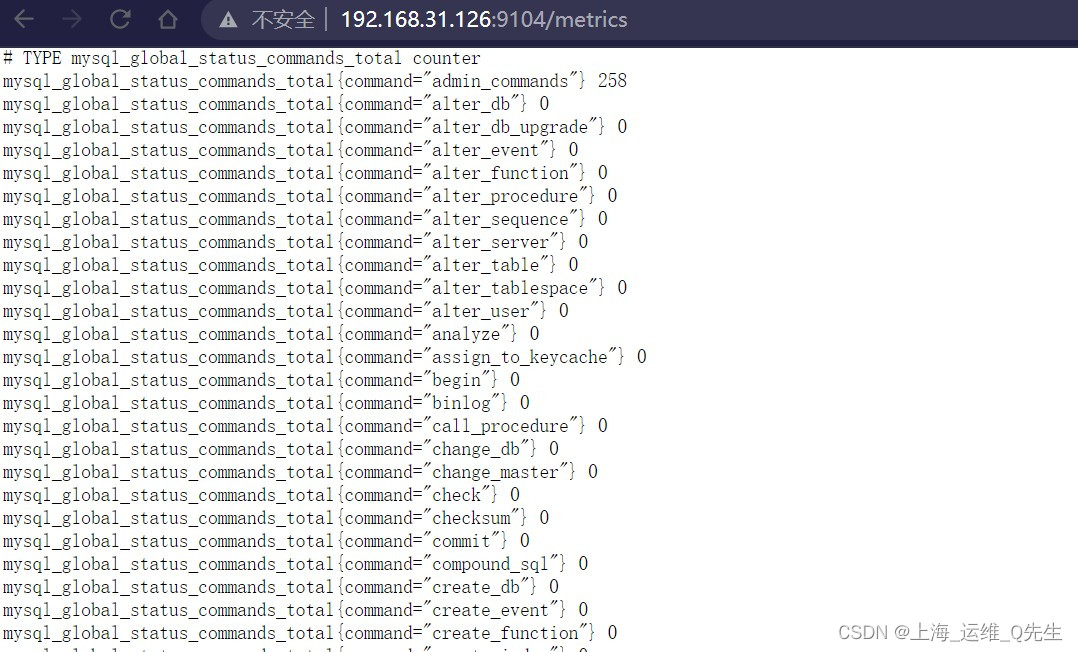
3.4 Prometheus监控追加
- job_name: "mysql-exporter-9104" metrics_path: /metrics static_configs: - targets: ["192.168.31.126:9104"]- 1
- 2
- 3
- 4

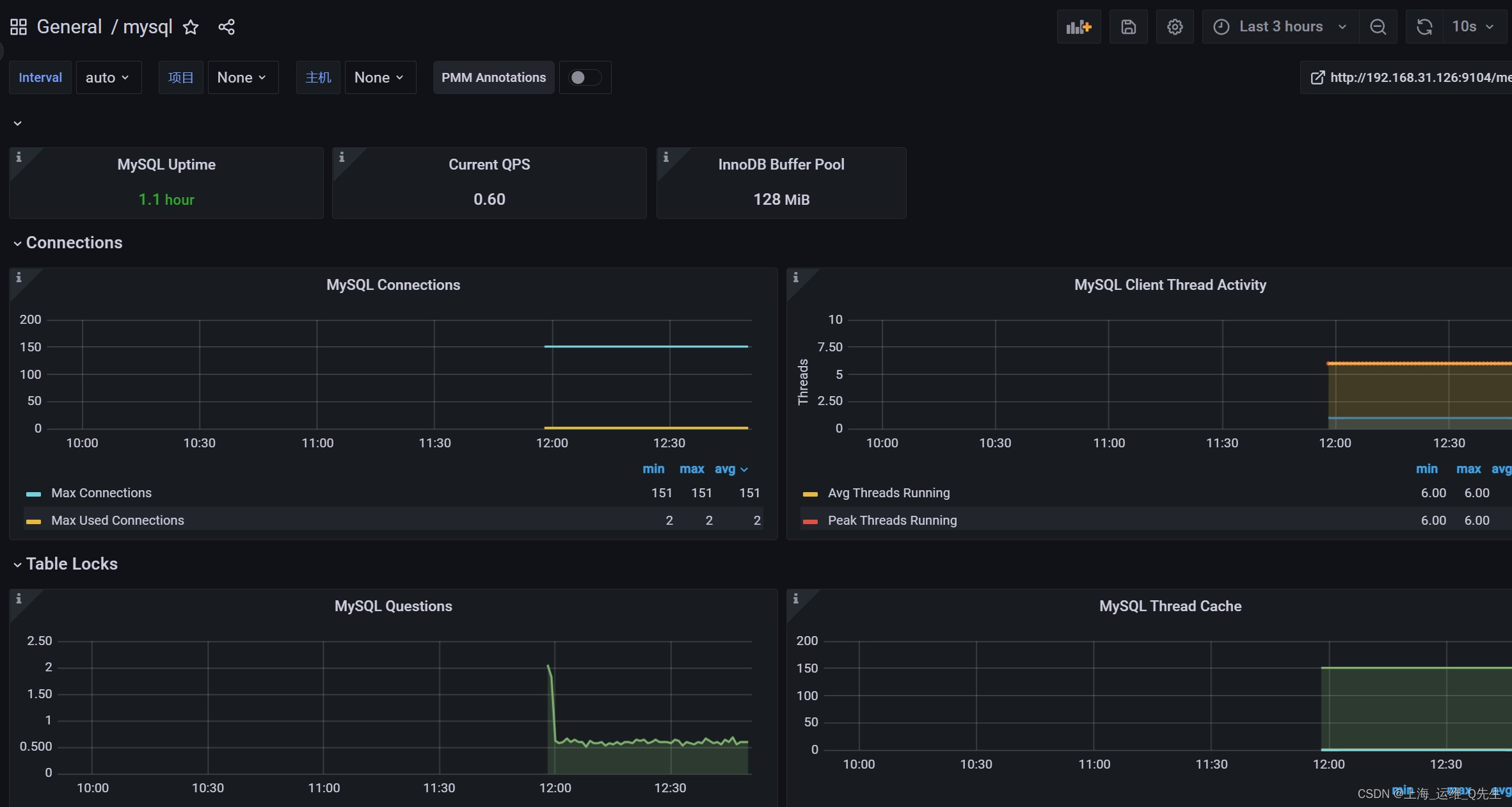
3.5 grafana 追加
13106
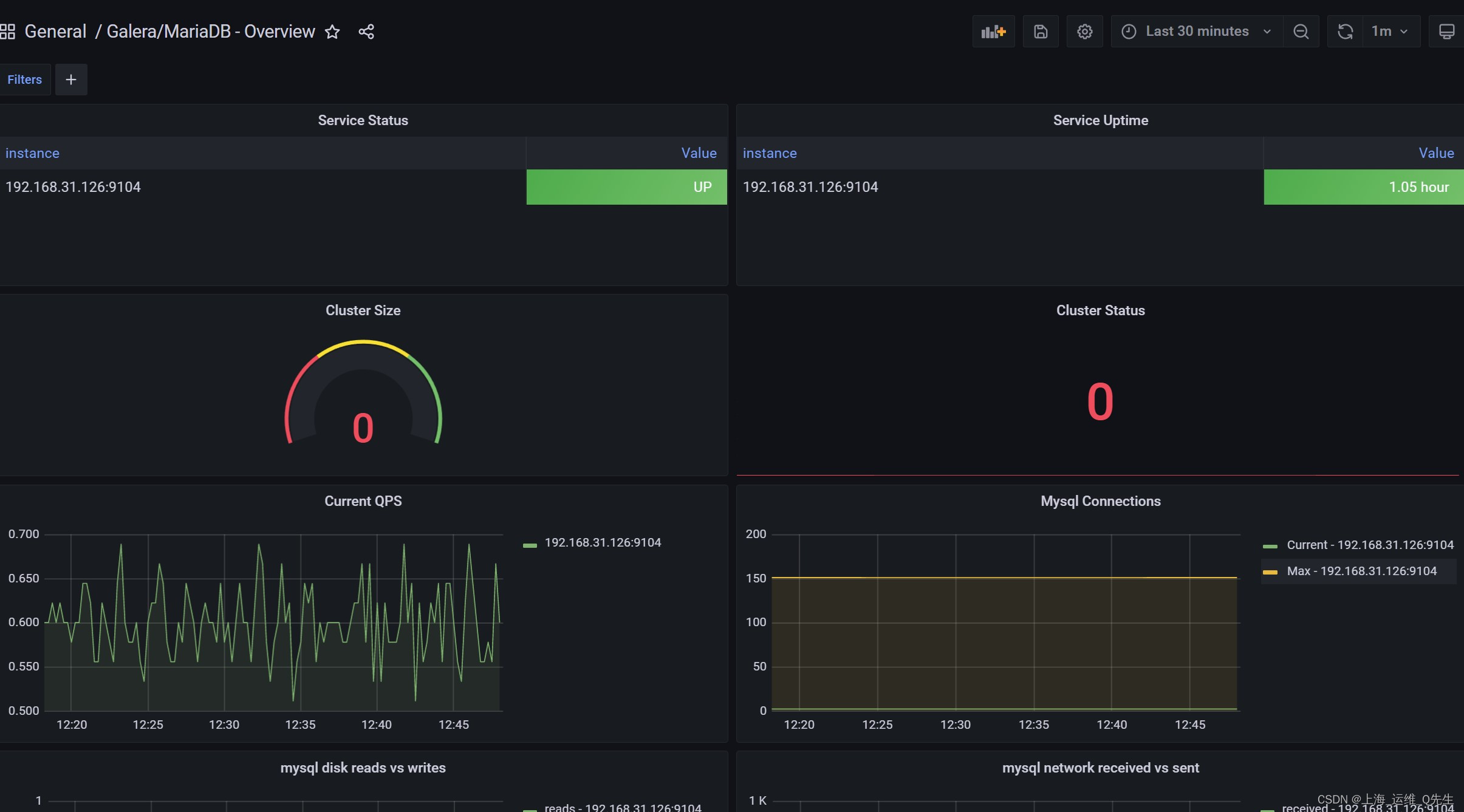
11323
-
相关阅读:
基于【ESLint+JavaScript Standard Style】标准的VUE/JS/html风格指南
Spring MVC 的返回值有哪些
【Spring项目中的统一处理异常】
JAVAEE---多线程
如何从消失的异常堆栈定位线上问题
m基于PSO粒子群优化的第四方物流的作业整合算法matlab仿真,对比有代理人和无代理人两种模式下最低运输费用、代理人转换费用、运输方式转化费用和时间惩罚费用
Python中的迭代器
Element类型【2】
淘宝/天猫,1688,拼多多,京东店铺获取所有商品详情(api接口详情)
在Ubuntu20.04安装StarRocks On Docker并在DataGrip配置JDBC协议连接容器内StarRocks2.3.2
- 原文地址:https://blog.csdn.net/qq_29974229/article/details/126676283