DOCTYPE html > < htmllang = " en" > < head> < metacharset = " UTF-8" > < metahttp-equiv = " X-UA-Compatible" content = " IE=edge" > < metaname = " viewport" content = " width=device-width, initial-scale=1.0" > < title> title > head > < body> < inputtype = " checkbox" > < Script>
var ipt = document. querySelector ( 'input' )
var flag = false
setInterval ( function ( ) {
flag = ! flag
ipt. checked = flag
} , 1000 )
Script > body > html >
1 2 3 4 5 6 7 8 9 10 11 12 13 14 15 16 17 18 19 20 21
DOCTYPE html > < htmllang = " en" > < head> < metacharset = " UTF-8" > < metahttp-equiv = " X-UA-Compatible" content = " IE=edge" > < metaname = " viewport" content = " width=device-width, initial-scale=1.0" > < title> title > head > < body> < span> span > < script>
var menuList = [ '凉拌毛豆' , '油焖小龙虾' , '排骨玉米汤' , '姐妹酸菜鱼' ]
var span = document. querySelector ( 'span' )
function randNum ( min, max ) {
return Math. floor ( Math. random ( ) * ( max - min + 1 ) + min)
}
setInterval ( function ( ) {
span. innerText = menuList[ randNum ( 0 , menuList. length- 1 ) ]
} , 1000 )
script > body > html >
1 2 3 4 5 6 7 8 9 10 11 12 13 14 15 16 17 18 19 20 21 22 23
DOCTYPE html > < htmllang = " en" > < head> < metacharset = " UTF-8" > < metahttp-equiv = " X-UA-Compatible" content = " IE=edge" > < metaname = " viewport" content = " width=device-width, initial-scale=1.0" > < title> title > head > < body> < divstyle = " width : 100px; height : 100px" > div > < script>
var div = document. querySelector ( 'div' )
function randNum ( min, max ) {
return Math. floor ( Math. random ( ) * ( max- min+ 1 ) + min)
}
function randColor ( ) {
var blue = randNum ( 0 , 255 )
var green = randNum ( 0 , 255 )
var red = randNum ( 0 , 255 )
return ` rgb( ${ red} , ${ green} , ${ blue} ) ` }
setInterval ( function ( ) {
div. style. backgroundColor = randColor ( )
} , 1000 )
script > body > html >
1 2 3 4 5 6 7 8 9 10 11 12 13 14 15 16 17 18 19 20 21 22 23 24 25 26 27 28
DOCTYPE html > < htmllang = " en" > < head> < metacharset = " UTF-8" > < metahttp-equiv = " X-UA-Compatible" content = " IE=edge" > < metaname = " viewport" content = " width=device-width, initial-scale=1.0" > < title> title > < style>
#id1 {
width : 600px;
height : 600px;
position : relative;
}
#id2 {
width : 500px;
height : 500px;
position : relative;
position : absolute;
left : 300px;
top : 300px;
transform : translate ( -50%, -50%) ;
}
#id3 {
width : 400px;
height : 400px;
position : relative;
position : absolute;
left : 250px;
top : 250px;
transform : translate ( -50%, -50%) ;
}
#id4 {
width : 300px;
height : 300px;
position : relative;
position : absolute;
left : 200px;
top : 200px;
transform : translate ( -50%, -50%) ;
}
#id5 {
width : 200px;
height : 200px;
position : relative;
position : absolute;
left : 150px;
top : 150px;
transform : translate ( -50%, -50%) ;
}
#id6 {
width : 100px;
height : 100px;
position : relative;
position : absolute;
left : 100px;
top : 100px;
transform : translate ( -50%, -50%) ;
}
#id7 {
width : 50px;
height : 50px;
position : relative;
position : absolute;
left : 50px;
top : 50px;
transform : translate ( -50%, -50%) ;
}
style > head > < body> < divid = " id1" > < divid = " id2" > < divid = " id3" > < divid = " id4" > < divid = " id5" > < divid = " id6" > < divid = " id7" > div > div > div > div > div > div > div > < script>
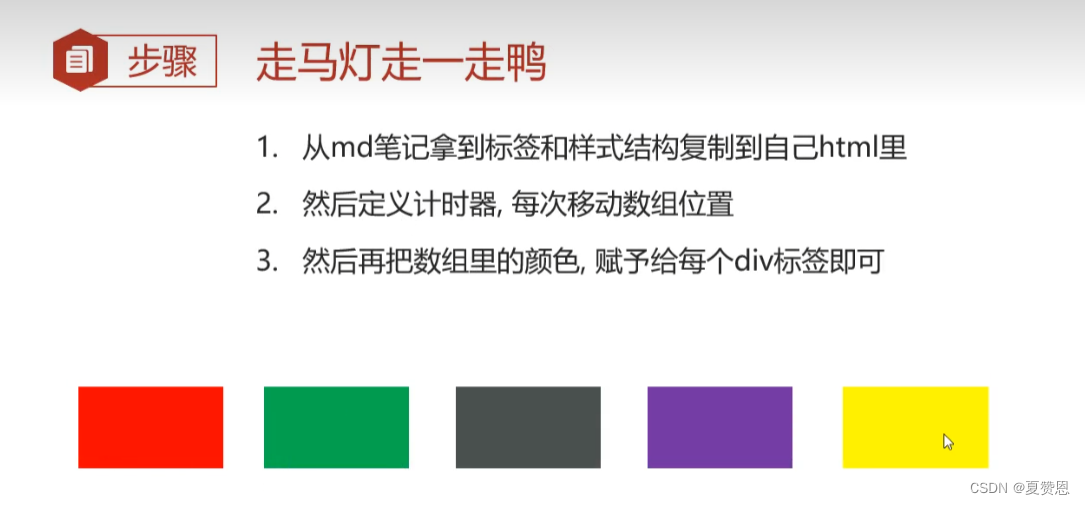
var divList = document. querySelectorAll ( 'div' )
var colorList = [ 'red' , 'orange' , 'yellow' , 'lightgreen' , 'blue' , 'purple' ]
setInterval ( function ( ) {
var first = colorList. shift ( )
colorList. push ( first)
for ( var i = 0 ; i < colorList. length; i++ ) {
divList[ i] . style. backgroundColor = colorList[ i]
}
} , 1000 )
script > body > html >
1 2 3 4 5 6 7 8 9 10 11 12 13 14 15 16 17 18 19 20 21 22 23 24 25 26 27 28 29 30 31 32 33 34 35 36 37 38 39 40 41 42 43 44 45 46 47 48 49 50 51 52 53 54 55 56 57 58 59 60 61 62 63 64 65 66 67 68 69 70 71 72 73 74 75 76 77 78 79 80 81 82 83 84 85 86 87 88 89 90 91 92 93 94 95 96 97 98 99 100 101 102 103 104
DOCTYPE html > < htmllang = " en" > < head> < metacharset = " UTF-8" > < metahttp-equiv = " X-UA-Compatible" content = " IE=edge" > < metaname = " viewport" content = " width=device-width, initial-scale=1.0" > < title> title > head > < body> < button> button > < imgsrc = " ./1.jpg" height = ' 400px' alt = " " > < script>
var btn = document. querySelector ( 'button' )
var img = document. querySelector ( 'img' )
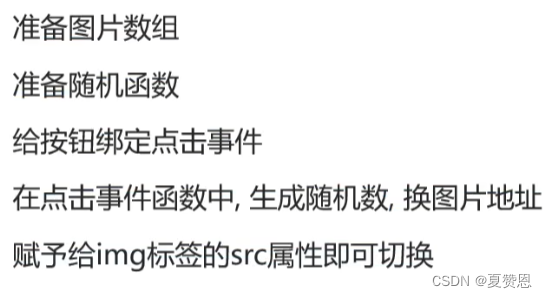
var picList = [ './1.jpg' , './2.jpg' , './3.jpg' , './4.jpg' , './5.jpg' ]
function randNum ( min, max ) {
return Math. floor ( Math. random ( ) * ( max - min + 1 ) + min)
}
btn. addEventListener ( 'click' , function ( ) {
var num = randNum ( 0 , picList. length- 1 )
img. src = picList[ num]
} )
script > body > html >
1 2 3 4 5 6 7 8 9 10 11 12 13 14 15 16 17 18 19 20 21 22 23 24 25
DOCTYPE html > < htmllang = " en" > < head> < metacharset = " UTF-8" > < metahttp-equiv = " X-UA-Compatible" content = " IE=edge" > < metaname = " viewport" content = " width=device-width, initial-scale=1.0" > < title> title > head > < body> < inputtype = " checkbox" > < button> button > < script>
var ipt = document. querySelector ( 'input' )
var btn = document. querySelector ( 'button' )
ipt. addEventListener ( 'click' , function ( ) {
btn. disabled = ! this . checked
} )
script > body > html >
1 2 3 4 5 6 7 8 9 10 11 12 13 14 15 16 17 18 19 20
DOCTYPE html > < htmllang = " en" > < head> < metacharset = " UTF-8" > < metahttp-equiv = " X-UA-Compatible" content = " IE=edge" > < metaname = " viewport" content = " width=device-width, initial-scale=1.0" > < title> title > < style>
.box {
position : relative;
width : 400px;
border-bottom : 1px solid #ccc;
margin : 100px auto;
}
.box input {
width : 370px;
height : 30px;
border : 0;
outline : none;
}
.box label {
position : absolute;
top : 2px;
right : 2px;
width : 35px;
height : 24px;
cursor : pointer;
background : url ( ./images/close.jpg) ;
background-size : cover;
}
.box label.active {
top : -10px;
width : 45px;
height : 30px;
background : url ( ./images/eye.jpg) ;
}
style > head > < body> < divclass = " box" > < labelfor class > label > < inputtype = " password" id = " pwd" > div > < script>
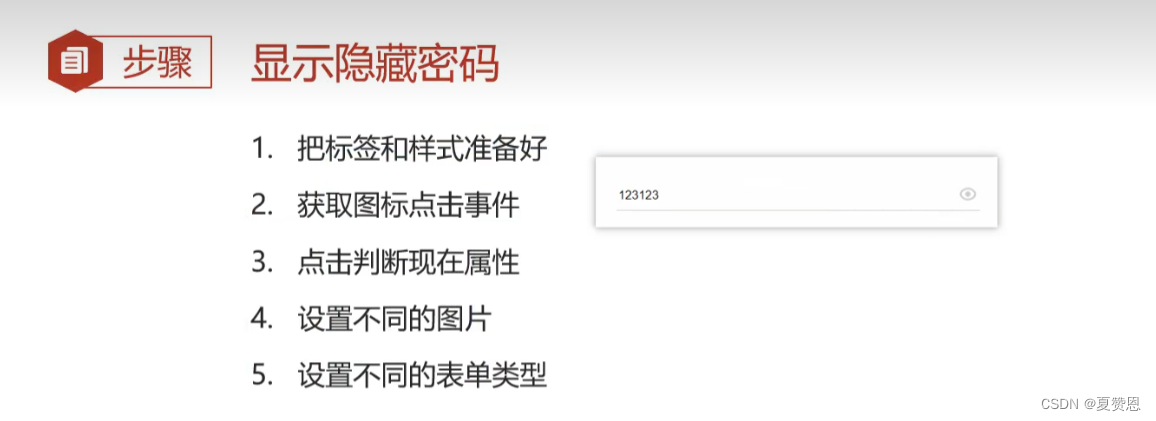
var label = document. querySelector ( '.box label' )
var ipt = document. querySelector ( '#pwd' )
label. addEventListener ( 'click' , function ( ) {
label. classList. toggle ( 'active' )
if ( ipt. type === 'text' ) {
ipt. type = 'password'
} else {
ipt. type = 'text'
}
} )
script > body > html >
1 2 3 4 5 6 7 8 9 10 11 12 13 14 15 16 17 18 19 20 21 22 23 24 25 26 27 28 29 30 31 32 33 34 35 36 37 38 39 40 41 42 43 44 45 46 47 48 49 50 51 52 53 54 55 56 57
DOCTYPE html > < htmllang = " en" > < head> < metacharset = " UTF-8" > < metahttp-equiv = " X-UA-Compatible" content = " IE=edge" > < metaname = " viewport" content = " width=device-width, initial-scale=1.0" > < title> title > < style>
li {
list-style : none;
font-size : 18px;
}
#num {
width : 65px;
position : relative;
}
button {
position : absolute;
left : 210px;
margin-top : 3px;
display : inline-block;
}
style > head > < body> < ul> < li> < inputtype = " text" id = " mobile" > li > < li> < inputtype = " text" id = " num" > < button> button > li > ul > < script>
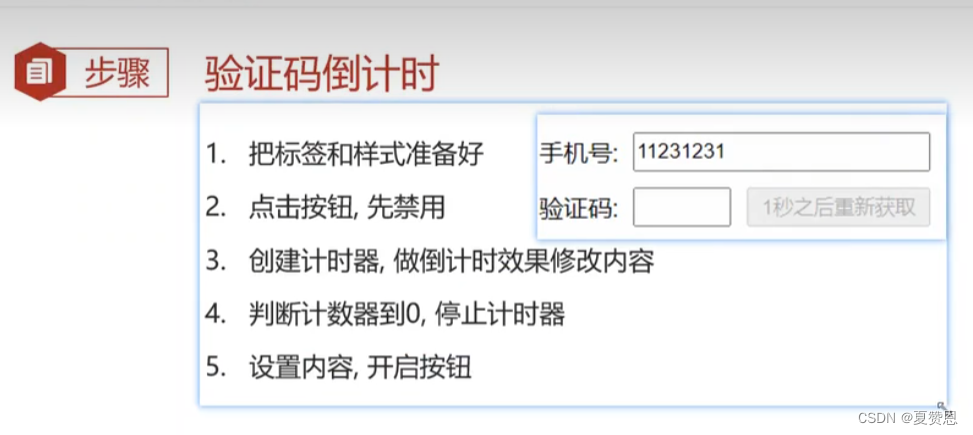
var btn = document. querySelector ( 'button' )
btn. addEventListener ( 'click' , function ( ) {
btn. disabled = true
var time = 5
function myFn ( ) {
time-- ;
btn. innerHTML = ` ${ time} 秒之后获取 ` if ( time < 0 ) {
clearInterval ( timer)
btn. innerHTML = ` 获取验证码 ` . disabled = false
}
}
myFn ( )
timer = setInterval ( myFn, 1000 )
} )
script > body > html >
1 2 3 4 5 6 7 8 9 10 11 12 13 14 15 16 17 18 19 20 21 22 23 24 25 26 27 28 29 30 31 32 33 34 35 36 37 38 39 40 41 42 43 44 45 46 47 48 49 50 51 52 53 54 55 56 57 58
DOCTYPE html > < htmllang = " en" > < head> < metacharset = " UTF-8" > < metahttp-equiv = " X-UA-Compatible" content = " IE=edge" > < metaname = " viewport" content = " width=device-width, initial-scale=1.0" > < title> title > head > < body> < button> button > < ul> < li> < imgsrc = " ./uploads/heros/01.jpg" alt = " " > li > ul > < script>
var btn = document. querySelector ( 'button' )
var datas = [
{ name : '司马懿' , imgSrc : '01.jpg' } ,
{ name : '女娲' , imgSrc : '02.jpg' } ,
{ name : '百里守约' , imgSrc : '03.jpg' } ,
{ name : '亚瑟' , imgSrc : '04.jpg' } ,
{ name : '虞姬' , imgSrc : '05.jpg' } ,
] ;
let listUL = document. querySelector ( '.list' )
let btn = document. querySelector ( 'button' )
btn. addEventListener ( 'click' , function ( ) {
for ( let i = 0 ; i < datas. length; i++ ) {
let obj = datas[ i]
let theLi = document. createElement ( 'li' )
let theImg = document. createElement ( 'img' )
theLi. appendChild ( theImg)
listUL. appendChild ( theLi)
theImg. src = './uploads/heros/' + obj. imgSrc
theImg. title = obj. name
}
} )
script > body > html >
1 2 3 4 5 6 7 8 9 10 11 12 13 14 15 16 17 18 19 20 21 22 23 24 25 26 27 28 29 30 31 32 33 34 35 36 37 38 39 40 41 42 43 44 45 46 47 48 49