-
SpringMVC如何使用jstl标签,返回JSON格式的数据
SSM框架自学(八)——SpringMVC如何返回JSON格式的数据
【SpringMVC】JSON以及Fastjson和Jackson的使用
springmvc 中 注解驱动:<mvc:annotation-driven>的作用和使用
解决 No converter found for return value of type: class java.util.ArrayList的问题
关于No converter found for return value of type: class java.util.ArrayList
使用jstl标签
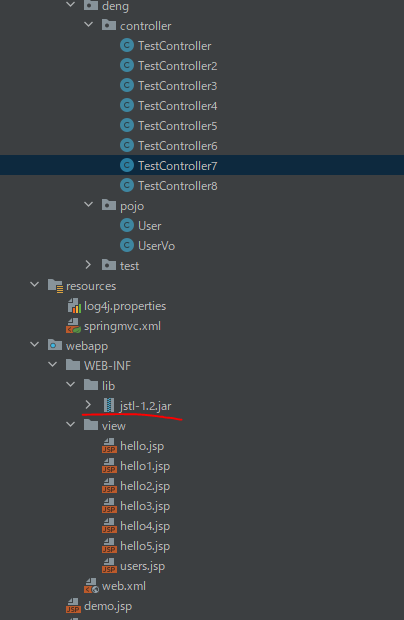
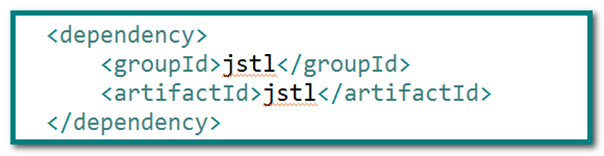
导入jstl依赖(pom.xml)
pom.xml<project xmlns="http://maven.apache.org/POM/4.0.0" xmlns:xsi="http://www.w3.org/2001/XMLSchema-instance" xsi:schemaLocation="http://maven.apache.org/POM/4.0.0 http://maven.apache.org/xsd/maven-4.0.0.xsd"> <modelVersion>4.0.0modelVersion> <groupId>org.examplegroupId> <artifactId>springmvc2artifactId> <version>1.0-SNAPSHOTversion> <packaging>warpackaging> <name>springmvc2 Maven Webappname> <url>http://www.example.comurl> <properties> <project.build.sourceEncoding>UTF-8project.build.sourceEncoding> <maven.compiler.source>1.7maven.compiler.source> <maven.compiler.target>1.7maven.compiler.target> properties> <dependencies> <dependency> <groupId>junitgroupId> <artifactId>junitartifactId> <version>4.11version> <scope>testscope> dependency> <dependency> <groupId>javax.servletgroupId> <artifactId>javax.servlet-apiartifactId> <version>4.0.1version> dependency> <dependency> <groupId>org.springframeworkgroupId> <artifactId>spring-webmvcartifactId> <version>5.2.8.RELEASEversion> dependency> <dependency> <groupId>jstlgroupId> <artifactId>jstlartifactId> <version>1.2version> dependency> <dependency> <groupId>com.fasterxml.jackson.coregroupId> <artifactId>jackson-databindartifactId> <version>2.9.9version> dependency> dependencies> <build> <finalName>springmvc2finalName> <pluginManagement> <plugins> <plugin> <artifactId>maven-clean-pluginartifactId> <version>3.1.0version> plugin> <plugin> <artifactId>maven-resources-pluginartifactId> <version>3.0.2version> plugin> <plugin> <artifactId>maven-compiler-pluginartifactId> <version>3.8.0version> plugin> <plugin> <artifactId>maven-surefire-pluginartifactId> <version>2.22.1version> plugin> <plugin> <artifactId>maven-war-pluginartifactId> <version>3.2.2version> plugin> <plugin> <artifactId>maven-install-pluginartifactId> <version>2.5.2version> plugin> <plugin> <artifactId>maven-deploy-pluginartifactId> <version>2.8.2version> plugin> plugins> pluginManagement> build> project>- 1
- 2
- 3
- 4
- 5
- 6
- 7
- 8
- 9
- 10
- 11
- 12
- 13
- 14
- 15
- 16
- 17
- 18
- 19
- 20
- 21
- 22
- 23
- 24
- 25
- 26
- 27
- 28
- 29
- 30
- 31
- 32
- 33
- 34
- 35
- 36
- 37
- 38
- 39
- 40
- 41
- 42
- 43
- 44
- 45
- 46
- 47
- 48
- 49
- 50
- 51
- 52
- 53
- 54
- 55
- 56
- 57
- 58
- 59
- 60
- 61
- 62
- 63
- 64
- 65
- 66
- 67
- 68
- 69
- 70
- 71
- 72
- 73
- 74
- 75
- 76
- 77
- 78
- 79
- 80
- 81
- 82
- 83
- 84
- 85
- 86
- 87
- 88
- 89
- 90
- 91
- 92
- 93
- 94
- 95
- 96
users.jsp页面中引入核心标签库<%@taglib prefix="c" uri="http://java.sun.com/jsp/jstl/core" %>- 1
users.jsp中使用
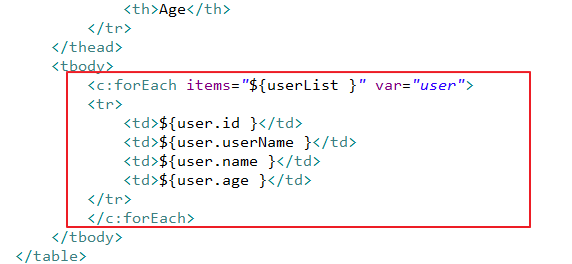
users.jsp
<%-- Created by IntelliJ IDEA. User: U100926 Date: 2022/09/01 Time: 17:04 To change this template use File | Settings | File Templates. --%> <%@ page contentType="text/html;charset=UTF-8" language="java" %> <%@taglib prefix="c" uri="http://java.sun.com/jsp/jstl/core" %> <%@ page isELIgnored="false" %> <html> <head> <title>JSTL</title> </head> <body> <table cellpadding=0 cellspacing=0 border=1> <thead> <tr> <th>ID</th> <th>UserName</th> <th>Name</th> <th>Age</th> </tr> </thead> <tbody> <%-- 静态页面 <tr> <td>1001</td> <td>zhangsan</td> <td>张三</td> <td>18</td> </tr> --%> <%--动态页面,jstl--%> <c:forEach items = "${userList}" var="user"> <tr> <td>${user.id}</td> <td>${user.userName}</td> <td>${user.name}</td> <td>${user.age}</td> </tr> </c:forEach> </tr> </tbody> </table> </body> </html>- 1
- 2
- 3
- 4
- 5
- 6
- 7
- 8
- 9
- 10
- 11
- 12
- 13
- 14
- 15
- 16
- 17
- 18
- 19
- 20
- 21
- 22
- 23
- 24
- 25
- 26
- 27
- 28
- 29
- 30
- 31
- 32
- 33
- 34
- 35
- 36
- 37
- 38
- 39
- 40
- 41
- 42
- 43
- 44
- 45
- 46
- 47
- 48
- 49
- 50
- 51
- 52
- 53
- 54
- 55
TestController7.java
package com.deng.controller; import com.deng.pojo.User; import com.deng.pojo.UserVo; import org.springframework.stereotype.Controller; import org.springframework.ui.Model; import org.springframework.web.bind.annotation.RequestMapping; import java.util.ArrayList; import java.util.List; //jstl的用法 @Controller public class TestController7 { @RequestMapping(value = "show23") public String test23(Model model) { List<User> userList = new ArrayList<>(); for (int i = 0; i < 10; i++) { User user = new User(); user.setAge(15+i); user.setId(1+i); user.setUserName("zhangsan"+i); user.setName("zhang"+i); userList.add(user); } model.addAttribute("userList", userList); return "users"; } }- 1
- 2
- 3
- 4
- 5
- 6
- 7
- 8
- 9
- 10
- 11
- 12
- 13
- 14
- 15
- 16
- 17
- 18
- 19
- 20
- 21
- 22
- 23
- 24
- 25
- 26
- 27
- 28
- 29
- 30
- 31
User.java
package com.deng.pojo; import java.util.Arrays; public class User { private Integer id; private String userName; private String name; private Integer age; private boolean isMarry; private Double income; private String[] interests; public Integer getId() { return id; } public void setId(Integer id) { this.id = id; } public String getUserName() { return userName; } public void setUserName(String userName) { this.userName = userName; } public String getName() { return name; } public void setName(String name) { this.name = name; } public Integer getAge() { return age; } public void setAge(Integer age) { this.age = age; } public boolean isMarry() { return isMarry; } public void setMarry(boolean isMarry) { this.isMarry = isMarry; } public Double getIncome() { return income; } public void setIncome(Double income) { this.income = income; } public String[] getInterests() { return interests; } public void setInterests(String[] interests) { this.interests = interests; } @Override public String toString() { return "User [name=" + name + ", age=" + age + ", isMarry=" + isMarry + ", income=" + income + ", interests=" + Arrays.toString(interests) + "]"; } }- 1
- 2
- 3
- 4
- 5
- 6
- 7
- 8
- 9
- 10
- 11
- 12
- 13
- 14
- 15
- 16
- 17
- 18
- 19
- 20
- 21
- 22
- 23
- 24
- 25
- 26
- 27
- 28
- 29
- 30
- 31
- 32
- 33
- 34
- 35
- 36
- 37
- 38
- 39
- 40
- 41
- 42
- 43
- 44
- 45
- 46
- 47
- 48
- 49
- 50
- 51
- 52
- 53
- 54
- 55
- 56
- 57
- 58
- 59
- 60
- 61
- 62
- 63
- 64
- 65
- 66
- 67
- 68
- 69
- 70
- 71
- 72
- 73
- 74
- 75
- 76
- 77
- 78
- 79
- 80
- 81
- 82
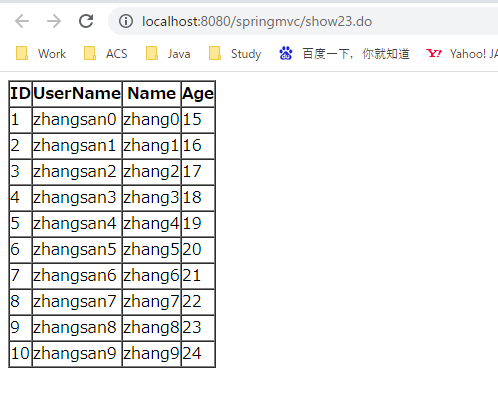
返回JSON格式的数据
在实际开发过程中,json是最为常见的一种方式,所以springmvc提供了一种更为简便的方式传递数据。
-
@ResponseBody 是把Controller方法返回值转化为JSON,称为序列化
-
@RequestBody 是把接收到的JSON数据转化为Pojo对象,称为反序列化
-
@RestController: 将当前处理器中所有方法的返回值都转换成json数据…
在Pom.xml中引入jackson依赖,参考父工程: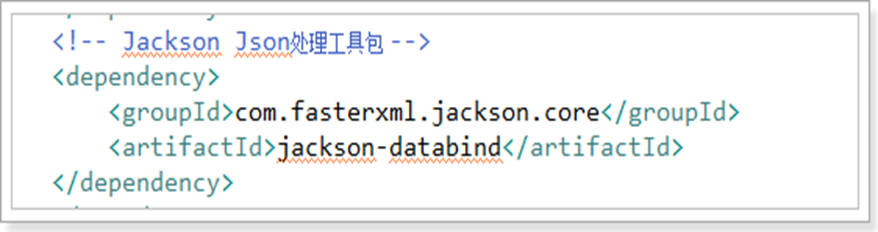
springmvc.xml中追加<mvc:annotation-driven> <mvc:message-converters> <bean class="org.springframework.http.converter.StringHttpMessageConverter"/> <bean class="org.springframework.http.converter.json.MappingJackson2HttpMessageConverter"/> mvc:message-converters> mvc:annotation-driven>- 1
- 2
- 3
- 4
- 5
- 6
springmvc.xml
<beans xmlns="http://www.springframework.org/schema/beans" xmlns:xsi="http://www.w3.org/2001/XMLSchema-instance" xmlns:context="http://www.springframework.org/schema/context" xmlns:mvc="http://www.springframework.org/schema/mvc" xsi:schemaLocation="http://www.springframework.org/schema/beans http://www.springframework.org/schema/beans/spring-beans.xsd http://www.springframework.org/schema/context https://www.springframework.org/schema/context/spring-context.xsd http://www.springframework.org/schema/mvc https://www.springframework.org/schema/mvc/spring-mvc.xsd"> <context:component-scan base-package="com.deng.controller">context:component-scan> <bean id="viewResolver" class="org.springframework.web.servlet.view.InternalResourceViewResolver"> <property name="prefix" value="/WEB-INF/view/">property> <property name="suffix" value=".jsp">property> bean> <mvc:annotation-driven> <mvc:message-converters> <bean class="org.springframework.http.converter.StringHttpMessageConverter"/> <bean class="org.springframework.http.converter.json.MappingJackson2HttpMessageConverter"/> mvc:message-converters> mvc:annotation-driven> beans>- 1
- 2
- 3
- 4
- 5
- 6
- 7
- 8
- 9
- 10
- 11
- 12
- 13
- 14
- 15
- 16
- 17
- 18
- 19
- 20
- 21
- 22
- 23
- 24
- 25
- 26
- 27
- 28
@ResponseBody
- 当一个处理请求的方法标记为@ResponseBody时,表示该方法需要输出其他视图(json、xml),springmvc通过默认的json转化器转化输出
TestController8.java
package com.deng.controller; import com.deng.pojo.User; import org.springframework.stereotype.Controller; import org.springframework.ui.Model; import org.springframework.web.bind.annotation.RequestMapping; import org.springframework.web.bind.annotation.ResponseBody; import java.util.ArrayList; import java.util.List; @ResponseBody//将该方法返回值转为json字符串 @Controller public class TestController8 { @RequestMapping(value = "show24") public List<User> test24(Model model) { List<User> userList = new ArrayList<>(); for (int i = 0; i < 10; i++) { User user = new User(); user.setAge(10+i); user.setId(1+i); user.setUserName("lisi"+i); user.setName("li"+i); userList.add(user); } return userList; } @RequestMapping(value = "show25") public User test25(Integer id) { User user = new User(); user.setName("张三"); user.setAge(18); return user; } }- 1
- 2
- 3
- 4
- 5
- 6
- 7
- 8
- 9
- 10
- 11
- 12
- 13
- 14
- 15
- 16
- 17
- 18
- 19
- 20
- 21
- 22
- 23
- 24
- 25
- 26
- 27
- 28
- 29
- 30
- 31
- 32
- 33
- 34
- 35
- 36

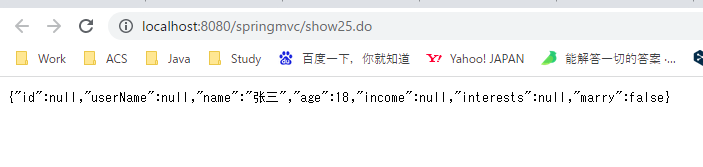
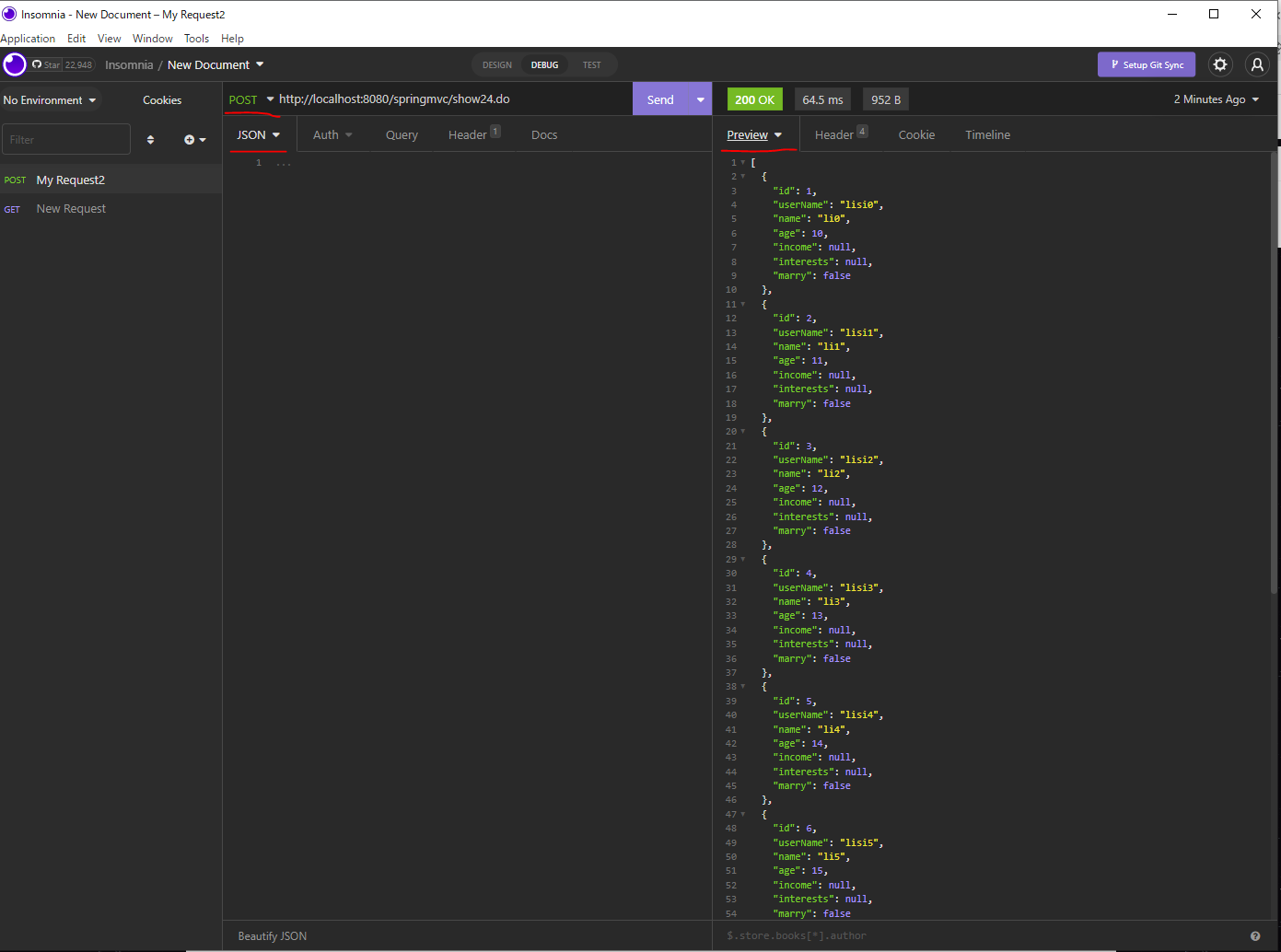
-
相关阅读:
MySQL数据库upsert使用
netty系列之:NIO和netty详解
区域入侵AI算法如何应用在工地场景,保卫工地施工安全?
OpenAI科学家谈GPT-4的潜力与挑战
贪心+二分+DP+矩阵快速幂:CF461E
多线程&并发篇---第十篇
树莓派(十一)树莓派驱动开发入门:从读懂框架到自己写驱动(上)
动态规划9(Leetcode63不同路径2)
防御第六次作业-笔记整理
语音增强用到的方法总结
- 原文地址:https://blog.csdn.net/djydjy3333/article/details/126648660
