-
【SwiftUI模块】0021、SwiftUI做一个基于拖动手势位置的精美扩展工具栏
技术:SwiftUI、SwiftUI3.0、手势、工具栏、ToolBar
运行环境:
SwiftUI3.0 + Xcode13.4.1 + MacOS12.5 + iPhone Simulator iPhone 13 Pro Max概述
使用SwiftUI做一个基于拖动手势位置的精美扩展工具栏
详细
一、运行效果

二、项目结构图

三、程序实现 - 过程
思路
- 通过模型创建页面的按钮
- 通过手势监听 将工具视图 进行弹出或者回收
1.创建一个项目命名为
ToolBarAnimation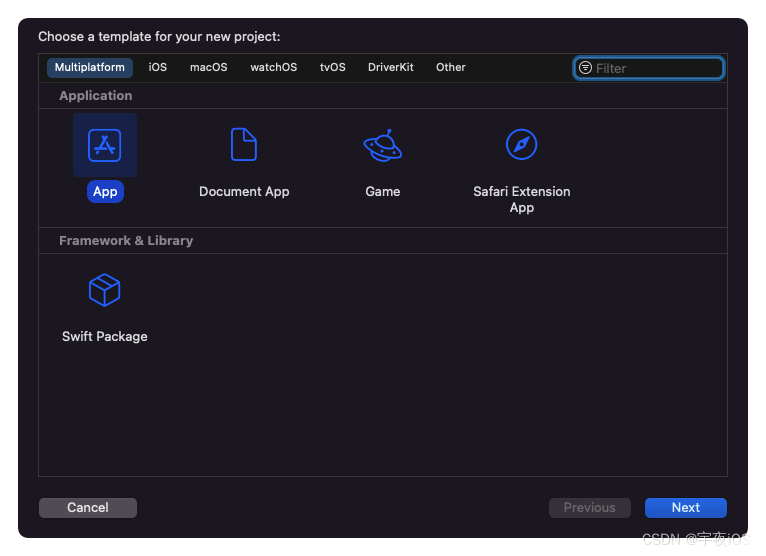

1.1.引入资源文件和颜色
无
2. 创建一个虚拟文件
New Group命名为View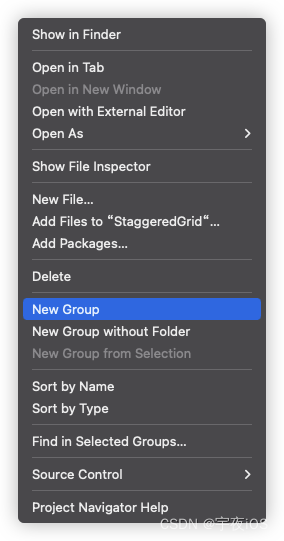

3. 创建一个虚拟文件
New Group命名为Model

4. 创建一个文件
New File选择SwiftUI View类型 命名为Tool并且继承Identifiable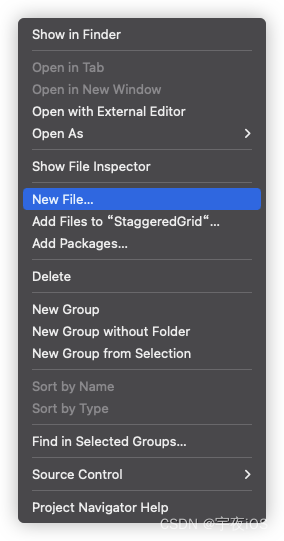
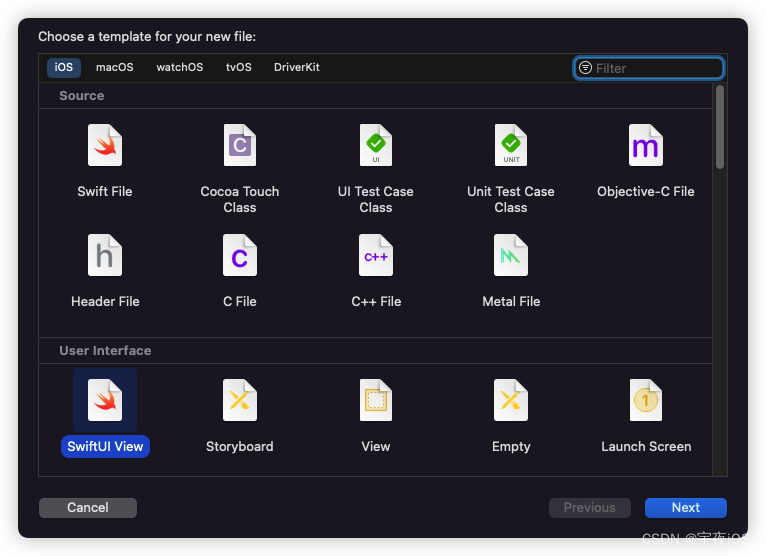


5. 创建一个文件
New File选择SwiftUI View类型 命名为Home主要是:
展示个人页面下拉放大缩小图片效果


Code
ContentView - 主窗口
主要是展示主窗口
Home和设置暗黑模式import SwiftUI struct ContentView: View { var body: some View { NavigationView{ Home() .navigationTitle("ToolBar Animation") } } } struct ContentView_Previews: PreviewProvider { static var previews: some View { ContentView() } }- 1
- 2
- 3
- 4
- 5
- 6
- 7
- 8
- 9
- 10
- 11
- 12
- 13
- 14
- 15
- 16
Home - 主页
思路
- 通过模型创建页面的按钮
- 通过手势监听 将工具视图 进行弹出或者回收
// // Home.swift // ToolBarAnimation (iOS) // // Created by lyh on 2022/9/1. // import SwiftUI struct Home: View { // MARK: Sample Tools // 取样工具 @State var tools: [Tool] = [ .init(icon: "scribble.variable", name: "Scribble", color: .purple), .init(icon: "lasso", name: "Lasso", color: .green), .init(icon: "plus.bubble", name: "Comment", color: .blue), .init(icon: "bubbles.and.sparkles.fill", name: "Enhance", color: .orange), .init(icon: "paintbrush.pointed.fill", name: "Picker", color: .pink), .init(icon: "rotate.3d", name: "Rotate", color: .indigo), .init(icon: "gear.badge.questionmark", name: "Settings", color: .yellow) ] //动画属性 @State var activeTool: Tool? @State var startedToolPosition: CGRect = .zero var body: some View { VStack{ VStack(alignment: .leading, spacing: 12) { ForEach($tools) { $tool in //工具视图 ToolView(tool: $tool) } } .padding(.horizontal,10) .padding(.vertical,12) .background { RoundedRectangle(cornerRadius: 10, style: .continuous) .fill(.white) .shadow(color: .black.opacity(0.1), radius: 5, x: 5, y: 5) .shadow(color: .black.opacity(0.05), radius: 5, x: -5, y: -5) //限制背景大小 //图片大小= 45 +水平填充= 20 //总数= 65 .frame(width: 65) .frame(maxWidth: .infinity,alignment: .leading) } // 设置坐标空间 .coordinateSpace(name: "AREA") // MARK: Gestures // 手势 .gesture( DragGesture(minimumDistance: 0) .onChanged({ value in //当前拖动位置 guard let firstTool = tools.first else{return} if startedToolPosition == .zero{ startedToolPosition = firstTool.toolPostion } let location = CGPoint(x: startedToolPosition.midX, y: value.location.y) // Checking If The Location Lies on Any of the Tools //检查位置是否在任何工具上 //在包含属性的帮助下 if let index = tools.firstIndex(where: { tool in tool.toolPostion.contains(location) }),activeTool?.id != tools[index].id{ withAnimation(.interpolatingSpring(stiffness: 230, damping: 22)){ activeTool = tools[index] } } }).onEnded({ _ in withAnimation(.interactiveSpring(response: 0.5, dampingFraction: 1, blendDuration: 1)){ activeTool = nil startedToolPosition = .zero } }) ) } .padding(15) .padding(.top) .frame(maxWidth: .infinity,maxHeight: .infinity,alignment: .topLeading) } @ViewBuilder func ToolView(tool: Binding<Tool>)->some View{ HStack(spacing: 5){ Image(systemName: tool.wrappedValue.icon) .font(.title2) .foregroundColor(.white) .frame(width: 45, height: 45) .padding(.leading,activeTool?.id == tool.id ? 5 : 0) // 获取图像位置使用几何代理和偏好键 .background { GeometryReader{proxy in let frame = proxy.frame(in: .named("AREA")) Color.clear .preference(key: RectKey.self, value: frame) .onPreferenceChange(RectKey.self) { rect in tool.wrappedValue.toolPostion = rect } } } if activeTool?.id == tool.wrappedValue.id{ Text(tool.wrappedValue.name) .padding(.trailing,15) .foregroundColor(.white) } } .background { RoundedRectangle(cornerRadius: 10, style: .continuous) .fill(tool.wrappedValue.color) } //图片大小- 45,拖尾填充- 10,额外空间- 5 //总数= 60 .offset(x: activeTool?.id == tool.wrappedValue.id ? 60 : 0) } } struct Home_Previews: PreviewProvider { static var previews: some View { ContentView() } } // MARK: Position Preference Key // 位置优先键 struct RectKey: PreferenceKey{ static var defaultValue: CGRect = .zero static func reduce(value: inout CGRect, nextValue: () -> CGRect) { value = nextValue() } }- 1
- 2
- 3
- 4
- 5
- 6
- 7
- 8
- 9
- 10
- 11
- 12
- 13
- 14
- 15
- 16
- 17
- 18
- 19
- 20
- 21
- 22
- 23
- 24
- 25
- 26
- 27
- 28
- 29
- 30
- 31
- 32
- 33
- 34
- 35
- 36
- 37
- 38
- 39
- 40
- 41
- 42
- 43
- 44
- 45
- 46
- 47
- 48
- 49
- 50
- 51
- 52
- 53
- 54
- 55
- 56
- 57
- 58
- 59
- 60
- 61
- 62
- 63
- 64
- 65
- 66
- 67
- 68
- 69
- 70
- 71
- 72
- 73
- 74
- 75
- 76
- 77
- 78
- 79
- 80
- 81
- 82
- 83
- 84
- 85
- 86
- 87
- 88
- 89
- 90
- 91
- 92
- 93
- 94
- 95
- 96
- 97
- 98
- 99
- 100
- 101
- 102
- 103
- 104
- 105
- 106
- 107
- 108
- 109
- 110
- 111
- 112
- 113
- 114
- 115
- 116
- 117
- 118
- 119
- 120
- 121
- 122
- 123
- 124
- 125
- 126
- 127
- 128
- 129
- 130
- 131
- 132
- 133
- 134
- 135
- 136
Tool - 模型
// // Tool.swift // ToolBarAnimation (iOS) // // Created by lyh on 2022/9/1. // import SwiftUI // MARK: Tool Model And Sample Tools // 工具模型和样品工具 struct Tool: Identifiable{ var id: String = UUID().uuidString var icon: String var name: String var color: Color var toolPostion: CGRect = .zero }- 1
- 2
- 3
- 4
- 5
- 6
- 7
- 8
- 9
- 10
- 11
- 12
- 13
- 14
- 15
- 16
- 17
- 18
- 19
-
相关阅读:
java里面获取map的key和value的方法
[附源码]java毕业设计校园征兵及退役复原管理系统
20-Redis哨兵和高可用、一致性Hash和ES的简单介绍
记录一次macos没有sudoers文件问题
数字孪生、模拟、仿真
开源协议介绍
Lagrange插值法实验:求拉格朗日插值多项式和对应x的近似值matlab实现(内附代码)
ubuntu16.04+cuda10.0+cudnn7.6+tensorflow_gpu-1.11.0环境安装
机器人中的数值优化(十七)—— 锥与对称锥
5.基于飞蛾扑火算法(MFO)优化的VMD参数(MFO-VMD)
- 原文地址:https://blog.csdn.net/qq_42816425/article/details/126653057