-
Mac安装brew及前端环境「亲测有效」
brew安装教程yarn下载brew install yarn- 1
在项目中遇到的问题
yarn下载依赖包时报错,如图:

- 当前错误版本:
node版本:v18.7.0node-sass版本:v5.0.0
由于
node版本过高,导致两者不兼容 自行查询node与node-sass版本重新卸载/安装
node,下载匹配node-sass版本-
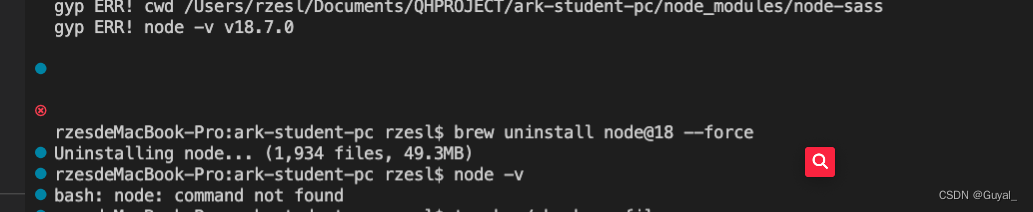
卸载
nodebrew uninstall node@18 --force // node@版本号- 1
-
如果没有配置环境变量,执行完此命令后,
node -v输出:node: command not found
-
删除配置的环境变量
- 步骤一:修改
.bash_profile文件「没有此文件默认创建」touch ~/.bash_profile- 1
- 步骤二:打开
.bash_profile文件删除node的配置 「如果在步骤二出现报错,这种情况可能是环境变量没有删除」open ~/.bash_profile- 1
- 步骤三:执行.
bash_profile文件source ~/.bash_profile- 1
- 步骤一:修改
-
安装node
- 查询支持的node版本
brew search node- 1

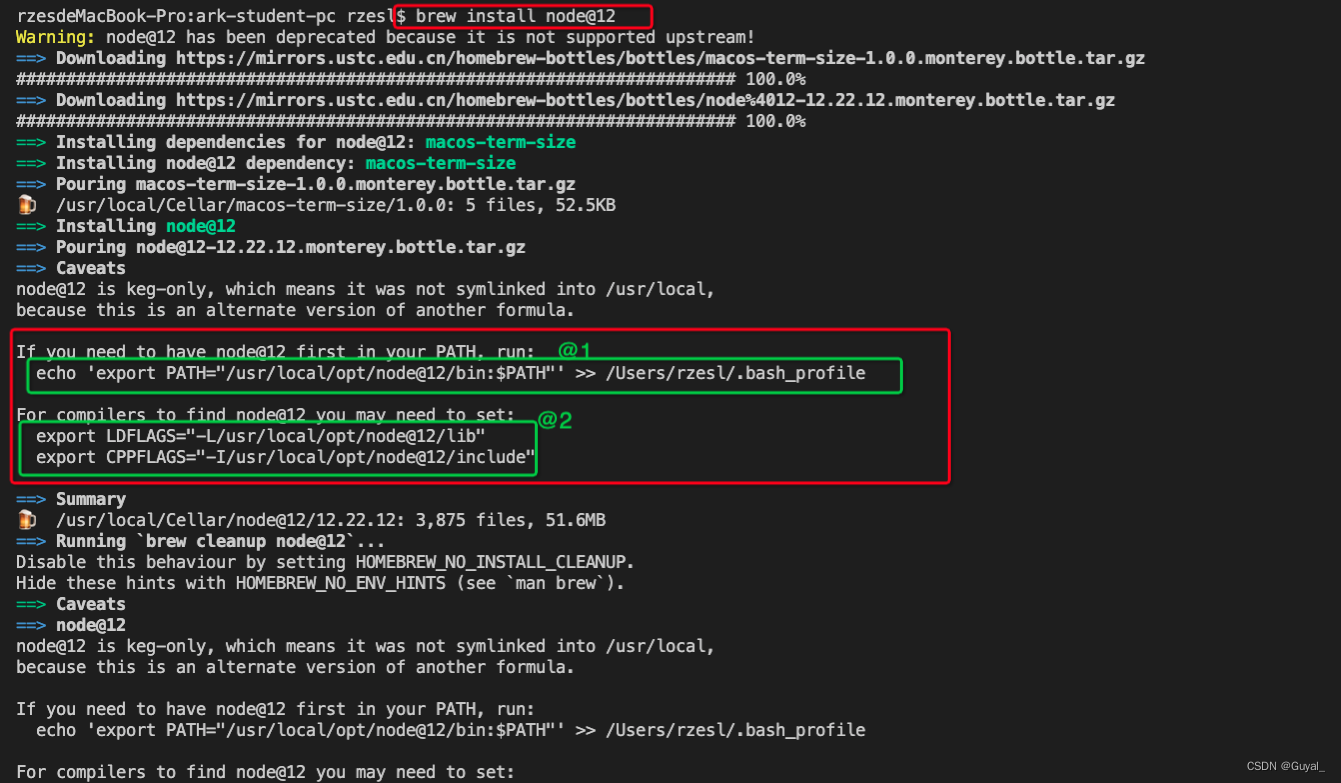
- 安装
node,根据提示执行相应的命令即可顺利完成安装
- 查询支持的node版本
-
node安装完成后,进入项目根目录执行yarn下载依赖

到这里即是结束!㊗️好运
-
相关阅读:
滑动窗口最大值问题
Matlab中图形对象属性gca使用
NFT营销如何赋能品牌破圈增长?
nginx 动静分离 防盗链
电脑重装系统Win11内核隔离无法打开怎么解决?
【20220825】【数学基础】用最小二乘法求解超定方程组
【js逆向爬虫】-有道翻译js逆向实战
Stacked Hourglass Networks for Human Pose Estimation 源码分析
【JS】隐式转换
SpringMVC初级的概念和常用注解(入门案例)
- 原文地址:https://blog.csdn.net/Say_one/article/details/126403847