欢迎访问个人站点:remoooo.com
当前文档版本:v0.16.0.post0
第一部分:向量化父类VMobject
本文所有物体都继承自此,故很多参数只在本部分阐述。
VMobject继承自Mobject
V的意思是向量化的,vectorized mobject
构造参数:
- fill_color 填充颜色
- fill_opacity 填充透明度
- stroke_color 边框颜色
- stroke_opacity 边框颜色透明度
- stroke_width 边框宽度
- 注:DEFAULT_STROKE_WIDTH = 4
- background_stroke_color
- background_stroke_opacity
- background_stroke_width
- sheen_factor 物体的光泽
- sheen_direction 物体光泽的中心
- close_new_points Indicates that it will not be displayed, but that it should count in parent mobject’s path
- ...
第一节:几何
本节列举大量常用的几何图形。
manim.mobject.geometry
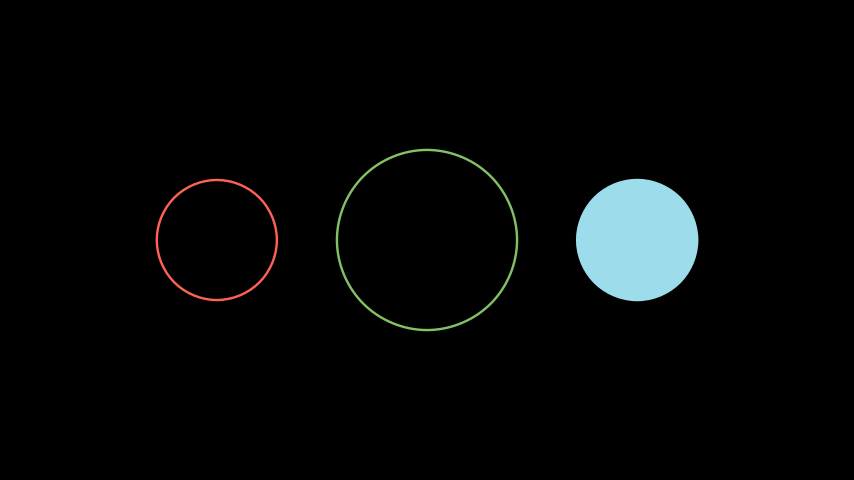
Circle 圆
manim.mobject.geometry.arc.Circle
构造参数:
- radius(float或None)圆的半径,例如 1
- color(str或Color)圆形的颜色,例如 WHITE
- **kwargs 附加参数
构造示例:
from manim import * class CircleExample(Scene): def construct(self): circle_1 = Circle(radius=1.0) circle_2 = Circle(radius=1.5, color=GREEN) circle_3 = Circle(radius=1.0, color=BLUE_B, fill_opacity=1) circle_group = Group(circle_1, circle_2, circle_3).arrange(buff=1) self.add(circle_group)
Dot 点
manim.mobject.geometry.arc.Dot
构造参数:
- point(数组)屏幕坐标,例如 [0,0,0]
- radius(float)点的半径,例如 0.05
- stroke_width (float)点的轮廓宽度,例如 0.01
- fill_opacity(float)点内部的颜色,例如 YELLOW
- **kwargs 附加参数
构造示例:
from manim import * class DotExample(Scene): def construct(self): dot1 = Dot(point=LEFT, radius=0.08) dot2 = Dot(point=ORIGIN) dot3 = Dot(point=RIGHT) self.add(dot1,dot2,dot3)

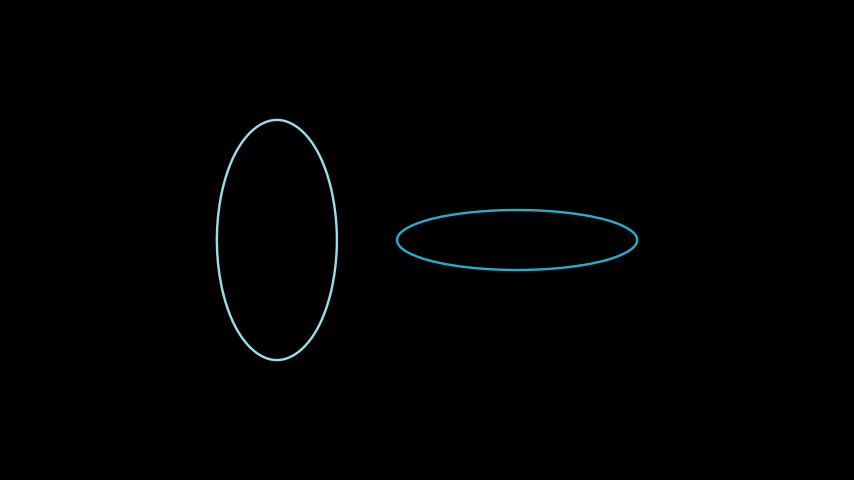
Ellipse 椭圆
manim.mobject.geometry.arc.Ellipse
构造参数:
- width(float)短轴
- height(float)长轴
- **kwargs 附加参数
构造示例:
from manim import * class EllipseExample(Scene): def construct(self): ellipse_1 = Ellipse(width=2.0, height=4.0, color=BLUE_B) ellipse_2 = Ellipse(width=4.0, height=1.0, color=BLUE_D) ellipse_group = Group(ellipse_1,ellipse_2).arrange(buff=1) self.add(ellipse_group)
Angle 角
manim.mobject.geometry.line.Angle
构造参数:
- line1(Line)起始线
- 注:Line可以视为两个点坐标的集合,两点连成的线段。
- line2(Line)终止线
- 注:line1、line2两条线不能平行
- radius(float)原点与角度弧线的距离半径
- quadrant 角度弧线的象限,可传入:(1,1) (1,-1) (-1,1) (-1,-1)
- other_angle(bool)从正方向画角度弧线
- dot(bool)弧度中心标记一个点,一般用于表示角度位置
- dot_radius(float)点的半径
- dot_distance(float)点离原点的距离
- elbow(bool)表示直角的角度折现
- **kwargs 附加参数
构造示例:
from manim import * class RightArcAngleExample(Scene): def construct(self): line1 = Line( LEFT, RIGHT ) line2 = Line( DOWN, UP ) rightarcangles = [ Angle(line1, line2, dot=True), Angle(line1, line2, radius=0.4, quadrant=(1,-1), dot=True, other_angle=False), Angle(line1, line2, radius=0.5, quadrant=(-1,1), stroke_width=8, dot=True, dot_color=YELLOW, dot_radius=0.04, other_angle=True), Angle(line1, line2, radius=0.7, quadrant=(-1,-1), color=RED, dot=True, dot_color=GREEN, dot_radius=0.08), ] plots = VGroup() for angle in rightarcangles: plot=VGroup(line1.copy(),line2.copy(), angle) plots.add(plot) plots.arrange(buff=1.5) self.add(plots)

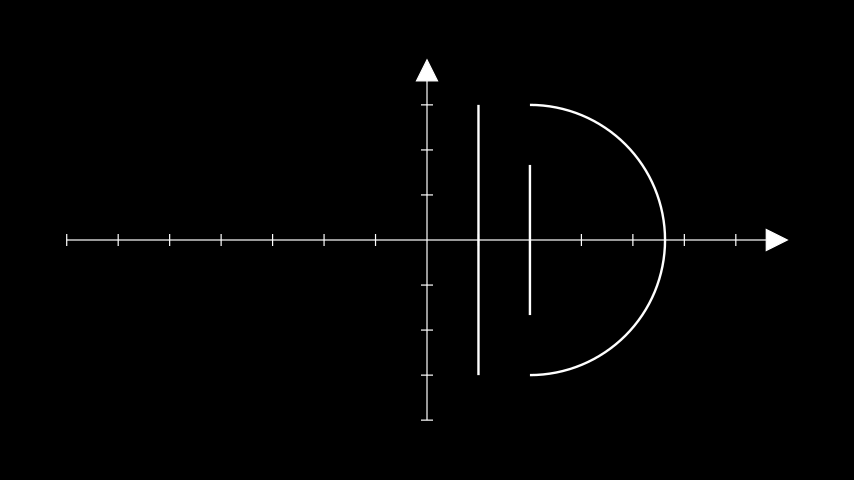
Line 线
manim.mobject.geometry.line.Line
构造参数:
- start(list)起始点
- end(list)终点
- buff(float)两端点与可见线的距离
- **kwargs 附加参数
构造示例:
from manim import * class LineExample(Scene): def construct(self): ax = Axes() line1 = Line(ax.c2p(1,-3),ax.c2p(1,3),buff=0) line2 = Line(ax.c2p(2,-3),ax.c2p(2,3),buff=1) line3 = Line(ax.c2p(2,-3),ax.c2p(2,3),path_arc=PI) self.add(ax,line1,line2,line3)
Rectangle 矩形
manim.mobject.geometry.polygram.Rectangle
构造参数:
- color(Color)颜色
- height(float)高度
- width(float)宽度
- grid_xstep(float或None)分割x
- gird_ystep(float或None)分割y
- **kwargs 附加参数
构造示例:
from manim import * class RectangleExample(Scene): def construct(self): rect1 = Rectangle(width=4.0, height=2.0, grid_xstep=1.0, grid_ystep=0.5) rect2 = Rectangle(width=1.0, height=4.0) rects = Group(rect1,rect2).arrange(buff=1) self.add(rects)

Square 正方形
manim.mobject.geometry.polygram.Square
构造参数:
- side_length (float)边长
- **kwargs 构造参数
构造示例:
from manim import * class SquareExample(Scene): def construct(self): square = Square(side_length=2.0, color=BLUE,fill_opacity=1,sheen_factor=0.8) self.add(square)

Star 星
manim.mobject.geometry.polygram.Star
构造参数:
- n(int)节点数量
- outer_radius(float)外半径
- inner_radius(float)内半径
- density()
构造示例:
from manim import * class StarExample(Scene): def construct(self): pentagram = RegularPolygram(5, radius=2).to_edge(LEFT) star = Star(outer_radius=2, color=RED).next_to(pentagram,RIGHT) sum = VGroup( pentagram.copy().to_edge(RIGHT), star.copy().to_edge(RIGHT)) self.add(pentagram,star,sum)

from manim import * class StarExample(Scene): def construct(self): pentagram = RegularPolygram(7, radius=2).to_edge(LEFT) star = Star(n=7,outer_radius=2, color=RED).next_to(pentagram,RIGHT) sum = VGroup( pentagram.copy().to_edge(RIGHT), star.copy().to_edge(RIGHT)) self.add(pentagram,star,sum)

Triangle 三角形
manim.mobject.geometry.polygram.Triangle
构造参数:
- 无
构造示例:
from manim import * class TriangleExample(Scene): def construct(self): triangle_1 = Triangle() triangle_2 = Triangle().scale(2).rotate(60*DEGREES) tri_group = Group(triangle_1, triangle_2).arrange(buff=1) self.add(tri_group)

SurroundingRectangle 环绕矩形
manim.mobject.geometry.shape\_matchers.SurroundingRectangle
构造参数:
- mobject(Mobject)被环绕的物体
- buff(float)边框与物体的距离
- corner_radius(float)边框圆角半径
构造示例:
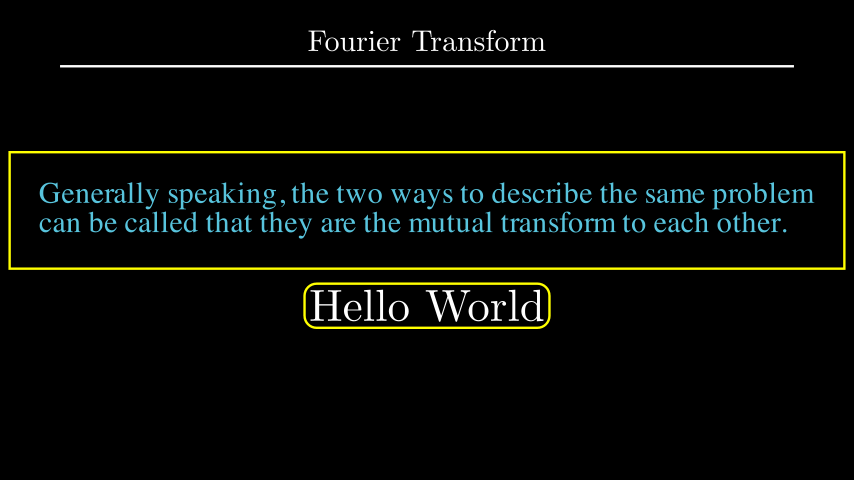
from manim import * class SurroundingRectExample(Scene): def construct(self): title = Title("Fourier Transform") quote = Text(''' Generally speaking, the two ways to describe the same problem can be called that they are the mutual transform to each other. ''',color=BLUE, ).scale(0.75) box = SurroundingRectangle(quote, color=YELLOW, buff=MED_LARGE_BUFF) t2 = Tex(r"Hello World").scale(1.5) box2 = SurroundingRectangle(t2, corner_radius=0.2) mobjects = VGroup(VGroup(box, quote), VGroup(t2, box2)).arrange(DOWN) self.add(title, mobjects)
Underline 下划线
manim.mobject.geometry.shape\_matchers.Underline
构造参数:
- mobject(Mobject)被标记下划线的物体
- buff(float)间距
构造示例:
from manim import * class UnderLine(Scene): def construct(self): man = MathTex("Manim \enspace Remoo") # Full Word ul = Underline(man) # Underlining the word self.add(man, ul)

第二节:数学图像
本节主要尽可能详细的列举需要使用的数学图像VMobject。
manim.mobject.graphing
Axes 直角坐标
manim.mobject.graphing.coordinate\_systems.Axes
构造参数:
- x_range(Sequence[float])坐标的横坐标范围,序列 [左边界,右边界,步进]
- y_range(Sequence[float])坐标的纵坐标范围,序列 [下边界,上边界,步进]
- x_length(float)坐标物体Mobject的宽度
- y_length(float)坐标物体Mobject的高度
- axis_config(dict)坐标参数集
- x_axis_config 同上
- y_axis_config 同上
- tips(bool)坐标箭头
构造示例:
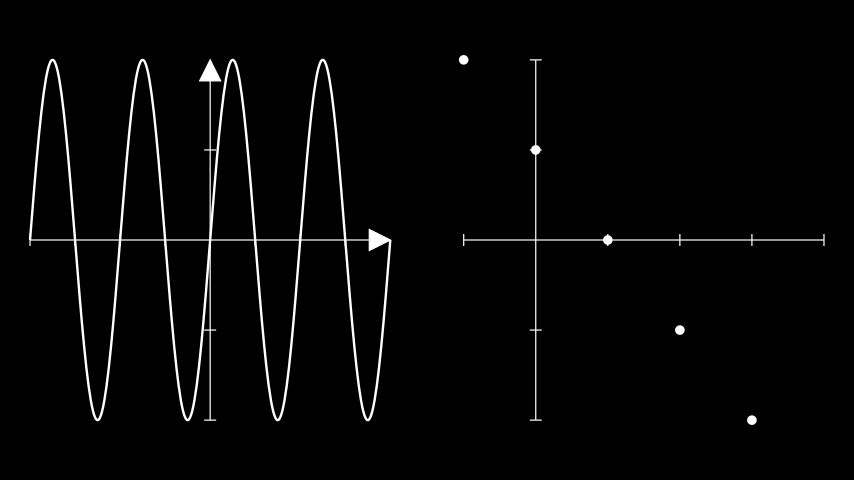
from manim import * class AxesExample(Scene): def construct(self): ax1 = Axes( x_range=[-2*2*PI,2*2*PI,PI], y_range=[-1,1,0.5], x_length=6, tips=True).to_edge(LEFT) graph1 = ax1.plot(lambda x : np.sin(x)) ax2 = Axes( x_range=[-1,4,1], y_range=[-2,2,1], x_length=6, tips=False).to_edge(RIGHT) graph2 = VGroup(*(Dot(ax2.c2p(x-1,2-x)) for x in range(5))) self.add(ax1,graph1,ax2,graph2)
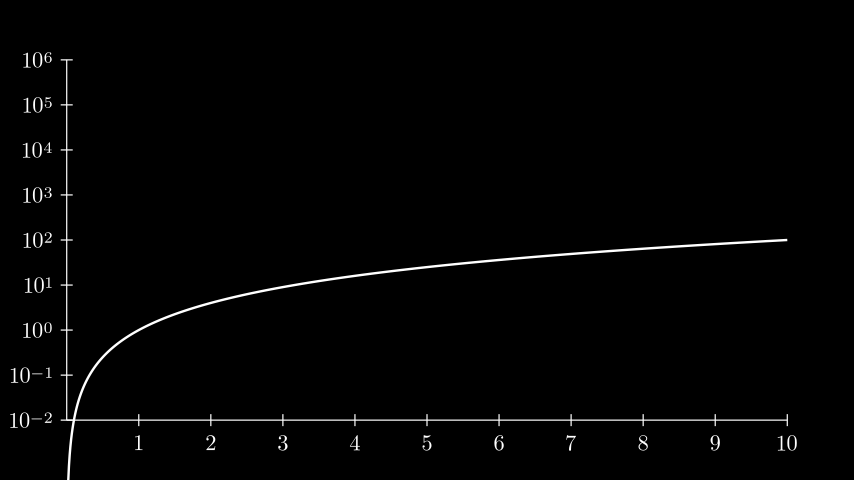
from manim import * class LogScalingExample(Scene): def construct(self): ax = Axes( x_range=[0, 10, 1], y_range=[-2, 6, 1], tips=False, axis_config={"include_numbers": True}, y_axis_config={"scaling": LogBase(custom_labels=True)}, ) graph = ax.plot(lambda x: x ** 2, x_range=[0.001, 10,0.01]) self.add(ax, graph)
NumberPlane 数轴
manim.mobject.graphing.coordinate\_systems.NumberPlane
构造参数:
- x_range(Sequence[float])数轴的x轴参数,默认是屏幕的宽度:[-(7+1/9),(7+1/9),1]
- y_range(Sequence[float]) 数轴的y轴参数,默认是屏幕的高度:[-4,4,1]
- x_length(float)数轴的宽度,默认同上x_range
- y_length(float)数轴的高度,默认同上y_range
- background_line_style(dict) 例:"stroke_color": RED, "stroke_width": 2, "stroke_opacity": 1,
- faded_line_style(dict)
- faded_line_style(int)
- make_smooth_after_applying_functions(bool)
构造示例:
from manim import * class CoordsToPointExample(Scene): def construct(self): plane = NumberPlane() dot_scene = Dot((2,2,0), color=RED) self.add(plane, dot_scene)

from manim import * class NumberPlaneExample(Scene): def construct(self): number_plane = NumberPlane( background_line_style={ "stroke_color": TEAL, "stroke_width": 4, "stroke_opacity": 0.6 } ) self.add(number_plane)