-
第15章、 友元、异常和其他
15.友元
15.1.1 友元类


tv.h
#ifndef TV_H #define TV_H class Tv{ public: friend class Remote; enum {Off,On}; enum {MinVal,MaxVal=20}; enum {Antenna,Cable}; enum {TV,DVD}; Tv(int s=Off,int mc=125):state(s),volume(5), maxchannel(mc),channel(2),mode(Cable),input(TV){} void onoff(){state=(state==On)?Off:On;} bool ison() const {return state==On;} bool volup(); bool voldown(); void chanup(); void chandown(); void set_mode(){mode =(mode==Antenna)?Cable:Antenna;} void set_input(){input=(input==TV)?DVD:TV;} void settings()const;//display all settings private: int state; int volume; int maxchannel; int channel; int mode; int input; }; //class Tv;//前向声明 class Remote { //public: // enum State{Off,On}; // enum {MinVal,MaxVal=20}; // enum {Antenna,Cable}; // enum {TV,DVD}; private: int mode; public: Remote (int m=Tv::TV):mode(m){} // bool volup(Tv &t );//原型 // bool voldown(Tv &t); // void onoff(Tv &t); // void chanup(Tv &t); // void chandown(Tv &t); // void set_mode(Tv &t); // void set_input(Tv &t); // void set_chan(Tv &t,int c); bool volup(Tv &t){return t.volup();} bool voldown(Tv &t){return t.voldown();} void onoff(Tv &t){ t.onoff();} void chanup(Tv &t){ t.chanup();} void chandown(Tv &t){ t.chandown();} void set_mode(Tv &t) {t.set_mode();} void set_input(Tv &t){t.set_input();} void set_chan(Tv &t, int c){t.channel=c;} }; //Remote method as inline functions //inline bool Remote::volup(Tv &t){return t.volup();} //inline bool Remote::voldown(Tv &t){return t.voldown();} //inline void Remote::onoff(Tv &t){ t.onoff();} //inline void Remote::chanup(Tv &t){ t.chanup();} //inline void Remote::chandown(Tv &t){ t.chandown();} //inline void Remote::set_mode(Tv &t) {t.set_mode();} //inline void Remote::set_input(Tv &t){t.set_input();} //inline void Remote::set_chan(Tv &t, int c){t.channel=c;} #endif // TV_H- 1
- 2
- 3
- 4
- 5
- 6
- 7
- 8
- 9
- 10
- 11
- 12
- 13
- 14
- 15
- 16
- 17
- 18
- 19
- 20
- 21
- 22
- 23
- 24
- 25
- 26
- 27
- 28
- 29
- 30
- 31
- 32
- 33
- 34
- 35
- 36
- 37
- 38
- 39
- 40
- 41
- 42
- 43
- 44
- 45
- 46
- 47
- 48
- 49
- 50
- 51
- 52
- 53
- 54
- 55
- 56
- 57
- 58
- 59
- 60
- 61
- 62
- 63
- 64
- 65
- 66
- 67
- 68
- 69
- 70
- 71
- 72
- 73
- 74
- 75
- 76
- 77
- 78
- 79
- 80
- 81
tv.cpp
#include#include"tv.h" bool Tv::volup(){ if(volume<MaxVal){ volume++; return true; }else { return false; } } bool Tv::voldown(){ if(volume>MinVal){ volume--; return true; }else { return false; } } void Tv::chanup(){ if(channel<maxchannel) channel++; else { channel=1; } } void Tv::chandown(){ if(channel>1){ channel--; }else { channel=maxchannel; } } void Tv::settings() const{ using std::cout; using std::endl; cout<<"Tv is"<<(state == Off? "Off":"On")<<endl; if(state==On){ cout<<"volume setting ="<<volume<<endl; cout<<"Channel setting = "<<channel<<endl; cout<<" Mode =" <<(mode==Antenna?"antenna":"cable")<<endl; cout<<" input =" <<(input ==TV?"TV":"DVD")<<endl; } } - 1
- 2
- 3
- 4
- 5
- 6
- 7
- 8
- 9
- 10
- 11
- 12
- 13
- 14
- 15
- 16
- 17
- 18
- 19
- 20
- 21
- 22
- 23
- 24
- 25
- 26
- 27
- 28
- 29
- 30
- 31
- 32
- 33
- 34
- 35
- 36
- 37
- 38
- 39
- 40
- 41
- 42
- 43
- 44
- 45
- 46
- 47
- 48
- 49
- 50
- 51
main.cpp
#include#include"tvfm.h" using namespace std; int main() { Tv s42; cout<<" Initial settings for 42\" TV:\n"; s42.settings(); s42.onoff(); s42.chanup(); cout<<"\n Adjusted settings for 42\" TV:\n"; s42.chanup(); cout<<"\n Adjusted settings for 42\" TV:\n"; s42.settings(); Remote grey; grey.set_chan(s42,10); grey.volup(s42); grey.volup(s42); cout<<"\n42\" settings after using remote:\n"; s42.settings(); Tv s58(Tv::On); s58.set_mode(); grey.set_chan(s58,28); cout<<"\n58\" setting : \n"; s58.settings(); return 0; cout << "Hello World!" << endl; return 0; } - 1
- 2
- 3
- 4
- 5
- 6
- 7
- 8
- 9
- 10
- 11
- 12
- 13
- 14
- 15
- 16
- 17
- 18
- 19
- 20
- 21
- 22
- 23
- 24
- 25
- 26
- 27
- 28
- 29
- 30
- 31
- 32
- 33
- 34
- 35
程序输出

class Tv{ public: friend void Remote::set_chan(Tv &t,int c); ... };- 1
- 2
- 3
- 4
- 5
要使编译器能够处理上面这条语句,它必须知道Remote的定义。因此Remote的定义放到Tv的定义前面。而Remote的方法提到Tv对象,而意味着Tv定义应该当位于Remote定义之前。避开这种循环依赖的方法是,使用前向声明。
方法如下class Tv;//前向声明 class Remote{...}; class Tv{...};- 1
- 2
- 3
下面这种方法是非法的
class Remote;//前向声明 class Tv{...}; class Remote{...};- 1
- 2
- 3
上面非法的原因是,在编译器在Tv类的声明中看到Remote的一个方法被声明为Tv类的友元之前,应该先看到Remote类声明和set_chan方法的声明。
tvfm.h
#ifndef TVFM_H #define TVFM_H class Tv;//前向声明 class Remote { public: enum State{Off,On}; enum {MinVal,MaxVal=20}; enum {Antenna,Cable}; enum {TV,DVD}; private: int mode; public: Remote (int m=TV):mode(m){} bool volup(Tv &t );//原型 bool voldown(Tv &t); void onoff(Tv &t); void chanup(Tv &t); void chandown(Tv &t); void set_mode(Tv &t); void set_input(Tv &t); void set_chan(Tv &t,int c); }; class Tv{ public: friend void Remote::set_chan(Tv &t,int c); enum State{Off,On}; enum {MinVal,MaxVal=20}; enum {Antenna,Cable}; enum {TV,DVD}; Tv(int s=Off,int mc=125):state(s),volume(5), maxchannel(mc),channel(2),mode(Cable),input(TV){} void onoff(){state=(state==On)?Off:On;} bool ison() const {return state==On;} bool volup(); bool voldown(); void chanup(); void chandown(); void set_mode(){mode =(mode==Antenna)?Cable:Antenna;} void set_input(){input=(input==TV)?DVD:TV;} void settings()const; private: int state; int volume; int maxchannel; int channel; int mode; int input; }; //Remote method as inline functions inline bool Remote::volup(Tv &t){return t.volup();} inline bool Remote::voldown(Tv &t){return t.voldown();} inline void Remote::onoff(Tv &t){ t.onoff();} inline void Remote::chanup(Tv &t){ t.chanup();} inline void Remote::chandown(Tv &t){ t.chandown();} inline void Remote::set_mode(Tv &t) {t.set_mode();} inline void Remote::set_input(Tv &t){t.set_input();} inline void Remote::set_chan(Tv &t, int c){t.channel=c;} #endif // TVFM_H- 1
- 2
- 3
- 4
- 5
- 6
- 7
- 8
- 9
- 10
- 11
- 12
- 13
- 14
- 15
- 16
- 17
- 18
- 19
- 20
- 21
- 22
- 23
- 24
- 25
- 26
- 27
- 28
- 29
- 30
- 31
- 32
- 33
- 34
- 35
- 36
- 37
- 38
- 39
- 40
- 41
- 42
- 43
- 44
- 45
- 46
- 47
- 48
- 49
- 50
- 51
- 52
- 53
- 54
- 55
- 56
- 57
- 58
- 59
- 60
- 61
- 62
- 63
- 64
- 65
- 66
- 67
- 68
tvfm.cpp
#include#include"tvfm.h" bool Tv::volup(){ if(volume<MaxVal){ volume++; return true; }else { return false; } } bool Tv::voldown(){ if(volume>MinVal){ volume--; return true; }else { return false; } } void Tv::chanup(){ if(channel<maxchannel) channel++; else { channel=1; } } void Tv::chandown(){ if(channel>1){ channel--; }else { channel=maxchannel; } } void Tv::settings() const{ using std::cout; using std::endl; cout<<"Tv is"<<(state == Off? "Off":"On")<<endl; if(state==On){ cout<<"volume setting ="<<volume<<endl; cout<<"Channel setting = "<<channel<<endl; cout<<" Mode =" <<(mode==Antenna?"antenna":"cable")<<endl; cout<<" input =" <<(input ==TV?"TV":"DVD")<<endl; } } - 1
- 2
- 3
- 4
- 5
- 6
- 7
- 8
- 9
- 10
- 11
- 12
- 13
- 14
- 15
- 16
- 17
- 18
- 19
- 20
- 21
- 22
- 23
- 24
- 25
- 26
- 27
- 28
- 29
- 30
- 31
- 32
- 33
- 34
- 35
- 36
- 37
- 38
- 39
- 40
- 41
- 42
- 43
- 44
- 45
- 46
- 47
- 48
- 49
- 50
- 51


15.3 异常
1、调用aborr()函数
2、返回错误码15.3.3 异常机制
对异常处理有3部分组成:
1、引发异常(关键字throw)
2、使用处理程序捕获异常(关键字catch);
3、使用try块(关键字try);15.3.6 栈解退
假设try块没有直接调用引发异常的函数,而是调用了对引发异常的函数进行调用的函数,则程序流程将从引发异常的函数跳到try块和处理程序的函数。这涉及到栈解退。
首先看看C++通常是如何处理函数调用和返回的。C++通常通过将信息放在栈中来处理函数调用。

现在假设函数由于出现异常(而不是由于返回)而终止,则程序也将释放栈中的内存,但是不会再释放栈中的第一个返回地址后停止,而是继续释放栈,直到找到了一个位于try块(参见下图)中的返回地址。随后,控制权将转到块尾的异常处理程序,而不是函数调用后面的第一条语句。这个过程被称为栈解退。引发机制的一个非常重要的特性是,和函数一样,对于栈中的自动类对象,类的析构函数将被调用。然而,函数返回仅仅处理该函数放在栈中的对象,而throw语句则处理try块和throw之间整个函数调用序列放在栈中的对象。如果没有栈解退这种特性,则引发异常后,对于中间函数调用放在栈中的自动类对象,其析构函数将不会被调用。


exc_mean.h
#ifndef EXC_MEAN_H #define EXC_MEAN_H #includeclass bad_hmean{ private: double v1; double v2; public: bad_hmean(double a=0,double b=0):v1(a),v2(b){} void mesg(); }; inline void bad_hmean::mesg(){ std::cout<<"hmean("<<v1<<" ,"<<v2<<"): " <<" invalid arguments :a=-b\n"; } class bad_gmean{ public: double v1; double v2; bad_gmean (double a=0,double b=0):v1(a),v2(b){} const char * mesg(); }; inline const char* bad_gmean::mesg(){ return "gmean() arguments should be >= 0\n"; } #endif // EXC_MEAN_H - 1
- 2
- 3
- 4
- 5
- 6
- 7
- 8
- 9
- 10
- 11
- 12
- 13
- 14
- 15
- 16
- 17
- 18
- 19
- 20
- 21
- 22
- 23
- 24
- 25
- 26
- 27
- 28
- 29
- 30
main .cpp
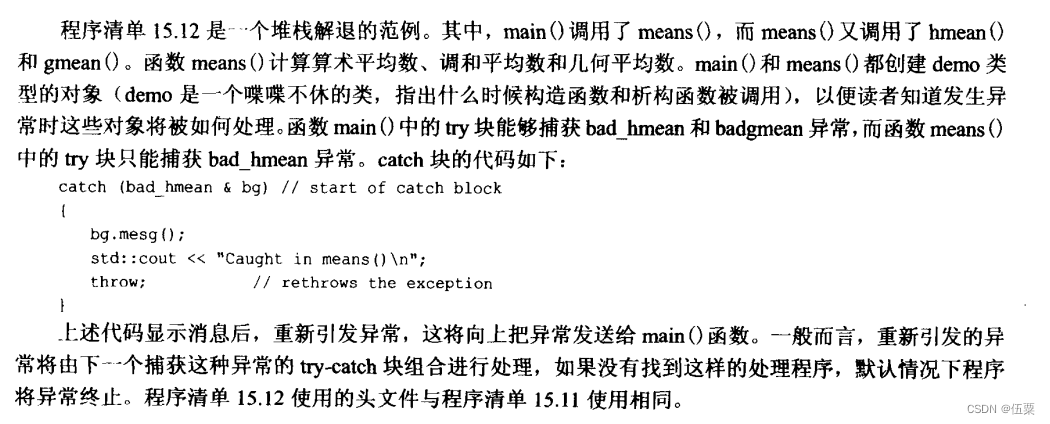
#include#include #include #include"exc_mean.h" using namespace std; class demo{ private: std::string word; public: demo(const std::string &str){ word=str; std::cout<<" demo "<<word << " created\n"; } ~demo(){ cout<<" demo "<<word << " destroyed\n"; } void show() const { cout<<" demo "<<word << " lives!\n"; } }; double hmean (double a,double b); double gmean (double a,double b); double means (double a,double b); double hmean (double a,double b){ if(a== -b) throw bad_hmean(a,b); return 2.0*a*b/(a+b); } double gmean (double a,double b){ if(a<0 ||b<0) throw bad_gmean(a,b); return sqrt(a*b); } double means (double a,double b){ double am,hm,gm; demo d2("found in means()"); am=(a+b)/2.0; try { hm=hmean(a,b); gm=gmean(a,b); } catch (bad_gmean &bg) { bg.mesg(); cout<<" Caught in means()\n"; throw ; } d2.show(); return (am+hm+gm)/3.0; } int main() { double x,y,z; { demo d1("found in block in main()"); cout<<"enter two numbers:"; while (cin>>x>>y) { try { z=means(x,y); cout<<"the mean of "<<x<<" and "<<y <<" is "<<z<<endl; cout<<"enter next pair : "; } catch (bad_hmean &bg) { bg.mesg(); cout<<" try again.\n"; continue; }catch(bad_gmean &hg){ cout<<hg.mesg(); cout<<"value used : "<<hg.v1<<" , " <<hg.v2<<endl; cout<<"sorry ,you don't get to play ang more.\n"; break; } } d1.show(); } cout<<" bye !\n"; cin.get(); cin.get(); return 0; cout << "Hello World!" << endl; return 0; } - 1
- 2
- 3
- 4
- 5
- 6
- 7
- 8
- 9
- 10
- 11
- 12
- 13
- 14
- 15
- 16
- 17
- 18
- 19
- 20
- 21
- 22
- 23
- 24
- 25
- 26
- 27
- 28
- 29
- 30
- 31
- 32
- 33
- 34
- 35
- 36
- 37
- 38
- 39
- 40
- 41
- 42
- 43
- 44
- 45
- 46
- 47
- 48
- 49
- 50
- 51
- 52
- 53
- 54
- 55
- 56
- 57
- 58
- 59
- 60
- 61
- 62
- 63
- 64
- 65
- 66
- 67
- 68
- 69
- 70
- 71
- 72
- 73
- 74
- 75
- 76
- 77
- 78
- 79
- 80
- 81
- 82
- 83
- 84
- 85
- 86
- 87
程序说明


运行结果:

15.4 RTTI
RTTI是运行阶段类型识别的简称。
15.4.1 RTTI的用途
希望通过调用类方法的正确版本,在这种情况下,只要该函数是类层次结构中所有成员都拥有的虚函数,则并不真正需要知道对象的类型。但派生对象可能包含不是继承而来的方法,在这种情况下,只有某些类型的对象可以使用该方法。可可能是出于调试的目的,想跟踪生成的对象的类型。对于后面两种情况,RTTI提供解决方案。
15.4.2 RTTI的工作原理
C++有3个支持RTTI的元素。
1、如果可能的话,dynamic_cast运算符将使用一个指向基类的指针来生成一个指向派生类的指针;否则,该运算符返回0——空指针。
2、typeid运算符返回一个指出对象的类型的值。
3、type_info结构存储了有关特性类型的信息。
只能将RTTI用于包含虚函数的类层次结构,原因在于只有对于这种类层次结构,才应该将派生对象的地址赋给基类指针。1、dynamic_cast运算符
这个运算符不能回答“指针指向的是哪类对象”这样的问题,但能够回答“是否可以安全地将对象的地址赋给特定类型的指针”这样的问题。class Grand{//has virtual method}; class Superb:public Grand{...}; class Magnificent:public Superb{...}; //假设有下面的指针 Grand *pg=new Grand; Grand *ps=new Superb; Grand *pm=new Magnificent; //最后,对于下面的类型转换 Magnificent *p1=(Magnificent *) pm;//#1 Magnificent *p2=(Magnificent *) pg;//#2 Superb *p3=(Magnificent *) pm;//#3- 1
- 2
- 3
- 4
- 5
- 6
- 7
- 8
- 9
- 10
- 11

以下为使用方法。如果指向的对象(*pt)的类型为Type或者是从Type直接或间接派生而来的类型,则下面的表达式将指针pt转换为Type类型的指针;否则结果为0,即空指针。dynamic_cast<Type *>(pt);- 1
也可以将dynamic_cast用于引用,其用法稍微有点不同:没有与空指针对应的引用值,因此无法使用特殊的引用值来指示失败。当请求不正确时,dynamic_cast将引发类型为bad_cast的异常,这种异常是从exception类派生而来的,它是在头文件typeinfo中定义的。因此,可以像下面这样使用该运算符,其中rg是对Grand对象的引用:
#include... try { Superb &rs=dynamic_cast<Superb &>(rg); ... } catch (bad_cast &) { ... }; - 1
- 2
- 3
- 4
- 5
- 6
- 7
- 8
- 9
2、typeid运算符和type_info类
typeid运算符使得能够确定两个对象是否为同种类型。它与sizeof有些相像,可以接受两种参数;
类名;
结果为对象的表达式。typeid运算符返回一个对type_info对象的引用,其中,type_info实在头文件typeinfo中定义的一个类。
type_info类的实现随厂商而异,但包含一个name()成员,该函数返回一个随实现而已的字符串,通常是类的名称。15.5 类型转换运算符
C++有4个类型转换运算符。
dynamic_cast<>(); const_cast<>(); static_cast<>(); reinterpret_cast<>();- 1
- 2
- 3
- 4
dynamic_cast运算符基本用法如下。
假设High和Low是两个类,而ph和pl的类型分别为High* 和Low* ,则仅当Low是High的可访问基类(直接或间接)时,下面的语句才将一个Low* 指针pl:pl =dynamic_cast<Low *> ph;- 1
该运算符的用途是,使得能够在类层次结构中进行向上转换(由于is-a关系,这样的类型转换是安全的),而不允许其他转换。
conat_cast运算符用于执行只有一种用途的类型转换,即改变值为const或volatile,其语法与dynamic_cast运算符相同。
const_cast<type-name>( expression);- 1
如果类型的其他方面也被修改,则类型转换将出错。也就是说,除了const和volatile特征(有或无)可以不同外,type-name 和expression的类型必须相同。再次假设High和Low是两个类:
High bar; const High *pbar=&bar; ... High *pb= const_cast< High *>(pbar);//valid const Low * pl =const_cast<const Low *>(pbar);//invalid- 1
- 2
- 3
- 4
- 5
- 6
第一个类型转换使得* pb成为一个可用于修改bar对象值的指针,它删除const标签。第二个类型转换是非法的,因为它同时尝试将类型从const High * 改为const Low * 。
提供该运算符的原因是,有时候可能需要这样一个值,它在大多数时候是常量,而有时候又是可以修改的。在这种情况下,可以将这个值声明为const ,并在需要修改它的时候,使用const_cast 。这也可以通过通用类型转换来实现,但通用转换也可能同时改变类型:
High bar; const High *pbar=&bar; ... High *pb=(High *)(pbar);//valid Low *pl=(Low *)(pbar);//also valid- 1
- 2
- 3
- 4
- 5
- 6
由于编程时可能无意间同时改变类型和常量特征,因此使用const_cast运算符更安全。const_cast不是万能的,它可以修改指向一个值的指针,但修改const值的结果是不确定。
下面例子可以说明
#includeusing namespace std; #include #include using namespace std; void change(const int *pt,int n); int main() { int pop1=38383; const int pop2=2000; cout<<" pop1,pop2: "<<pop1<<" ,"<<pop2<<endl; change(&pop1,-103); change(&pop2,-103); cout<<" pop1,pop2: "<<pop1<<" ,"<<pop2<<endl; return 0; } void change(const int *pt,int n){ int *pc; pc=const_cast<int *>(pt); *pc+=n; } - 1
- 2
- 3
- 4
- 5
- 6
- 7
- 8
- 9
- 10
- 11
- 12
- 13
- 14
- 15
- 16
- 17
- 18
- 19
- 20
- 21
- 22
- 23
- 24
- 25
- 26
- 27
- 28
- 29
- 30
输出结果:

const_cast运算符可以删除const *int pt中的const,使得编译器能够接受chang()中的语句:
*pc+=n;
但是由于pop2被声明为const ,因此编译器可能禁止修改它,如下面的输出结果:
正如你看到的,调用change()时,修改了pop1,但没有修改pop2。在change()中,指针被声明为const int * ,因此不能用来修改指向的int。指针pc删除了const特征,因此可用来修改指向的值,但仅当指向的值不是const时才可行。因此,pc可用于修改pop1,但不能用于修改pop2。static_cast运算符语法与其他相同。仅当type-name可以被隐式转换为expression所属的类型或expression可以被隐式转换为type-name所属的类型时,上述转换才是合法的。


来源:C++ primer plus ,仅供学习 ,侵删 -
相关阅读:
SpringBoot + MyBatis 结合 MVC框架设计 第1关:项目整合 - SpringBoot + MyBatis
python小tips
处理不平衡数据的十大 Python 库
可靠的可视化监控平台应用在那些场景?
WCF 请求答复模式
3.5 Makefile的重建
Hive【非交互式使用、三种参数配置方式】
榕树贷款Mybatis-Plus的特点
VSCODE+PHP8.2配置踩坑记录
springBoot自动装配
- 原文地址:https://blog.csdn.net/qq_30457077/article/details/126444656