-
SpringBoot项目连接MySQL数据库
前言
本篇基于MySQL数据库 8.0.29版本进行说明,需要提前安装MySQL数据库。具体教程详见:《最新版MySQL 8.0 的下载与安装(详细教程)》
一、导入依赖
一般在新建SpringBoot项目时,勾选了MySQL以及JDBC依赖,可以直接使用,无须再次导入依赖
依赖查找:https://mvnrepository.com/1.在pom文件中导入MySQL依赖
mysql mysql-connector-java 8.0.29 - 1
- 2
- 3
- 4
- 5
2.在pom文件中导入JDBC依赖
org.springframework.boot spring-boot-starter-jdbc - 1
- 2
- 3
- 4
3.在pom文件中导入mybatis-plus依赖
com.baomidou mybatis-plus-boot-starter 3.5.1 - 1
- 2
- 3
- 4
- 5
二、连接数据库
在application.yml中进行连接数据库的简单配置,yml文件中格式不能错位,不然不会读取配置
spring: datasource: driver-class-name: com.mysql.cj.jdbc.Driver type: com.zaxxer.hikari.HikariDataSource url: jdbc:mysql://localhost:3306/sbvue?useUnicode=true&characterEncoding=utf-8&useSSL=true username: root password:- 1
- 2
- 3
- 4
- 5
- 6
- 7
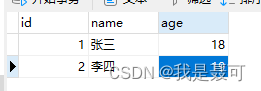
数据库中的数据
三、测试
使用mybatis-plus进行映射
1.创建UserPo实体类
采用了Lombok简化代码
@Data @NoArgsConstructor @AllArgsConstructor @TableName("user") public class UserPO { @TableId(value = "id",type = IdType.AUTO) private int id; @TableField("name") private String name; @TableField("age") private int age; }- 1
- 2
- 3
- 4
- 5
- 6
- 7
- 8
- 9
- 10
- 11
- 12
2.在Mapper包下创建UserMapper
@Repository public interface UserMapper extends BaseMapper{ } - 1
- 2
- 3
3.在启动类增加注解
在启动类SbvApplication 增加@MapperScan(“包名”),包名需要一直到mapper包
@SpringBootApplication @MapperScan("com.wsnk.sbv.mapper") public class SbvApplication { public static void main(String[] args) { SpringApplication.run(SbvApplication.class, args); } }- 1
- 2
- 3
- 4
- 5
- 6
- 7
4.测试
在SbvApplicationTests 测试类中,查询所有用户
@SpringBootTest class SbvApplicationTests { @Autowired private UserMapper userMapper; @Test public void ceshi(){ for (UserPO userPO : userMapper.selectList(null)) { System.out.println(userPO.toString()); } } }- 1
- 2
- 3
- 4
- 5
- 6
- 7
- 8
- 9
- 10
- 11
查询成功

-
相关阅读:
Windows系统关机后自动重启的解决方法
使用具有 monadmin 或者 sysadmin 用户权限
图像分割 - 线检测
【Azure】浅析 Azure 交互工具:Azure 门户、Azure Cloud Shell、 Azure CLI 和 Azure PowerShell | 文末送书
shell脚本耕升(一)
kafka副本机制
图像处理笔记2(自己上课胡乱记的,目前尚未排版整理)
论文精读《OFT: Orthographic Feature Transform for Monocular 3D Object Detection》
Python Flask框架学习教程
EasyCVR通过国标GB协议接入设备,TCP正常注册但UDP无法成功注册的原因分析
- 原文地址:https://blog.csdn.net/m0_67401660/article/details/126516137