-
Windows下Nacos安装
1.Nacos下载
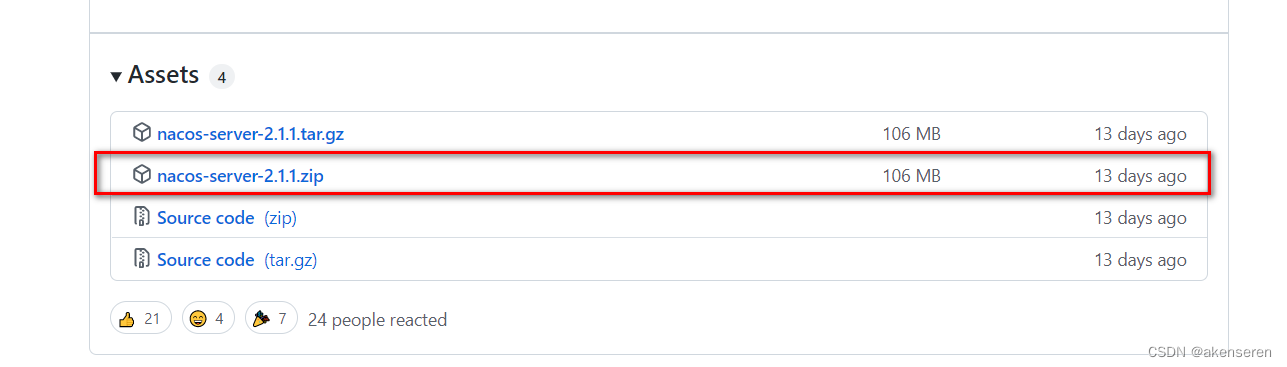
官网下载地址:https://github.com/alibaba/nacos/releases
选择一个最新的稳定版本。zip是Windows版本,tar.gz是Linux版本
2.Nacos安装
2.1 解压
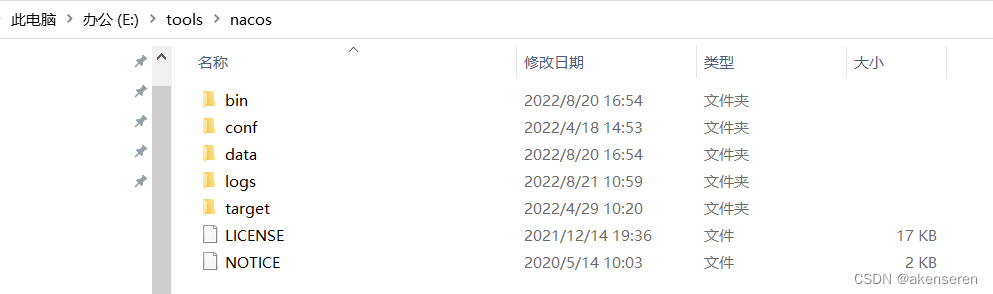
下载完成之后,解压,进入目录,如下:
其中,
bin:可执行命令;
conf:配置文件;
target:nacos应用jar包;
当nacos运行起来之后,还会有data、logs
data:数据;
logs:运行日志
2.2 配置文件

其中
[1] application.properties是nacos单机启动配置文件。
[2] application.properties.example单机默认配置文件。
[3] cluster.conf.example是nacos集群默认配置文件。
[4] nacos-logback.xml是日志配置文件。
[5] nacos-mysql.sql是mysql数据库初始化脚本。
[6] schema.sql是Derby 数据库初始化脚本。2.2.1 修改application.properties配置文件

如图所示,nacos项目的根目录是/nacos,启动端口为8848。配置外部数据库mysql,其中默认用户名和密码均为nacos。
此处,建议不要将spring.datasource.platform=mysql放开,不然会出现如下莫名其妙的错误。
- org.springframework.beans.factory.UnsatisfiedDependencyException: Error creating bean with name 'memoryMonitor' defined in URL [jar:file:/E:/tools/nacos/target/nacos-server.jar!/BOOT-INF/lib/nacos-config-2.1.0.jar!/com/alibaba/nacos/config/server/monitor/MemoryMonitor.class]: Unsatisfied dependency expressed through constructor parameter 0; nested exception is org.springframework.beans.factory.UnsatisfiedDependencyException: Error creating bean with name 'asyncNotifyService': Unsatisfied dependency expressed through field 'dumpService'; nested exception is org.springframework.beans.factory.BeanCreationException: Error creating bean with name 'externalDumpService': Invocation of init method failed; nested exception is ErrCode:500, ErrMsg:Nacos Server did not start because dumpservice bean construction failure :
- No DataSource set

2.2.2 数据库导入nacos-mysql.sql
由于本机已经安装过mysql,故mysql安装配置不再赘述;利用Dbever连接并新建数据库执行nacos-mysql.sql。

注意数据库名称与配置文件中保持一致。
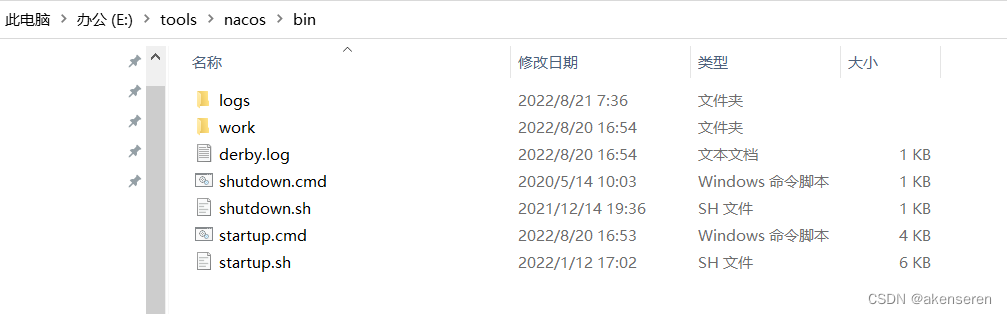
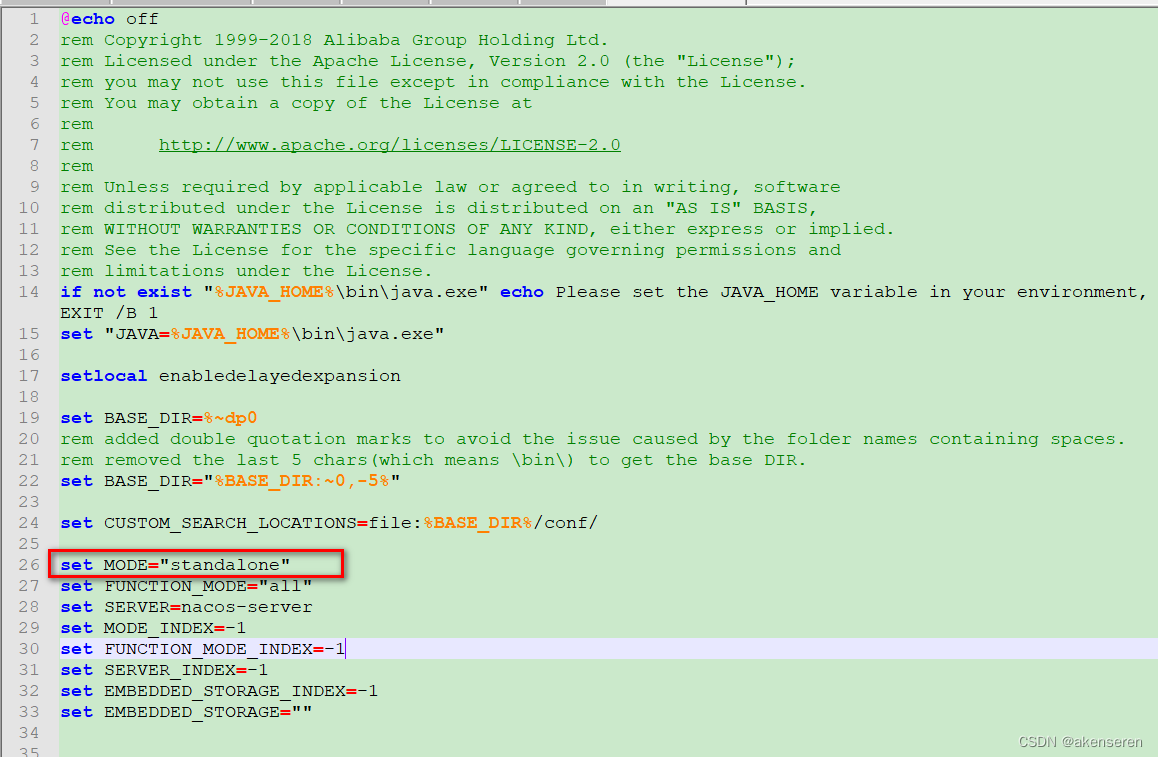
2.3 修改启动脚本startup.cmd
nacos默认使用的集群模式cluster,本机需要修改为单机模式standalone。
2.4 使用startup.cmd来启动nacos

nacos的根路径为/nacos,默认端口号为8848。因此后台的访问路径为:http://localhost:8848/nacos
2.5 登录 nacos,访问nacos管理页面
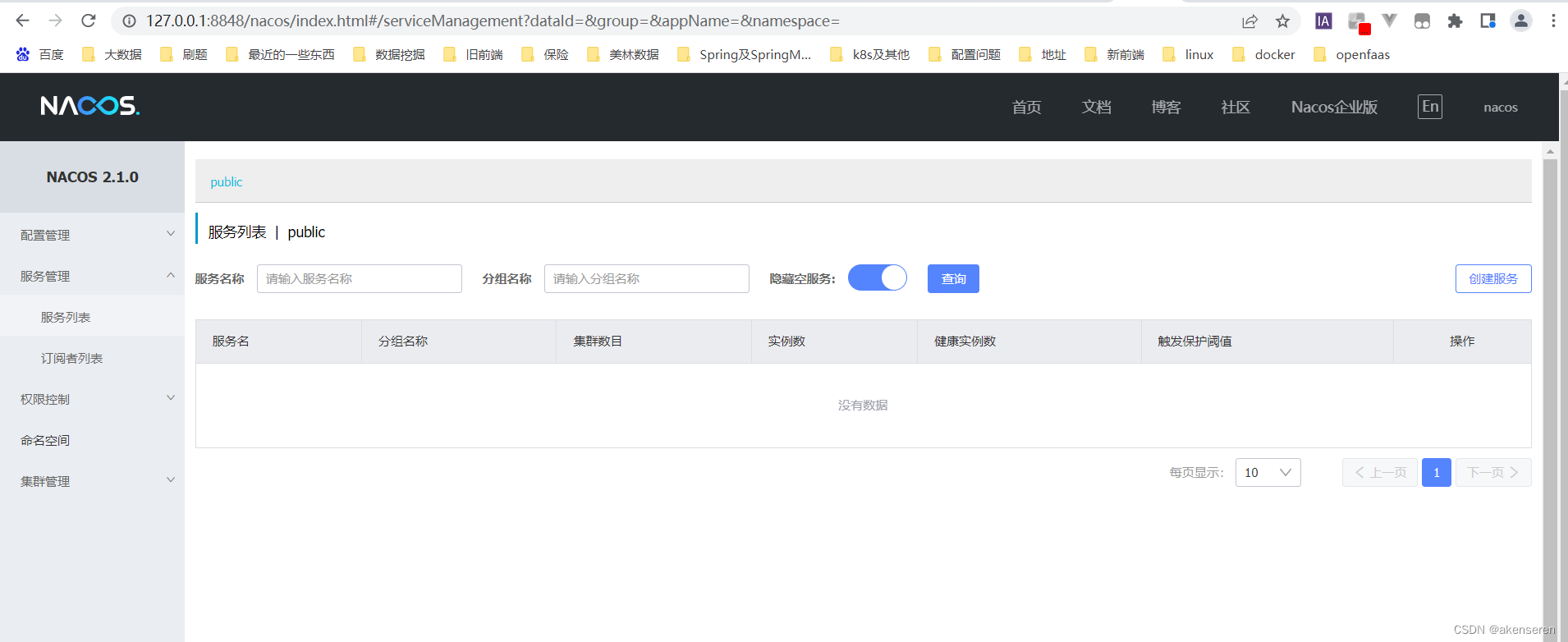
登录成果。
-
相关阅读:
JavaWeb三大组件之Servlet------Servlet详细讲解
有趣的网站
001docker架构介绍
ICC2: place阶段trial clock
Vue3+Element-Plus项目 el-table 拖拽排序实现,Vue3项目sortablejs的安装与使用
成都理工大学_Python程序设计_第9章
网络安全(黑客)自学
ElasticSearch 命令总结
【Es基础入门必看】
使用Linux JumpServer 堡垒机进行远程访问
- 原文地址:https://blog.csdn.net/akenseren/article/details/126456037