-
【Java经典小游戏】大鱼吃小鱼 (两万字保姆级教程)
🔥一个人走得远了,就会忘记自己为了什么而出发,希望你可以不忘初心,不要随波逐流,一直走下去🎶
🦋 欢迎关注🖱点赞👍收藏🌟留言🐾
🦄 本文由 程序喵正在路上 原创,CSDN首发!
💖 系列专栏:Java筑基小项目
🌠 首发时间:2022年8月21日
✅ 如果觉得博主的文章还不错的话,希望小伙伴们三连支持一下哦一、项目演示
二、项目准备
请移步到源码分享模块下载
三、项目实现
1 - 创建游戏窗口
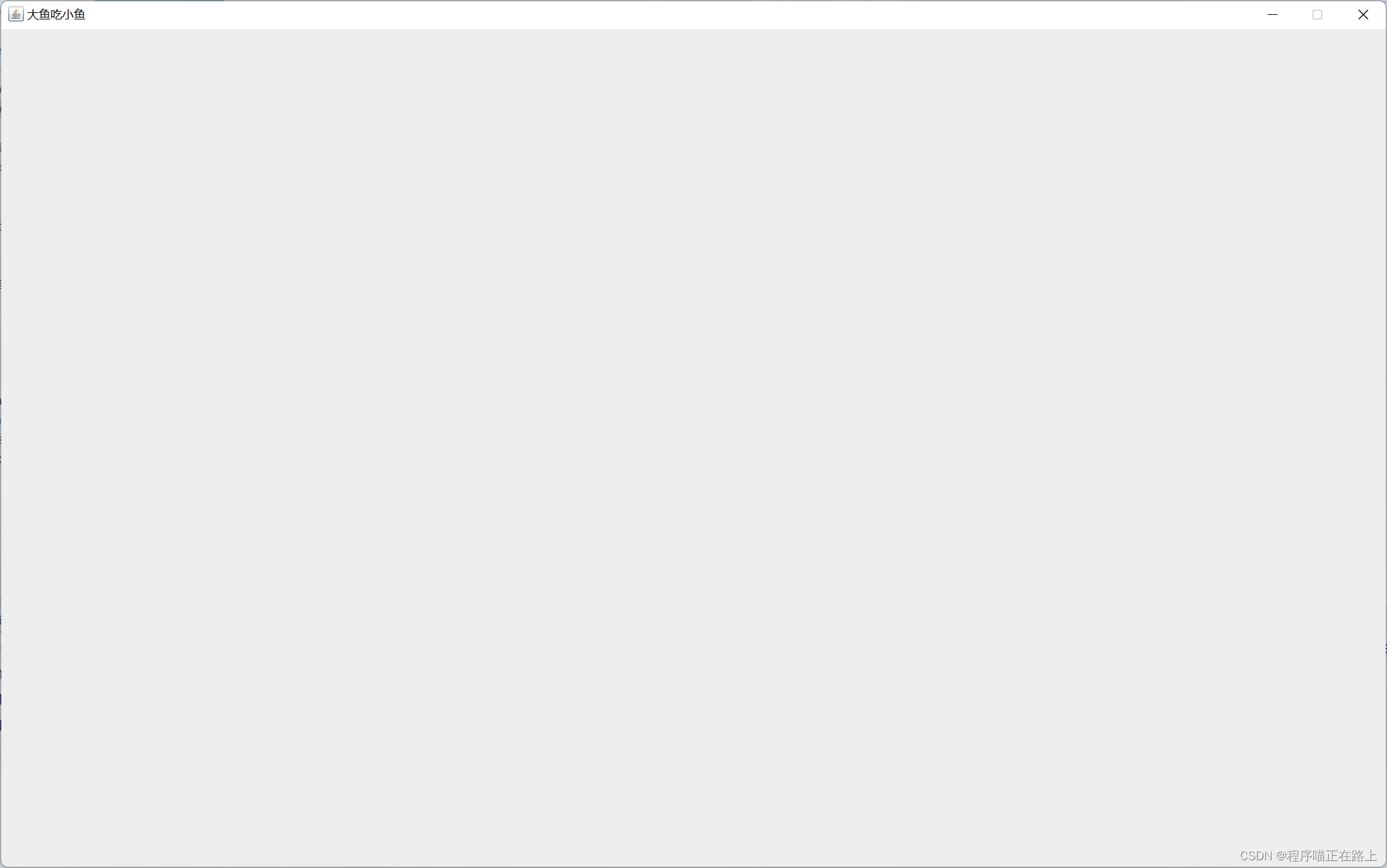
创建一个游戏窗口类 GameWin,创建一个 launch() 启动方法,在其中设置窗口相关属性:
import javax.swing.*; public class GameWin extends JFrame { int width = 1440; int height = 900; //创建一个启动方法,设置窗口信息 public void launch() { this.setVisible(true); //设置窗口可见 this.setSize(width, height); //设置窗口大小 this.setLocationRelativeTo(null); //设置窗口居中 this.setResizable(false); //设置窗口大小不可改变 this.setTitle("大鱼吃小鱼"); //设置窗口标题 this.setDefaultCloseOperation(EXIT_ON_CLOSE); //设置窗口按钮 } }- 1
- 2
- 3
- 4
- 5
- 6
- 7
- 8
- 9
- 10
- 11
- 12
- 13
- 14
- 15
- 16
创建一个游戏窗口测试类 GameWinDemo,进行窗口对象的创建和启动方法的调用:
public class GameWinDemo { public static void main(String[] args) { //创建一个游戏窗口对象 GameWin gameWin = new GameWin(); //启动窗口 gameWin.launch(); } }- 1
- 2
- 3
- 4
- 5
- 6
- 7
- 8
- 9
2 - 添加背景图片
将下载的背景图片的文件夹复制到项目文件夹中:

创建一个工具类 GameUtils,在其中添加背景图片:
import java.awt.*; public class GameUtils { public static Image bgimg = Toolkit.getDefaultToolkit().createImage("D:\\IDEA\\idea_Demo\\FishGame\\images\\sea.jpg"); }- 1
- 2
- 3
- 4
- 5
在 GameWin 类中添加 paint 方法,在其中绘制背景图片:
@Override public void paint(Graphics g) { //用画笔绘制背景图片 g.drawImage(GameUtils.bgimg, 0, 0, null); }- 1
- 2
- 3
- 4
- 5
如果发现背景图片加载不出来,先检查一下路径有没有写错,相对路径不行的话就试试绝对路径;有时候加载背景图片会较慢,可以试着将运行出来的窗口最小化后再恢复

3 - 制作封面
定义默认游戏状态,同时在 paint 方法中对游戏状态进行判断进而显示对应的游戏界面:
import javax.swing.*; import java.awt.*; public class GameWin extends JFrame { int width = 1440; int height = 900; //定义游戏默认状态 static int state = 0; //创建一个启动方法,设置窗口信息 public void launch() { this.setVisible(true); //设置窗口可见 this.setSize(width, height); //设置窗口大小 this.setLocationRelativeTo(null); //设置窗口居中 this.setResizable(false); //设置窗口大小不可改变 this.setTitle("大鱼吃小鱼"); //设置窗口标题 this.setDefaultCloseOperation(EXIT_ON_CLOSE); //设置窗口按钮 } @Override public void paint(Graphics g) { //用画笔绘制背景图片 g.drawImage(GameUtils.bgimg, 0, 0, null); //游戏状态:0未开始,1游戏中,2游戏失败,3游戏胜利,4游戏暂停,5重新开始 switch (state) { case 0: g.drawImage(GameUtils.bgimg, 0, 0, null); //为启动页面添加文字 g.setColor(Color.pink); g.setFont(new Font("仿宋", Font.BOLD, 60)); g.drawString("请点击开始游戏", 600, 500); break; case 1: break; case 2: break; case 3: break; case 4: break; default: break; } } }- 1
- 2
- 3
- 4
- 5
- 6
- 7
- 8
- 9
- 10
- 11
- 12
- 13
- 14
- 15
- 16
- 17
- 18
- 19
- 20
- 21
- 22
- 23
- 24
- 25
- 26
- 27
- 28
- 29
- 30
- 31
- 32
- 33
- 34
- 35
- 36
- 37
- 38
- 39
- 40
- 41
- 42
- 43
- 44
- 45
- 46
- 47

4 - 启动页面的点击事件
在启动方法中添加鼠标监听器,当点击启动页面时游戏开始
//创建一个启动方法,设置窗口信息 public void launch() { this.setVisible(true); //设置窗口可见 this.setSize(width, height); //设置窗口大小 this.setLocationRelativeTo(null); //设置窗口居中 this.setResizable(false); //设置窗口大小不可改变 this.setTitle("大鱼吃小鱼"); //设置窗口标题 this.setDefaultCloseOperation(EXIT_ON_CLOSE); //设置窗口按钮 //添加鼠标监听事件 this.addMouseListener(new MouseAdapter() { @Override public void mouseClicked(MouseEvent e) { if (e.getButton() == 1 && state == 0) { state = 1; repaint(); } } }); }- 1
- 2
- 3
- 4
- 5
- 6
- 7
- 8
- 9
- 10
- 11
- 12
- 13
- 14
- 15
- 16
- 17
- 18
- 19
- 20
5 - 游戏开始时的背景添加
新建一个背景图的实体类 Bg,在 GameWin 类里创建其对象,并在 case 1 中调用绘制背景图的方法
import java.awt.*; public class Bg { void paintSelf(Graphics g) { g.drawImage(GameUtils.bgimg, 0, 0, null); } }- 1
- 2
- 3
- 4
- 5
- 6
- 7
由于游戏中需要不断绘制背景图片,所以我们在启动方法中添加一个 while 循环,在其中每隔 40 毫秒重绘背景图
import javax.swing.*; import java.awt.*; import java.awt.event.*; public class GameWin extends JFrame { int width = 1440; int height = 900; //定义游戏默认状态 static int state = 0; //获取背景图类的对象 Bg bg = new Bg(); //创建一个启动窗口,设置窗口信息 public void launch() throws InterruptedException { this.setVisible(true); //设置窗口可见 this.setSize(width, height); //设置窗口大小 this.setLocationRelativeTo(null); //设置窗口居中 this.setResizable(false); //设置窗口大小不可改变 this.setTitle("大鱼吃小鱼"); //设置窗口标题 this.setDefaultCloseOperation(EXIT_ON_CLOSE); //设置窗口按钮 //添加鼠标监听事件 this.addMouseListener(new MouseAdapter() { @Override public void mouseClicked(MouseEvent e) { if (e.getButton() == 1 && state == 0) { state = 1; repaint(); } } }); //背景图片重复使用,需要重复调用repaint方法 while(true) { repaint(); Thread.sleep(40); } } @Override public void paint(Graphics g) { //用画笔绘制背景图片 g.drawImage(GameUtils.bgimg, 0, 0, null); switch (state) { case 0: g.drawImage(GameUtils.bgimg, 0, 0, null); //为启动页面添加文字 g.setColor(Color.pink); g.setFont(new Font("仿宋", Font.BOLD, 60)); g.drawString("请点击开始游戏", 500, 500); break; case 1: bg.paintSelf(g); break; case 2: break; case 3: break; case 4: break; default: break; } } }- 1
- 2
- 3
- 4
- 5
- 6
- 7
- 8
- 9
- 10
- 11
- 12
- 13
- 14
- 15
- 16
- 17
- 18
- 19
- 20
- 21
- 22
- 23
- 24
- 25
- 26
- 27
- 28
- 29
- 30
- 31
- 32
- 33
- 34
- 35
- 36
- 37
- 38
- 39
- 40
- 41
- 42
- 43
- 44
- 45
- 46
- 47
- 48
- 49
- 50
- 51
- 52
- 53
- 54
- 55
- 56
- 57
- 58
- 59
- 60
- 61
- 62
- 63
- 64
- 65
- 66
- 67
- 68
6 - 双缓存解决闪屏问题
如果此时你的屏幕出现闪烁的情况,可以用下面的方法解决
整体思路为:
重新创建一个空的图片,将所有的组件先绘制到空的图片上,然后把绘制好的图片一次性地绘制到主窗口上
创建一个空图片对象,在 paint 方法中将所有组件绘制到空图片上,再一次性绘制到主窗口上
public class GameWin extends JFrame { int width = 1440; int height = 900; //定义游戏默认状态 static int state = 0; //获取背景图类的对象 Bg bg = new Bg(); //创建一个空图片对象 Image offScreenImage; //创建一个启动窗口,设置窗口信息 public void launch() throws InterruptedException { this.setVisible(true); //设置窗口可见 this.setSize(width, height); //设置窗口大小 this.setLocationRelativeTo(null); //设置窗口居中 this.setResizable(false); //设置窗口大小不可改变 this.setTitle("大鱼吃小鱼"); //设置窗口标题 this.setDefaultCloseOperation(EXIT_ON_CLOSE); //设置窗口按钮 //添加鼠标监听事件 this.addMouseListener(new MouseAdapter() { @Override public void mouseClicked(MouseEvent e) { if (e.getButton() == 1 && state == 0) { state = 1; repaint(); } } }); //背景图片重复使用,需要重复调用repaint方法 while (true) { repaint(); Thread.sleep(40); } } @Override public void paint(Graphics g) { //懒加载模式初始化对象 offScreenImage = createImage(width, height); Graphics gImage = offScreenImage.getGraphics(); //获取图片对应的画笔对象 switch (state) { case 0: //把组件重新绘制到主窗口中 gImage.drawImage(GameUtils.bgimg, 0, 0, null); //为启动页面添加文字 gImage.setColor(Color.pink); gImage.setFont(new Font("仿宋", Font.BOLD, 60)); gImage.drawString("请点击开始游戏", 500, 500); break; case 1: bg.paintSelf(gImage); break; case 2: break; case 3: break; case 4: break; default: break; } //将绘制好的图片一次性绘制到主窗口中 g.drawImage(offScreenImage, 0, 0, null); } }- 1
- 2
- 3
- 4
- 5
- 6
- 7
- 8
- 9
- 10
- 11
- 12
- 13
- 14
- 15
- 16
- 17
- 18
- 19
- 20
- 21
- 22
- 23
- 24
- 25
- 26
- 27
- 28
- 29
- 30
- 31
- 32
- 33
- 34
- 35
- 36
- 37
- 38
- 39
- 40
- 41
- 42
- 43
- 44
- 45
- 46
- 47
- 48
- 49
- 50
- 51
- 52
- 53
- 54
- 55
- 56
- 57
- 58
- 59
- 60
- 61
- 62
- 63
- 64
- 65
- 66
- 67
- 68
- 69
- 70
- 71
- 72
7 - 敌方第一条小雨的添加
新建敌方鱼的父类 Enamy,编写左敌方鱼类 Enamy_1_L 继承父类
import java.awt.*; public class Enamy { //定义图片 Image img; //定义物体坐标 int x; int y; int width; int height; //移动速度 int speed; //方向 int dir = 1; //敌方鱼的类型、分值 int type; int count; //绘制自身方法 public void paintSelf(Graphics g) { g.drawImage(img, x, y, width, height, null); } //获取自身矩形用于碰撞检测 public Rectangle getRec() { return new Rectangle(x, y, width, height); } } //左敌方鱼类 class Enamy_1_L extends Enamy { Enamy_1_L() { this.x = -45; this.y = (int) (Math.random() * 700 + 100); this.width = 45; this.height = 69; this.speed = 10; this.count = 1; this.img = GameUtils.enamy_l_img; } }- 1
- 2
- 3
- 4
- 5
- 6
- 7
- 8
- 9
- 10
- 11
- 12
- 13
- 14
- 15
- 16
- 17
- 18
- 19
- 20
- 21
- 22
- 23
- 24
- 25
- 26
- 27
- 28
- 29
- 30
- 31
- 32
- 33
- 34
- 35
- 36
- 37
- 38
- 39
- 40
- 41
- 42
- 43
- 44
- 45
在 GameUtils 类中添加左敌方鱼类的图片
public class GameUtils { //背景图 public static Image bgimg = Toolkit.getDefaultToolkit().createImage("D:\\IDEA\\idea_Demo\\FishGame\\images\\sea.jpg"); //敌方鱼类 public static Image enamy_l_img = Toolkit.getDefaultToolkit().createImage("D:\\IDEA\\idea_Demo\\FishGame\\images\\enemyFish\\fish1_r.gif"); }- 1
- 2
- 3
- 4
- 5
- 6
- 7
在 GameWin 类中创建左敌方鱼类对象并在 case 1 的情况下绘制左敌方鱼类
public class GameWin extends JFrame { //...... //敌方鱼类 Enamy enamy = new Enamy_1_L(); //创建一个启动窗口,设置窗口信息 public void launch() throws InterruptedException { //...... } @Override public void paint(Graphics g) { //懒加载模式初始化对象 offScreenImage = createImage(width, height); Graphics gImage = offScreenImage.getGraphics(); //获取图片对应的画笔对象 switch (state) { case 0: //把组件重新绘制到主窗口中 gImage.drawImage(GameUtils.bgimg, 0, 0, null); //为启动页面添加文字 gImage.setColor(Color.pink); gImage.setFont(new Font("仿宋", Font.BOLD, 60)); gImage.drawString("请点击开始游戏", 500, 500); break; case 1: bg.paintSelf(gImage); enamy.paintSelf(gImage); enamy.x += enamy.speed; break; case 2: break; case 3: break; case 4: break; default: break; } //将绘制好的图片一次性绘制到主窗口中 g.drawImage(offScreenImage, 0, 0, null); } }- 1
- 2
- 3
- 4
- 5
- 6
- 7
- 8
- 9
- 10
- 11
- 12
- 13
- 14
- 15
- 16
- 17
- 18
- 19
- 20
- 21
- 22
- 23
- 24
- 25
- 26
- 27
- 28
- 29
- 30
- 31
- 32
- 33
- 34
- 35
- 36
- 37
- 38
- 39
- 40
- 41
- 42
- 43
- 44
- 45

8 - 敌方左方小鱼的批量添加
在工具类中创建一个所有敌方鱼物体的集合
public class GameUtils { //敌方鱼类集合 public static List<Enamy> EnamyList = new ArrayList<>(); //...... }- 1
- 2
- 3
- 4
- 5
- 6
在窗口类中添加一个方法,用于批量添加敌方鱼类
public class GameWin extends JFrame { //...... //敌方鱼类 Enamy enamy; //计数器,用来记录游戏的重绘次数,也是鱼生成的数量 int time = 0; //创建一个启动窗口,设置窗口信息 public void launch() throws InterruptedException { //...... }); //背景图片重复使用,需要重复调用repaint方法 while (true) { repaint(); time++; Thread.sleep(40); } } @Override public void paint(Graphics g) { //懒加载模式初始化对象 offScreenImage = createImage(width, height); Graphics gImage = offScreenImage.getGraphics(); //获取图片对应的画笔对象 switch (state) { case 0: //...... case 1: bg.paintSelf(gImage); logic(); //不断添加敌方鱼类 //遍历敌方鱼类集合,绘制敌方鱼类 for (Enamy enamy : GameUtils.EnamyList) { enamy.paintSelf(gImage); } break; case 2: break; case 3: break; case 4: break; default: break; } //将绘制好的图片一次性绘制到主窗口中 g.drawImage(offScreenImage, 0, 0, null); } //批量添加鱼类 void logic() { //每重绘10次生成一条敌方鱼类 if (time % 10 == 0) { enamy = new Enamy_1_L(); GameUtils.EnamyList.add(enamy); } //移动方向 for (Enamy enamy : GameUtils.EnamyList) { enamy.x = enamy.x + enamy.dir * enamy.speed; } } }- 1
- 2
- 3
- 4
- 5
- 6
- 7
- 8
- 9
- 10
- 11
- 12
- 13
- 14
- 15
- 16
- 17
- 18
- 19
- 20
- 21
- 22
- 23
- 24
- 25
- 26
- 27
- 28
- 29
- 30
- 31
- 32
- 33
- 34
- 35
- 36
- 37
- 38
- 39
- 40
- 41
- 42
- 43
- 44
- 45
- 46
- 47
- 48
- 49
- 50
- 51
- 52
- 53
- 54
- 55
- 56
- 57
- 58
- 59
- 60
- 61
- 62
- 63
- 64
- 65
- 66
- 67

9 - 我方鱼的生成
在工具类中添加我方鱼类的图片
public class GameUtils { //...... //我方鱼类 public static Image myFishImg_L = Toolkit.getDefaultToolkit().createImage("D:\\IDEA\\idea_Demo\\FishGame\\images\\myFish\\myfish_left.gif"); public static Image myFishImg_R = Toolkit.getDefaultToolkit().createImage("D:\\IDEA\\idea_Demo\\FishGame\\images\\myFish\\myfish_right.gif"); }- 1
- 2
- 3
- 4
- 5
- 6
- 7
创建我方鱼类
import java.awt.*; public class MyFish { //图片 Image img = GameUtils.myFishImg_L; //坐标 int x = 700; int y = 500; int width = 50; int height = 50; //移动速度 int speed = 20; //等级 int level = 1; //绘制自身的方法 public void paintSelf(Graphics g) { g.drawImage(img, x, y, width, height, null); } //获取自身矩形的方法 public Rectangle getRec() { return new Rectangle(x, y, width, height); } }- 1
- 2
- 3
- 4
- 5
- 6
- 7
- 8
- 9
- 10
- 11
- 12
- 13
- 14
- 15
- 16
- 17
- 18
- 19
- 20
- 21
- 22
- 23
- 24
- 25
在窗口类中获取我方鱼的对象
//我方鱼类 MyFish myFish = new MyFish();- 1
- 2
在工具类中添加方向判定,用来控制我方鱼的方向
public class GameUtils { //方向 static boolean UP = false; static boolean DOWN = false; static boolean LEFT = false; static boolean RIGHT = false; //...... }- 1
- 2
- 3
- 4
- 5
- 6
- 7
- 8
- 9
在我方鱼类添加一个方法,实现对键盘的控制
public class MyFish { //...... //绘制自身的方法 public void paintSelf(Graphics g) { //调用方法 logic(); g.drawImage(img, x, y, width, height, null); } //...... void logic() { if (GameUtils.UP) { y = y - speed; } if (GameUtils.DOWN) { y = y + speed; } if (GameUtils.LEFT) { x = x - speed; img = GameUtils.myFishImg_L; } if (GameUtils.RIGHT) { x = x + speed; img = GameUtils.myFishImg_R; } } }- 1
- 2
- 3
- 4
- 5
- 6
- 7
- 8
- 9
- 10
- 11
- 12
- 13
- 14
- 15
- 16
- 17
- 18
- 19
- 20
- 21
- 22
- 23
- 24
- 25
- 26
- 27
- 28
- 29
- 30
在窗口类的 paint 方法的 case 1 中,添加我方鱼类所创造的方法
import javax.swing.*; import java.awt.*; import java.awt.event.KeyAdapter; import java.awt.event.KeyEvent; import java.awt.event.MouseAdapter; import java.awt.event.MouseEvent; public class GameWin extends JFrame { //...... //我方鱼类 MyFish myFish = new MyFish(); //创建一个启动窗口,设置窗口信息 public void launch() throws InterruptedException { //...... }); //键盘移动 this.addKeyListener(new KeyAdapter() { @Override//按压 public void keyPressed(KeyEvent e) { //上下左右四个键的ASCII值为 上 ↑:38下 ↓: 40左 ←: 37右 →: 39 if (e.getKeyCode() == 38) { GameUtils.UP = true; } if (e.getKeyCode() == 40) { GameUtils.DOWN = true; } if (e.getKeyCode() == 37) { GameUtils.LEFT = true; } if (e.getKeyCode() == 39) { GameUtils.RIGHT = true; } } @Override//抬起 public void keyReleased(KeyEvent e) { if (e.getKeyCode() == 38) { GameUtils.UP = false; } if (e.getKeyCode() == 40) { GameUtils.DOWN = false; } if (e.getKeyCode() == 37) { GameUtils.LEFT = false; } if (e.getKeyCode() == 39) { GameUtils.RIGHT = false; } } }); //...... } @Override public void paint(Graphics g) { //懒加载模式初始化对象 offScreenImage = createImage(width, height); Graphics gImage = offScreenImage.getGraphics(); //获取图片对应的画笔对象 switch (state) { case 0: //...... break; case 1: bg.paintSelf(gImage); myFish.paintSelf(gImage); logic(); //不断添加敌方鱼类 for (Enamy enamy : GameUtils.EnamyList) { enamy.paintSelf(gImage); } break; case 2: break; case 3: break; case 4: break; default: break; } //将绘制好的图片一次性绘制到主窗口中 g.drawImage(offScreenImage, 0, 0, null); } //批量添加鱼类 void logic() { //...... } }- 1
- 2
- 3
- 4
- 5
- 6
- 7
- 8
- 9
- 10
- 11
- 12
- 13
- 14
- 15
- 16
- 17
- 18
- 19
- 20
- 21
- 22
- 23
- 24
- 25
- 26
- 27
- 28
- 29
- 30
- 31
- 32
- 33
- 34
- 35
- 36
- 37
- 38
- 39
- 40
- 41
- 42
- 43
- 44
- 45
- 46
- 47
- 48
- 49
- 50
- 51
- 52
- 53
- 54
- 55
- 56
- 57
- 58
- 59
- 60
- 61
- 62
- 63
- 64
- 65
- 66
- 67
- 68
- 69
- 70
- 71
- 72
- 73
- 74
- 75
- 76
- 77
- 78
- 79
- 80
- 81
- 82
- 83
- 84
- 85
- 86
- 87
- 88
- 89
- 90
- 91
- 92
- 93
- 94
- 95

10 - 我方鱼与敌方小鱼的碰撞测试
在游戏中所有物体被视为矩形,两个物体是否碰撞,即检测两个物体的所在矩形是否有重叠部分
具体检测,就是让我方鱼与敌方鱼的矩形进行一一检测,在窗口类的 logic() 方法中实现
//批量添加鱼类 void logic() { //每重绘10次生成一条敌方鱼类 if (time % 10 == 0) { enamy = new Enamy_1_L(); GameUtils.EnamyList.add(enamy); } //移动方向 for (Enamy enamy : GameUtils.EnamyList) { enamy.x = enamy.x + enamy.dir * enamy.speed; //我方鱼与敌方鱼的碰撞检测 if (myFish.getRec().intersects(enamy.getRec())) { enamy.x = -200; enamy.y = -200; } } }- 1
- 2
- 3
- 4
- 5
- 6
- 7
- 8
- 9
- 10
- 11
- 12
- 13
- 14
- 15
- 16
- 17
- 18
- 19

11 - 游戏积分的实现
在工具类中定义分数
//分数 static int count = 0;- 1
- 2
在窗口类中实现我方鱼吃掉敌方鱼增加分数,同时在页面上打印分数
public class GameWin extends JFrame { //...... @Override public void paint(Graphics g) { //懒加载模式初始化对象 offScreenImage = createImage(width, height); Graphics gImage = offScreenImage.getGraphics(); //获取图片对应的画笔对象 switch (state) { case 0: //...... case 1: bg.paintSelf(gImage); //*******打印所得积分******** gImage.setColor(Color.ORANGE); gImage.setFont(new Font("仿宋", Font.BOLD, 50)); gImage.drawString("积分:" + GameUtils.count, 200, 120); myFish.paintSelf(gImage); logic(); //不断添加敌方鱼类 for (Enamy enamy : GameUtils.EnamyList) { enamy.paintSelf(gImage); } break; case 2: break; case 3: break; case 4: break; default: break; } //...... //批量添加鱼类 void logic() { //...... //移动方向 for (Enamy enamy : GameUtils.EnamyList) { enamy.x = enamy.x + enamy.dir * enamy.speed; //我方鱼与敌方鱼的碰撞检测 if (myFish.getRec().intersects(enamy.getRec())) { enamy.x = -200; enamy.y = -200; //********得分******** GameUtils.count += enamy.count; } } } }- 1
- 2
- 3
- 4
- 5
- 6
- 7
- 8
- 9
- 10
- 11
- 12
- 13
- 14
- 15
- 16
- 17
- 18
- 19
- 20
- 21
- 22
- 23
- 24
- 25
- 26
- 27
- 28
- 29
- 30
- 31
- 32
- 33
- 34
- 35
- 36
- 37
- 38
- 39
- 40
- 41
- 42
- 43
- 44
- 45
- 46
- 47
- 48
- 49
- 50
- 51
- 52
- 53
- 54
在我方鱼类中实现吃掉敌方鱼后,我方鱼体积增加
public class MyFish { //...... //绘制自身的方法 public void paintSelf(Graphics g) { logic(); g.drawImage(img, x, y, width + GameUtils.count, height + GameUtils.count, null); } //获取自身矩形的方法 public Rectangle getRec() { return new Rectangle(x, y, width + GameUtils.count, height + GameUtils.count); } //...... }- 1
- 2
- 3
- 4
- 5
- 6
- 7
- 8
- 9
- 10
- 11
- 12
- 13
- 14
- 15
- 16

12 - 关卡的设置
根据积分来实现关卡的设置,如果达到目标积分则过关,并增加我方鱼的等级
在工具类中定义关卡等级
//关卡等级 static int level = 0;- 1
- 2
在窗口类的 logic() 方法中设置关卡
public class GameWin extends JFrame { //...... @Override public void paint(Graphics g) { //懒加载模式初始化对象 offScreenImage = createImage(width, height); Graphics gImage = offScreenImage.getGraphics(); //获取图片对应的画笔对象 switch (state) { case 0: //...... break; case 1: //...... break; case 2: break; case 3: //玩家胜利 bg.paintSelf(gImage); myFish.paintSelf(gImage); gImage.setColor(Color.ORANGE); gImage.setFont(new Font("仿宋", Font.BOLD, 80)); gImage.drawString("积分: " + GameUtils.count, 200, 120); gImage.drawString("胜利", 400, 500); break; case 4: break; default: break; } //将绘制好的图片一次性绘制到主窗口中 g.drawImage(offScreenImage, 0, 0, null); } //批量添加鱼类 void logic() { //关卡难度 if (GameUtils.count < 5) { GameUtils.level = 0; myFish.level = 1; } else if (GameUtils.count <= 15) { GameUtils.level = 1; } else if (GameUtils.count <= 50) { GameUtils.level = 2; myFish.level = 2; } else if (GameUtils.count <= 150) { GameUtils.level = 3; myFish.level = 3; } else if (GameUtils.count <= 300) { GameUtils.level = 4; myFish.level = 3; } else { //分数大于300,玩家胜利 state = 3; } //...... } }- 1
- 2
- 3
- 4
- 5
- 6
- 7
- 8
- 9
- 10
- 11
- 12
- 13
- 14
- 15
- 16
- 17
- 18
- 19
- 20
- 21
- 22
- 23
- 24
- 25
- 26
- 27
- 28
- 29
- 30
- 31
- 32
- 33
- 34
- 35
- 36
- 37
- 38
- 39
- 40
- 41
- 42
- 43
- 44
- 45
- 46
- 47
- 48
- 49
- 50
- 51
- 52
- 53
- 54
- 55
- 56
- 57
- 58
- 59
- 60

13 - 界面优化
实现游戏界面积分、难度、关卡的可视化编写
在工具类中定义绘制文字的方法
//绘制文字的方法 public static void drawWord(Graphics g, String str, Color color, int size, int x, int y) { g.setColor(color); g.setFont(new Font("仿宋", Font.BOLD, size)); g.drawString(str, x, y); }- 1
- 2
- 3
- 4
- 5
- 6
在背景类中让积分、难度、我方鱼等级可视化
public class Bg { void paintSelf(Graphics g, int fishLevel) { g.drawImage(GameUtils.bgimg, 0, 0, null); switch (GameWin.state) { case 0: GameUtils.drawWord(g, "请点击开始游戏", Color.RED, 80, 500, 500); break; case 1: GameUtils.drawWord(g, "积分:" + GameUtils.count, Color.ORANGE, 50, 200, 120); GameUtils.drawWord(g, "难度:" + GameUtils.level, Color.ORANGE, 50, 600, 120); GameUtils.drawWord(g, "等级:" + fishLevel, Color.ORANGE, 50, 1000, 120); break; case 2: break; case 3: GameUtils.drawWord(g, "积分:" + GameUtils.count, Color.ORANGE, 50, 200, 120); GameUtils.drawWord(g, "难度:" + GameUtils.level, Color.ORANGE, 50, 600, 120); GameUtils.drawWord(g, "等级:" + fishLevel, Color.ORANGE, 50, 1000, 120); GameUtils.drawWord(g, "胜利", Color.RED, 80, 700, 500); break; default: break; } } }- 1
- 2
- 3
- 4
- 5
- 6
- 7
- 8
- 9
- 10
- 11
- 12
- 13
- 14
- 15
- 16
- 17
- 18
- 19
- 20
- 21
- 22
- 23
- 24
- 25
对窗口类的 paint 方法进行优化
@Override public void paint(Graphics g) { //懒加载模式初始化对象 offScreenImage = createImage(width, height); Graphics gImage = offScreenImage.getGraphics(); //获取图片对应的画笔对象 bg.paintSelf(gImage, myFish.level); //*********************** //游戏状态:0未开始,1游戏中,2游戏失败,3游戏胜利,4游戏暂停,5重新开始 switch (state) { case 0: break; case 1: myFish.paintSelf(gImage); logic(); //不断添加敌方鱼类 for (Enamy enamy : GameUtils.EnamyList) { enamy.paintSelf(gImage); } break; case 2: break; case 3: //玩家胜利 myFish.paintSelf(gImage); break; case 4: break; default: break; } //将绘制好的图片一次性绘制到主窗口中 g.drawImage(offScreenImage, 0, 0, null); }- 1
- 2
- 3
- 4
- 5
- 6
- 7
- 8
- 9
- 10
- 11
- 12
- 13
- 14
- 15
- 16
- 17
- 18
- 19
- 20
- 21
- 22
- 23
- 24
- 25
- 26
- 27
- 28
- 29
- 30
- 31
- 32
14 - 右侧敌方鱼和多种敌方鱼的生成
首先实现右侧敌方小鱼的生成,在工具类中添加右侧敌方小鱼的图
//敌方鱼类 public static Image enamy_l_img = Toolkit.getDefaultToolkit().createImage("D:\\IDEA\\idea_Demo\\FishGame\\images\\enemyFish\\fish1_r.gif"); public static Image enamy_r_img = Toolkit.getDefaultToolkit().createImage("D:\\IDEA\\idea_Demo\\FishGame\\images\\enemyFish\\fish1_l.gif");- 1
- 2
- 3
在敌方鱼类中创建敌方小鱼右类继承敌方小鱼左类
//右敌方鱼类 class Enamy_1_R extends Enamy_1_L { Enamy_1_R() { this.x = 1400; dir = -1; this.img = GameUtils.enamy_r_img; } }- 1
- 2
- 3
- 4
- 5
- 6
- 7
- 8
在窗口类中定义随机数,使左右敌方小鱼随机出现
public class GameWin extends JFrame { //...... //定义一个随机数,以此让左右鱼的数量随机 double random; //...... random = Math.random(); //每重绘10次生成一条敌方鱼类 if (time % 10 == 0) { if (random > 0.5) { enamy = new Enamy_1_L(); } else { enamy = new Enamy_1_R(); } GameUtils.EnamyList.add(enamy); } //...... }- 1
- 2
- 3
- 4
- 5
- 6
- 7
- 8
- 9
- 10
- 11
- 12
- 13
- 14
- 15
- 16
- 17
- 18
- 19
- 20
- 21
- 22

接下来是其他敌方鱼类的生成,其原理与敌方小鱼的生成原理一致
在窗口类添加敌方鱼图
//敌方鱼类 public static Image enamy_l_img = Toolkit.getDefaultToolkit().createImage("D:\\IDEA\\idea_Demo\\FishGame\\images\\enemyFish\\fish1_r.gif"); public static Image enamy_r_img = Toolkit.getDefaultToolkit().createImage("D:\\IDEA\\idea_Demo\\FishGame\\images\\enemyFish\\fish1_l.gif"); public static Image enamy_l_2img = Toolkit.getDefaultToolkit().createImage("D:\\IDEA\\idea_Demo\\FishGame\\images\\enemyFish\\fish2_r.png"); public static Image enamy_r_2img = Toolkit.getDefaultToolkit().createImage("D:\\IDEA\\idea_Demo\\FishGame\\images\\enemyFish\\fish2_l.png"); public static Image enamy_l_3img = Toolkit.getDefaultToolkit().createImage("D:\\IDEA\\idea_Demo\\FishGame\\images\\enemyFish\\fish3_r.png"); public static Image enamy_r_3img = Toolkit.getDefaultToolkit().createImage("D:\\IDEA\\idea_Demo\\FishGame\\images\\enemyFish\\fish3_l.png");- 1
- 2
- 3
- 4
- 5
- 6
- 7
创建剩下的敌方鱼类并写入参数
class Enamy_2_L extends Enamy { Enamy_2_L() { this.x = -100; this.y = (int) (Math.random() * 700 + 100); this.width = 100; this.height = 100; this.speed = 5; this.count = 2; this.type = 2; this.img = GameUtils.enamy_l_2img; } } class Enamy_2_R extends Enamy_2_L { Enamy_2_R() { this.x = 1400; dir = -1; this.img = GameUtils.enamy_r_2img; } } class Enamy_3_L extends Enamy { Enamy_3_L() { this.x = -300; this.y = (int) (Math.random() * 700 + 100); this.width = 300; this.height = 150; this.speed = 15; this.count = 5; this.type = 3; this.img = GameUtils.enamy_l_3img; } //由于第3种鱼的体积过大,我们需要将其修改一下 public Rectangle getRec() { return new Rectangle(x + 40, y + 30, width - 80, height - 60); } } class Enamy_3_R extends Enamy_3_L { Enamy_3_R() { this.x = 1400; dir = -1; this.img = GameUtils.enamy_r_3img; } }- 1
- 2
- 3
- 4
- 5
- 6
- 7
- 8
- 9
- 10
- 11
- 12
- 13
- 14
- 15
- 16
- 17
- 18
- 19
- 20
- 21
- 22
- 23
- 24
- 25
- 26
- 27
- 28
- 29
- 30
- 31
- 32
- 33
- 34
- 35
- 36
- 37
- 38
- 39
- 40
- 41
- 42
- 43
- 44
- 45
- 46
在窗口类种添加敌方鱼的生成,添加我方鱼和敌方鱼的等级比较来判断游戏是否失败,同时游戏失败界面只剩下敌方鱼类
public class GameWin extends JFrame { //...... @Override public void paint(Graphics g) { //懒加载模式初始化对象 offScreenImage = createImage(width, height); Graphics gImage = offScreenImage.getGraphics(); //获取图片对应的画笔对象 bg.paintSelf(gImage, myFish.level); //游戏状态:0未开始,1游戏中,2游戏失败,3游戏胜利,4游戏暂停,5重新开始 switch (state) { case 0: break; case 1: myFish.paintSelf(gImage); logic(); //不断添加敌方鱼类 for (Enamy enamy : GameUtils.EnamyList) { enamy.paintSelf(gImage); } break; case 2: //*********游戏失败界面********* logic(); //不断添加敌方鱼类 for (Enamy enamy : GameUtils.EnamyList) { enamy.paintSelf(gImage); } break; case 3: //玩家胜利 myFish.paintSelf(gImage); break; case 4: break; default: break; } //将绘制好的图片一次性绘制到主窗口中 g.drawImage(offScreenImage, 0, 0, null); } //批量添加鱼类 void logic() { //...... random = Math.random(); //********根据游戏等级生成鱼类******** switch (GameUtils.level) { case 4: case 3: case 2: if (time % 30 == 0) { if (random > 0.5) { enamy = new Enamy_3_L(); } else { enamy = new Enamy_3_R(); } GameUtils.EnamyList.add(enamy); } case 1: if (time % 20 == 0) { if (random > 0.5) { enamy = new Enamy_2_L(); } else { enamy = new Enamy_2_R(); } GameUtils.EnamyList.add(enamy); } case 0: //每重绘10次生成一条敌方鱼类 if (time % 10 == 0) { if (random > 0.5) { enamy = new Enamy_1_L(); } else { enamy = new Enamy_1_R(); } GameUtils.EnamyList.add(enamy); } break; default: break; } //移动方向 for (Enamy enamy : GameUtils.EnamyList) { enamy.x = enamy.x + enamy.dir * enamy.speed; //我方鱼与敌方鱼的碰撞检测 if (myFish.getRec().intersects(enamy.getRec())) { //********如果我方鱼的等级大于等于敌方鱼******* if (myFish.level >= enamy.type) { enamy.x = -200; enamy.y = -200; //得分 GameUtils.count += enamy.count; } else { state = 2; } } } } }- 1
- 2
- 3
- 4
- 5
- 6
- 7
- 8
- 9
- 10
- 11
- 12
- 13
- 14
- 15
- 16
- 17
- 18
- 19
- 20
- 21
- 22
- 23
- 24
- 25
- 26
- 27
- 28
- 29
- 30
- 31
- 32
- 33
- 34
- 35
- 36
- 37
- 38
- 39
- 40
- 41
- 42
- 43
- 44
- 45
- 46
- 47
- 48
- 49
- 50
- 51
- 52
- 53
- 54
- 55
- 56
- 57
- 58
- 59
- 60
- 61
- 62
- 63
- 64
- 65
- 66
- 67
- 68
- 69
- 70
- 71
- 72
- 73
- 74
- 75
- 76
- 77
- 78
- 79
- 80
- 81
- 82
- 83
- 84
- 85
- 86
- 87
- 88
- 89
- 90
- 91
- 92
- 93
- 94
- 95
- 96
- 97
- 98
- 99
- 100
- 101
- 102
- 103
- 104
背景类优化:
public class Bg { void paintSelf(Graphics g, int fishLevel) { g.drawImage(GameUtils.bgimg, 0, 0, null); switch (GameWin.state) { case 0 -> GameUtils.drawWord(g, "请点击开始游戏", Color.RED, 80, 500, 500); case 1 -> { GameUtils.drawWord(g, "积分:" + GameUtils.count, Color.ORANGE, 50, 200, 120); GameUtils.drawWord(g, "难度:" + GameUtils.level, Color.ORANGE, 50, 600, 120); GameUtils.drawWord(g, "等级:" + fishLevel, Color.ORANGE, 50, 1000, 120); } case 2 -> { GameUtils.drawWord(g, "积分:" + GameUtils.count, Color.ORANGE, 50, 200, 120); GameUtils.drawWord(g, "难度:" + GameUtils.level, Color.ORANGE, 50, 600, 120); GameUtils.drawWord(g, "等级:" + fishLevel, Color.ORANGE, 50, 1000, 120); GameUtils.drawWord(g, "失败", Color.RED, 80, 600, 500); } case 3 -> { GameUtils.drawWord(g, "积分:" + GameUtils.count, Color.ORANGE, 50, 200, 120); GameUtils.drawWord(g, "难度:" + GameUtils.level, Color.ORANGE, 50, 600, 120); GameUtils.drawWord(g, "等级:" + fishLevel, Color.ORANGE, 50, 1000, 120); GameUtils.drawWord(g, "胜利", Color.RED, 80, 700, 500); } default -> { } } } }- 1
- 2
- 3
- 4
- 5
- 6
- 7
- 8
- 9
- 10
- 11
- 12
- 13
- 14
- 15
- 16
- 17
- 18
- 19
- 20
- 21
- 22
- 23
- 24
- 25
- 26
- 27

15 - boss鱼的添加
在工具类中添加敌方 boss 鱼
public static Image boss_img = Toolkit.getDefaultToolkit().createImage("D:\\IDEA\\idea_Demo\\FishGame\\images\\enemyFish\\boss.gif");- 1
创建敌方 boss 鱼类继承父类
class Enamy_Boss extends Enamy { Enamy_Boss() { this.x = -1000; this.y = (int) (Math.random()*700 + 100); this.width = 340; this.height = 340; this.speed = 100; this.count = 0; this.type = 10; this.img = GameUtils.boss_img; } }- 1
- 2
- 3
- 4
- 5
- 6
- 7
- 8
- 9
- 10
- 11
- 12
在窗口类中获取敌方 boss 鱼类,在游戏等级为 4 的代码块中,添加 boss 生成的条件,同时对 boss 和我方鱼类及其他鱼类碰撞的情况做出处理
public class GameWin extends JFrame { //...... //敌方boss类 Enamy boss; //是否生成boss boolean isboss = false; //创建一个启动窗口,设置窗口信息 public void launch() throws InterruptedException { //...... } @Override public void paint(Graphics g) { //懒加载模式初始化对象 offScreenImage = createImage(width, height); Graphics gImage = offScreenImage.getGraphics(); //获取图片对应的画笔对象 bg.paintSelf(gImage, myFish.level); //游戏状态:0未开始,1游戏中,2游戏失败,3游戏胜利,4游戏暂停,5重新开始 switch (state) { case 0: break; case 1: myFish.paintSelf(gImage); logic(); //不断添加敌方鱼类 for (Enamy enamy : GameUtils.EnamyList) { enamy.paintSelf(gImage); } //********boss鱼的生成******** if (isboss) { boss.x += boss.dir * boss.speed; boss.paintSelf(gImage); if (boss.x < 0) { gImage.setColor(Color.RED); gImage.fillRect(boss.x, boss.y, 2400, boss.height / 30); } } break; case 2: logic(); //不断添加敌方鱼类 for (Enamy enamy : GameUtils.EnamyList) { enamy.paintSelf(gImage); } //********添加敌方boss******** if (isboss) { boss.paintSelf(gImage); } break; case 3: //玩家胜利 myFish.paintSelf(gImage); break; case 4: break; default: break; } //将绘制好的图片一次性绘制到主窗口中 g.drawImage(offScreenImage, 0, 0, null); } //批量添加鱼类 void logic() { //关卡难度 if (GameUtils.count < 5) { GameUtils.level = 0; myFish.level = 1; } else if (GameUtils.count <= 15) { GameUtils.level = 1; } else if (GameUtils.count <= 50) { GameUtils.level = 2; myFish.level = 2; } else if (GameUtils.count <= 150) { GameUtils.level = 3; myFish.level = 3; } else if (GameUtils.count <= 300) { GameUtils.level = 4; myFish.level = 3; } else { //分数大于300,玩家胜利 state = 3; } random = Math.random(); switch (GameUtils.level) { case 4: //********判断是否生成boss******** if (time % 60 == 0) { if (random > 0) { boss = new Enamy_Boss(); isboss = true; } } case 3: case 2: //...... case 1: //...... case 0: //...... default: break; } //移动方向 for (Enamy enamy : GameUtils.EnamyList) { enamy.x = enamy.x + enamy.dir * enamy.speed; //********boss鱼的碰撞处理******** if (isboss) { if (boss.getRec().intersects(enamy.getRec())) { enamy.x = -200; enamy.y = -200; } if (boss.getRec().intersects(myFish.getRec())) { state = 2; } } //...... } } }- 1
- 2
- 3
- 4
- 5
- 6
- 7
- 8
- 9
- 10
- 11
- 12
- 13
- 14
- 15
- 16
- 17
- 18
- 19
- 20
- 21
- 22
- 23
- 24
- 25
- 26
- 27
- 28
- 29
- 30
- 31
- 32
- 33
- 34
- 35
- 36
- 37
- 38
- 39
- 40
- 41
- 42
- 43
- 44
- 45
- 46
- 47
- 48
- 49
- 50
- 51
- 52
- 53
- 54
- 55
- 56
- 57
- 58
- 59
- 60
- 61
- 62
- 63
- 64
- 65
- 66
- 67
- 68
- 69
- 70
- 71
- 72
- 73
- 74
- 75
- 76
- 77
- 78
- 79
- 80
- 81
- 82
- 83
- 84
- 85
- 86
- 87
- 88
- 89
- 90
- 91
- 92
- 93
- 94
- 95
- 96
- 97
- 98
- 99
- 100
- 101
- 102
- 103
- 104
- 105
- 106
- 107
- 108
- 109
- 110
- 111
- 112
- 113
- 114
- 115
- 116
- 117
- 118
- 119
- 120
- 121
- 122
- 123
- 124
- 125
- 126

16 - 游戏暂停功能和重新开始功能的实现
首先实现暂停功能,如果游戏状态为 4,则游戏暂停,我们使用空格键来实现游戏暂停功能
在 launch 方法中添加键盘的监听事件
public class GameWin extends JFrame { //...... //创建一个启动窗口,设置窗口信息 public void launch() throws InterruptedException { //...... //键盘移动 this.addKeyListener(new KeyAdapter() { @Override//按压 public void keyPressed(KeyEvent e) { //上下左右四个键的ASCII值为 上 ↑:38下 ↓: 40左 ←: 37右 →: 39 if (e.getKeyCode() == 38) { GameUtils.UP = true; } if (e.getKeyCode() == 40) { GameUtils.DOWN = true; } if (e.getKeyCode() == 37) { GameUtils.LEFT = true; } if (e.getKeyCode() == 39) { GameUtils.RIGHT = true; } //********空格键******** if (e.getKeyCode() == 32) { //如果游戏状态为运行中,则暂停,反之 switch (state) { case 1: state = 4; GameUtils.drawWord(getGraphics(), "游戏暂停!!!", Color.RED, 50, 600, 400); break; case 4: state = 1; break; } } } @Override//抬起 public void keyReleased(KeyEvent e) { if (e.getKeyCode() == 38) { GameUtils.UP = false; } if (e.getKeyCode() == 40) { GameUtils.DOWN = false; } if (e.getKeyCode() == 37) { GameUtils.LEFT = false; } if (e.getKeyCode() == 39) { GameUtils.RIGHT = false; } } }); //背景图片重复使用,需要重复调用repaint方法 while (true) { repaint(); time++; Thread.sleep(40); } } @Override public void paint(Graphics g) { //...... case 4: //******** return; default: break; } //将绘制好的图片一次性绘制到主窗口中 g.drawImage(offScreenImage, 0, 0, null); } //批量添加鱼类 ...... }- 1
- 2
- 3
- 4
- 5
- 6
- 7
- 8
- 9
- 10
- 11
- 12
- 13
- 14
- 15
- 16
- 17
- 18
- 19
- 20
- 21
- 22
- 23
- 24
- 25
- 26
- 27
- 28
- 29
- 30
- 31
- 32
- 33
- 34
- 35
- 36
- 37
- 38
- 39
- 40
- 41
- 42
- 43
- 44
- 45
- 46
- 47
- 48
- 49
- 50
- 51
- 52
- 53
- 54
- 55
- 56
- 57
- 58
- 59
- 60
- 61
- 62
- 63
- 64
- 65
- 66
- 67
- 68
- 69
- 70
- 71
- 72
- 73
- 74
- 75
- 76
- 77
- 78
- 79
- 80
- 81

接下来是重新开始功能,在窗口类中创建一个新的方法,将游戏状态恢复到初始,然后定义在游戏状态为结束或胜利的情况下,点击鼠标左键进入重新开始界面
//重新开始 void reGame() { GameUtils.EnamyList.clear(); time =0; myFish.level = 0; GameUtils.count = 0; myFish.x = 700; myFish.y = 500; myFish.width = 50; myFish.height = 50; boss = null; isboss = false; }- 1
- 2
- 3
- 4
- 5
- 6
- 7
- 8
- 9
- 10
- 11
- 12
- 13
//创建一个启动窗口,设置窗口信息 public void launch() throws InterruptedException { //...... //添加鼠标监听事件 this.addMouseListener(new MouseAdapter() { @Override public void mouseClicked(MouseEvent e) { if (e.getButton() == 1 && state == 0) { state = 1; repaint(); } //重新开始 if (e.getButton() == 1 && (state == 2 || state == 3)) { reGame(); state = 1; } } }); //键盘移动 //...... }- 1
- 2
- 3
- 4
- 5
- 6
- 7
- 8
- 9
- 10
- 11
- 12
- 13
- 14
- 15
- 16
- 17
- 18
- 19
- 20
- 21
- 22
- 23
四、源码分享
项目素材和源码下载:https://pan.baidu.com/s/1Iy8On96ag4NnKFfwdhw9Aw?pwd=84jc
🧸 这次的分享就到这里啦,继续加油哦^^
🐱 我是程序喵,陪你一点点进步
🍭 有出错的地方欢迎在评论区指出来,共同进步,谢谢啦 -
相关阅读:
2023-09-07力扣每日一题
【GPU】Nvidia CUDA 编程高级教程——利用蒙特卡罗法求解近似值(MPI方法)
基于SpringBoot的高校运动会管理系统设计与实现(源码+lw+部署文档+讲解等)
深入Spring Boot :打包解决方案
gitlab 16.2.4 恢复
网络安全概述
常见时间转换问题
【从零开始的Java开发】2-9-1 JavaScript入门:语法、JS对表单元进行设置、事件与DOM
ARP欺骗攻击
01 C语言程序设计
- 原文地址:https://blog.csdn.net/weixin_62511863/article/details/126423113
