-
【SwiftUI项目】0009、SwiftUI项目-费用跟踪-记账App项项目-第1/3部分 - 本地数据
SwiftUI小功能模块系列
0001、SwiftUI自定义Tabbar动画效果
0002、SwiftUI自定义3D动画导航抽屉效果
0003、SwiftUI搭建瀑布流-交错网格-效果
0004、SwiftUI-<探探App>喜欢手势卡片
0005、SwiftUI-粘性动画指示器引导页
0006、SwiftUI自定义引导页动画
0007、SwiftUI聚光灯介绍说明
0008、SwiftUI-自定义启动闪屏动画-App启动闪屏曲线路径动画
0009、SwiftUI项目-费用跟踪-记账App项目-第1/3部分技术:SwiftUI、SwiftUI3.0、费用跟踪、记账、随手记
运行环境:
SwiftUI3.0 + Xcode13.4.1 + MacOS12.5 + iPhone Simulator iPhone 13 Pro MaxSwiftUI-费用跟踪-记账App项目
- 概述
- 详细
- 一、运行效果
- 二、项目结构图
- 三、程序实现 - 过程
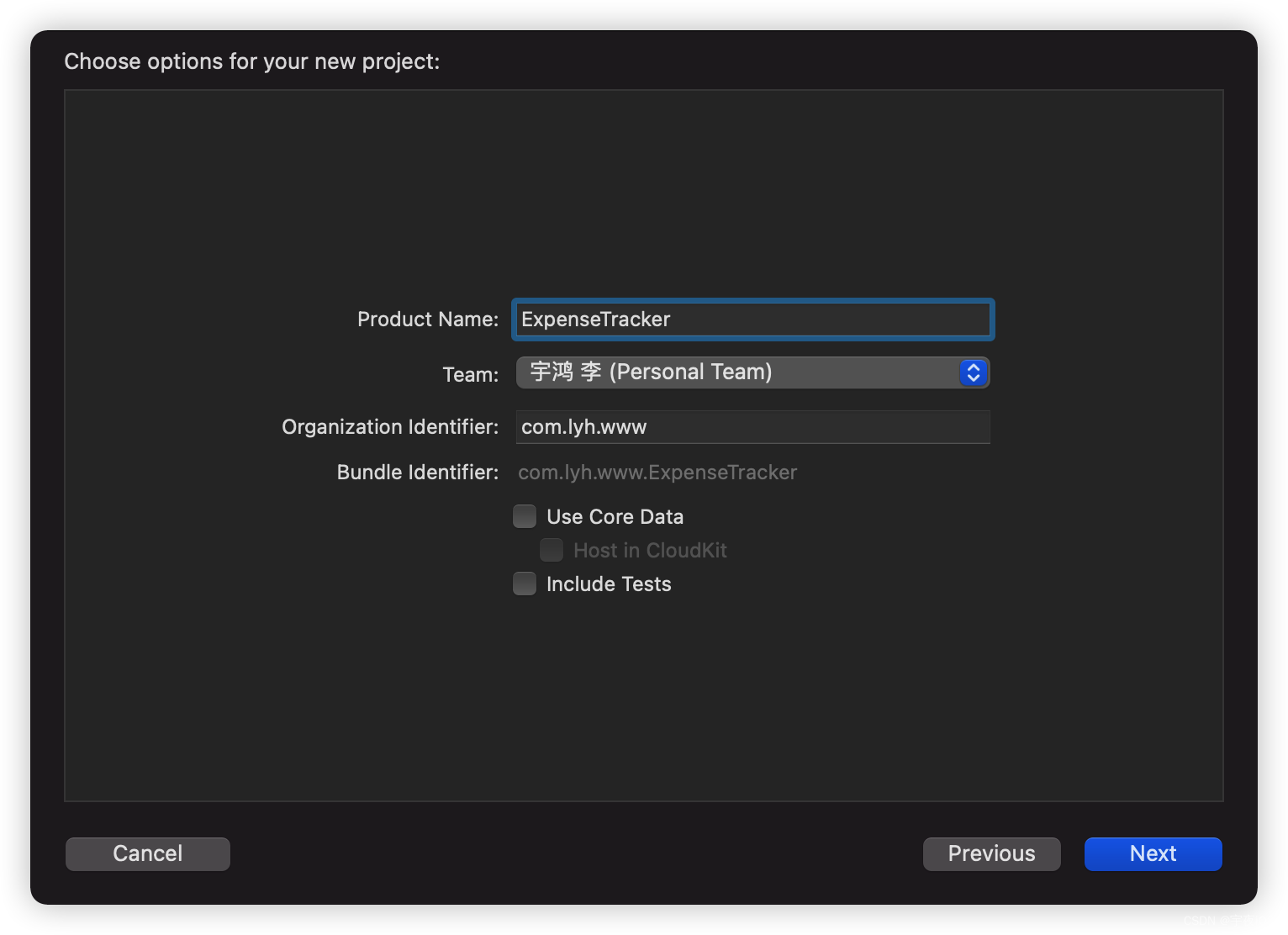
- 1.创建一个项目命名为 `ExpenseTracker`
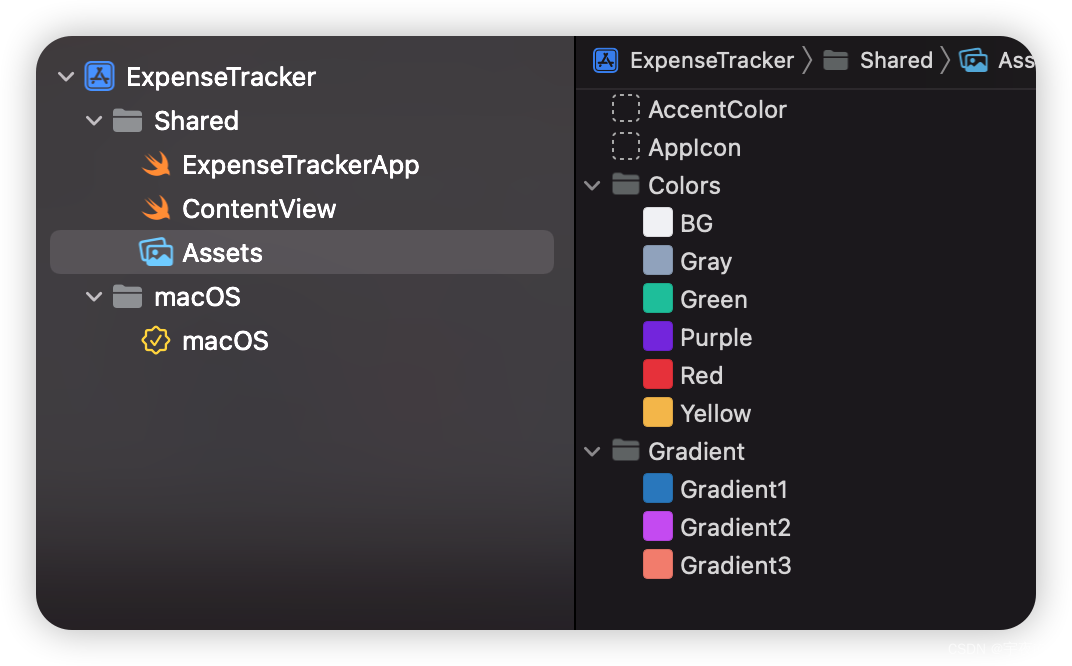
- 1.1.引入资源文件和颜色
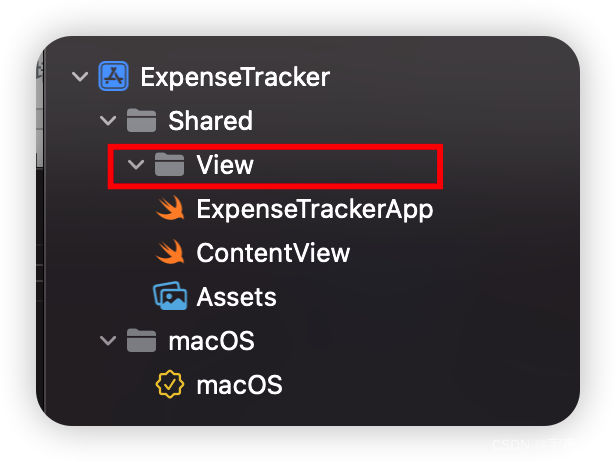
- 2. 创建一个虚拟文件`New Group` 命名为 `View`
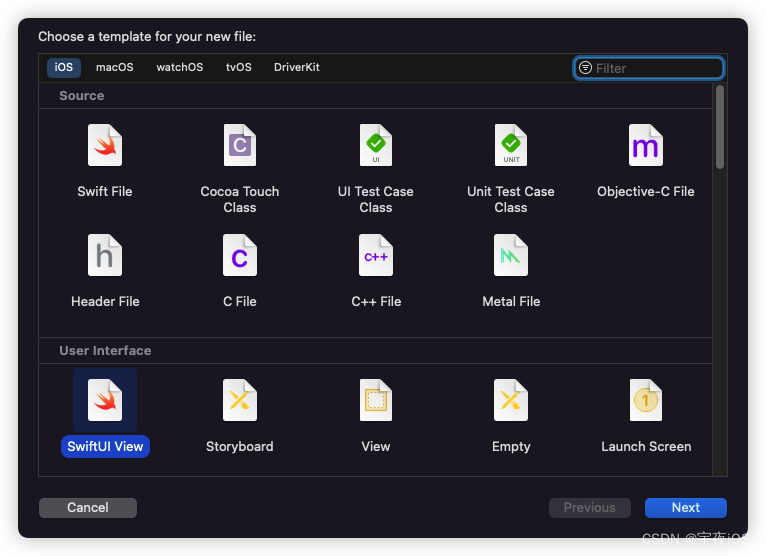
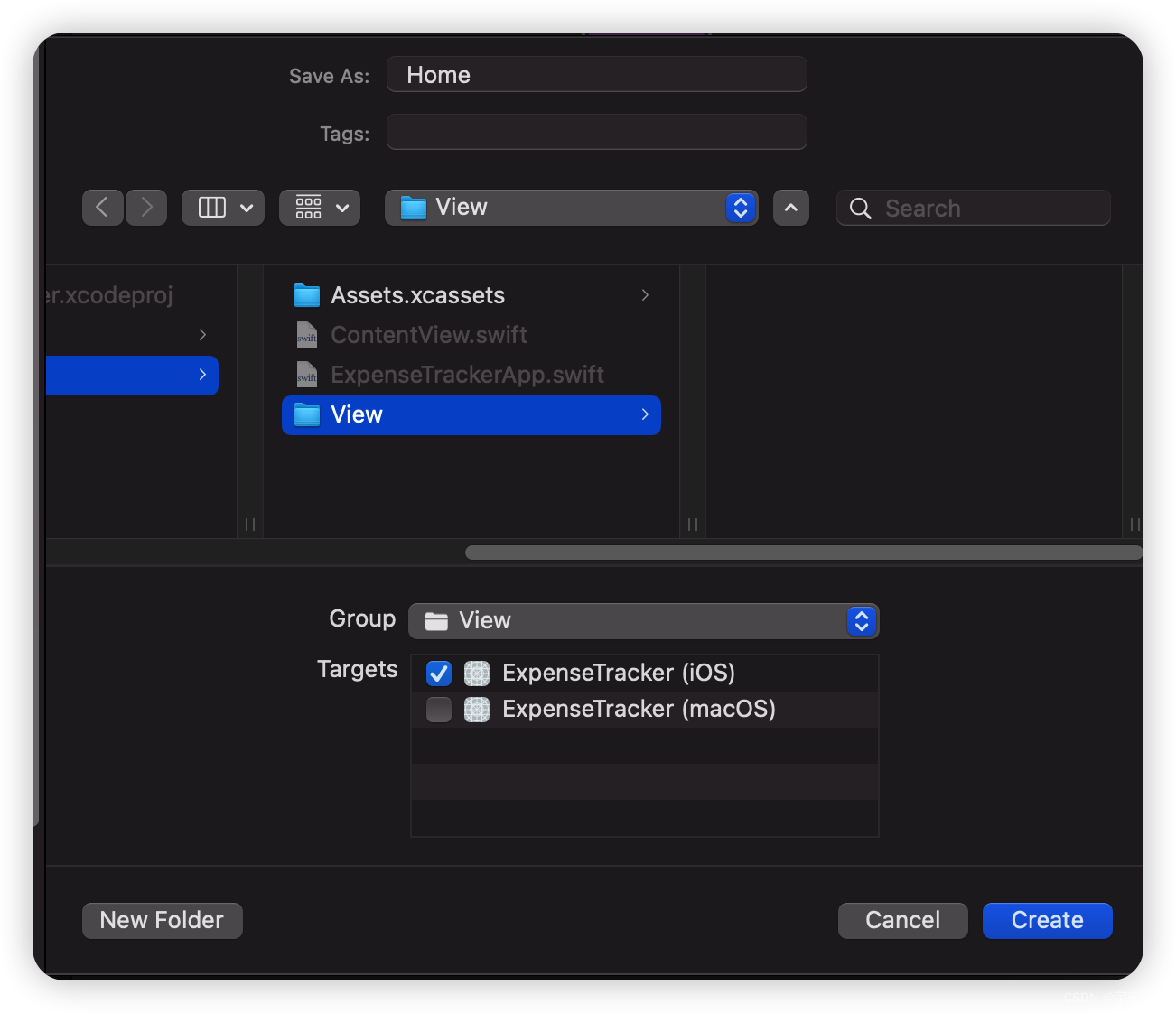
- 2. 创建一个文件`New File` 选择`SwiftUI View`类型 命名为`Home`
- 3. 创建一个虚拟文件`New Group` 命名为 `Model`
- 3. 创建一个文件`New File` 选择`SwiftUI View`类型 命名为`Expense` 并改造成模型 继承于`Identifiable,Hashable`
- 4. 创建一个虚拟文件`New Group` 命名为 `ViewModel`
- 4. 创建一个文件`New File` 选择`SwiftUI View`类型 命名为`ExpenseViewModel` 类型是`class` 继承于`ObservableObject`
- 5. 创建一个文件`New File` 选择`SwiftUI View`类型 命名为`TransactionCardView`
- Code
概述
使用SwiftUI做一个
记账/费用追踪/随手记的项目详细
一、运行效果

二、项目结构图

三、程序实现 - 过程
思路:
1.创建首页 搭建头部 欢迎部分
2.搭建总费用模块
3. 搭建每笔支出收入的卡片
4. 将内容的第一个字母 作为图标展示
5. 视图模型提供 便捷的方法
6. 模型提供本地测试数据1.创建一个项目命名为
ExpenseTracker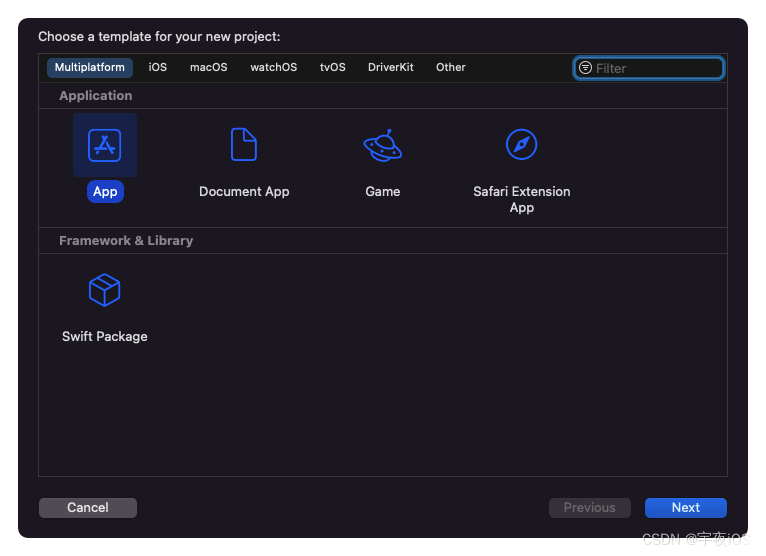
1.1.引入资源文件和颜色
颜色
BG#F2F3F6
Gray#A0B1C7
Green#12C7AA
Purple#8744E3
Red#ED4949
Yellow#F6C25A
Gradient1#F2F3F6
Gradient2#D06AF3
Gradient3#F69080随机图片5张
2. 创建一个虚拟文件
New Group命名为View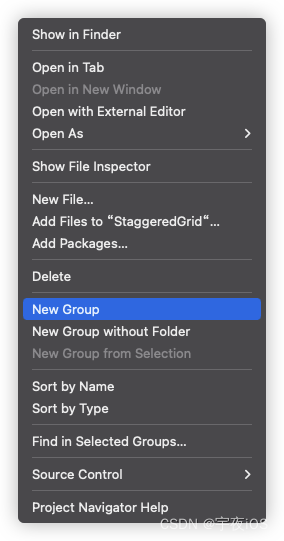
2. 创建一个文件
New File选择SwiftUI View类型 命名为Home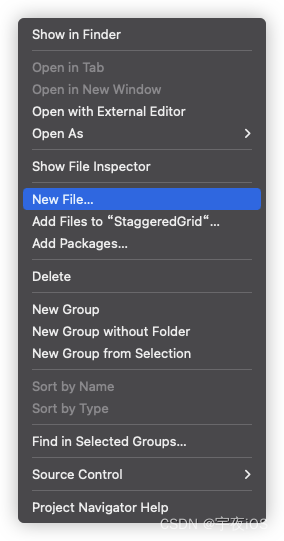
3. 创建一个虚拟文件
New Group命名为Model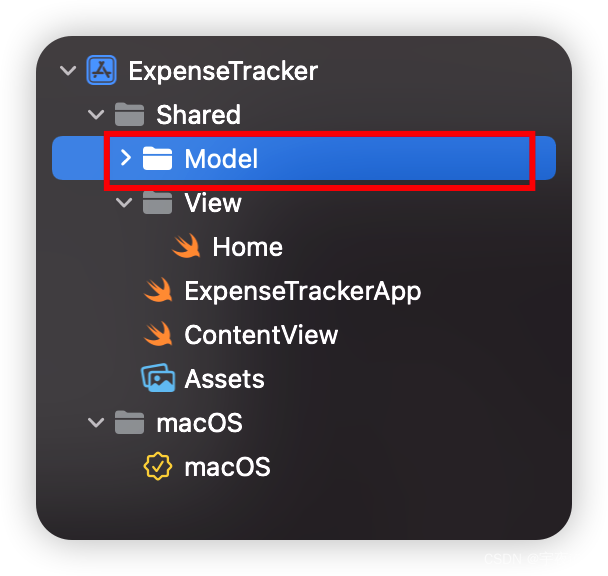
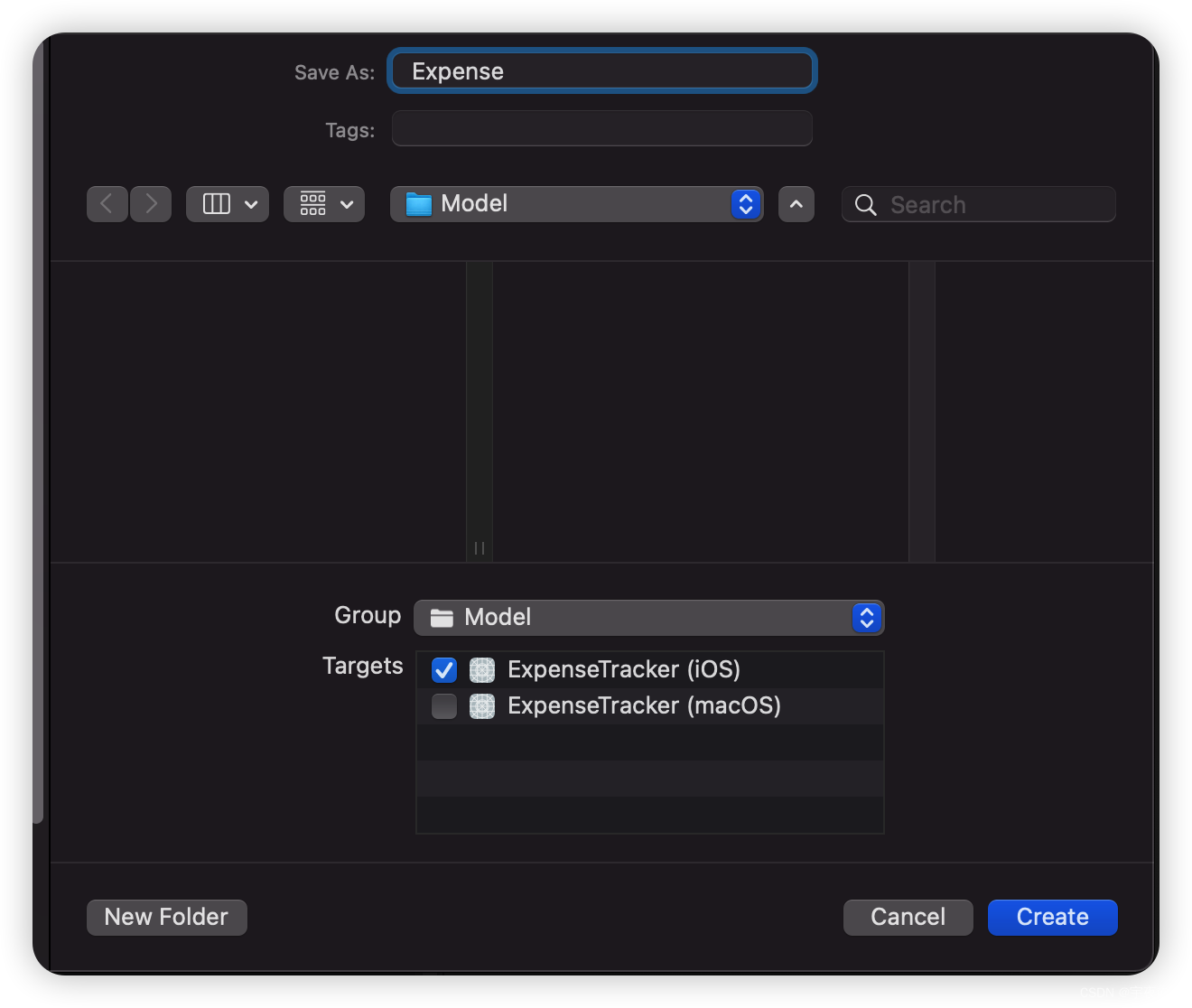
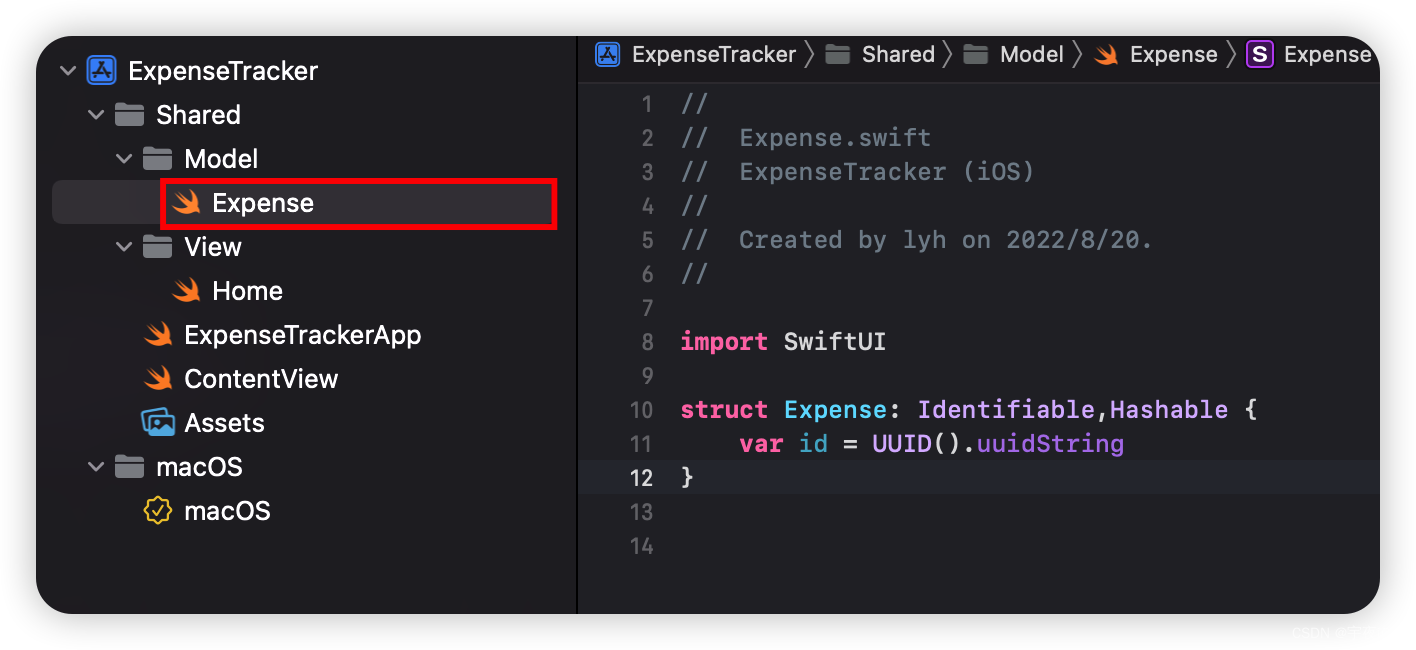
3. 创建一个文件
New File选择SwiftUI View类型 命名为Expense并改造成模型 继承于Identifiable,Hashable主要是: 做模型 提供快速创建临时数据
4. 创建一个虚拟文件
New Group命名为ViewModel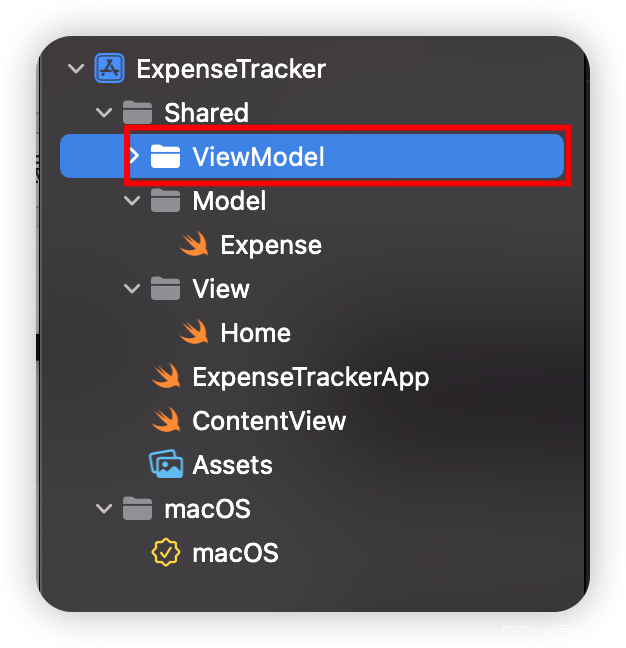
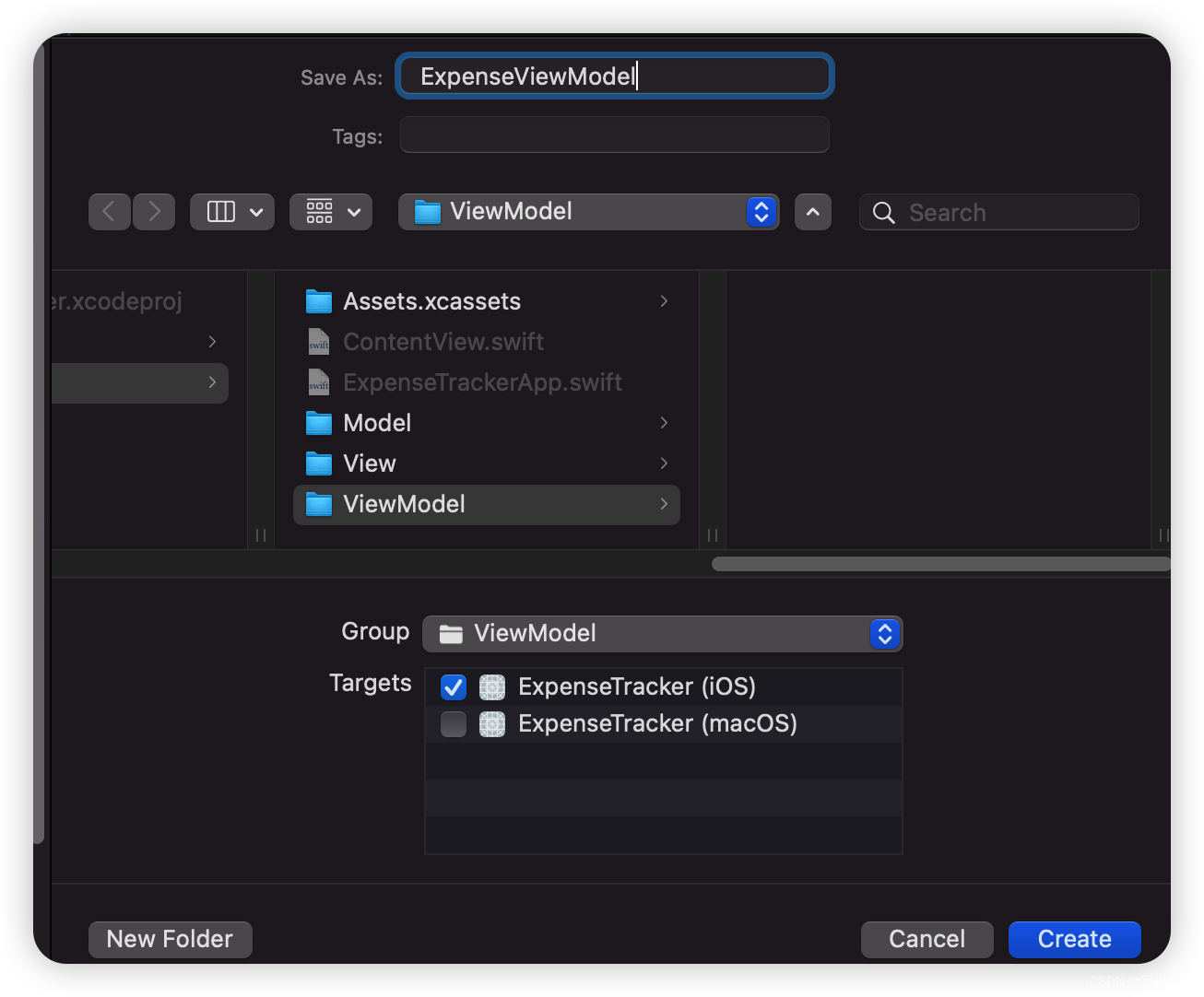
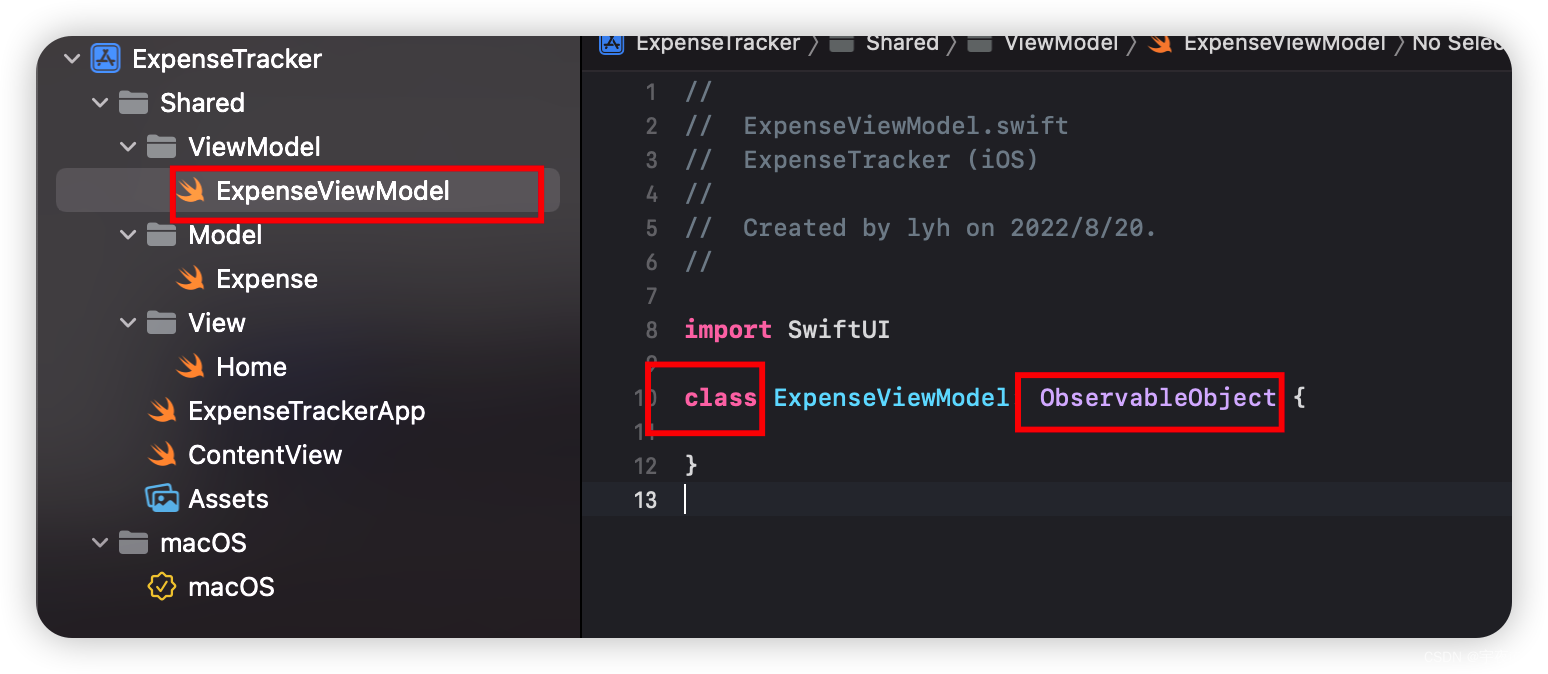
4. 创建一个文件
New File选择SwiftUI View类型 命名为ExpenseViewModel类型是class继承于ObservableObject主要是: 提供View展示的数据 。让view通过视图模型能快速转换得到想展示的值 。比如测试提供的price是int类型。那么视图模型就要提供
int价格转字符串价格的方法
5. 创建一个文件
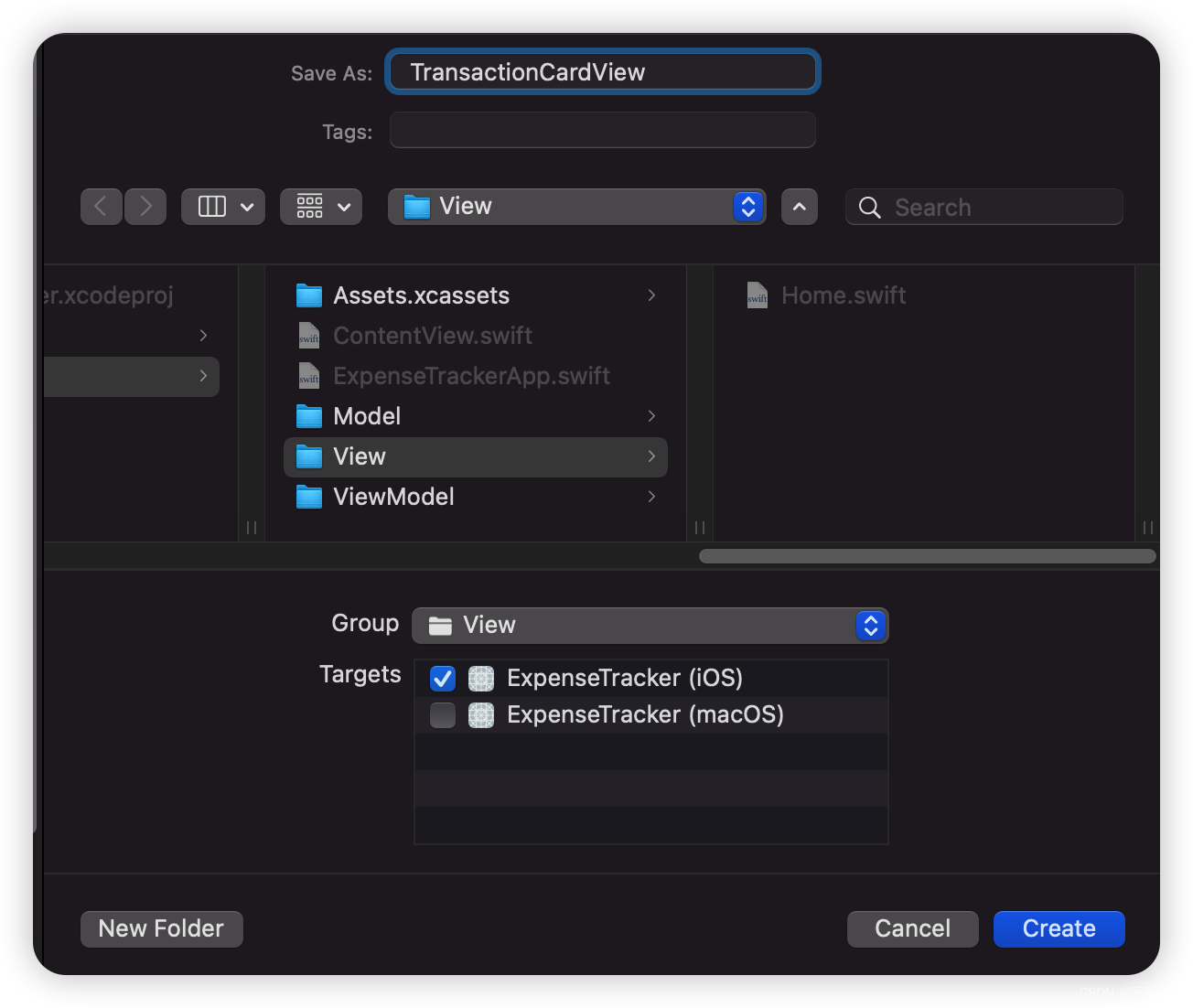
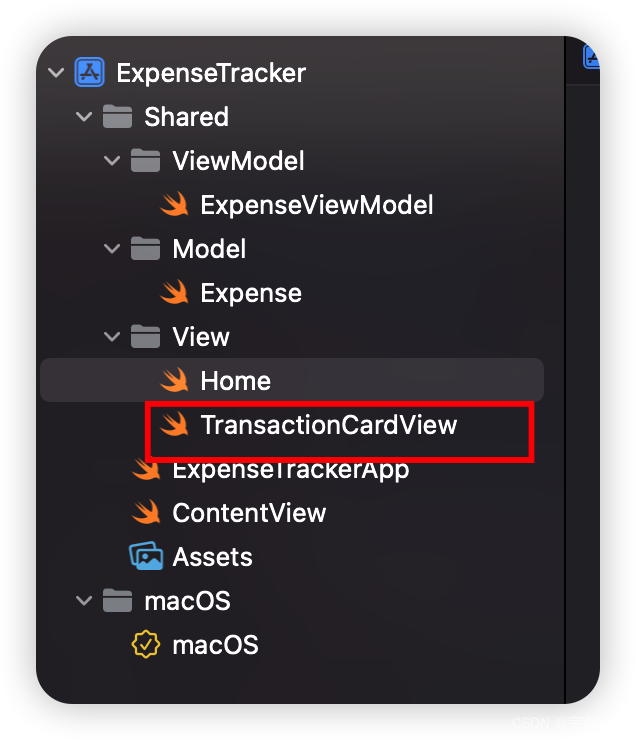
New File选择SwiftUI View类型 命名为TransactionCardView主要是用来显示首页列表的费用支付的卡片
Code
ContentView - 主窗口
主要是展示主窗口
Home// // ContentView.swift // Shared // // Created by lyh on 2022/8/20. // import SwiftUI struct ContentView: View { var body: some View { Home() } } struct ContentView_Previews: PreviewProvider { static var previews: some View { ContentView() } }- 1
- 2
- 3
- 4
- 5
- 6
- 7
- 8
- 9
- 10
- 11
- 12
- 13
- 14
- 15
- 16
- 17
- 18
- 19
- 20
- 21
Home - 主页
// // Home.swift // ExpenseTracker (iOS) // // Created by lyh on 2022/8/20. // import SwiftUI struct Home: View { @StateObject var expenseViewViewModel : ExpenseViewModel = .init() var body: some View{ ScrollView(.vertical,showsIndicators: false) { VStack(spacing:12){ HStack(spacing:15){ VStack(alignment:.center,spacing: 4){ Text("Welcome!") .font(.caption) .fontWeight(.semibold) .foregroundColor(.gray) Text("宇夜iOS") .font(.title2.bold()) } .frame(maxWidth:.infinity,alignment: .leading) Button { } label: { Image(systemName: "hexagon.fill") .foregroundColor(.gray) .overlay(content: { Circle() .stroke(.white,lineWidth:2) .padding(7) }) .frame(width: 40, height: 40) .background(Color.white,in: RoundedRectangle(cornerRadius: 10, style: .continuous)) .shadow(color: .black.opacity(0.1), radius: 5, x: 5, y: 5) } } ExpenseCardView() Transactions() } .padding() } .background{ Color("BG") .ignoresSafeArea() } } // 卡片列表 @ViewBuilder func Transactions() ->some View{ VStack(spacing:15){ Text("Transactions") .font(.title2.bold()) .opacity(0.7) .frame(maxWidth:.infinity,alignment: .leading) .padding(.bottom) ForEach(expenseViewViewModel.expenses){ expense in // 交易卡视图 TransactionCardView(expense: expense) .environmentObject(expenseViewViewModel) } } } // 费用卡片 @ViewBuilder func ExpenseCardView() -> some View{ GeometryReader{proxy in RoundedRectangle(cornerRadius: 20,style: .continuous) .fill(.linearGradient(colors: [ Color("Gradient1"), Color("Gradient2"), Color("Gradient3")],startPoint: .topLeading, endPoint: .bottomTrailing)) VStack(spacing: 15){ VStack(spacing:15){ // 当前月日期字符串 Text(expenseViewViewModel.currentMonthDateString()) .font(.callout) .fontWeight(.semibold) // 本月费用价格 Text(expenseViewViewModel.convertExpensesToCurrency(expenses: expenseViewViewModel.expenses)) .font(.system(size: 35, weight: .bold)) .lineLimit(1) .padding(.bottom,5) } .offset(y:-10) HStack(spacing: 15){ Image(systemName: "arrow.down") .font(.caption.bold()) .foregroundColor(Color("Green")) .frame(width:30,height: 30) .background(.white.opacity(0.7),in:Circle()) VStack(alignment: .leading, spacing: 4) { Text("Income") .font(.caption) .opacity(0.7) Text(expenseViewViewModel.convertExpensesToCurrency(expenses: expenseViewViewModel.expenses, type: .income)) .font(.callout) .fontWeight(.semibold) .lineLimit(1) .fixedSize() } .frame(maxWidth:.infinity,alignment: .leading) Image(systemName: "arrow.upo") .font(.caption.bold()) .foregroundColor(Color("Red")) .frame(width:30,height: 30) .background(.white.opacity(0.7),in:Circle()) VStack(alignment: .leading, spacing: 4) { Text("Expenses") .font(.caption) .opacity(0.7) Text(expenseViewViewModel.convertExpensesToCurrency(expenses: expenseViewViewModel.expenses, type: .expense)) .font(.callout) .fontWeight(.semibold) .lineLimit(1) .fixedSize() } } .padding(.horizontal) .padding(.trailing) .offset(y:15) } .foregroundColor(.white) .frame(maxWidth:.infinity,maxHeight: .infinity,alignment: .center) } .frame(height:220) .padding(.top) } } struct Home_Previews: PreviewProvider { static var previews: some View { Home() } }- 1
- 2
- 3
- 4
- 5
- 6
- 7
- 8
- 9
- 10
- 11
- 12
- 13
- 14
- 15
- 16
- 17
- 18
- 19
- 20
- 21
- 22
- 23
- 24
- 25
- 26
- 27
- 28
- 29
- 30
- 31
- 32
- 33
- 34
- 35
- 36
- 37
- 38
- 39
- 40
- 41
- 42
- 43
- 44
- 45
- 46
- 47
- 48
- 49
- 50
- 51
- 52
- 53
- 54
- 55
- 56
- 57
- 58
- 59
- 60
- 61
- 62
- 63
- 64
- 65
- 66
- 67
- 68
- 69
- 70
- 71
- 72
- 73
- 74
- 75
- 76
- 77
- 78
- 79
- 80
- 81
- 82
- 83
- 84
- 85
- 86
- 87
- 88
- 89
- 90
- 91
- 92
- 93
- 94
- 95
- 96
- 97
- 98
- 99
- 100
- 101
- 102
- 103
- 104
- 105
- 106
- 107
- 108
- 109
- 110
- 111
- 112
- 113
- 114
- 115
- 116
- 117
- 118
- 119
- 120
- 121
- 122
- 123
- 124
- 125
- 126
- 127
- 128
- 129
- 130
- 131
- 132
- 133
- 134
- 135
- 136
- 137
- 138
- 139
- 140
- 141
- 142
- 143
- 144
- 145
- 146
- 147
- 148
- 149
- 150
- 151
- 152
- 153
- 154
- 155
- 156
- 157
- 158
- 159
- 160
- 161
TransactionCardView - 费用卡片视图
// // TransactionCardView.swift // ExpenseTracker (iOS) // // Created by lyh on 2022/8/20. // import SwiftUI struct TransactionCardView: View { var expense: Expense @EnvironmentObject var expenseViewModel: ExpenseViewModel var body: some View { HStack(spacing:12){ // 显示出首字母 if let first = expense.remark.first { Text(String(first)) .font(.title.bold()) .foregroundColor(.white) .frame(width:50,height:50) .background{ Circle() .fill(Color(expense.color)) } } Text(expense.remark) .fontWeight(.semibold) .lineLimit(1) .frame(maxWidth:.infinity,alignment: .leading) VStack(alignment: .trailing, spacing: 7) { // 显示的价格 let price = expenseViewModel.convertNumberToPrice(value: expense.type == .expense ? -expense.amount : expense.amount) Text(price) .font(.callout) .opacity(0.7) .foregroundColor(expense.type == .expense ? Color("Red") : Color("Green")) Text(expense.date.formatted(date:.numeric,time:.omitted)) .font(.caption) .opacity(0.5) } } .padding() .background( RoundedRectangle(cornerRadius: 15,style: .continuous) .fill(.white) ) } } struct TransactionCardView_Previews: PreviewProvider { static var previews: some View { Home() } }- 1
- 2
- 3
- 4
- 5
- 6
- 7
- 8
- 9
- 10
- 11
- 12
- 13
- 14
- 15
- 16
- 17
- 18
- 19
- 20
- 21
- 22
- 23
- 24
- 25
- 26
- 27
- 28
- 29
- 30
- 31
- 32
- 33
- 34
- 35
- 36
- 37
- 38
- 39
- 40
- 41
- 42
- 43
- 44
- 45
- 46
- 47
- 48
- 49
- 50
- 51
- 52
- 53
- 54
- 55
- 56
- 57
- 58
- 59
- 60
- 61
- 62
- 63
Expense - 模型
主要提供模型数据 以及测试数据
// // Expense.swift // ExpenseTracker (iOS) // // Created by lyh on 2022/8/20. // import SwiftUI // MARK: Expense Model And Sample Data // 费用模型和样本数据 struct Expense: Identifiable,Hashable{ var id = UUID().uuidString var remark: String var amount: Double var date: Date var type: ExpenseType var color: String } enum ExpenseType: String{ case income = "Income" case expense = "expenses" case all = "ALL" } var sample_expenses: [Expense] = [ Expense(remark: "Magic Keyboard", amount: 99, date: Date(timeIntervalSince1970: 1652987245), type: .expense, color: "Yellow"), Expense(remark: "Food", amount: 19, date: Date(timeIntervalSince1970: 1652814445), type: .expense, color: "Red"), Expense(remark: "Magic Trackpad", amount: 99, date: Date(timeIntervalSince1970: 1652382445), type: .expense, color: "Purple"), Expense(remark: "Uber Cab", amount: 20, date: Date(timeIntervalSince1970: 1652296045), type: .expense, color: "Green"), Expense(remark: "Amazon Purchase", amount: 299, date: Date(timeIntervalSince1970: 1652209645), type: .expense, color: "Yellow"), Expense(remark: "Stocks", amount: 2599, date: Date(timeIntervalSince1970: 1652036845), type: .income, color: "Purple"), Expense(remark: "In App Purchase", amount: 499, date: Date(timeIntervalSince1970: 1651864045), type: .income, color: "Red"), Expense(remark: "Movie Ticket", amount: 99, date: Date(timeIntervalSince1970: 1651691245), type: .expense, color: "Yellow"), Expense(remark: "Apple Music", amount: 25, date: Date(timeIntervalSince1970: 1651518445), type: .expense, color: "Green"), Expense(remark: "Snacks", amount: 49, date: Date(timeIntervalSince1970: 1651432045), type: .expense, color: "Purple"), ]- 1
- 2
- 3
- 4
- 5
- 6
- 7
- 8
- 9
- 10
- 11
- 12
- 13
- 14
- 15
- 16
- 17
- 18
- 19
- 20
- 21
- 22
- 23
- 24
- 25
- 26
- 27
- 28
- 29
- 30
- 31
- 32
- 33
- 34
- 35
- 36
- 37
- 38
- 39
ExpenseViewModel - 视图模型
视图模型 主要提供 视图模型便利的方法
- 比如
正在获取当前月份日期字符串 - 将费用换算成货币 - 计算总支付、支付、收入等部分
- 把数字转换成价格
// // ExpenseViewModel.swift // ExpenseTracker (iOS) // // Created by Balaji on 20/05/22. // import SwiftUI class ExpenseViewModel: ObservableObject{ // MARK: Properties @Published var startDate: Date = Date() @Published var endDate: Date = Date() @Published var currentMonthStartDate: Date = Date() // MARK: Expense/ Income Tab @Published var tabName: ExpenseType = .expense // MARK: Filter View @Published var showFilterView: Bool = false // MARK: New Expense Properties @Published var addNewExpense: Bool = false @Published var amount: String = "" @Published var type: ExpenseType = .all @Published var date: Date = Date() @Published var remark: String = "" init(){ // MARK: Fetching Current Month Starting Date let calendar = Calendar.current let components = calendar.dateComponents([.year,.month], from: Date()) startDate = calendar.date(from: components)! currentMonthStartDate = calendar.date(from: components)! } // MARK: This is a Sample Data of Month May // You can Customize this Even more with Your Data (Core Data) @Published var expenses: [Expense] = sample_expenses // MARK: Fetching Current Month Date String func currentMonthDateString()->String{ return currentMonthStartDate.formatted(date: .abbreviated, time: .omitted) + " - " + Date().formatted(date: .abbreviated, time: .omitted) } func convertExpensesToCurrency(expenses: [Expense],type: ExpenseType = .all)->String{ var value: Double = 0 value = expenses.reduce(0, { partialResult, expense in return partialResult + (type == .all ? (expense.type == .income ? expense.amount : -expense.amount) : (expense.type == type ? expense.amount : 0)) }) return convertNumberToPrice(value: value) } // MARK: Converting Selected Dates To String func convertDateToString()->String{ return startDate.formatted(date: .abbreviated, time: .omitted) + " - " + endDate.formatted(date: .abbreviated, time: .omitted) } // MARK: Converting Number To Price func convertNumberToPrice(value: Double)->String{ let formatter = NumberFormatter() formatter.numberStyle = .currency return formatter.string(from: .init(value: value)) ?? "$0.00" } // MARK: Clearing All Data func clearData(){ date = Date() type = .all remark = "" amount = "" } // MARK: Save Data func saveData(env: EnvironmentValues){ // MARK: Do Actions Here print("Save") // MARK: This is For UI Demo // Replace With Core Data Actions let amountInDouble = (amount as NSString).doubleValue let colors = ["Yellow","Red","Purple","Green"] let expense = Expense(remark: remark, amount: amountInDouble, date: date, type: type, color: colors.randomElement() ?? "Yellow") withAnimation{expenses.append(expense)} expenses = expenses.sorted(by: { first, scnd in return scnd.date < first.date }) env.dismiss() } }- 1
- 2
- 3
- 4
- 5
- 6
- 7
- 8
- 9
- 10
- 11
- 12
- 13
- 14
- 15
- 16
- 17
- 18
- 19
- 20
- 21
- 22
- 23
- 24
- 25
- 26
- 27
- 28
- 29
- 30
- 31
- 32
- 33
- 34
- 35
- 36
- 37
- 38
- 39
- 40
- 41
- 42
- 43
- 44
- 45
- 46
- 47
- 48
- 49
- 50
- 51
- 52
- 53
- 54
- 55
- 56
- 57
- 58
- 59
- 60
- 61
- 62
- 63
- 64
- 65
- 66
- 67
- 68
- 69
- 70
- 71
- 72
- 73
- 74
- 75
- 76
- 77
- 78
- 79
- 80
- 81
- 82
- 83
- 84
- 85
- 86
- 87
- 88
- 89
- 90
- 91
- 92
- 93
-
相关阅读:
【云原生 | 从零开始学Kubernetes】七、资源清单与Namespace
【微信小程序】微信Web开发者工具的部分界面功能
网络安全笔记-加解密算法
图的学习,深度和广度遍历
人工智能:科技之光,生活之美
工业交换机的应用场景
[附源码]Python计算机毕业设计Django校友社交系统
本地Image Registry Harbor安装
单目标应用:基于蜘蛛蜂优化算法(Spider wasp optimizer,SWO)的微电网优化调度MATLAB
《微信小程序开发从入门到实战》学习二十
- 原文地址:https://blog.csdn.net/qq_42816425/article/details/126445084