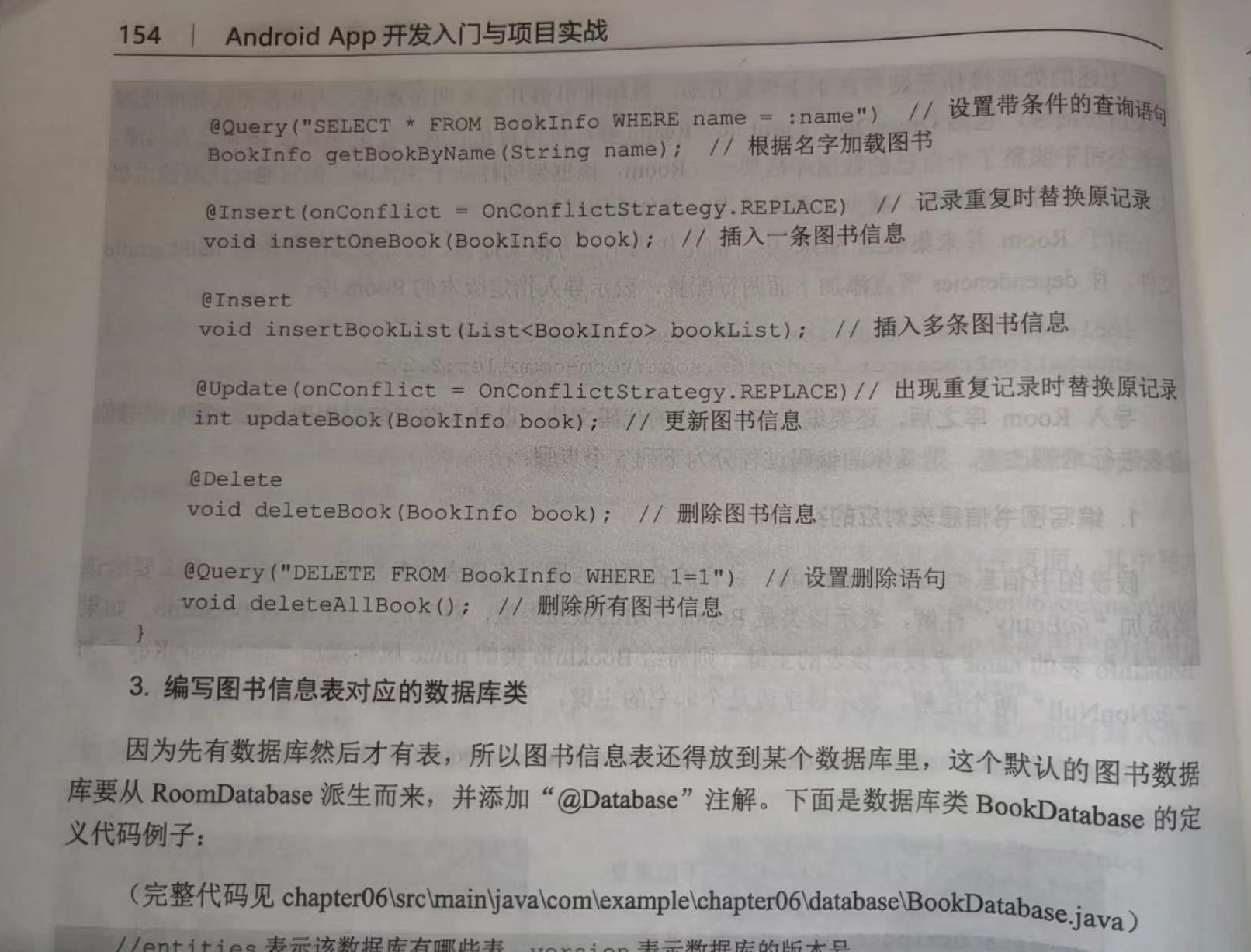
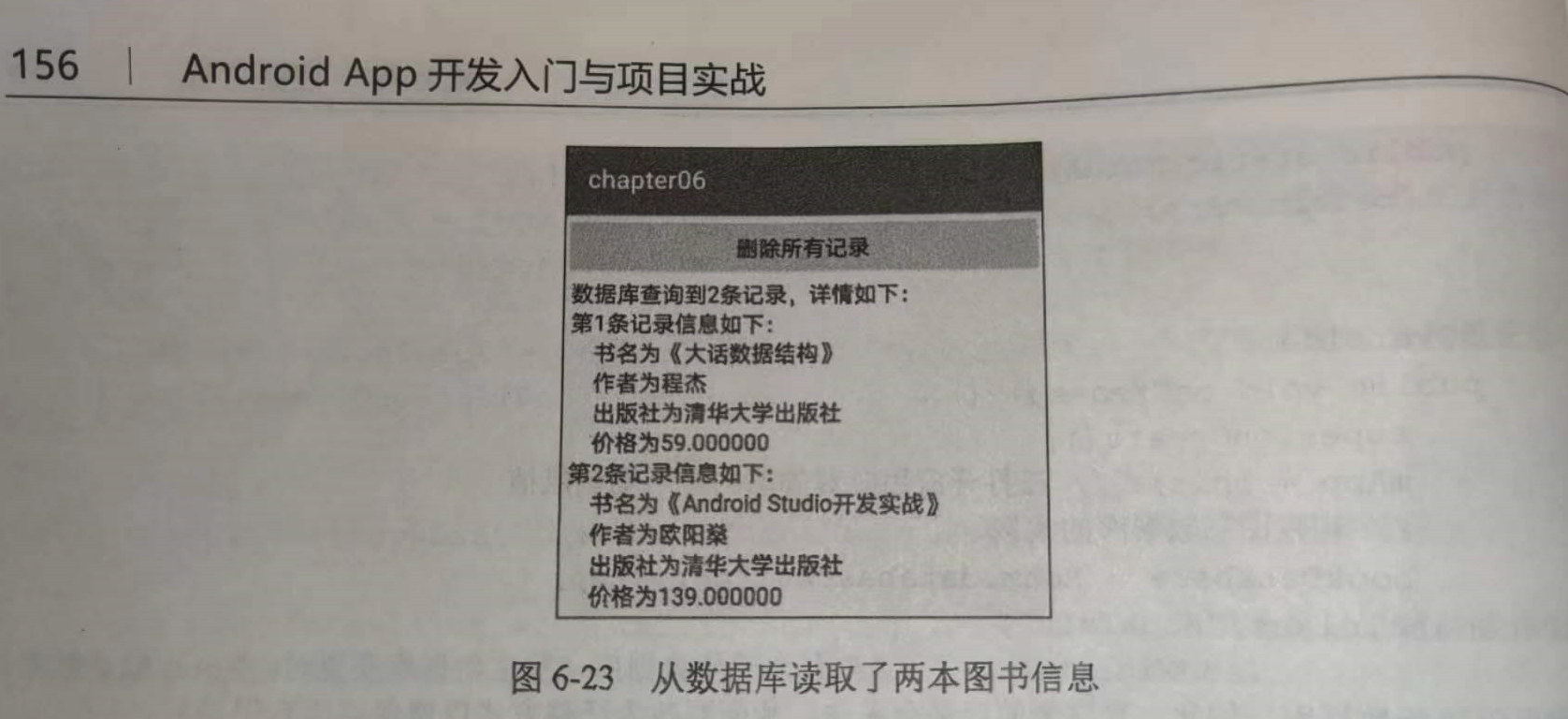
使用数据库帮助器编码的时候,开发者每次都得手工实现以下代码逻辑:
(1)重写数据库帮助器的onCreate方法,添加该表的建表语句;(2)在插入记录之时,必须将数据实例的属性值逐一赋给该表的各字段;(3)在查询记录之时,必须遍历结果集游标,把各字段值逐一赋给数据实例;(4)每次读写操作之前,都要先开启数据库连接;读写操作之后,又要关闭数据库连接;


===========================================================================================================================
实体类 BookInfo:
- package com.example.myapplication.entity;
-
- import androidx.annotation.NonNull;
- import androidx.room.Entity;
- import androidx.room.PrimaryKey;
-
- //书籍信息
- @Entity
- public class BookInfo
- {
- @PrimaryKey // 该字段是主键,不能重复
- @NonNull // 主键必须是非空字段
- private String name; // 书籍名称
-
- private String author; // 作者
- private String press; // 出版社
- private double price; // 价格
-
- public void setName(String name) {
- this.name = name;
- }
-
- public String getName() {
- return this.name;
- }
-
- public void setAuthor(String author) {
- this.author = author;
- }
-
- public String getAuthor() {
- return this.author;
- }
-
- public void setPress(String press) {
- this.press = press;
- }
-
- public String getPress() {
- return this.press;
- }
-
- public void setPrice(double price) {
- this.price = price;
- }
-
- public double getPrice() {
- return this.price;
- }
-
- }


持久化类BookDao:
- package com.example.myapplication.dao;
-
- import androidx.room.Dao;
- import androidx.room.Delete;
- import androidx.room.Insert;
- import androidx.room.OnConflictStrategy;
- import androidx.room.Query;
- import androidx.room.Update;
- import com.example.myapplication.entity.BookInfo;
- import java.util.List;
-
- @Dao
- public interface BookDao
- {
- @Query("SELECT * FROM BookInfo") // 设置查询语句
- List
queryAllBook(); // 加载所有书籍信息 -
- @Query("SELECT * FROM BookInfo WHERE name = :name") // 设置带条件的查询语句
- BookInfo queryBookByName(String name); // 根据名字加载书籍
-
- @Insert(onConflict = OnConflictStrategy.REPLACE) // 记录重复时替换原记录
- void insertOneBook(BookInfo book); // 插入一条书籍信息
-
- @Insert
- void insertBookList(List
bookList) ; // 插入多条书籍信息 -
- @Update(onConflict = OnConflictStrategy.REPLACE)// 出现重复记录时替换原记录
- int updateBook(BookInfo book); // 更新书籍信息
-
- @Delete
- void deleteBook(BookInfo book); // 删除书籍信息
-
- @Query("DELETE FROM BookInfo WHERE 1=1") // 设置删除语句
- void deleteAllBook(); // 删除所有书籍信息
- }

数据库类 bookDatabase:
- package com.example.myapplication.database;
-
- import androidx.room.Database;
- import androidx.room.RoomDatabase;
- import com.example.myapplication.dao.BookDao;
- import com.example.myapplication.entity.BookInfo;
-
- //entities表示该数据库有哪些表,version表示数据库的版本号
- //exportSchema表示是否导出数据库信息的json串,建议设为false,若设为true还需指定json文件的保存路径
- @Database(entities = {BookInfo.class},version = 1, exportSchema = false)
- public abstract class BookDatabase extends RoomDatabase
- {
- // 获取该数据库中某张表的持久化对象
- public abstract BookDao bookDao();
- }

在自定义的Application类中声明书籍数据库的唯一实例:
- package com.example.myapplication;
-
- import android.app.Application;
- import android.util.Log;
- import androidx.room.Room;
- import com.example.myapplication.database.BookDatabase;
- import java.util.HashMap;
-
- public class MainApplication extends Application
- {
- private final static String TAG = "MainApplication";
-
- private static MainApplication mApp; // 声明一个当前应用的静态实例
-
- // 声明一个公共的信息映射对象,可当作全局变量使用
- public HashMap<String, String> infoMap = new HashMap<String, String>();
- public static int goodsCount = 0;
-
- private BookDatabase bookDatabase; // 声明一个书籍数据库对象
-
- // 利用单例模式获取当前应用的唯一实例
- public static MainApplication getInstance()
- {
- return mApp;
- }
-
- @Override
- public void onCreate()
- {
- super.onCreate();
- Log.d(TAG, "onCreate");
-
- mApp = this; // 在打开应用时对静态的应用实例赋值
-
- // 构建书籍数据库的实例
- bookDatabase = Room.databaseBuilder(mApp, BookDatabase.class,"BookInfo")
- .addMigrations() // 允许迁移数据库(发生数据库变更时,Room默认删除原数据库再创建新数据库。如此一来原来的记录会丢失,故而要改为迁移方式以便保存原有记录)
- .allowMainThreadQueries() // 允许在主线程中操作数据库(Room默认不能在主线程中操作数据库)
- .build();
- }
-
- @Override
- public void onTerminate()
- {
- super.onTerminate();
- Log.d(TAG, "onTerminate");
- }
-
- // 获取书籍数据库的实例
- public BookDatabase getBookDB()
- {
- return bookDatabase;
- }
- }


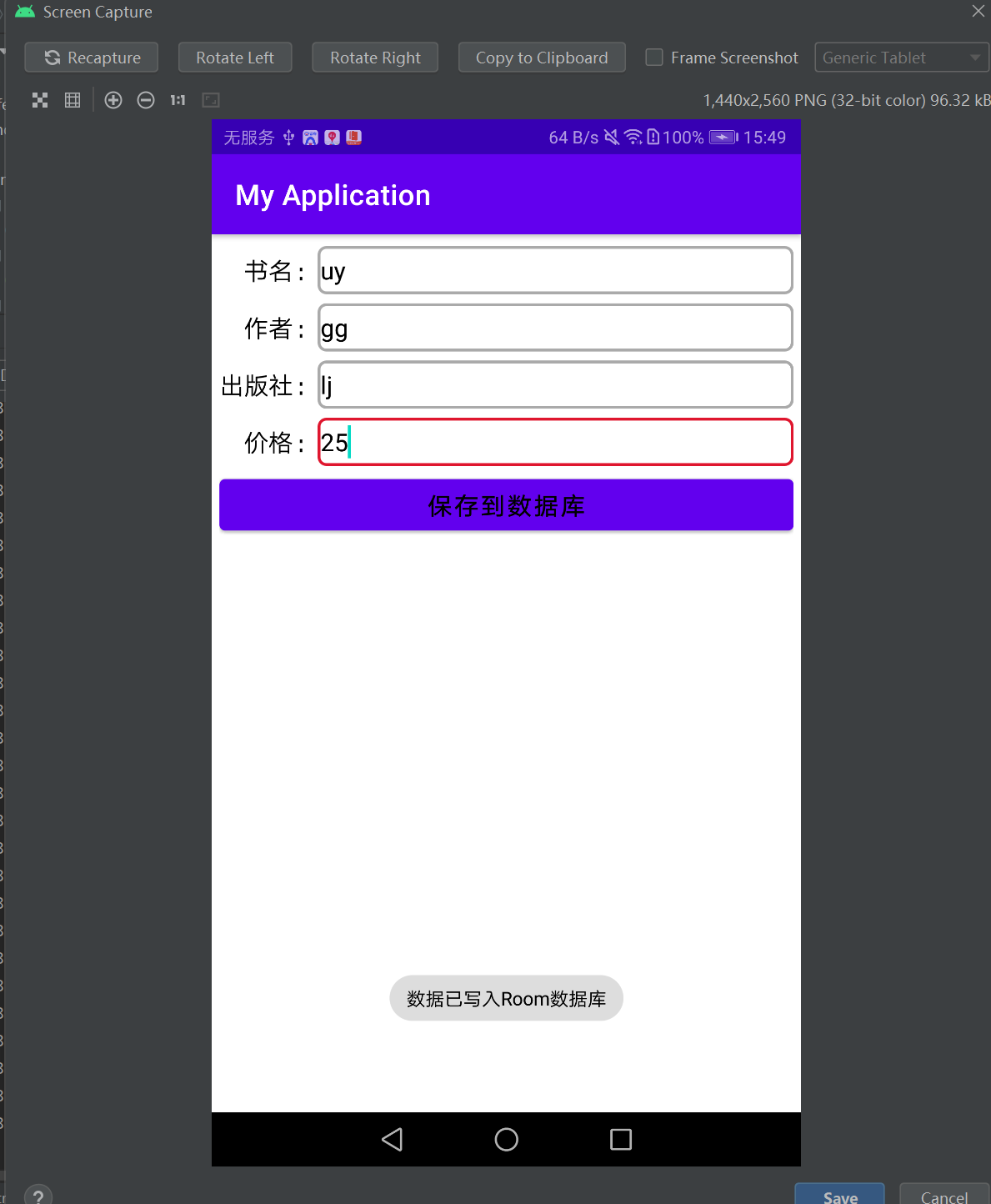
写布局:
- <LinearLayout xmlns:android="http://schemas.android.com/apk/res/android"
- android:layout_width="match_parent"
- android:layout_height="match_parent"
- android:orientation="vertical"
- android:padding="5dp" >
-
- <RelativeLayout
- android:layout_width="match_parent"
- android:layout_height="40dp" >
-
- <TextView
- android:id="@+id/tv_name"
- android:layout_width="wrap_content"
- android:layout_height="match_parent"
- android:gravity="center"
- android:text=" 书名:"
- android:textColor="@color/black"
- android:textSize="17sp" />
-
- <EditText
- android:id="@+id/et_name"
- android:layout_width="match_parent"
- android:layout_height="match_parent"
- android:layout_marginBottom="3dp"
- android:layout_marginTop="3dp"
- android:layout_toRightOf="@+id/tv_name"
- android:background="@drawable/editext_selector"
- android:gravity="left|center"
- android:hint="请输入书籍名称"
- android:inputType="text"
- android:maxLength="30"
- android:textColor="@color/black"
- android:textSize="17sp" />
- </RelativeLayout>
-
- <RelativeLayout
- android:layout_width="match_parent"
- android:layout_height="40dp" >
-
- <TextView
- android:id="@+id/tv_author"
- android:layout_width="wrap_content"
- android:layout_height="match_parent"
- android:gravity="center"
- android:text=" 作者:"
- android:textColor="@color/black"
- android:textSize="17sp" />
-
- <EditText
- android:id="@+id/et_author"
- android:layout_width="match_parent"
- android:layout_height="match_parent"
- android:layout_marginBottom="3dp"
- android:layout_marginTop="3dp"
- android:layout_toRightOf="@+id/tv_author"
- android:background="@drawable/editext_selector"
- android:gravity="left|center"
- android:hint="请输入作者姓名"
- android:inputType="text"
- android:maxLength="10"
- android:textColor="@color/black"
- android:textSize="17sp" />
- </RelativeLayout>
-
- <RelativeLayout
- android:layout_width="match_parent"
- android:layout_height="40dp" >
-
- <TextView
- android:id="@+id/tv_press"
- android:layout_width="wrap_content"
- android:layout_height="match_parent"
- android:gravity="center"
- android:text="出版社:"
- android:textColor="@color/black"
- android:textSize="17sp" />
-
- <EditText
- android:id="@+id/et_press"
- android:layout_width="match_parent"
- android:layout_height="match_parent"
- android:layout_marginBottom="3dp"
- android:layout_marginTop="3dp"
- android:layout_toRightOf="@+id/tv_press"
- android:background="@drawable/editext_selector"
- android:gravity="left|center"
- android:hint="请输入出版社名称"
- android:inputType="text"
- android:maxLength="20"
- android:textColor="@color/black"
- android:textSize="17sp" />
- </RelativeLayout>
-
- <RelativeLayout
- android:layout_width="match_parent"
- android:layout_height="40dp" >
-
- <TextView
- android:id="@+id/tv_price"
- android:layout_width="wrap_content"
- android:layout_height="match_parent"
- android:gravity="center"
- android:text=" 价格:"
- android:textColor="@color/black"
- android:textSize="17sp" />
-
- <EditText
- android:id="@+id/et_price"
- android:layout_width="match_parent"
- android:layout_height="match_parent"
- android:layout_marginBottom="3dp"
- android:layout_marginTop="3dp"
- android:layout_toRightOf="@+id/tv_price"
- android:background="@drawable/editext_selector"
- android:gravity="left|center"
- android:hint="请输入书籍价格"
- android:inputType="numberDecimal"
- android:maxLength="6"
- android:textColor="@color/black"
- android:textSize="17sp" />
- </RelativeLayout>
-
- <Button
- android:id="@+id/btn_save"
- android:layout_width="match_parent"
- android:layout_height="wrap_content"
- android:text="保存到数据库"
- android:textColor="@color/black"
- android:textSize="17sp" />
-
- </LinearLayout>

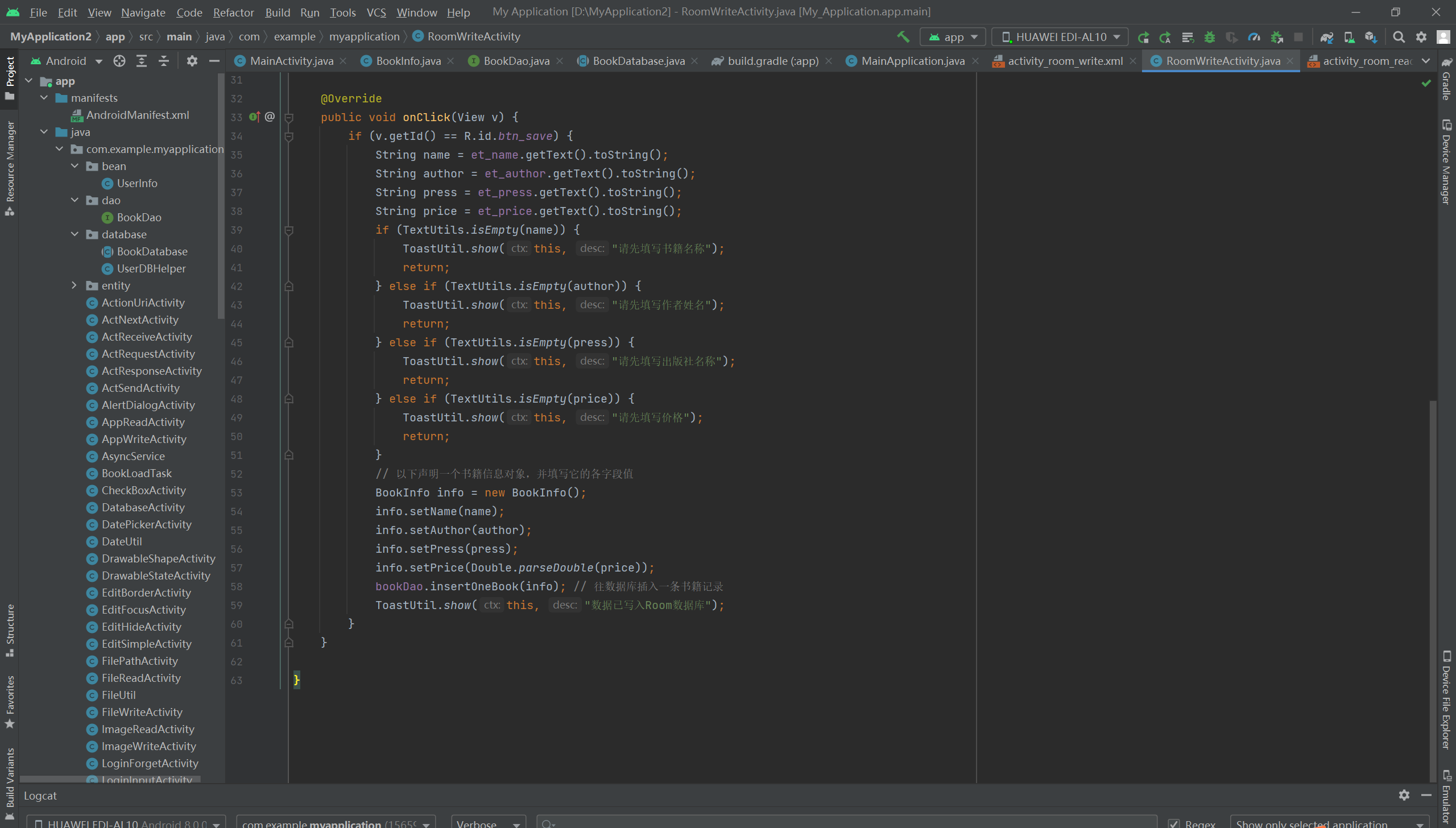
写代码:
- package com.example.myapplication;
-
- import androidx.appcompat.app.AppCompatActivity;
- import android.os.Bundle;
- import android.text.TextUtils;
- import android.view.View;
- import android.widget.EditText;
-
- import com.example.myapplication.dao.BookDao;
- import com.example.myapplication.entity.BookInfo;
-
- public class RoomWriteActivity extends AppCompatActivity implements View.OnClickListener {
- private EditText et_name;
- private EditText et_author;
- private EditText et_press;
- private EditText et_price;
- private BookDao bookDao; // 声明一个书籍的持久化对象
-
- @Override
- protected void onCreate(Bundle savedInstanceState) {
- super.onCreate(savedInstanceState);
- setContentView(R.layout.activity_room_write);
- et_name = findViewById(R.id.et_name);
- et_author = findViewById(R.id.et_author);
- et_press = findViewById(R.id.et_press);
- et_price = findViewById(R.id.et_price);
- findViewById(R.id.btn_save).setOnClickListener(this);
- // 从App实例中获取唯一的书籍持久化对象
- bookDao = MainApplication.getInstance().getBookDB().bookDao();
- }
-
- @Override
- public void onClick(View v) {
- if (v.getId() == R.id.btn_save) {
- String name = et_name.getText().toString();
- String author = et_author.getText().toString();
- String press = et_press.getText().toString();
- String price = et_price.getText().toString();
- if (TextUtils.isEmpty(name)) {
- ToastUtil.show(this, "请先填写书籍名称");
- return;
- } else if (TextUtils.isEmpty(author)) {
- ToastUtil.show(this, "请先填写作者姓名");
- return;
- } else if (TextUtils.isEmpty(press)) {
- ToastUtil.show(this, "请先填写出版社名称");
- return;
- } else if (TextUtils.isEmpty(price)) {
- ToastUtil.show(this, "请先填写价格");
- return;
- }
- // 以下声明一个书籍信息对象,并填写它的各字段值
- BookInfo info = new BookInfo();
- info.setName(name);
- info.setAuthor(author);
- info.setPress(press);
- info.setPrice(Double.parseDouble(price));
- bookDao.insertOneBook(info); // 往数据库插入一条书籍记录
- ToastUtil.show(this, "数据已写入Room数据库");
- }
- }
-
- }

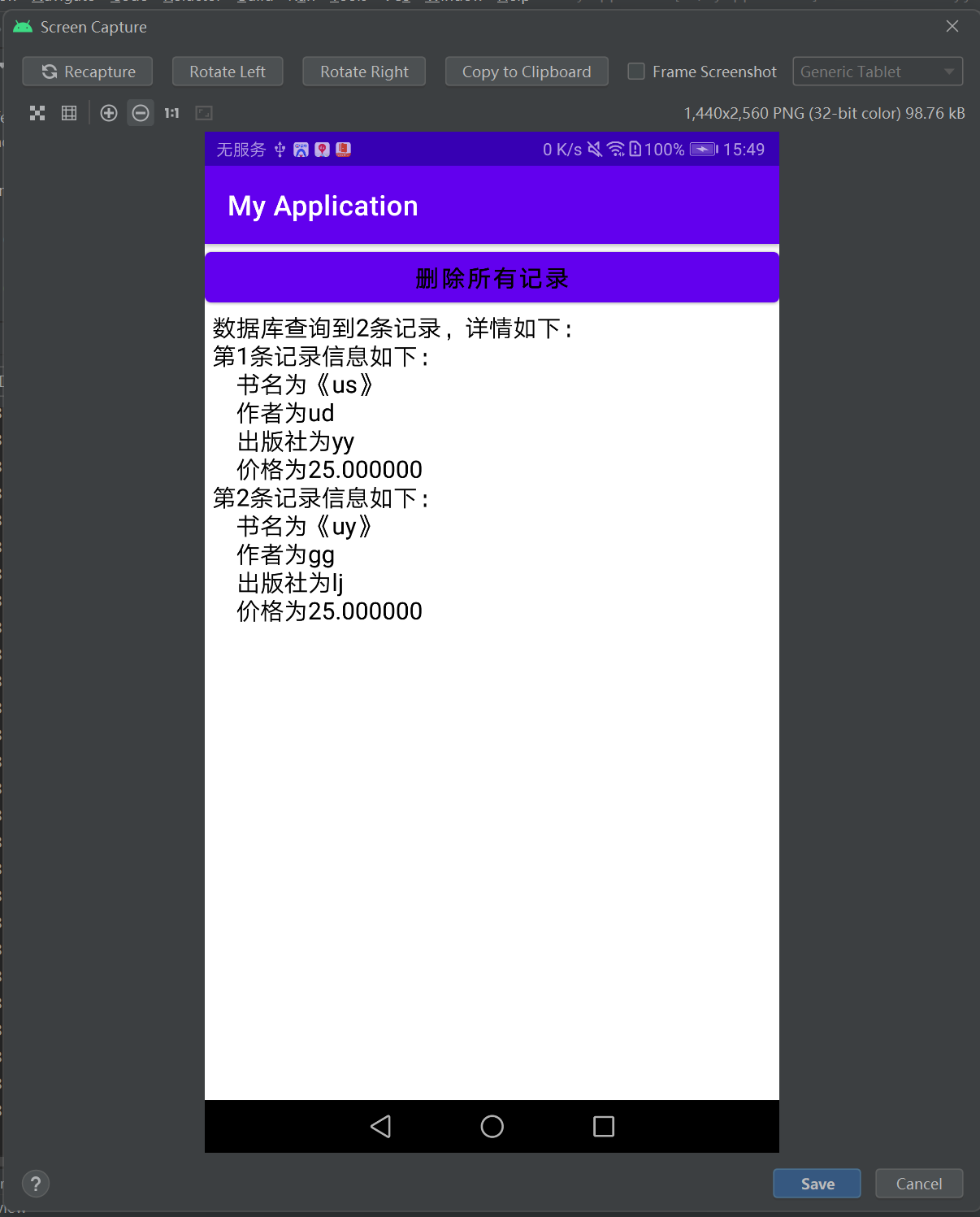
读布局:
- <LinearLayout xmlns:android="http://schemas.android.com/apk/res/android"
- android:layout_width="match_parent"
- android:layout_height="match_parent"
- android:orientation="vertical" >
-
- <Button
- android:id="@+id/btn_delete"
- android:layout_width="match_parent"
- android:layout_height="wrap_content"
- android:text="删除所有记录"
- android:textColor="@color/black"
- android:textSize="17sp" />
-
- <TextView
- android:id="@+id/tv_room"
- android:layout_width="match_parent"
- android:layout_height="wrap_content"
- android:paddingLeft="5dp"
- android:textColor="@color/black"
- android:textSize="17sp" />
-
- </LinearLayout>

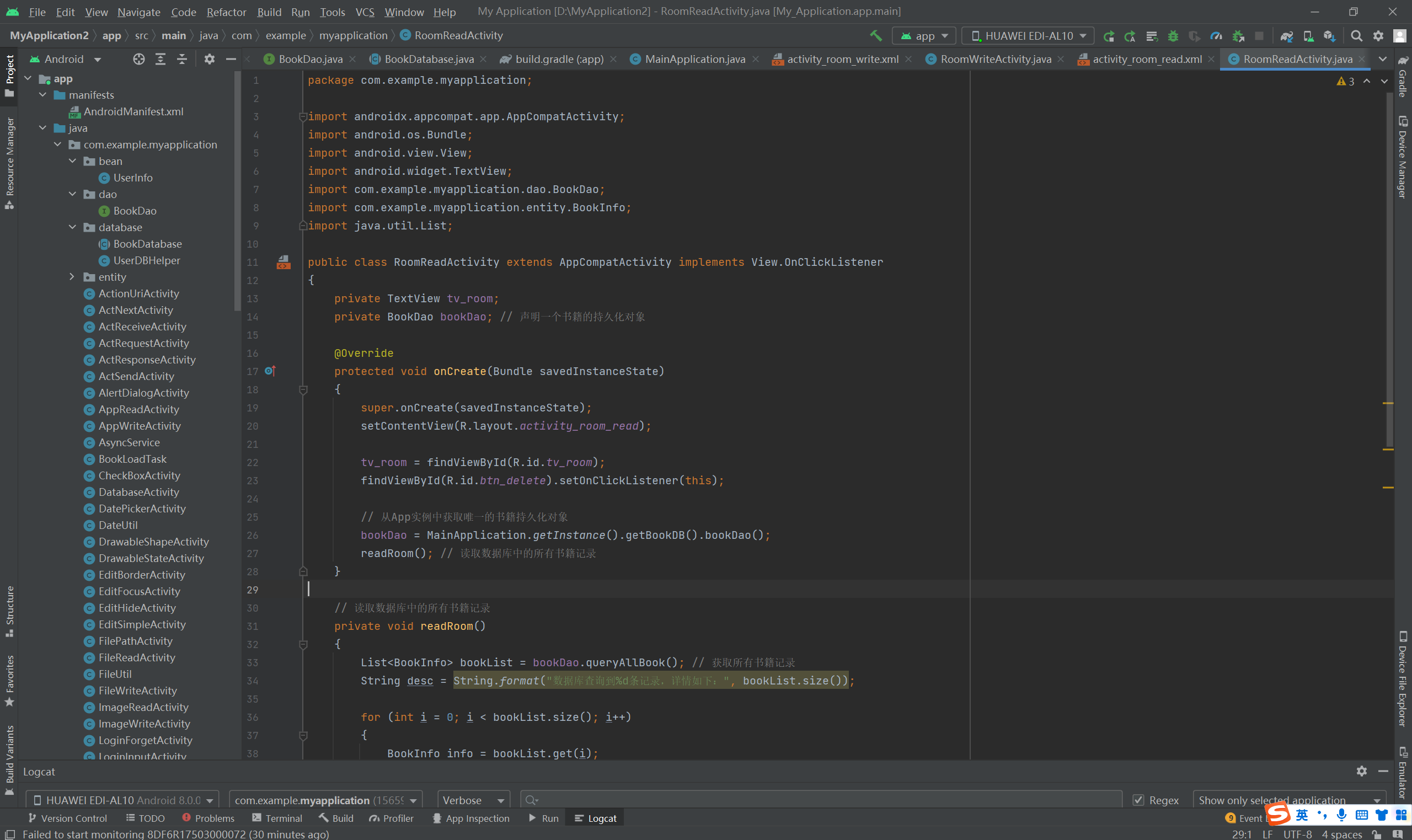
读代码:
- package com.example.myapplication;
-
- import androidx.appcompat.app.AppCompatActivity;
- import android.os.Bundle;
- import android.view.View;
- import android.widget.TextView;
- import com.example.myapplication.dao.BookDao;
- import com.example.myapplication.entity.BookInfo;
- import java.util.List;
-
- public class RoomReadActivity extends AppCompatActivity implements View.OnClickListener
- {
- private TextView tv_room;
- private BookDao bookDao; // 声明一个书籍的持久化对象
-
- @Override
- protected void onCreate(Bundle savedInstanceState)
- {
- super.onCreate(savedInstanceState);
- setContentView(R.layout.activity_room_read);
-
- tv_room = findViewById(R.id.tv_room);
- findViewById(R.id.btn_delete).setOnClickListener(this);
-
- // 从App实例中获取唯一的书籍持久化对象
- bookDao = MainApplication.getInstance().getBookDB().bookDao();
- readRoom(); // 读取数据库中的所有书籍记录
- }
-
- // 读取数据库中的所有书籍记录
- private void readRoom()
- {
- List<BookInfo> bookList = bookDao.queryAllBook(); // 获取所有书籍记录
- String desc = String.format("数据库查询到%d条记录,详情如下:", bookList.size());
-
- for (int i = 0; i < bookList.size(); i++)
- {
- BookInfo info = bookList.get(i);
- desc = String.format("%s\n第%d条记录信息如下:", desc, i + 1);
- desc = String.format("%s\n 书名为《%s》", desc, info.getName());
- desc = String.format("%s\n 作者为%s", desc, info.getAuthor());
- desc = String.format("%s\n 出版社为%s", desc, info.getPress());
- desc = String.format("%s\n 价格为%f", desc, info.getPrice());
- }
-
- if (bookList.size() <= 0)
- {
- desc = "数据库查询到的记录为空";
- }
-
- tv_room.setText(desc);
- }
-
- @Override
- public void onClick(View v)
- {
- if (v.getId() == R.id.btn_delete)
- {
- bookDao.deleteAllBook(); // 删除所有书籍记录
-
- ToastUtil.show(this, "已删除所有记录");
- readRoom(); // 读取数据库中的所有书籍记录
- }
- }
-
- }

=================================================================================================================