-
基于springboot的社区流浪动物救助管理系统(前端+后端)
一、系统简介
本项目采用idea工具开发,html+springboot+mybatis+jquery+thymeleaf技术编写,数据库采用的是mysql,navicat开发工具。系统一共分为2个角色分别是:管理员,用户
二、模块简介
管理员
1、登录
2、个人信息管理
3、用户管理
4、动物类别管理
5、帖子管理
6、动物管理
7、公告管理
8、动物领养管理
9、动物捐赠管理
10、评论管理
11、退出
用户
1、登录注册
2、浏览动物网站
3、查看动物详情
4、爱心捐赠
5、查看公告
6、发布帖子
7、查看帖子详情
8、评论帖子信息
9、个人信息管理
10、申请领养宠物
11、历史记录查询
项目简介:
难度等级:✩✩✩
用户类型:2角色( 管理员,用户)
设计模式:MVC
项目架构:B/S架构
开发语言:Java语言
前端技术:bootstrap+HTML、CSS、JS、JQuery、thymeleaf等
后端技术:springboot+mybatis框架
运行环境:Windows7或10、JDK1.8
运行工具:本系统采用idea开发,仅支持idea运行,不支持MyEclipse和eclipse运行,因为三者的骨架不一样,强行导入打开运行可能会导致出现未知的错误。
数 据 库:MySQL5.5/5.7/8.0版本
是否基于Maven环境:是
是否采用框架:是
数据库表数量:9张表
JSP页面数量:30多张
是否有分页:有分页相关截图


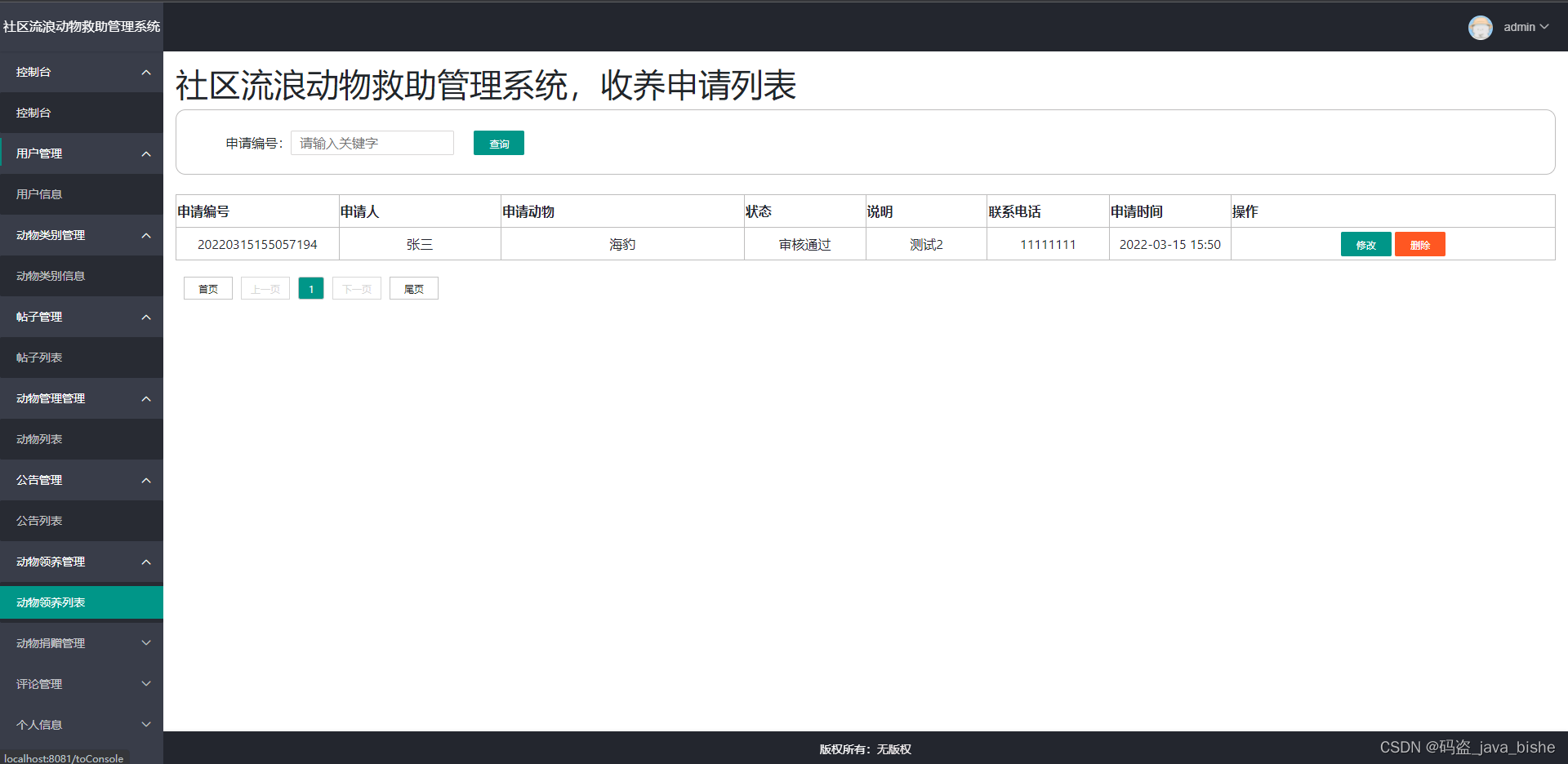


相关代码
登录
- html>
- <html lang="en" xmlns:th="http://www.thymeleaf.org">
- <head>
- <meta charset="UTF-8">
- <title>登录title>
- <link rel="icon" th:href="@{/public/favicon.ico}" type="image/x-icon"/>
- <link rel="bookmark" th:href="@{/public/favicon.ico}" type="image/x-icon"/>
- <link rel="stylesheet" type="text/css" th:href="@{/css/bootstrap.css}">
- <link rel="stylesheet" type="text/css" th:href="@{/css/back.css}">
- <link rel="stylesheet" type="text/css" th:href="@{/css/bootstrap-theme.css}">
- <script type="text/javascript" th:src="@{/js/jquery-3.6.0.js}">script>
- <script type="text/javascript" th:src="@{/js/login.js}">script>
- <script>
- $(function() {
- //防止页面后退
- history.pushState(null, null, document.URL);
- window.addEventListener('popstate', function () {
- history.pushState(null, null, document.URL);
- });
- })
- script>
- head>
- <body onload="loadTopWindow()">
- <div id="magicalDragScene" class="mc-root mc-ui-absolute-pane">
- <h1 style="margin-left: 56%;margin-top: 8%;font-family: 隶书;font-size: 60px;color: white" >社区流浪动物救助管理系统h1>
- <br>
- <div id="tmd" style="width: 25%;height: 300px;">
- <form style="margin: 0 auto;width: 80%;height: 300px;" th:action="@{/loginUser}" method="post" onsubmit="return regCheck()">
- <h1 class="h3 mb-3 font-weight-normal" style="color:white;font-family: 隶书;text-align: center;" >登录h1>
- <input id="username" name="username" class="layui-input" type="text" th:placeholder="请填写用户名"/>
- <input id="password" name="password" class="layui-input" style="margin-top: 5px" type="password" th:placeholder="请填写用户密码" origin-type="password"/>
- <br>
- <select name="type" class="form-control" style="width: 75%">
- <option value="1" selected>管理员option>
- <option value="2">用户option>
- select>
- <span id="statusTip" style="color: #d62727;font-size: 15px;margin-left: 40%" th:text="${status}">span>
- <br>
- <button class="layui-btn1" style="width: 300px;height: 40px;font-size: 16px;color: white" type="submit">登录button>
- form>
- div>
- <br>
- div>
- body>
- html>
- /**
- * 登录
- * @param username
- * @param password
- * @param type
- * @param httpSession
- * @param model
- * @return
- * @throws UnsupportedEncodingException
- */
- @RequestMapping(value = "/loginUser",method = RequestMethod.POST)
- public String loginUser( String username,String password, String type,HttpSession httpSession, Model model) throws UnsupportedEncodingException {
- Admin admin = new Admin();
- if(type !=null&& type.equals("1")){
- admin = loginService.selectAdmin(username,password);
- if (admin != null){
- httpSession.setAttribute("username",admin.getUsername());
- httpSession.setAttribute("admin",admin);
- httpSession.setAttribute("type",type);
- model.addAttribute("type",type);
- return "home/homepage";
- }else{
- model.addAttribute("status","账号或者密码输入错误!");
- return "login";
- }
- }
- else if(type.equals("2")){//用户
- User user = loginService.selectUser(username,password);
- if(user != null){
- httpSession.setAttribute("username",user.getRealname());
- httpSession.setAttribute("user",user);
- httpSession.setAttribute("type",type);
- model.addAttribute("type",type);
- return "redirect:/toIndex";
- //return "home/homepage";
- }else{
- model.addAttribute("status","账号或者密码输入错误!");
- return "login";
- }
- }else{
- model.addAttribute("status","账号或者密码输入错误!");
- return "login";
- }
- }
其他模块代码都是类似的,此项目适合初学者学习借鉴
喜欢的朋友的点赞加关注,感兴趣的同学可以研究!!!!!项目截图中的数据,很多是用来测试的,需要自行添加合适的数据图片!!
非开源!!!!!! 感谢 = v = -
相关阅读:
HSRP协议
Web——期末作业
一篇文章搞懂 HBase 的 Coprocessor
易用性测试
Hadoop2安装配置详解
链表——算法专项刷题(四)
CSRF 漏洞详解
七大软件架构设计原则详解
数字图像处理考点分析(二)
MySQL基础-多表查询
- 原文地址:https://blog.csdn.net/qq_43485489/article/details/126424231
