-
containerd对接harbor
1.步骤
containerd不像docker,在/etc/docker/deamon.json文件配置一下insecure-registries就可以使用了,它的配置文件较复杂。
默认配置文件可以通过命令生成containerd config default > /etc/containerd/config.toml 注意生成前,看目录中配置文件是否已存在,不然会覆盖掉原有的配置。- 1
- 2
修改配置文件:
vim /etc/containerd/config.toml- 1

重启containerd
systemctl restart containerd- 1
登录harbor
nerdctl login https://harbor.wghdr.top- 1
2.坑
harbor无法登录

这里报错是因为没有加–insecure-registry参数。nerdctl login -u xxx--insecure-registry https://harbor.wghdr.top- 1
登录成功。

nerdctl push报错:Request Entity Too Large

这里报错是因为ingress-nginx的配置文件中client_max_body_size参数过小。

修改参数:client_body_timeout 120s; client_header_timeout 120s; client_max_body_size 500m; location /configuration 中的client_max_body_size 21m不用改- 1
- 2
- 3
- 4
- 5

替换配置文件,重启nginx。k cp nginx.conf ingress-nginx-ingress-controller-557b9f5d7-9qfzc:/etc/nginx/nginx.conf -n ingress k exec -it ingress-nginx-ingress-controller-557b9f5d7-9qfzc -n ingress -- bash nginx -t nginx -s reload- 1
- 2
- 3
- 4

nerdctl push报错401
参考这篇博客:https://www.cnblogs.com/chenminklutz/p/13446164.html
注释 proxy_set_header X-Forwarded-Proto $pass_access_scheme;;

ctr push 报错:ctr: content digest sha256:xxxxxx not found
解决:
下载完整的镜像ctr image pull --all-platforms docker.io/library/redis:alpine ctr images tag docker.io/library/redis:alpine harbor.wghdr.top/harbor/redis:alpine ctr images push -k harbor.wghdr.top/harbor/redis:alpine- 1
- 2
- 3
nerdctl/ctr push 报错:cannot reuse body, request must be retried(暂未解决)
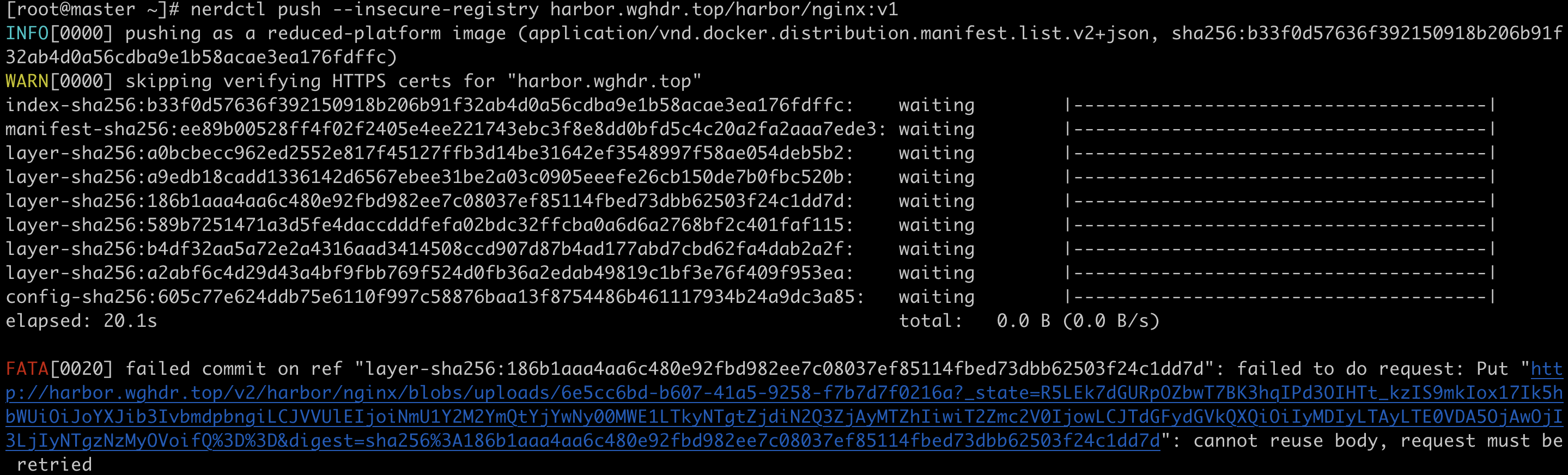
GitHub上有一个issue,说是containerd的bug。
https://github.com/containerd/containerd/issues/5978
我的containerd版本是1.4.3,nerdctl版本是v0.16.0

这是harbor-core的日志

如果有大佬知道解决方法,请告知一下,感谢🙏 -
相关阅读:
leetcode回溯算法总结
使用kotlin用回溯法解决电话号码的字母组合问题
微信小程序 springboot新冠疫苗预约系统#计算机毕业设计
使用Python删除PDF文件名中的特定文字
QT 知:qmake 手册
11-如何确保Container运行状态-Health Check
socket数据读写
数论分块 学习笔记
leetcode - 725. Split Linked List in Parts
使用node-pty报错Uncaught Error: This socket has been ended by the other party
- 原文地址:https://blog.csdn.net/weixin_43616190/article/details/126415601