-
webpack优化篇(四十五):进一步分包:预编译资源模块
说明
玩转 webpack 学习笔记
分包:设置 Externals
思路:将 react、react-dom 基础包通过 cdn 引入,不打入 bundle 中。
方法:使用 html-webpack-externalsplugin
const HtmlWebpackExternalsPlugin = require('html-webpack-externals-plugin'); module.exports = { plugins: [ new HtmlWebpackExternalsPlugin({ externals: [ { module: 'react', entry: '//11.url.cn/now/lib/15.1.0/react-with-addons.min.js?_bid=3123', global: 'React' }, { module: ' react-dom', entry: '//11.url.cn/now/lib/15.1.0/react-dom.min.js?_bid=3123', global: 'ReactDOM' } ] }) ] }- 1
- 2
- 3
- 4
- 5
- 6
- 7
- 8
- 9
- 10
- 11
- 12
- 13
- 14
- 15
- 16
- 17
- 18
- 19
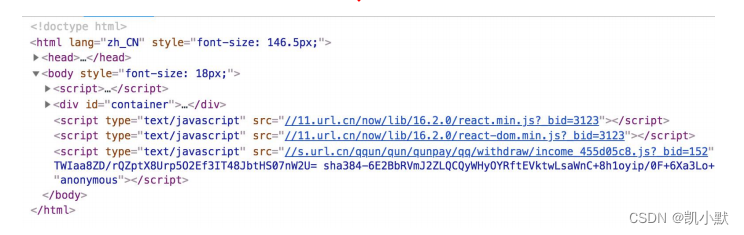
进一步分包
思路:将 react、react-dom、redux、react-redux 基础包和业务基础包打包成一个文件
方法:使用 DLLPlugin 进行分包,DllReferencePlugin 对 manifest.json 引用
使用 DLLPlugin 进行分包
const path = require('path'); const webpack = require('webpack'); module.exports = { context: process.cwd(), resolve: { extensions: ['.js', '.jsx', '.json', '.less', '.css'], modules: [__dirname, 'node_modules'] }, entry: { library: [ 'react', 'react-dom', ' redux', ' react-redux ' ] }, output: { filename: '[name].dll.js', path: path.resolve(_dirname, './build/library'), library: '[name]' }, plugins: [ new webpack.DllPlugin({ name: ' [name]', path: './build/library/[name].json' }) ] };- 1
- 2
- 3
- 4
- 5
- 6
- 7
- 8
- 9
- 10
- 11
- 12
- 13
- 14
- 15
- 16
- 17
- 18
- 19
- 20
- 21
- 22
- 23
- 24
- 25
- 26
- 27
- 28
- 29
使用 DllReferencePlugin 引用 manifest.json
在 webpack.config.js 引入
module.exports = { plugins: [ new webpack.DllReferencePlugin({ manifest: require('./build/library/manifest.json') }) ] };- 1
- 2
- 3
- 4
- 5
- 6
- 7
引用效果:

实战进一步分包
Step 1. 新建文件
webpack.dll.jsconst path = require("path"); const webpack = require("webpack"); module.exports = { entry: { library: [ "react", "react-dom" ] }, output: { filename: "[name]_[chunkhash].dll.js", path: path.join(__dirname, "build/library"), library: "[name]" }, plugins: [ // webpack 内置插件 new webpack.DllPlugin({ name: "[name]_[hash]", path: path.join(__dirname, "build/library/[name].json") }) ] }- 1
- 2
- 3
- 4
- 5
- 6
- 7
- 8
- 9
- 10
- 11
- 12
- 13
- 14
- 15
- 16
- 17
- 18
- 19
- 20
- 21
- 22
- 23
Step 2. 在
package.json里添加 dll 分包的脚本"scripts": { "dll": "webpack --config webpack.dll.js" },- 1
- 2
- 3
Step 3. 运行命令
npm run dll # 或者 webpack --config webpack.dll.js- 1
- 2
- 3

生成的文件如下:

Step 4. 先不分包,运行一下
npm run build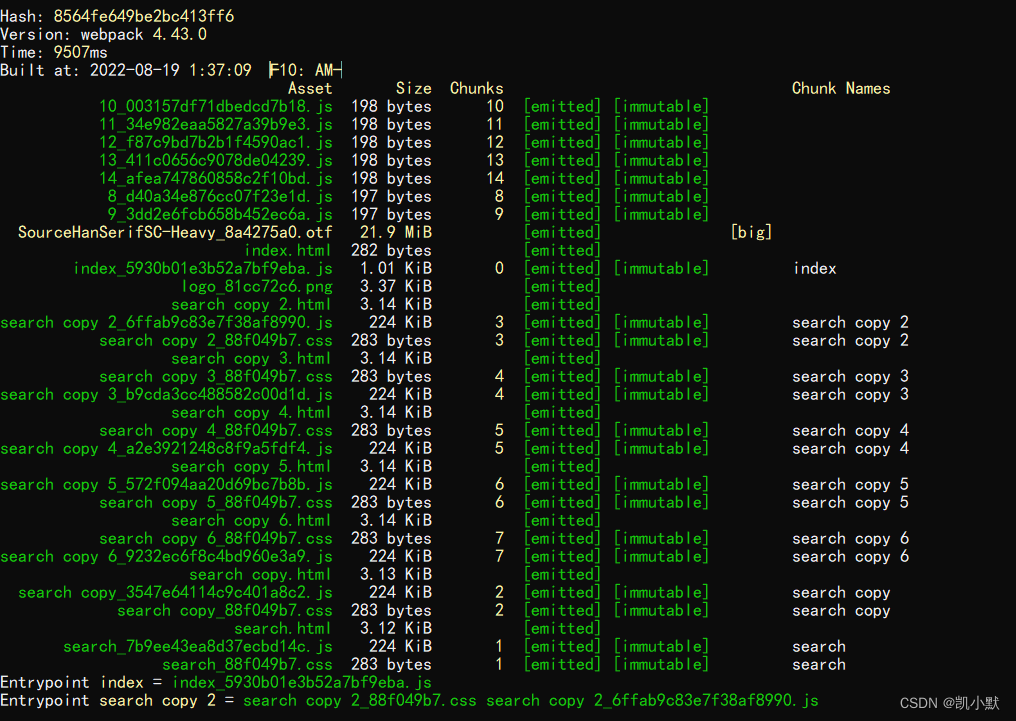
Step 5. 在
webpack.prod.js插件里添加分包new webpack.DllReferencePlugin({ manifest: require("./build/library/library.json") })- 1
- 2
- 3
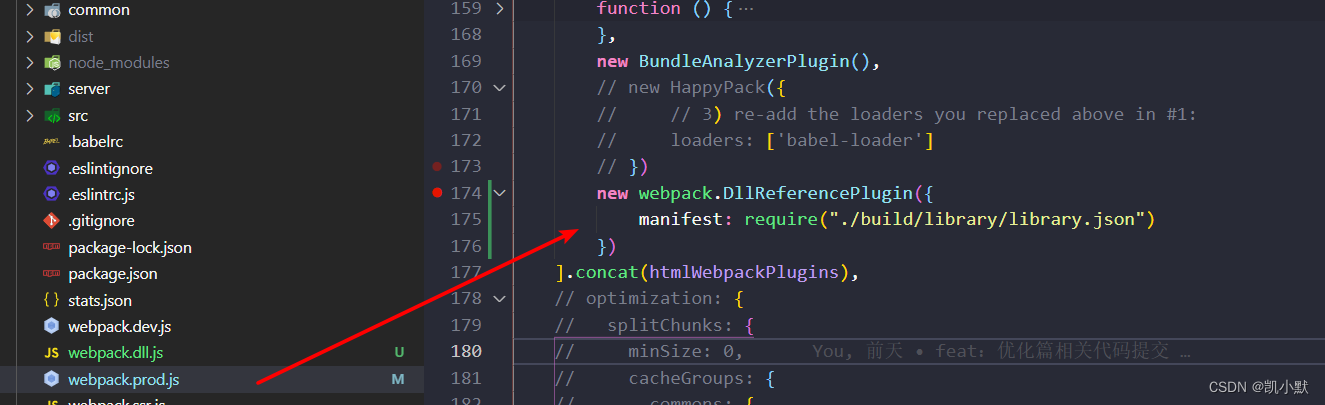
在运行npm run build
我们可以看到速度跟体积都有了明显降低。
-
相关阅读:
【LeetCode】Day95-有效的数独&矩阵置零
Python第三章 程序控制结构
Linux防火墙常用操作及端口开放
猫头虎博主第5️⃣期赠书活动:《Java官方编程手册(第12版·Java 17)套装上下册》
定时任务-启动服务立即执行一次,再按照cron表达式等待下一次执行
树与图的广度优先遍历
Mybatis (2)
Spring——依赖注入
【Leetcode Sheet】Weekly Practice 16
AppWidget(桌面小部件)
- 原文地址:https://blog.csdn.net/kaimo313/article/details/126361349
