-
C++ 静态和运行时断言 assert, static_assert和 throw runtime_error
断言主要是用来DEBUG的。
断言用来判断程序结果是否满足你预期的结果。我们在zeno中使用断言来帮助我们debug
提前总结
就三种用法
//用法1:运行时assert assert(0 && "assert here"); //用法2:静态static_assert static_assert(0,"triggered the static assert"); //用法3:throw运行时异常 throw std::runtime_error("test the runtime err.");- 1
- 2
- 3
- 4
- 5
- 6
- 7
- 8
不建议用第一种方式。因为zeno对第一种方式支持不好。
用法1:运行时assert
假如要用assert需要加入这两行
#undef NDEBUG//先去掉NDEBUG宏让断言发挥作用 #include//记住一定要在上一行的后面 - 1
- 2
(这样即使在Release模式也可以用断言,但是注意不要在头文件中这样用,因为宏会被传递)
在想要assert的地方assert(0 && "assert here");- 1
输出效果:
程序编译运行正常,当运行到这一行程序的时候在终端出现assertion failed

zeno可运行,且无任何输出信息
(这也是为什么不建议用这种方式)
用法2:static_assert
//用法2:静态static_assert static_assert(0,"triggered the static assert");- 1
- 2
编译不通过并报错如下:

这个可以用在检查编译时的类型等错误。用法3:
//用法3:throw运行时异常 throw std::runtime_error("test the runtime err.");- 1
- 2
可正常编译运行,只有加载该节点并运行的时候才会产生报错信息。报错信息齐全(报告错误位置)且节点会变成红色。
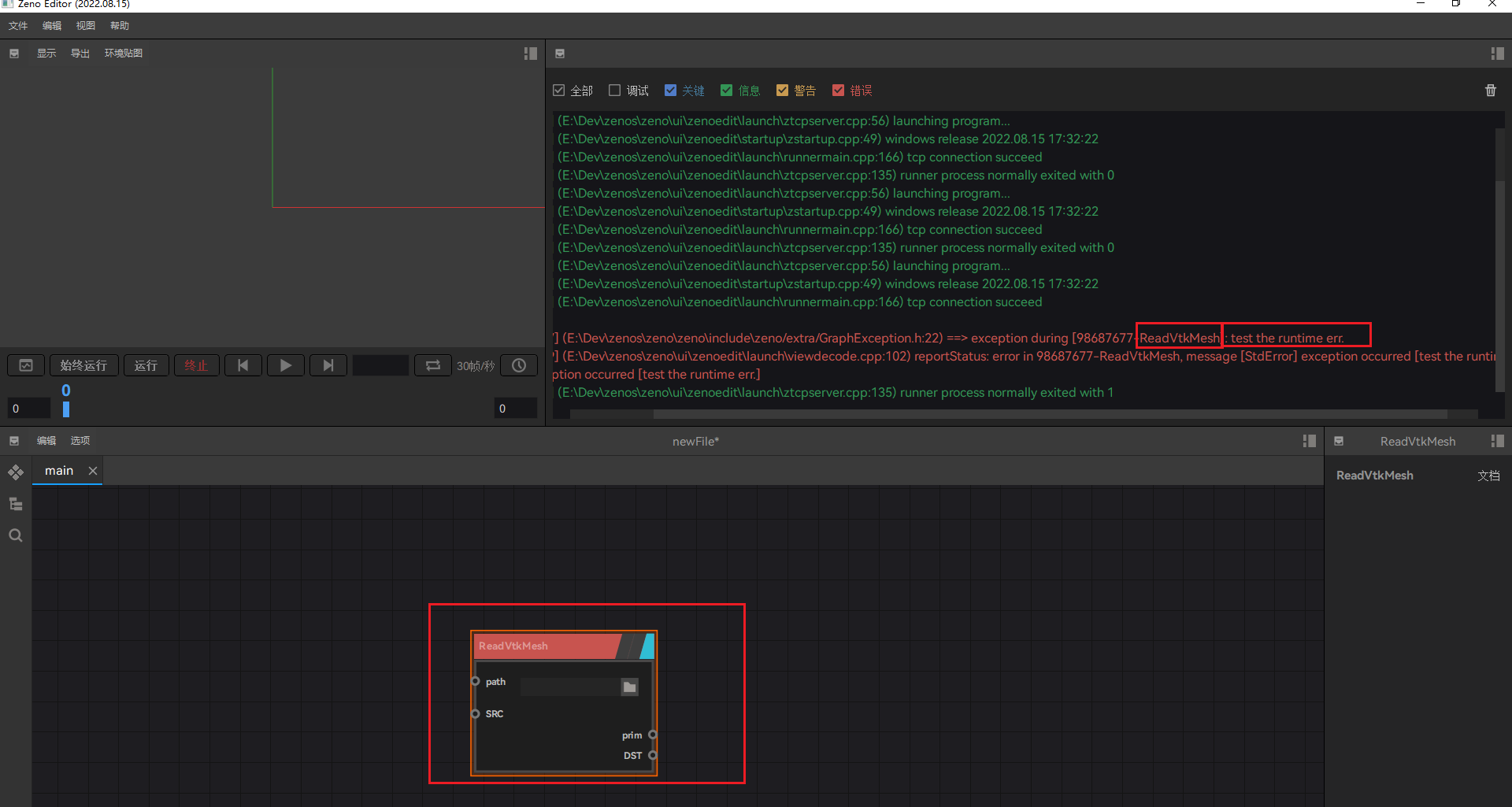
在终端窗口也会出现报错信息。

因此检查运行时错误建议用这种方式。 -
相关阅读:
C++、基于Qt和Qwt实现交互式曲线图
【Git】Git 快照 Snapshot
网络安全——钓鱼邮件和网站克隆
LeetCode栈队列集锦
.NET 中的 Worker Service 介绍
代码随想录 Day37 完全背包理论基础 卡码网T52 LeetCode T518 零钱兑换II T377 组合总和IV
java之线程(四)
Linux字符设备驱动开发(二)
Quartz-cron时间设置
Vue练习CRUD
- 原文地址:https://blog.csdn.net/weixin_43940314/article/details/126411857